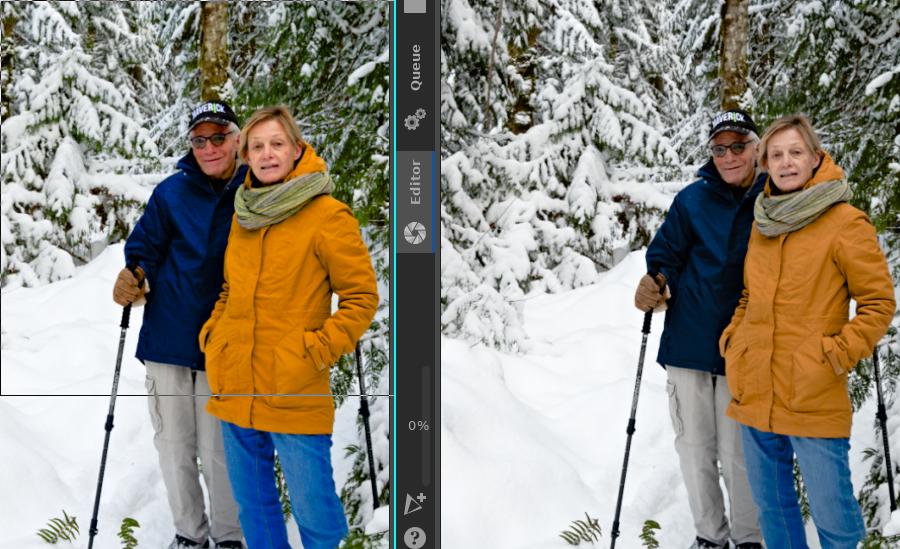
I’ve been working on an image with Raw Therapee 5.8. I got it to a point where I want to use some local adjustments. So I downloaded and compiled the latest dev branch from git (last commit Jan 8 2022). Opening the same image with the same profile, the colours are not the same. The dev version looks like the saturation has been turned up.
I attached a screen shot with two windows. The left is the dev version, the right is 5.8. I checked through all the settings, and they appear to be the same. The same colour space is used, everything is identical.
Is this normal? Do I need to complete all my edits in the same version of RT to get the same result, or does the dev version interpret settings differently?
Except in rare cases, edits should look the same in later versions. Are the display profile and softproofing settings (bottom bar in the editor) the same? Which tools did you use for this image?
Hi @plantarum , could you share the original pp3 file? You don’t need to share the raw file, but it would be helpful to know which camera this was shot with.
I don’t think these are set? Both versions of RT show None (with a long list of options starting with cineonlogn etc, but I haven’t picked one), and relative colorimetric (greyed out, no other options). There is a softproofing button, but it’s greyed out with no options.
Under Color Management, the working profile, output profile, and rendering intent are all the same for both versions.
I tried your pp3 in 5.8 and dev and see no difference. The input color profile is set to “Camera standard” which could explain the color change if there is a new color profile in dev. @Thanatomanic may know if this is the case.
Indeed, this was my suspicion. I can confirm that a “Camera standard” color matrix was provided after the release of 5.8:
This means that any edit done in 5.8 was actually done while accurate color rendition for this camera was unsupported (this is a “use at your own risk” situation). Updating to the current development version will change color, as @plantarum has observed. The changes should be for the better though… but YMMV depending on how extensive your edits were.
Is there any way to revert to whatever color matrix was used in 5.8 for this particular image? Is a default camera matrix applied when there is no entry for the camera used? I tried setting the input matrix to no profile, or auto-matched, and both were worse than the correct matrix.
UPDATE: I see from rawpedia that if there is no dcraw matrix available, the conversion uses information in the raw file instead. Can I force RT-dev to do that in this case, and ignore the dcraw data?
I don’t think my edits were extensive, but as a beginner it took me a long time to get to this point.
Soooo, I’m curious now, how’d you use RT 5.8 with your Z 50? The camconst.json entry wasn’t added until about 4 months after 5.8 was tagged, and Nikon doesn’t include color primaries in the NEF. I’m really asking RT devs, what does RT do for a camera that doesn’t have a camconst.json entry or a provided input profile?
I ask because, looking at your two images, the 5.8 image looks like it doesn’t have camera primaries, i.e., colors with extreme hues are “clipped”…
Yeah, I have no idea. I just loaded the images and this is what they looked like. I did find a geometry file for my camera and lens, and managed to put that in the right directory to get picked up, but the rest is a mystery.
Can you tell me where to look to see these clipped hues?
So I managed to reproduce my image entirely in dev. I had 5.8 open at the same time, and cribbed some values from there as I made my way through. After an hour or so I had a final image that was a little better than the original in 5.8.
Then dev crashed, and I lost all my edits! 5.8 has been stable with no issues, I should have known to expect challenges with dev I guess.
After I posted, I did a demo of the difference in my hack software where I can turn on/off anything…
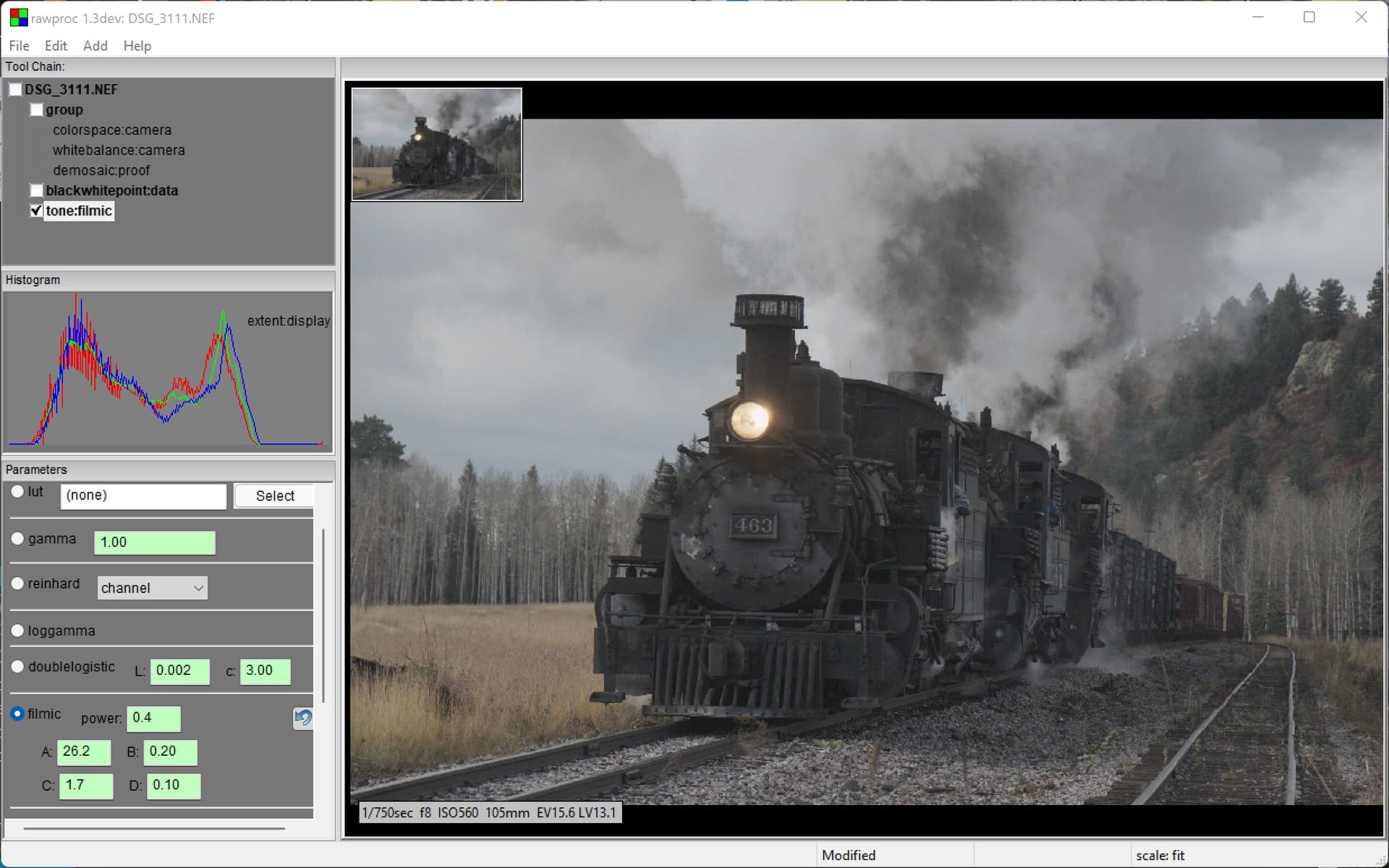
First, here’s a render with color management turned off, which would put the unconverted camera RGBs onto the screen. I replaced the display gamut with a power curve that’s build into my filmic tone curve tool:
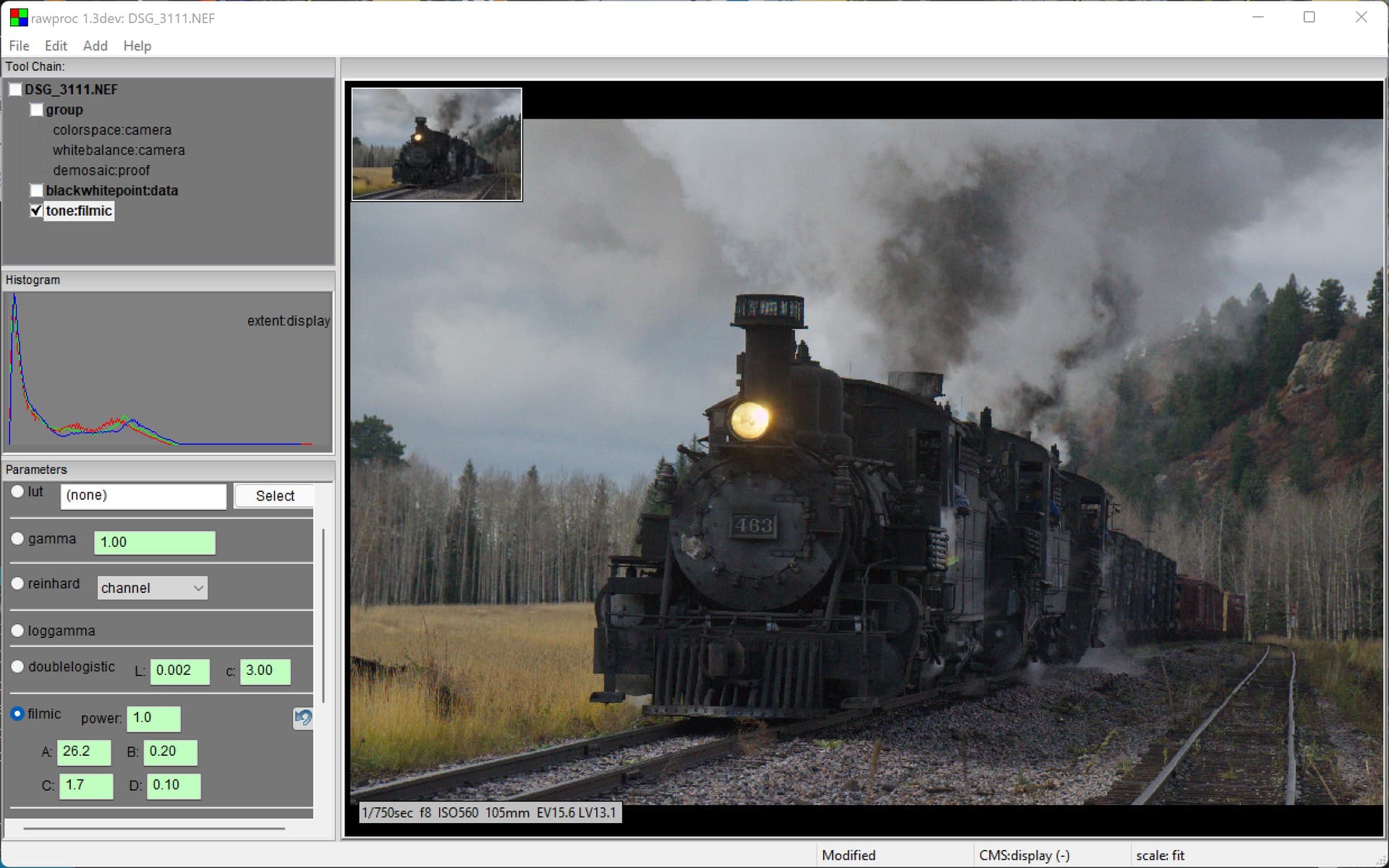
Next. I turned color management back on and removed the filmic power curve. Now, the render is done with a conversion from the camera primaries to the calibrated display primaries:
These are the colors as I remembered them in the scene.
In your image, the green foliage demonstrates the difference well, but the jackets show less difference than I’d expect.
I’m just guessing here, but the camconst.json history and some of what we see in your image looks like what I describe. I’m still interested in how RT handles images for which it doesn’t have color primaries from some source…
My experiments show RawTherapee falls back to linear sRGB, so…
you can use the ICC Profile Creator to create a profile with the sRGB primaries and linear tone response curve, then set the input profile to Custom and choose the profile you just created.
dev is (almost) ready for release, so that’s concerning. Do you know if something in particular triggered the crash or was it random?
I can confirm that dev 3065 crashes from time to time on my Win 10, but cannot really reproduce it. Sometimes it might have to do with spot removal and/or clicking a thumbnail in the film strip - but I am not sure. I have no problems with clicking on the favorites folder.
I am using dev 3065, installed via the build-rawtherapee script, on Ubuntu 20.04.
The first time I opened the program the display was very laggy, with lots of ghosting on the screen as I dragged windows around. It’s been better behaved since. However, it crashed last night as I mentioned. I wasn’t actually doing anything when it did: I was reviewing documentation in my browser, and when I came back to the RawTherapee workspace it had crashed.
I had been running both dev and 5.8 side by side, and 5.8 was still going. Maybe that contributed?
Let’s not divert the topic here. If you experience (consistent) crashes, please report these on Issues · Beep6581/RawTherapee · GitHub with appropriate information.