I am trying to collect some data points to rationalize the preferences of the new masks panel, and maybe tweak the defaults based on your answers and comments.
Please, only contribute your answers if you used the new masking panel more or less extensively.
Thanks in advance for your help.
Attitude towards preferences
Attitude towards preferences
I did not change the preferences, I am happy with the defaults
I changed at least one of the options, and then went back to the defaults
I changed at least one of the options, and settled on something different from the defaults
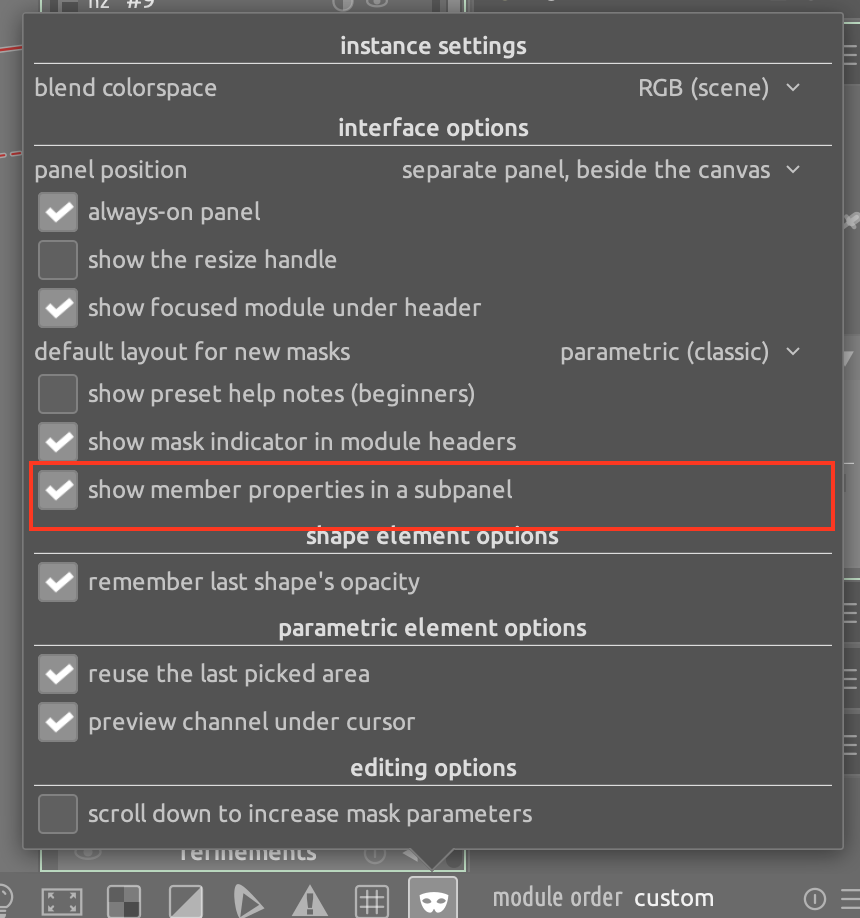
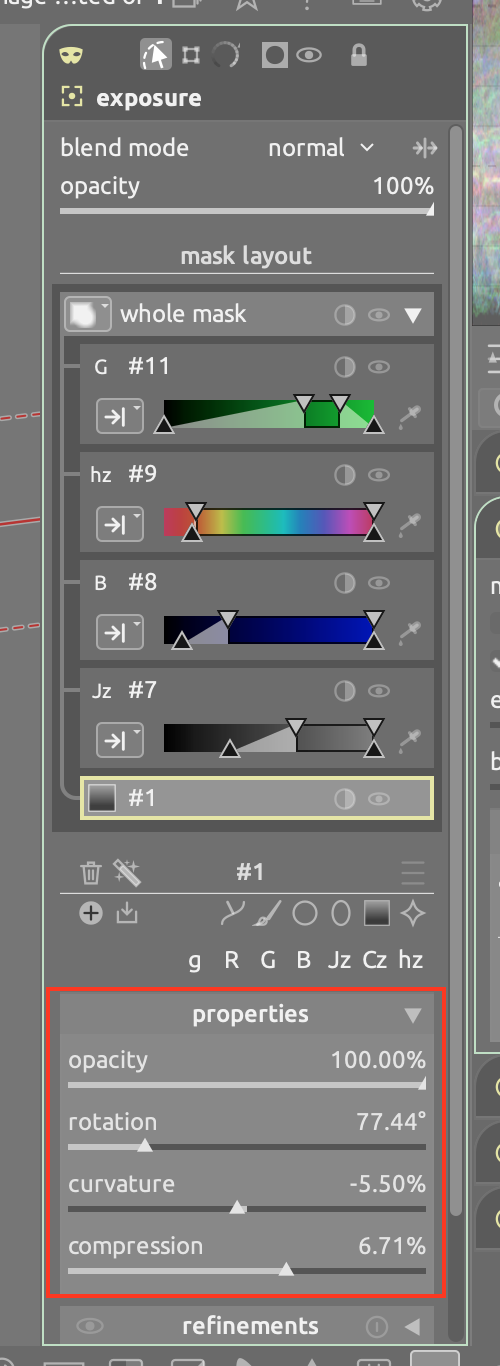
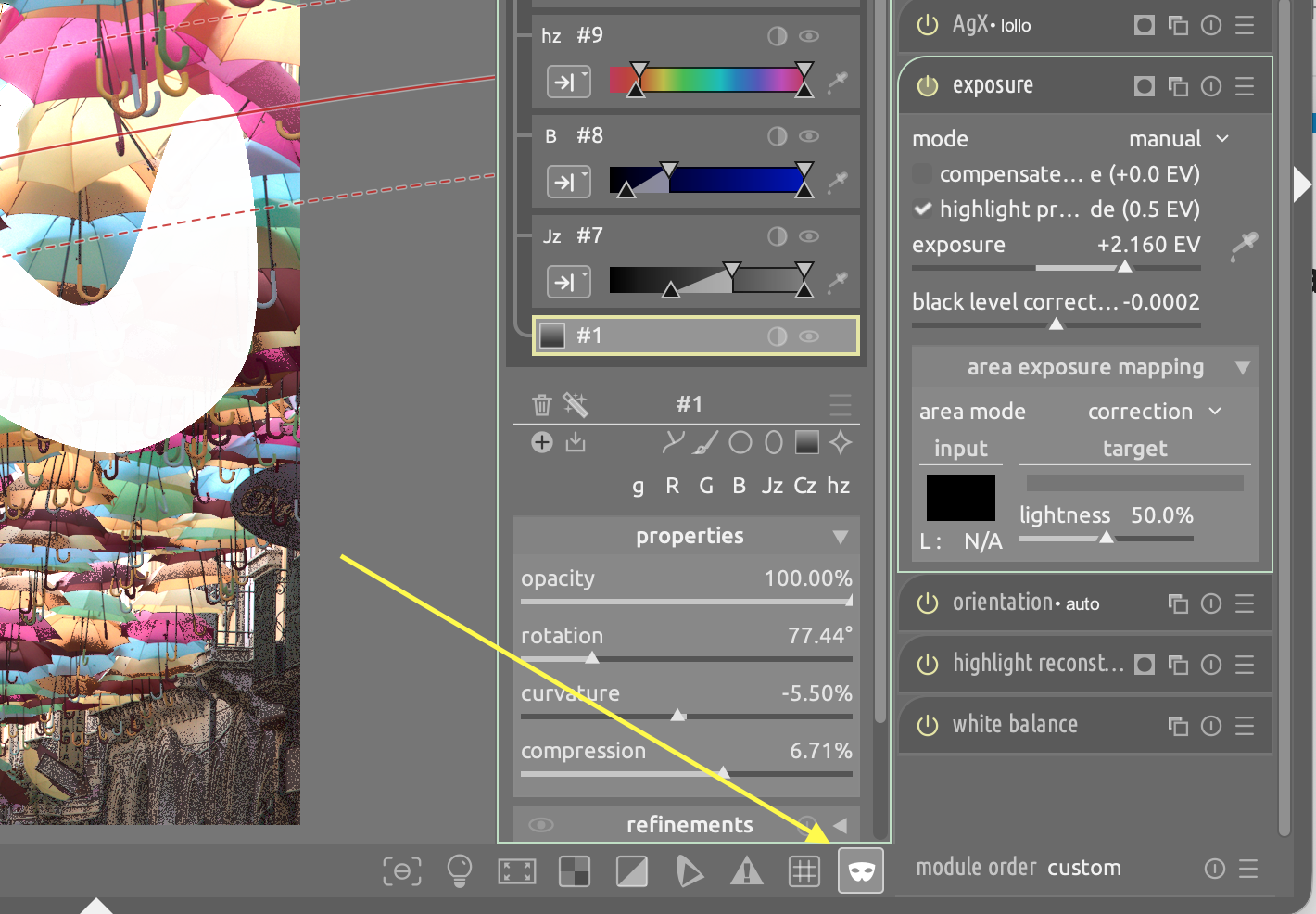
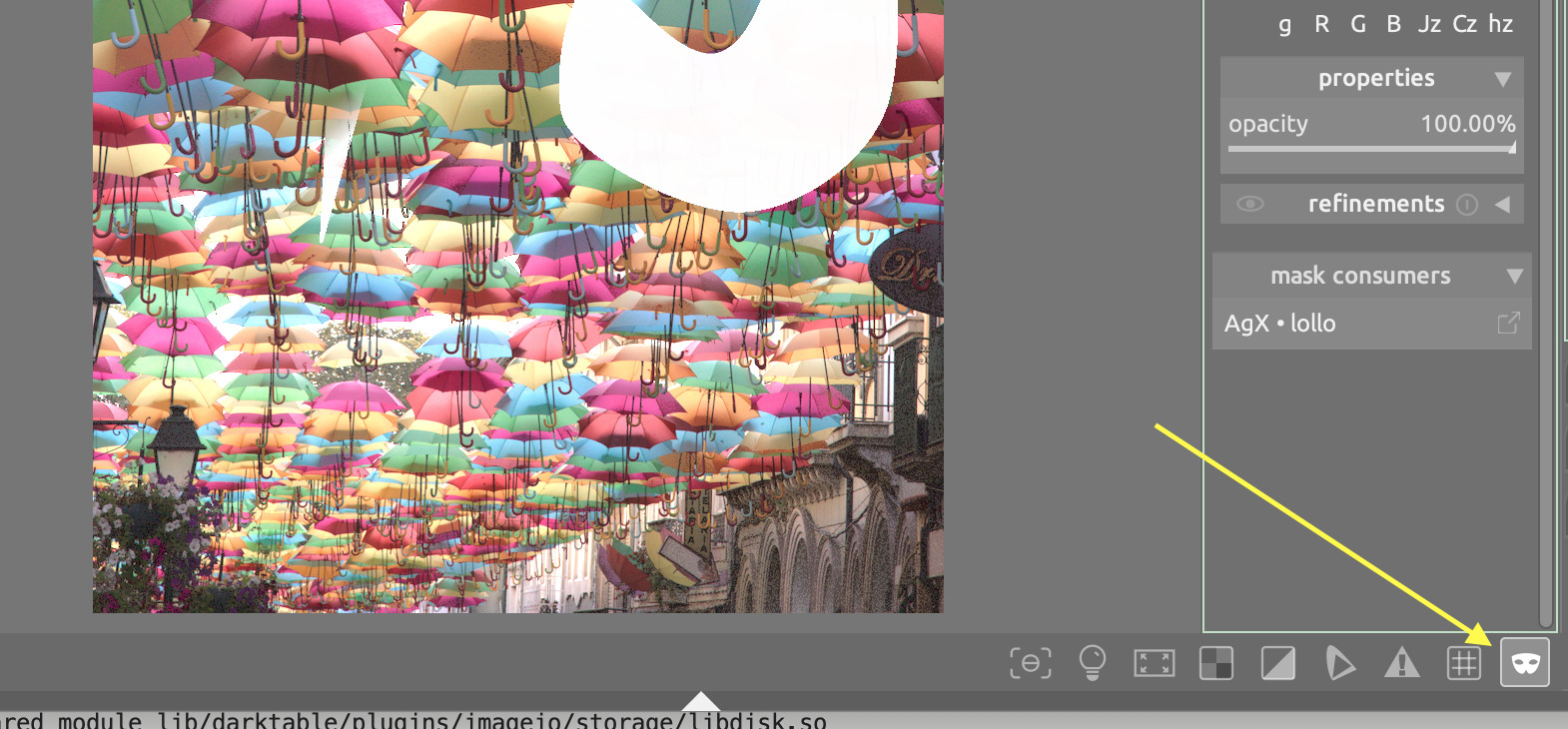
Thanks for asking - but I don’t understand all of your questions. What are the “Member properties in subpanel” and what “mask icon in the bottom toolbar”. It would be helpful for me to provide screenshots.
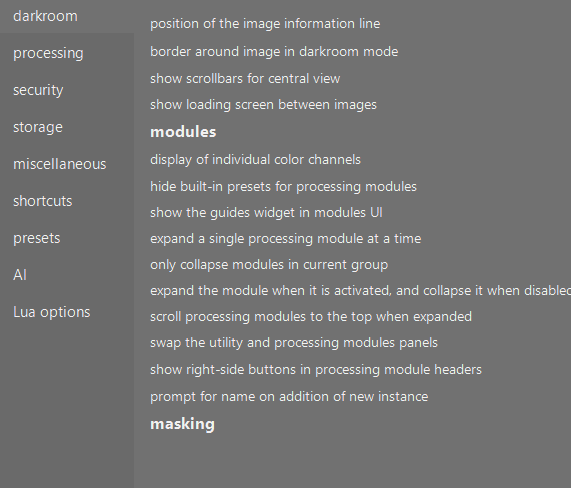
I am on DT 5.67 +1554 weekly build for windows. I don’t see any of these options. Should I see any of these options? There is nothing under preferences for masking in my version.
Thanks for that. Nice options now I realise where they are. It is taking me some time to become familiar with the new masking capabilities but I am definitely sure it will be a big improvement worth the learning curve.
Right clicking on the mask icons I get a “blend mask panel settings”. But not the panel you show under “Member properties in subpanel” with the instance settings.
1st: Thanks a great lot for all the good work and hours invested in improving this important part of darktable!
2nd: For me it is really a bit too early to give trustworthy / stable answers to your questions as I’m still discovering the ins and outs of the new possibilities.
One example to clarify how unaware one - me, in this case - may be.
When I saw the possibilities of the new mask panel as ‘embedded’, ‘utility module’ or ‘separate’ I immediately and rather unconscious drew the conclusion that I did not want it embedded. Why? Because some modules already need a lot of space for all their sliders and having the mask functionality ‘down there somewhere’ did not appeal to me. Now I’m not so sure anymore and I feel I need time to evaluate. Time you may possibly not have needing to finish your development somewhere in the (close?) future.
I use masks often. Mostly multiple masks per picture. Which means that for me ease of use and direct availability will be strong points. Directing me back to ‘embedded’.
Will read new doc and work on new photos today and will today hopefully report back as well.
It’s the same panel, it’s under development and different people have different versions installed, so the specific details and wording of the options may vary
Hello. I have cast my votes. I have a couple of additional comments:
keep the panel docked beside the canvas
→ I would like more ‘stickiness’ to this setting. Current behaviour (latest nightly) appears to be:
work on a module with no mask - there’s no floating panel visible
open the 3rd mask panel manually, do my masking
switch to another module which has no mask (I do use the single panel view) - the floating mask panel disappears automatically
switch back to my masked module - the floating panel does not reappear automatically.
In other words, I think it would be convenient that if I use the floating panel, when I activate a module that has a mask, the panel should appear automatically.
Separately on the masking panel location - ignore me if this has already been workshopped - might it make sense to have that third panel as non-floating, meaning not obscuring the image below it? With the floating behaviour, if I zoom in to 100% I have a bit strange effect in that the right-hand side of my image is not visible since it is under the floating panel. This makes hand-drawing the mask on the right edge of the image trickier than it is on the left edge. I don’t feel very strongly about this point to be honest, just something that came to mind.
The mask icon in the bottom toolbar should primarily (single-click):
How about checking what should the button do SECONDARILY (right-click)? It appears from earlier in this thread that the fact a whole set of masking options is brought up by right-clicking it is not immediately obvious. I tend to agree. Would it make perhaps sense to not have the flexi settings in the dedicated menu there at all, but have them all under main darktable settings interface? Is that what the ‘masking’ header under the darkroom section is placeholder for?
To take this even further - if masking options were in the main darktable options window, maybe we don’t need this toolbar button at all, and masks can be turned on or off with a button on the main module header, which would be perhaps more visible and more consistent with the current behaviour?
Finally, I have been using the latest version and more and more struggle to find things to point out. It’s all very very usable right now already.
An option to make the panel persistent (as opposed to floating) is coming. This will keep the panel always open, unless explicitly collapsed.
With the persistent panel, the mask panel will be visible (but be empty) when there is nothing to mask. This is because otherwise the constant jumping of the image in the canvas that happens when the panel is hidden/shown can be quite jarring.
Many of the bottom toolbar buttons have options that show on right-click, so it’s nothing new.
Preferences are good for options that do not change during an editing session. Masks are used for editing, and while editing a mask, one may want to change those options on the fly. For example, the stickiness may be useful in some cases, annoying in other. And depending on what kind of editing one is doing, one may want to move the panel to a different position.
No, that is a leftover that needs to be cleaned up, as all masks settings now are in the options panel.
Agreed. My unstated assumption was that the mask settings/preferences are something to set once and don’t touch again. That’s because my personal idea is to set up flexi once - and when that’s done, I don’t see much need to go into the right-click menu afterwards, ever. Mayyyyybe I could see myself changing the opacity stickiness occasionally, but even that - unlikely to be frequent. However, of course that’s just me. So if others do tweak these settings on a per-image basis, I agree it’s useful to keep them where they are.
If this was the case I presume or would expect that the floating mask panel displayed is only for the module currently being worked on. A floating mask might be good for some of the modules that already use a lot of real estate such as diffuse or sharpen.
Agreed, and possibly not only count for where the panel is settled but might apply to other settings too, still have to work more with the functionality to get more specific.
Question about a thing I encountered working on a photo.
The masking once had an option to remove the mask, i.e. the left most ‘cross’ icon
This removes mask settings and clears the mask icon behind the module header thus showing the user there is no mask.
As far as I could see this function doesn’t exist leaving the mask sign on behind the module header - even after deleting the whole masks members - implying there still is a mask, though possibly empty.
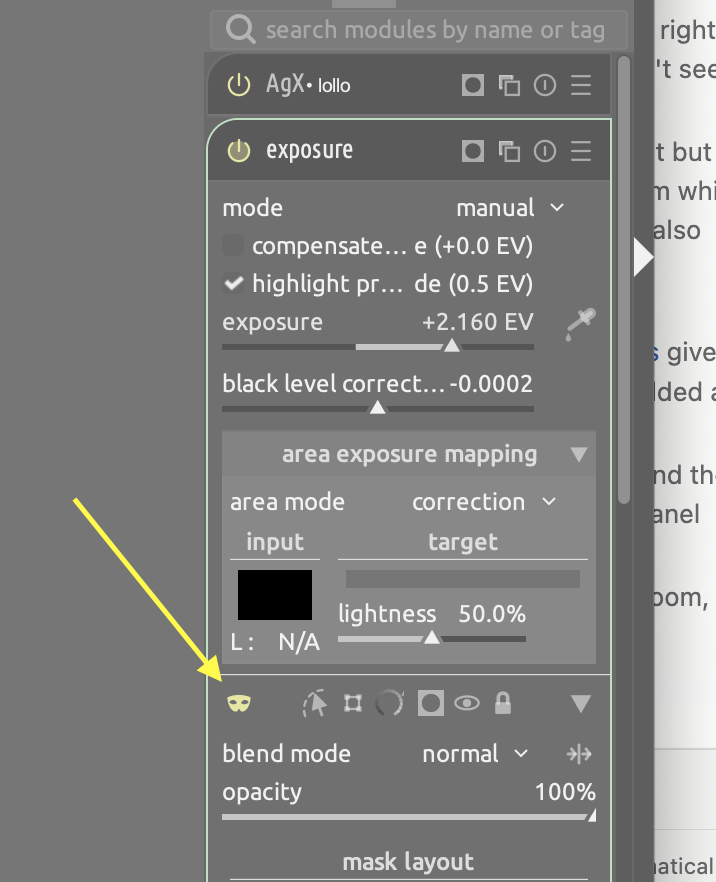


 and then you’re fine.