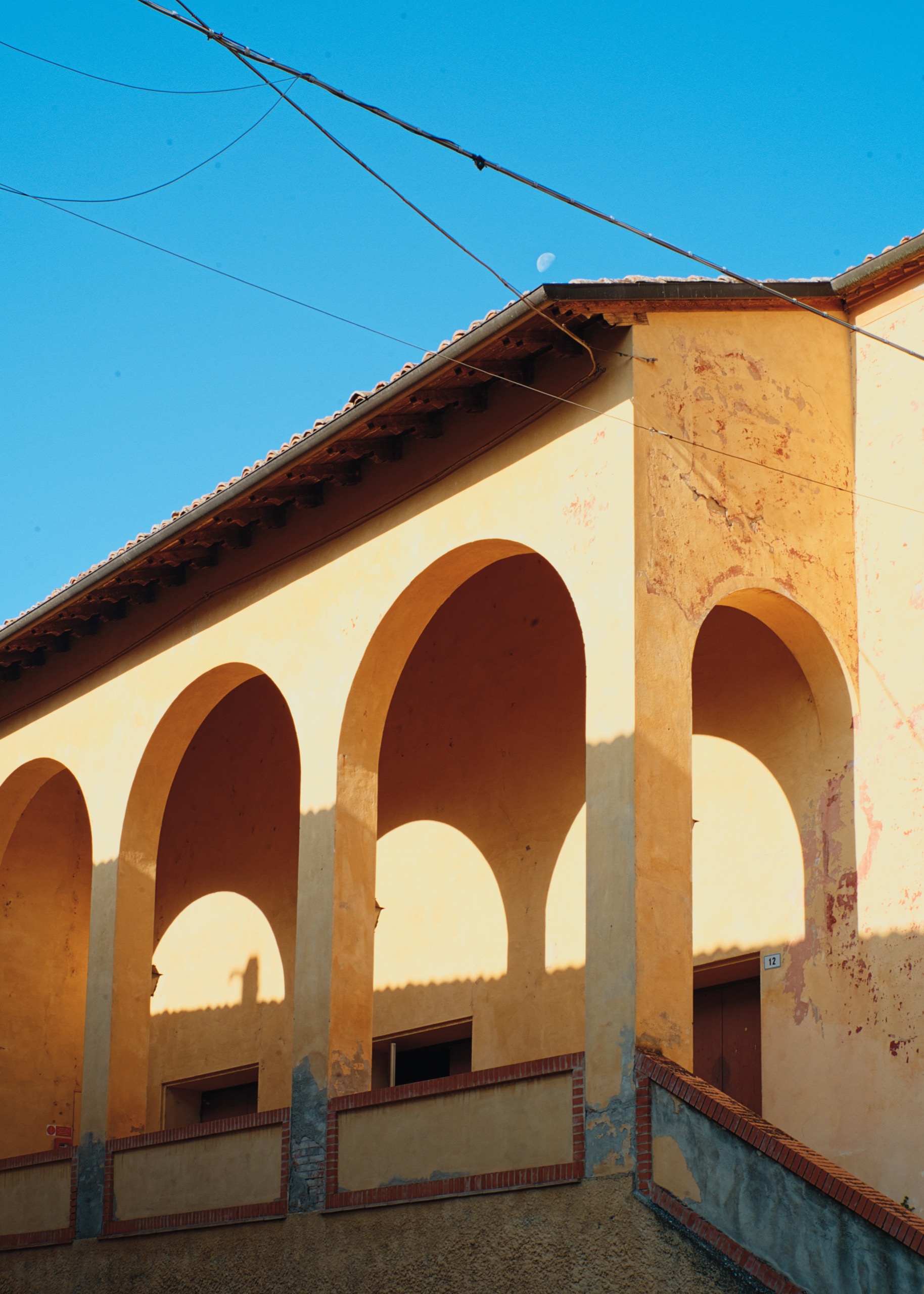
As the title says: is it possible in Darktable to resize and move one element of an image? e.g. the moon here?
1 Like
You could use the retouch module to move it.
But maybe GIMP would be a better friend for this sort of task?
3 Likes
I agree with the idea that a pixel editor like GIMP would be more suitable for this task. Darktable could use the composite module to add a moon from a separate capture if you had had one available. The restore module could replace the moon with sky in this capture.
1 Like
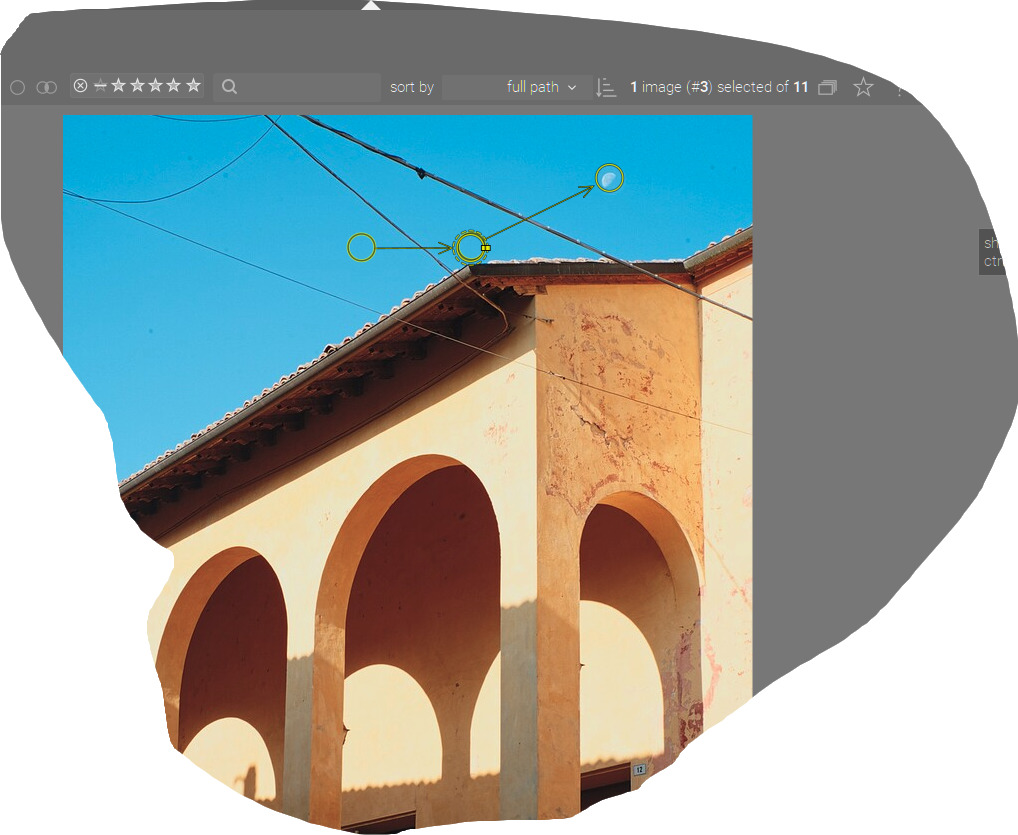
What is that crop, Todd 
Also yeah, that’s basically as much as Darktable can do – duplicate the Moon and retouch the old one.
3 Likes
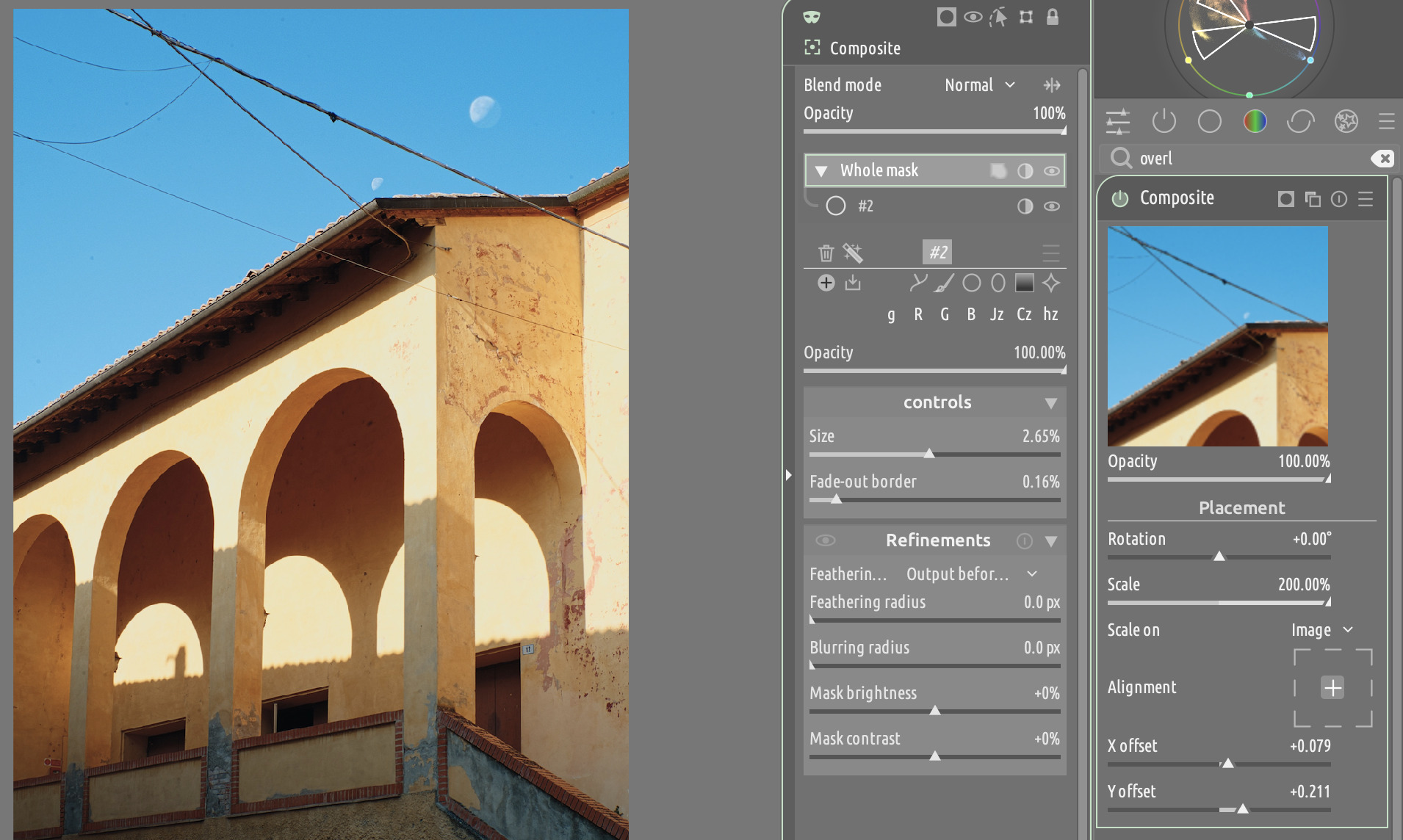
With the overlay module you can overlay the same image, rescale it and shift to put a copy of the larger moon in a different position.
7 Likes
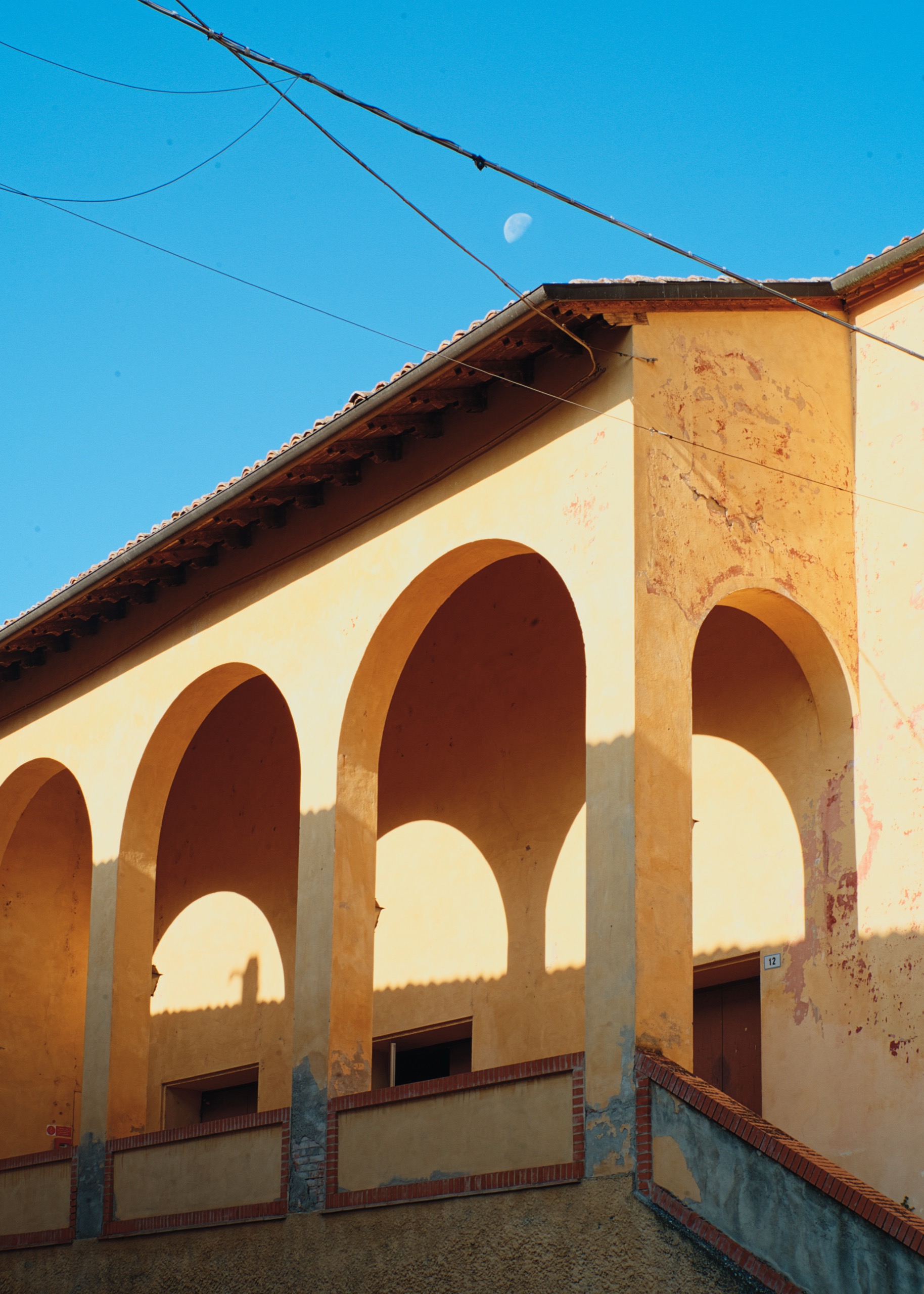
Thank you, managed to do it with the composite module (compositing the image onto itself), didn’t even know of its existence! For a small task like this, whipping up an external image editor looked overkill
3 Likes
Nice shot! So much to discover. I love the little lanterns cheekily peeking around the pillars.
1 Like
Thank you!
1 Like