I love Spektrafilm and have been using it a lot this year. I worked with the Python UI for a long time. Then I tried out spektrafilm-rs for the improved performance and worked with that for a while. I kept adding features I was missing and little improvements.
I decided to polish the current state and publish it so other people on MacOS can benefit. Here’s a non exhaustive list of features and improvements:
-
GPU pipeline that’s close enough to the CPU reference pipeline to use for exports => almost instant exports
-
Reduced memory usage. Editing 60MP files on a 8GB RAM M1 Mac is possible
-
A beautiful native MacOS GUI
-
Easy Installation on MacOS
-
A lot more features: Toggle before and after, add borders, crop, tilt, a histogram…
The website: getnegs.com
The repository: github.com/noahhaasis/negs
I’m happy to receive feedback. I hope the website and repo give enough credit to the original project, even tho i went with a new app name.
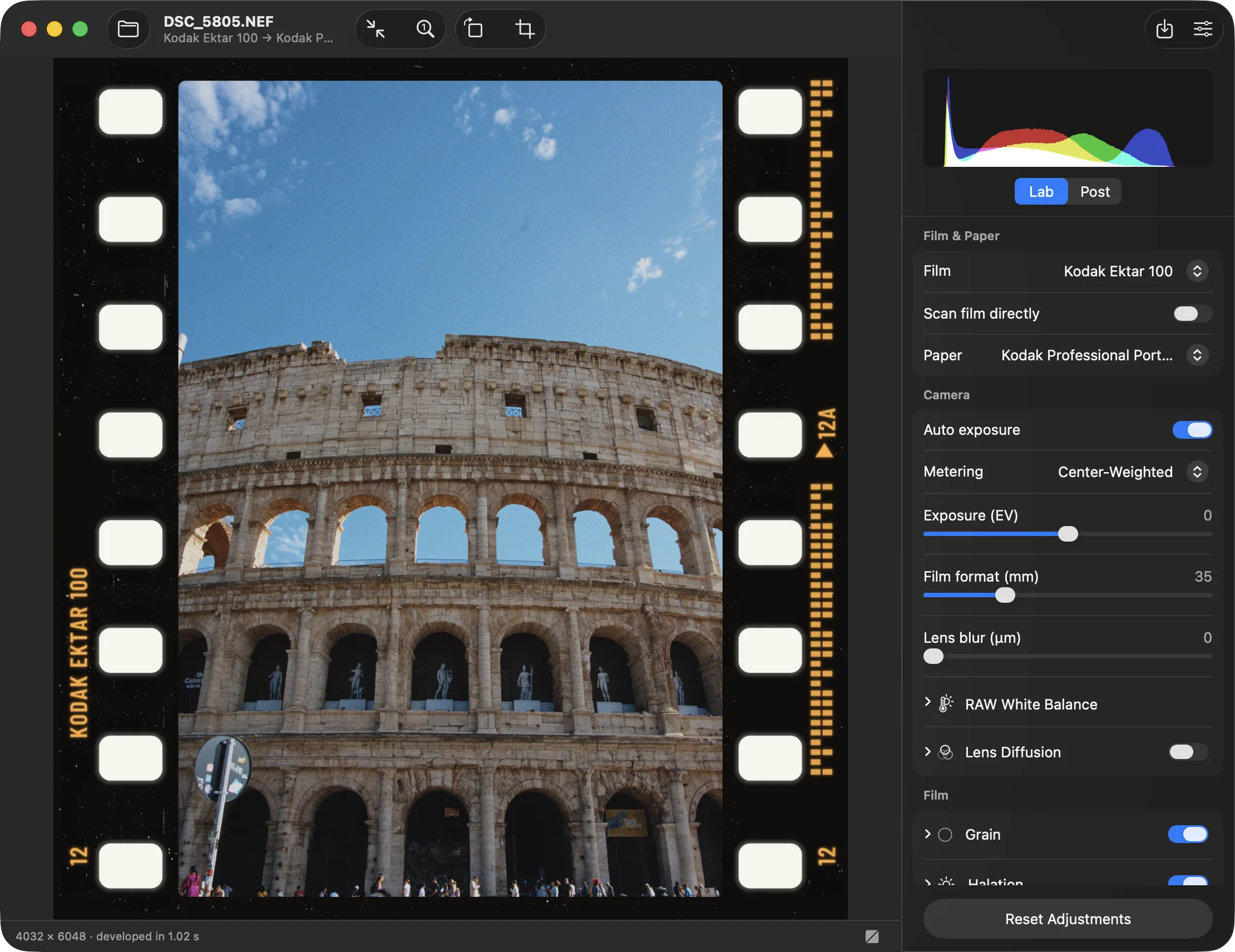
UPDATE 29.10.2026: A lot changed since the original post…
There are numerous new features:
- Performance improvements. Sliders react live
- A “film-strip” at the bottom
- Matching the experimental Spektrafilm branch
- More border customisations
- LUT Export
- Presets
- Upscaling
- Different export formats, sizes, qualities
- Lens correction for some cameras on Macos
- and more
And there are two new supported platforms: Linux (AppImage + Flatpack) and Windows
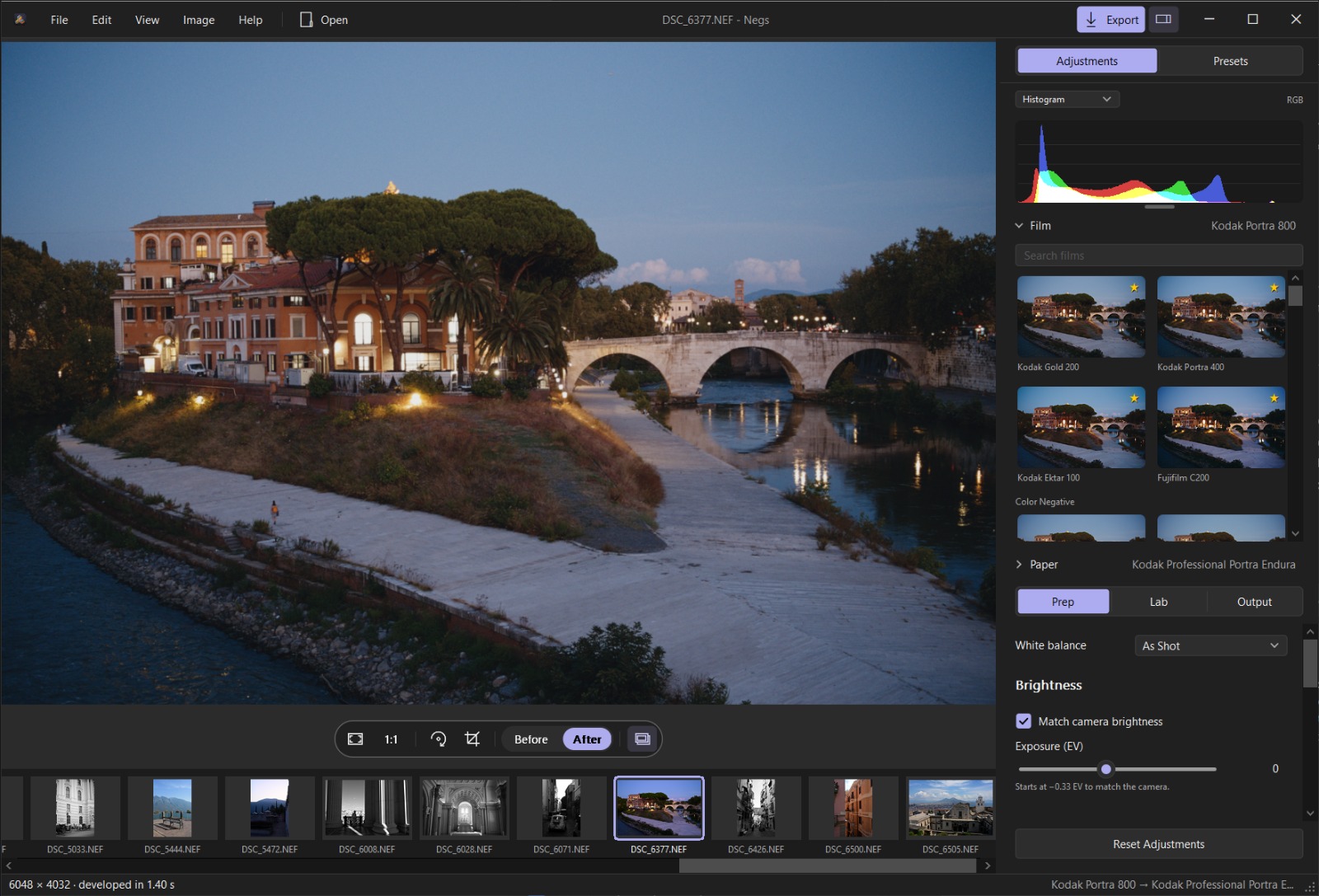
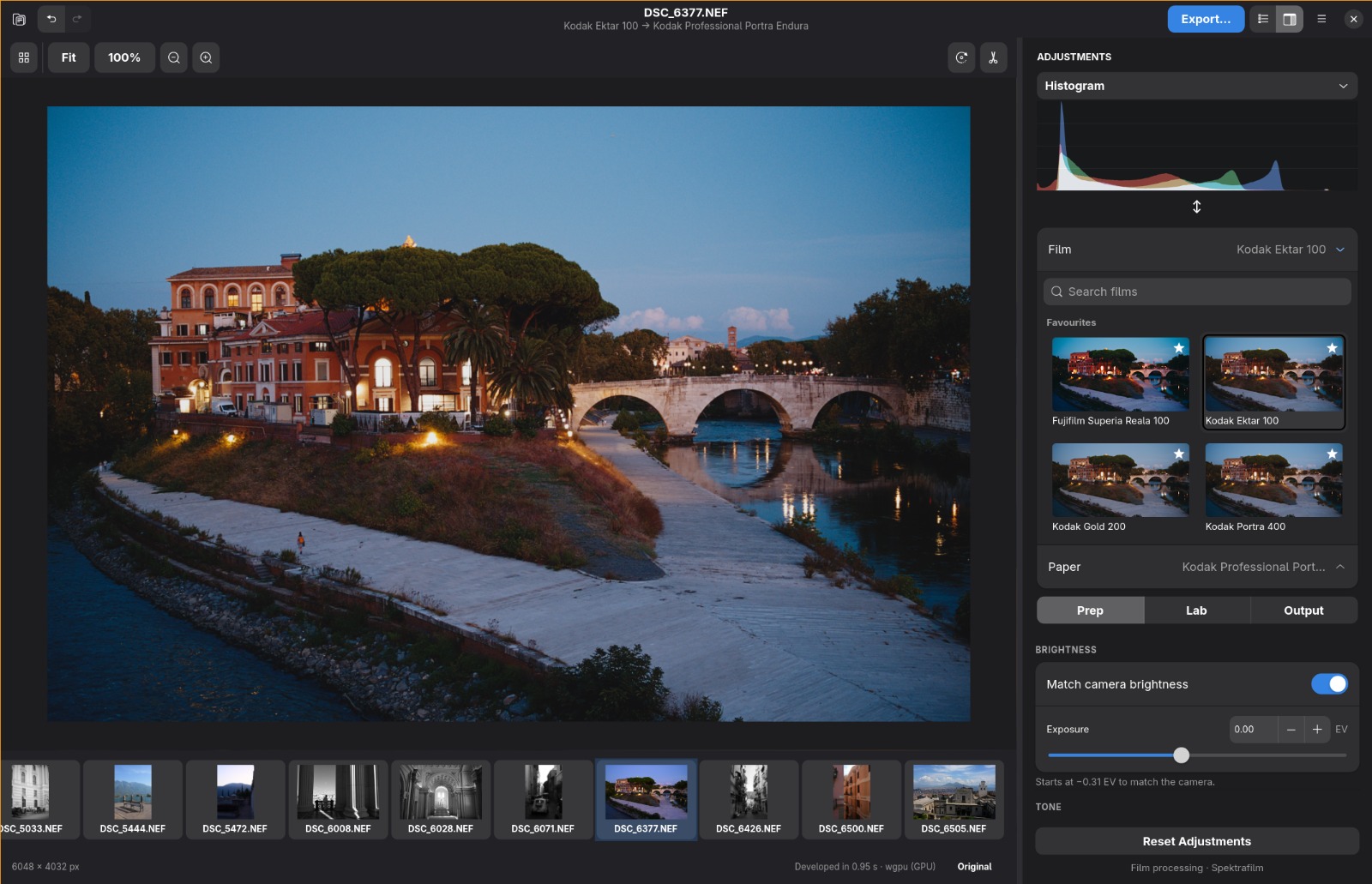
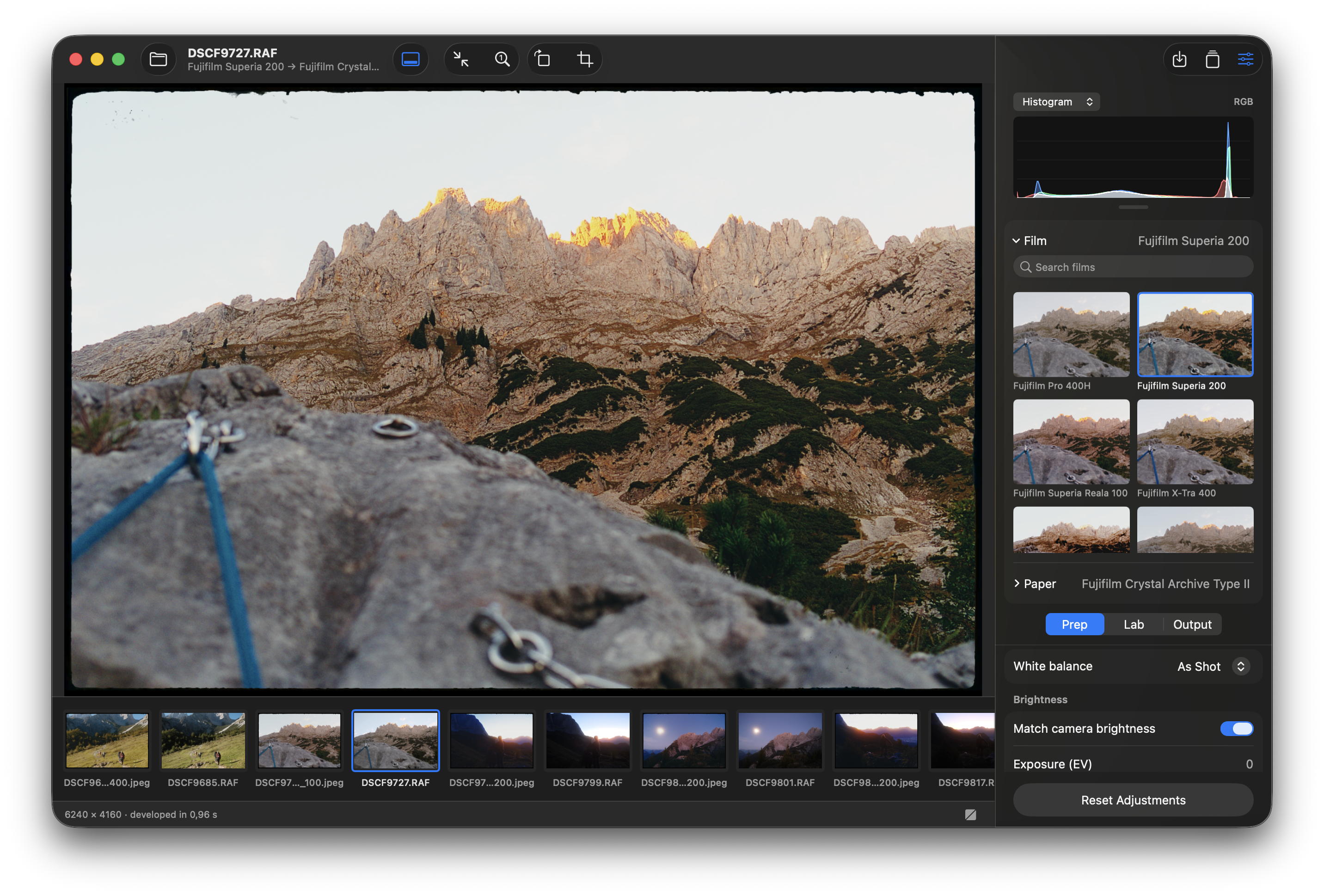
A new Macos screenshot:
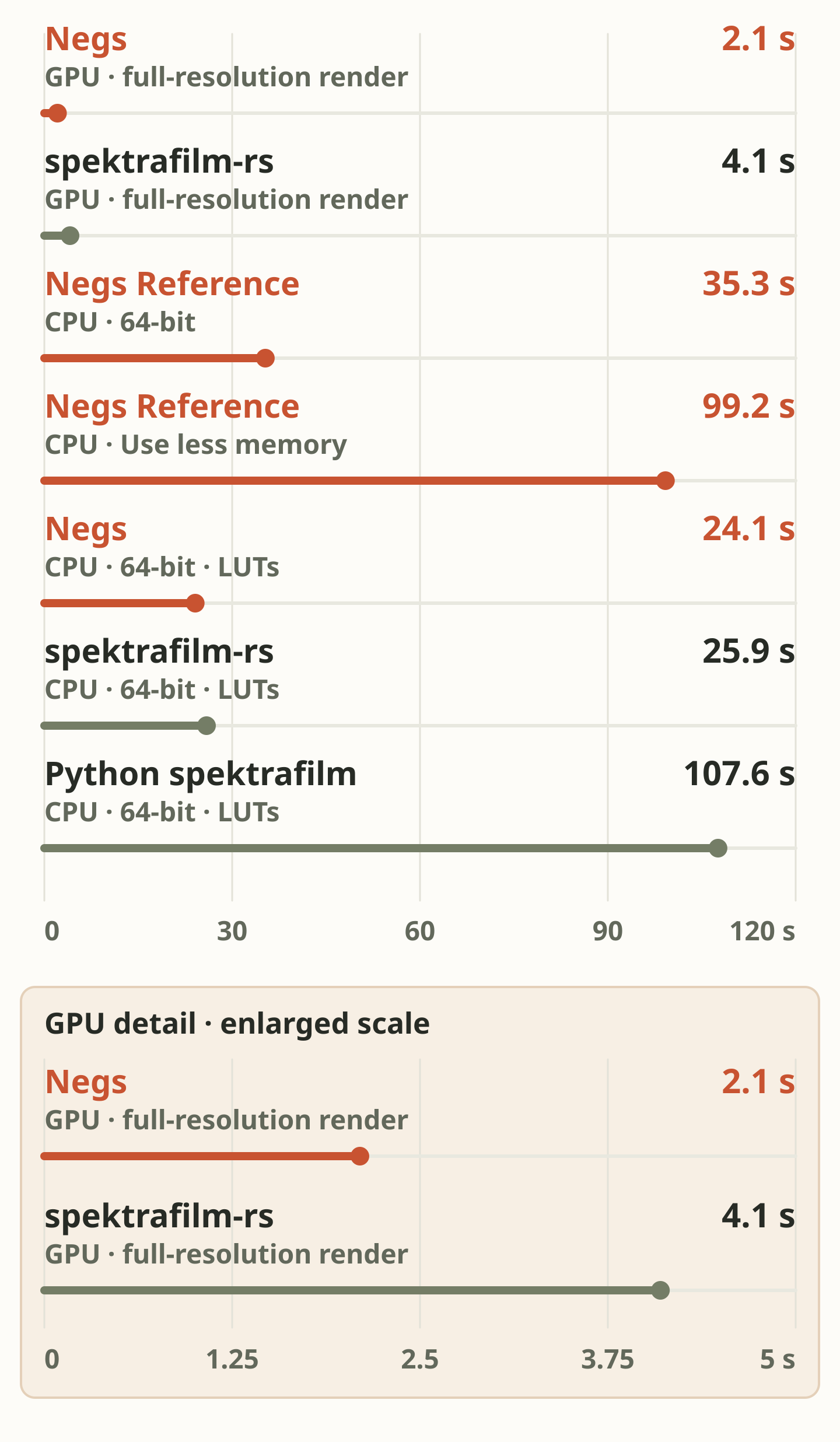
Performance improved while correctness stayed the same. Current measurements:
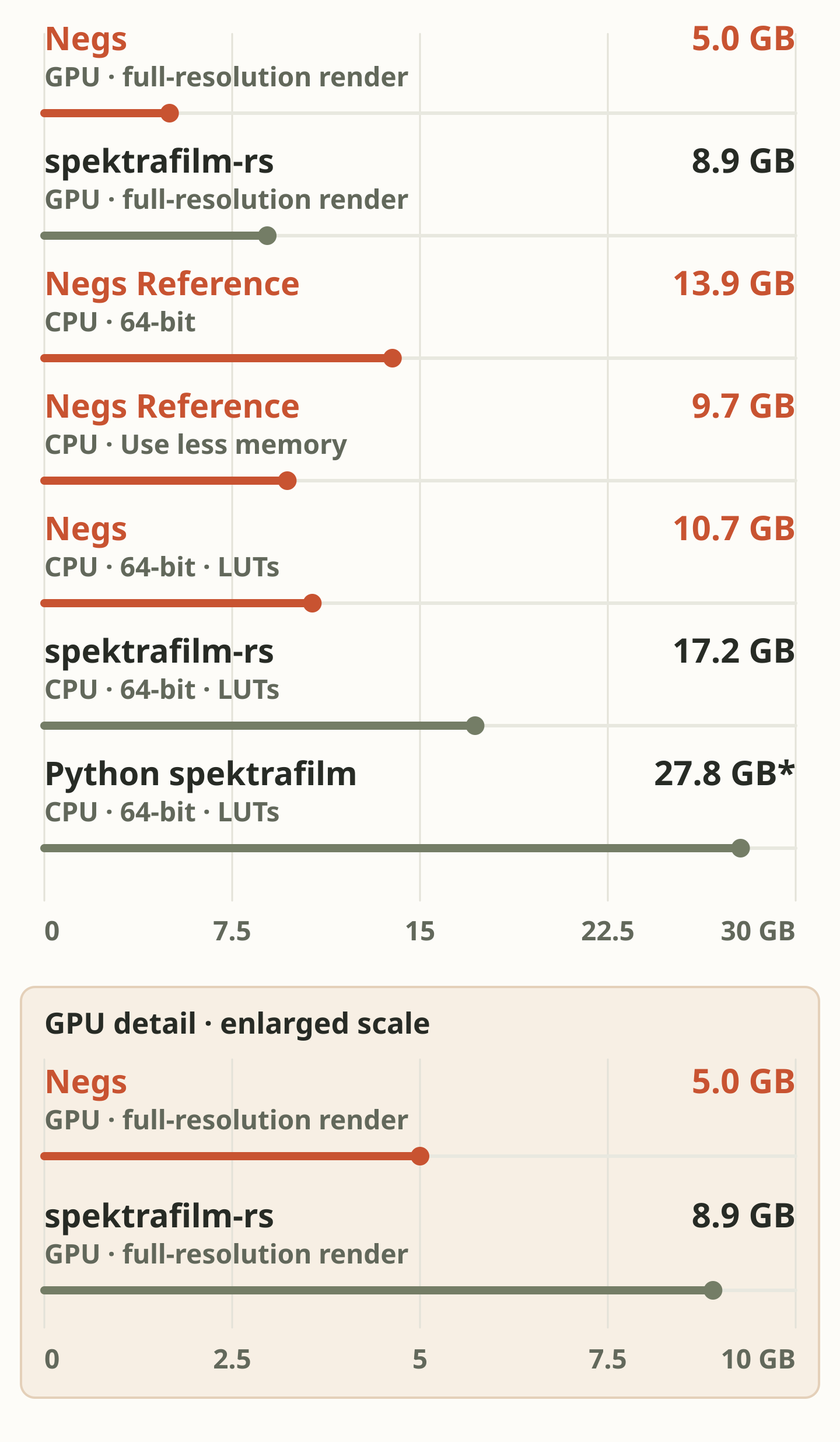
Measured on a MacBook Pro with an M1 Pro and 32 GB RAM: the same 60 MP photo in every app, developed at full resolution with Kodak Gold 200 printed on Portra Endura. Times show rendering only; memory is the most each program used.
Memory
Negs’ Reference export computes the full spectrum for every pixel. spektrafilm-rs and Python speed up two spectral steps (enlarger and scanner) with small lookup tables (LUTs), which are quicker but approximate. These aren’t film-look LUTs: grain, halation and the rest of the film are still simulated. The LUT row shows Negs with the same lookup tables, for a like-for-like comparison; the app doesn’t export that way.
Use less memory (Scan & Color → Output) is for Reference exports of large photos on Macs with less RAM. If an export would fill your Mac’s memory and slow everything down, turn it on: the image is exactly the same, the export just takes longer.
More features are planned…


