Hi everyone,
First im german so sorry for the pictures.
I’m relatively new to Siril, and I’m having a lot of trouble getting SPCC (Spectrophotometric Color Calibration) to work. I’ve spent hours downloading catalogs, changing settings, and trying different solutions, but nothing seems to work.
I’m using Siril 1.4.4 with images taken using my Seestar S50.
My Siril interface is in German, so I’ve translated the error messages into English below.
I’ve attached six screenshots showing my settings, the errors, and my Plate Solving results.
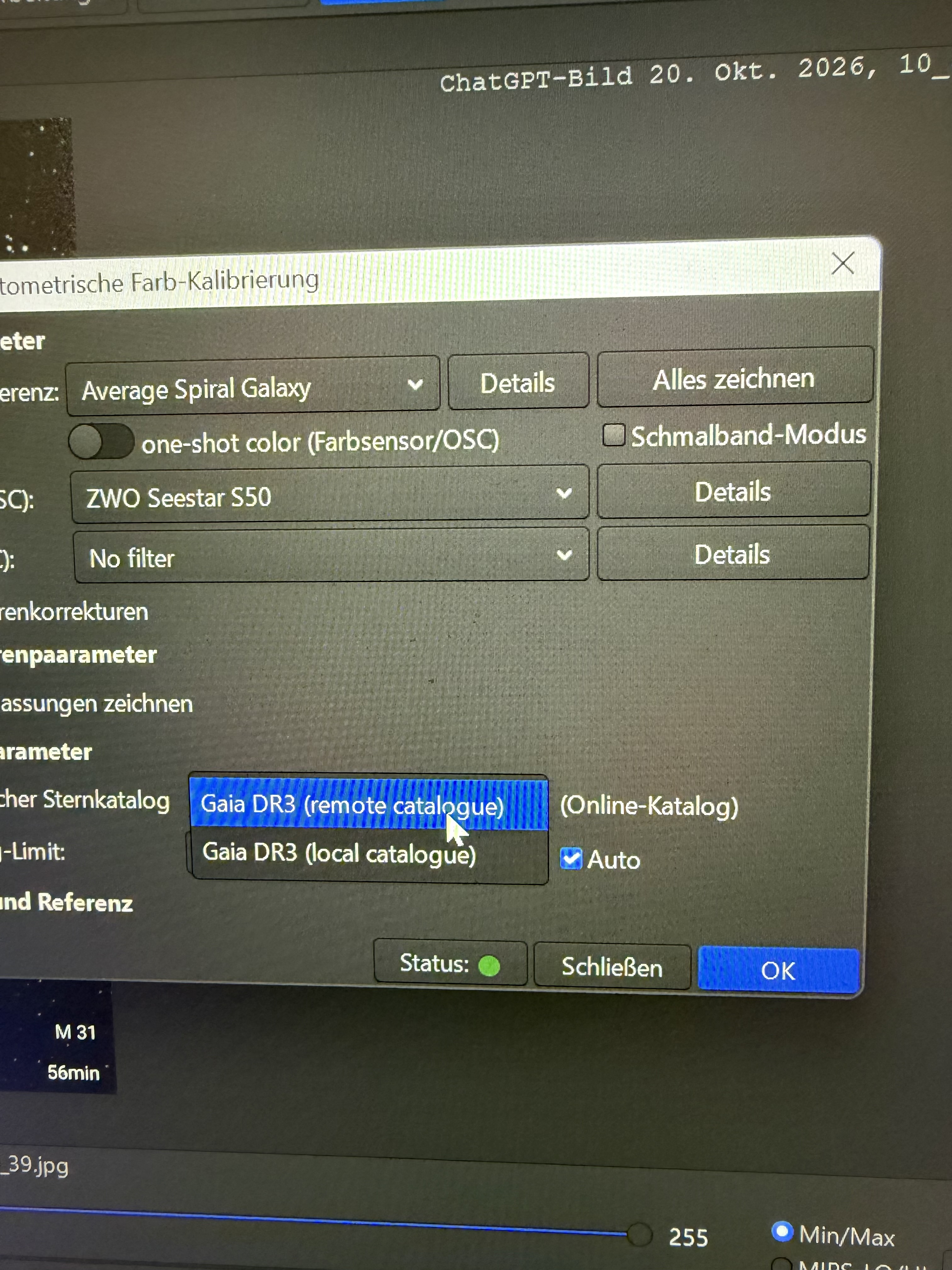
- SPCC only shows “Local” and “Remote”
When I open SPCC, I can only choose between:
- Gaia DR3 (remote catalogue)
- Gaia DR3 (local catalogue)
There is no separate “Sample” option, even though I’ve downloaded the Gaia DR3 XP sampled catalogs.
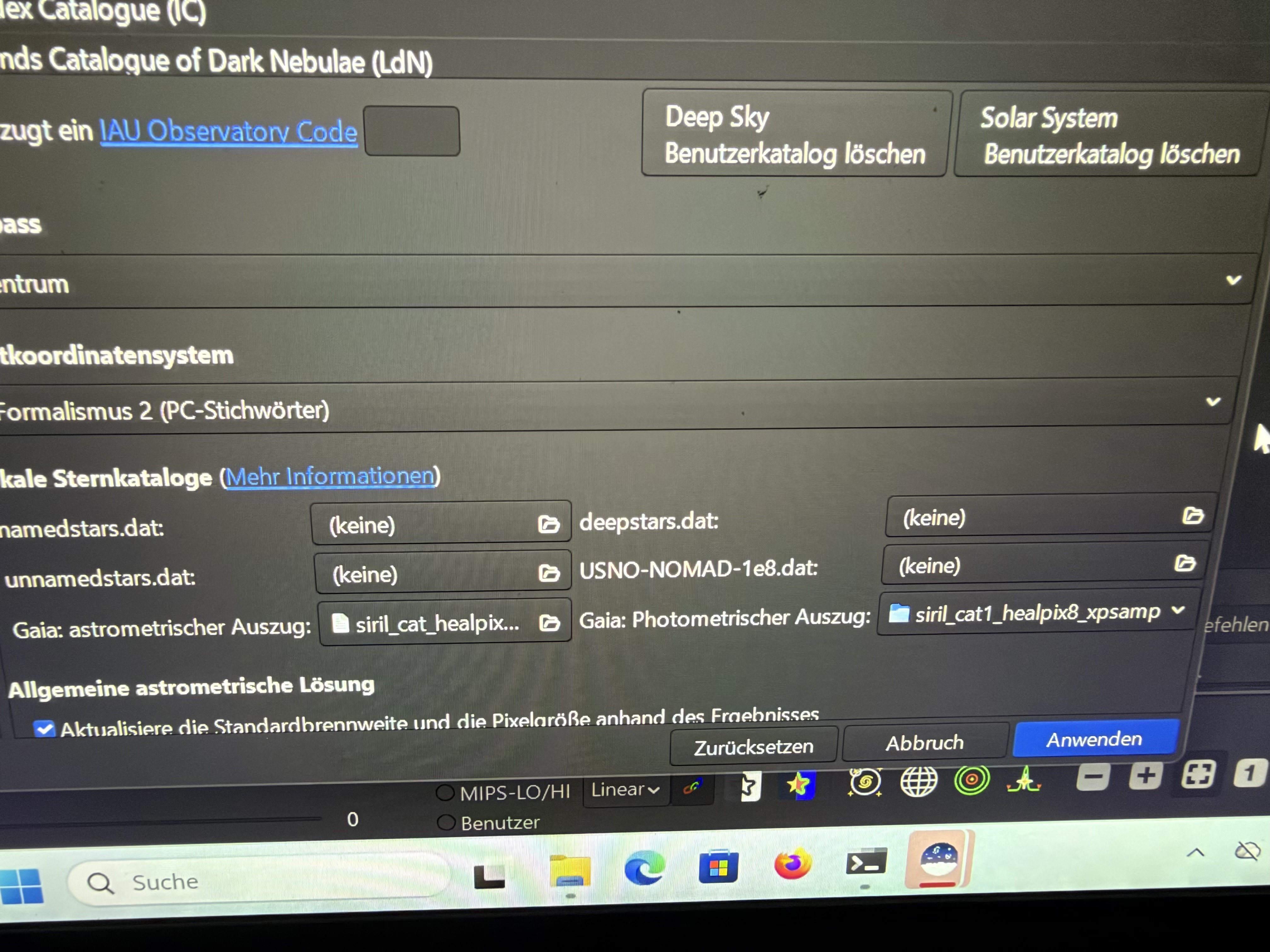
In Siril’s settings, I can see and select the downloaded Gaia catalogs under both the astrometric and photometric catalog settings.
However, SPCC still doesn’t work.
- Errors when using the local Gaia DR3 catalog
Every time I try SPCC with the local catalog, I get the following errors (translated from German):
- “Error: No chunks found.”
- “Catalog error: No stars detected!”
The console shows that Siril is trying to retrieve stars from the local Gaia DR3 XP sampled SPCC catalog, using a search radius of 1.45 degrees and a limiting magnitude of 16.37.
I’ve tried this multiple times, but the result is always the same.
- Errors when using the remote Gaia DR3 catalog
When I select the remote catalog, Siril initially reports that the Gaia remote SPCC catalog is available.
However, when I actually start SPCC, Siril tries several different catalog mirrors.
Eventually, I get these errors:
- “All catalogue mirrors failed to respond.”
- “Catalog error: No stars detected!”
So neither the local nor the remote catalog works.
- Downloading additional catalogs caused more problems
Because SPCC wasn’t working, I downloaded all the SPCC catalog data for an area of interest with a radius of 50 degrees.
I accidentally selected such a large radius, but I’ve now changed it to 10 degrees.
I also downloaded the astrometric Gaia catalog data.
Unfortunately, after downloading these catalogs, Plate Solving stopped working with my local catalog configuration.
Before downloading them, Plate Solving had worked.
- Plate Solving works with online NOMAD
After trying different settings, I discovered that Plate Solving still works when I use the online NOMAD catalog.
The console confirms that Siril:
- Detected 770 stars in my image.
- Retrieved 1,675 stars from the NOMAD catalog.
- Successfully calculated the astrometric solution.
The results include a focal length of 251.98 mm, a pixel size of 2.90 µm, and an image resolution of 2.374 arcsec/pixel.
However, even after successfully solving the image, SPCC still fails every single time.
- My Gaia catalog settings and folders
In Siril’s preferences, I’ve selected the downloaded Gaia catalogs for both the astrometric and photometric extracts.
However, when I open the folder selection window for the XP sampled catalog, it appears empty and says that no search results were found.
I’m not sure whether this is normal because the dialog is only showing folders, or whether my downloaded catalog files are missing or incorrectly installed.
My questions:
- Is it normal that SPCC only shows “Local” and “Remote” instead of a separate “Sample” option?
- Why does the local Gaia DR3 XP sampled catalog report “No chunks found”?
- Why do all the remote SPCC catalog mirrors fail even though Siril initially says the remote catalog is available?
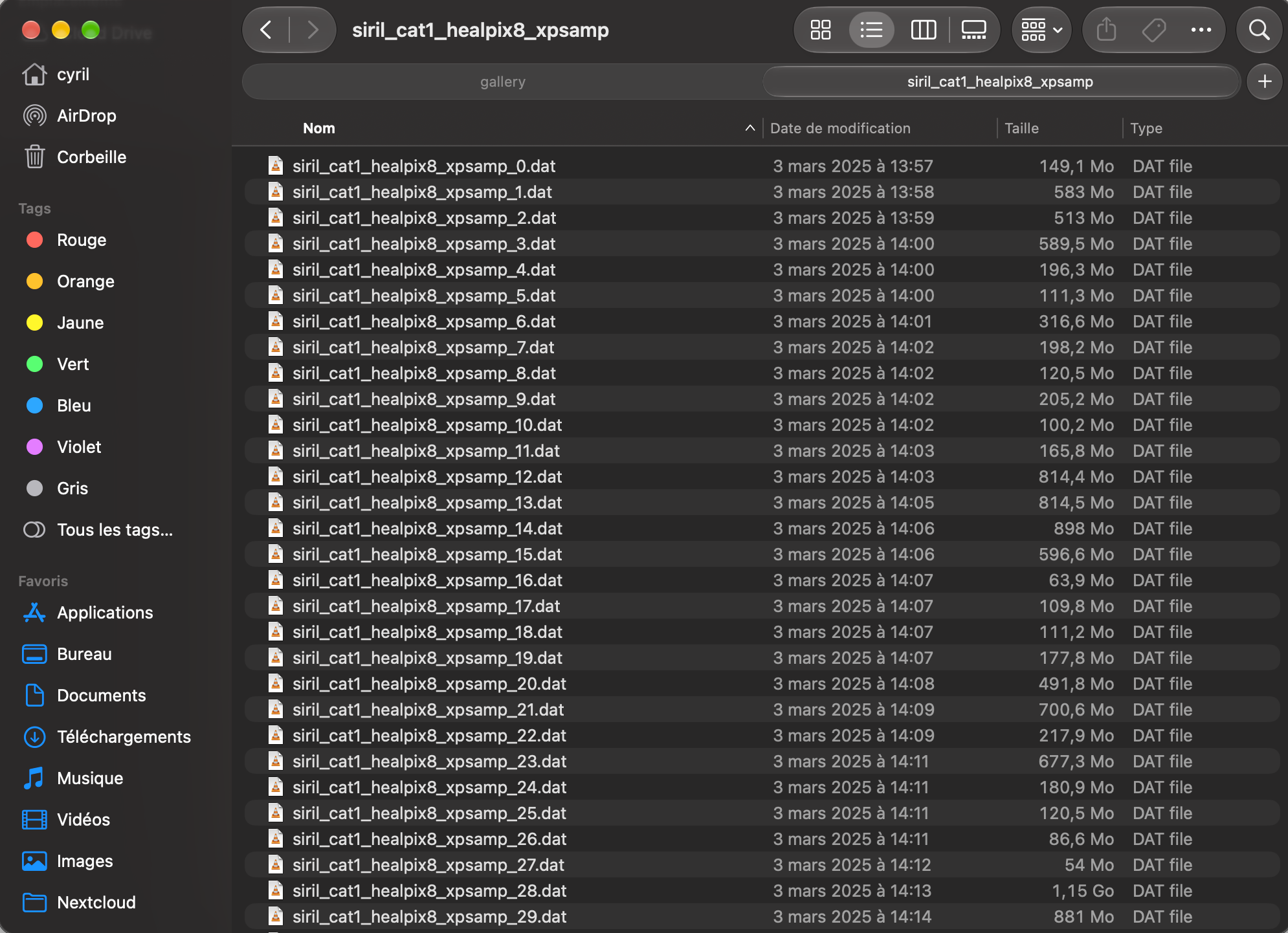
- Could my downloaded catalogs be incomplete, incorrectly installed, or stored in the wrong folders?
- Why does Plate Solving work with online NOMAD but not with my local Gaia catalog?
- What exactly do I need to configure to get SPCC working?
I’ve attached six screenshots showing everything I’ve described.
I’m honestly getting really frustrated because I’ve tried so many different things, and SPCC has never worked for me, not even once.
I would really appreciate some help, preferably with step-by-step instructions, since I’m still learning how Siril works.
Thank you very much in advance!
(The folder is empty when i Click on gaia photo but its full when i click on it on astro gaia idk why. The samples are there 47.)