@Phemisters thank you, that’s a great result to end the day on. On your RTX 3050 Ti, Slang now takes about 235 ms per export, against 324 ms for OpenCL and about 2240 ms on the CPU. All modules stayed on the GPU, and the out-of-memory problem is gone. Color equalizer went from 77 ms to 11 and lens from 110 ms to 59, now faster than OpenCL’s 67.
1 Like
@MStraeten thanks for building the Intel Mac package and the app-bundle script. Results from Intel Macs would be the first ones from Metal on AMD or Intel GPUs, so they’re very welcome. One note for anyone using bench_app.sh: it skips the image comparison, so it measures speed only. If something looks off, attach the PNGs from fullpipe-results/ and I’ll compare them.
Thanks for providing the build!
@nick_nezis I tried it on my iMac 2020, but slang-results are weird and the colors of the exported images are totally off, both for slang and opencl. Anything I might have done wrong?
Archiv.zip (19.5 KB)
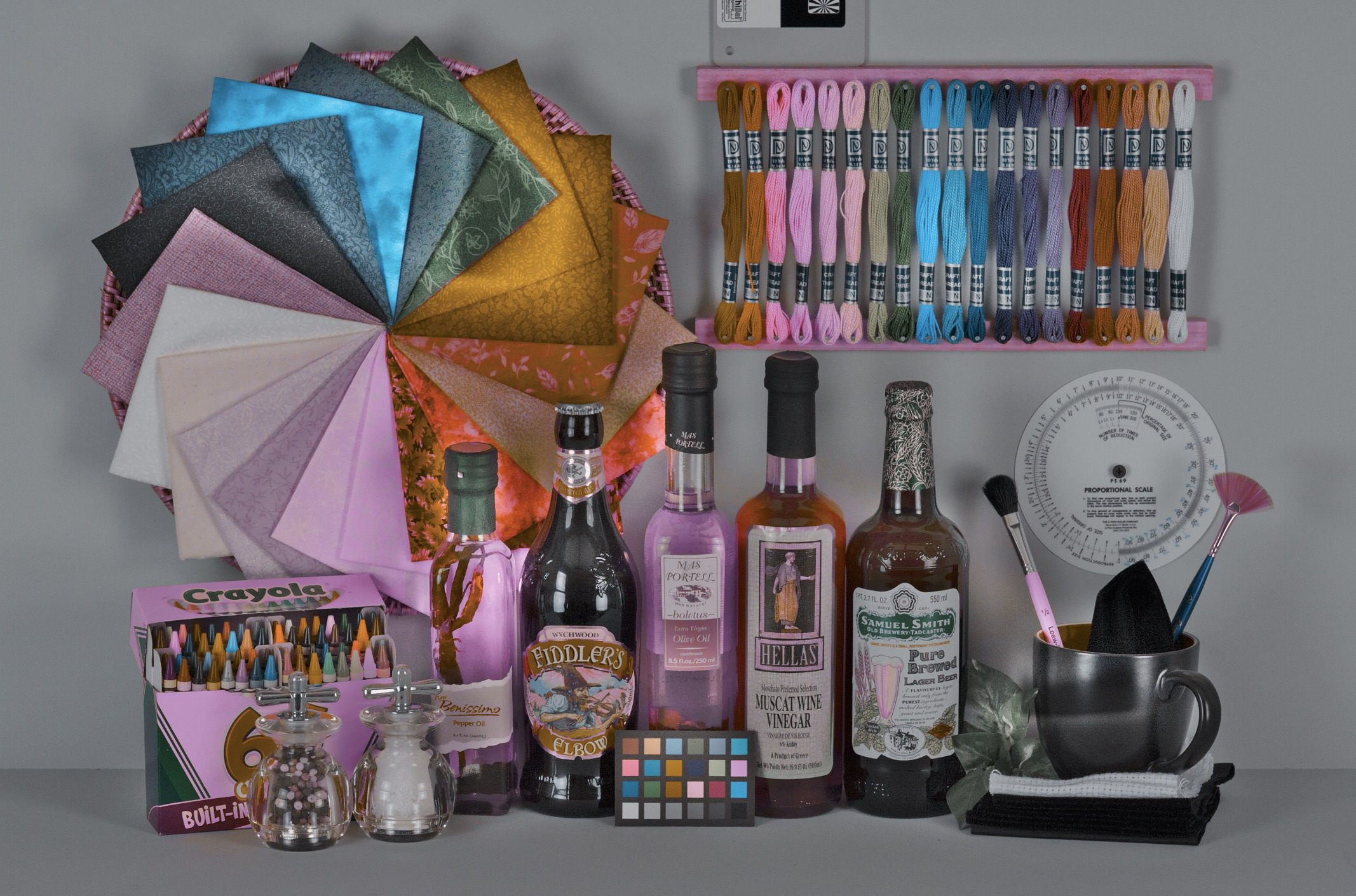
Edit: color equalizer does that massive hue twist, probably intentionally for test purposes?
Thanks Georg, this is a really useful run. Yours is the first Mac in the thread with a separate AMD graphics card, and it turned up a real problem.
The colors: you didn’t do anything wrong. The benchmark edit pushes color equalizer very hard on purpose. The settings are copied from one of darktable’s own regression tests, so the export is meant to look pink and twisted. CPU, OpenCL and Slang all produce the same colors, which is what the benchmark checks. Don’t judge the look of the export, only the timings.
The timings: your summary shows OpenCL at about 420 ms per export and Slang at about 5.2 s, so Slang is roughly 12 times slower on your Radeon Pro 5300. Every module stayed on the GPU and nothing fell back to the CPU, so the code ran correctly. It’s just slow, and your log shows why. Each export spends about 4.5 s waiting for the GPU to finish. The Metal path keeps every image in memory that the CPU and GPU share. On Apple silicon, that shared memory is the GPU’s own memory, so it’s fast. On a Mac with a separate graphics card, it is ordinary system RAM, so the card reads and writes every pixel across the PCIe bus. We fixed the same problem for Vulkan on NVIDIA cards earlier this week. Metal needs the same fix: keep the images in the card’s own memory and only copy the final result back.
The very first Slang export took 14 s because darktable was preparing the GPU kernels. That happens once per start of darktable, before the first image, and isn’t part of the per-export cost.
I’ll post here when a build with the fix is ready. A rerun on your iMac would be the only way to measure it, since none of us has a Mac with a discrete GPU.
Thanks for the quick analysis, happy to test again 
@MStraeten could you build a fresh Intel dmg from the current slang-benchmark when you have a moment? It includes the Metal fix for Macs with a separate graphics card: on GPUs without unified memory, images now stay in the card’s own memory instead of shared system RAM. That was the cause of the 5.2 s exports on @geni1105’s Radeon Pro 5300. I tried adding an Intel build to our nightlies, but Homebrew got stuck building the dependencies from source on GitHub’s Intel runner, so your build is the quickest way to get Georg something to test. Thanks!
new intel mac build:
darktable-5.7.x_x86_64_slang.dmg (macOS >= 14.4)
usage see Testers wanted: experimental Slang GPU path for darktable (Metal/Vulkan) - #20 by MStraeten
1 Like
Thanks - now slang is about 15-20% faster than opencl
Archiv.zip (19.0 KB)
2 Likes
new mac builds:
arm64 (macos >=11.3): darktable-5.7.x_arm64_slang.dmg
intel x86_64 (macos >=14.4):darktable-5.7.x_x86_64_slang.dmg
since they are based on recent darktable 5.7 these builds can be used for more than just performance tests. At least for me the performance improvement ist worth using it for field test.
usage see Testers wanted: experimental Slang GPU path for darktable (Metal/Vulkan) - #20 by MStraeten
Results so far
Full-pipe export of the benchmark edit, 0 CPU fallbacks. M4 Pro numbers are from 2026-10-31; the iMac and NVIDIA runs are tester results from 2026-10-25/26, on older builds:
| machine | CPU | OpenCL | Slang |
|---|---|---|---|
| M4 Pro, Metal | ~730 ms | ~290 ms | ~146 ms |
| iMac, Radeon Pro 5300 (discrete), Metal | ~2886 ms | 407 ms | 341 ms |
| NVIDIA 4 GB, Vulkan (Phemister run 5) | 325 ms | ~303 ms |
Darkroom on M4 Pro: slow exposure drag, full pipe, median 97 ms OpenCL vs
50-53 ms Slang; fast drags 36-38x faster than CPU.
1. Ported from OpenCL to Slang
80 modules, 56 Slang kernel files, running through one dispatcher on
Vulkan (Windows, Linux) and Metal (macOS).
Raw stage
- rawprepare (nicknezis/darktable#11), including DNG gain maps (nicknezis/darktable#74)
- hotpixels, rawdenoise (Bayer), cacorrect (nicknezis/darktable#47)
- white balance, highlights opposed + clip (nicknezis/darktable#8), LCh and guided
laplacians (nicknezis/darktable#51), highlights mask/false-color views (nicknezis/darktable#69) - demosaic: RCD, PPG (nicknezis/darktable#8), VNG and Markesteijn (nicknezis/darktable#24, nicknezis/darktable#26-nicknezis/darktable#28), green
equilibration and color smoothing (nicknezis/darktable#27), capture sharpening (nicknezis/darktable#60), dual
demosaic (nicknezis/darktable#61), PPG median prefilter (nicknezis/darktable#62), passthroughs and low quality
thumbnails (nicknezis/darktable#63), downscaled output (nicknezis/darktable#64), mask views (nicknezis/darktable#69) - detail mask written on the device (nicknezis/darktable#66)
Scene-referred / everyday edits
- exposure, colorin, colorout (nicknezis/darktable#7), Lab profile pass-through (nicknezis/darktable#75)
- color calibration (channelmixerrgb, nicknezis/darktable#7, v1 saturation fix nicknezis/darktable#54)
- color balance rgb, filmic rgb, local contrast (bilat local laplacian),
crop, flip (nicknezis/darktable#11) - sigmoid (nicknezis/darktable#3), agx (nicknezis/darktable#15), sharpen (nicknezis/darktable#16), diffuse or sharpen (nicknezis/darktable#14)
- color equalizer (nicknezis/darktable#17), tone equalizer (nicknezis/darktable#18)
- lens correction (nicknezis/darktable#19; lensfun coarse grid as in upstream #22844;
lanczos3 taps nicknezis/darktable#65) - denoise (profiled) (nicknezis/darktable#20), denoise (non-local means) (nicknezis/darktable#51)
- tone curve, vignette, rotate and perspective, contrast equalizer,
haze removal (nicknezis/darktable#25) - rgb curve, rgb levels, rgb levels auto (nicknezis/darktable#69), satcurvergb (nicknezis/darktable#32, nicknezis/darktable#58)
- negadoctor (nicknezis/darktable#4), demosaicscale, finalscale (nicknezis/darktable#10)
Display-referred and legacy modules
- 22 per-pixel modules (nicknezis/darktable#48): basic adjustments, borders, channel mixer,
contrast brightness saturation, color balance, color checker, color
contrast, color correction, colorize, color zones, filmic (legacy),
graduated density, invert, levels, lowlight, rgb primaries, unbreak
input profile, fill light, split toning, velvia, vibrance, zone system - bilateral grid modules (nicknezis/darktable#49): shadows and highlights, lowpass,
monochrome, color mapping, global tonemap, surface blur (bilateral
mode); plus color reconstruction and censorize - blurs, bloom, highpass, soften, color harmonizer, lut3d, crop and rotate
(clipping), base curve, rasterfile, overlay, liquify (nicknezis/darktable#51) - retouch (nicknezis/darktable#55), spektrafilm (nicknezis/darktable#56)
Shared helpers and darkroom paths
- blending and masks (nicknezis/darktable#12), feathering and mask blur (nicknezis/darktable#13), mask groups
that read pixels (nicknezis/darktable#67), mask/channel display (nicknezis/darktable#68) - gaussian, guided filter, bilateral, bilinear, dwt, interpolation,
local laplacian, nlmeans core, heal, RGB<->Lab colorspace conversion - clipping indicators (overexposed, rawoverexposed) and picked modules
stay on the GPU (nicknezis/darktable#22) - module views: retouch mask and wavelet scales, raster mask (nicknezis/darktable#69)
2. New Slang logic (no OpenCL equivalent, or better than OpenCL)
Keeping data on the GPU (designed for discrete PCIe GPUs, not
unified memory)
- Input downscale kept resident (nicknezis/darktable#77). A JPEG/TIFF pipe at reduced
scale is resampled on the device and stays there as the first module’s
input; OpenCL also resamples on the device but the result is not kept
for the next module. - Color picker reduction (nicknezis/darktable#78). The picked box is reduced on the GPU
in tiles, so only about 64 bytes per tile come back; OpenCL reads the
box back and computes the statistics on the host. - Module histograms (nicknezis/darktable#79). Levels, rgb levels, the curves and color
zones count their bins with atomics on the GPU and read back 4 KB;
OpenCL reads the whole image back and counts on the host. - Detail mask refinement (nicknezis/darktable#80). Threshold and blur on the GPU as in
OpenCL, plus a newblendop_detail_multiplykernel so the final mask
never comes from the host; OpenCL multiplies on the host. - Detail mask resident end to end (nicknezis/darktable#82). The full-resolution Scharr
mask stays on the device from demosaic to the blended module, and a new
optionaldistort_mask_slang()callback (demosaic, flip) warps it there.
Before, it crossed the bus three times per refined module; OpenCL and
CPU still warp it on the host. - Denoise wavelet thresholds (nicknezis/darktable#23). A
denoiseprofile_threshold
kernel computes BayesShrink thresholds on the device; OpenCL reads the
block sums back once per scale (7 blocking waits per run). On M4 Pro
this let lens correction overlap denoise: 167 → 145 ms per export.
Faster kernels than a 1:1 OpenCL port
- Markesteijn (nicknezis/darktable#26, nicknezis/darktable#28). Per-pixel passes merged (about 40 passes
over four 417 MB buffers became a handful), homogeneity maps packed
four directions per word with no atomics, uninitialized temporaries.
Bit-identical output. - VNG (nicknezis/darktable#26, nicknezis/darktable#28). Neighborhood in group shared memory, gradients
kept in registers instead of scratch memory. - Guided filter and haze removal (nicknezis/darktable#26, nicknezis/darktable#28). Box means staged in
group shared memory, min/max filters per pixel instead of per line. - Line kernels (nicknezis/darktable#21) laid out 16 wide instead of n x 1, and
denoise block sums by columns (03393fb) for coalesced reads.
Runtime the OpenCL driver used to provide
- Vulkan and Metal dispatchers (nicknezis/darktable#4, nicknezis/darktable#6), images kept on the device
between modules (nicknezis/darktable#5), device RGB<->Lab (nicknezis/darktable#7) - Vulkan async queue and device-local buffers (nicknezis/darktable#33), memory budget and
staging pools (nicknezis/darktable#35), tiling for modules that do not fit (nicknezis/darktable#36) - Metal private storage on discrete GPUs (nicknezis/darktable#42): 5.2 s → 341 ms on a
Radeon Pro 5300 iMac - CPU restart after a GPU device error (nicknezis/darktable#34), Slang and OpenCL side by
side with a preference toggle (nicknezis/darktable#45, nicknezis/darktable#46),-d slangdebug (nicknezis/darktable#50)
Found along the way, fixed upstream for CPU and OpenCL too
- lensfun coordinates on a coarse grid (upstream #22844), plus a dozen
OpenCL/CPU mismatches surfaced by the parity test (#22813-#22887)
3. CPU-only modules (in progress)
These had no OpenCL path, so with any GPU on, the pipe copied the image
back to the host for them and uploaded the result again.
- contrast & texture (nicknezis/darktable#81, open). New OpenCL
process_cl()plus the
Slang twin, reusing tone equalizer’s guided filter kernels. Removes
about 335 ms per export on M4 Pro for the two instances in test 0178.
CPU vs GPU differences are float rounding only (mean error 2e-8).
Next candidates, in order: finalscale upscale (~59 ms), enlarge canvas
(~44 ms), inpaint opposed on linear raws, rotate pixels; then
cacorrectrgb (~150-370 ms), grain (~75 ms) and the lcms colorin/colorout
path. Times are CPU cost per export measured on M4 Pro.
5 Likes
Just tested on iMac I intel core i7 with AMD Radeon Pro 5700 XT 16 GB and OS 26.7.2.
Overall great results.
Exporting previously developed images (Nikon NEF from z7II) with modules already ported, on average times are 2-3 times faster
Looking forward to test the work in progress with the new contrast and texture module.
Thank you for this great work, and also thanks to @MStraeten for the intel Mac builds
1 Like
I’ve updated the CI to produce builds as I push updates (sorry it stopped working for a while). Releases · nicknezis/darktable · GitHub
Thanks for trying it, and for the kind words! Good to hear your own Z7 II edits are exporting 2-3 times faster. You’re only the second person to run it on a Mac with a separate graphics card, and the 5700 XT is a much bigger card than the Radeon Pro 5300 that Georg tested.
If you have ten minutes, could you also run the benchmark script? It times a fixed edit on CPU, OpenCL and Slang, so your numbers can go in the same table as everyone else’s. With MStraeten’s build, use bench_app.sh as described in his post #20. Then post the summary.md it writes.
About contrast and texture: it now runs on the GPU too. Its OpenCL version was merged into darktable today, and the Slang version is in the slang-benchmark branch and its nightly builds. The nightlies only include an Apple silicon Mac build, though, so on your Intel iMac you’ll need the next Intel build from MStraeten to try it.
Here are the results for the run of the benchmark script
summary.pdf (16.4 KB)
new mac x86_64 build:
intel x86_64 (macos >=14.4):darktable-5.7.x_x86_64_14.4_slang.dmg
arm64 build can be found here: Releases · nicknezis/darktable · GitHub
usage see Testers wanted: experimental Slang GPU path for darktable (Metal/Vulkan) - #20 by MStraeten
1 Like
A run on my old Intel MacBook.
full-pipe benchmark, 2026-11-03 06:32
- os: Darwin 24.3.0 x86_64
- cpu: Intel(R) Core™ i9-9880H CPU @ 2.30GHz
- app: /Applications/darktable.app
- slang device: Metal device AMD Radeon Pro 5500M, images in private storage
- opencl devices: ‘Intel(R) Core™ i9-9880H CPU @ 2.30GHz’ ‘Intel(R) UHD Graphics 630’ ‘AMD Radeon Pro 5500M Compute Engine’
- export size: full resolution, resourcelevel: default
- tiled on cpu: none
- tiled on opencl: none
- tiled on slang: none
pipe totals in ms, one process per path, 5 exports each
| path | per export |
|---|---|
| cpu | 2459 / 2335 / 2375 / 2369 / 2376 |
| opencl | 433 / 386 / 381 / 381 / 430 |
| slang | 331 / 294 / 289 / 289 / 289 |
module runs over all 5 exports:
- opencl: 75 on GPU; on CPU:
- slang: 75 on GPU; on CPU:
- slang fallbacks/failures: 0
slang per-module time, last export (ms; GPU work is async, so trust the pipe total):
- rawprepare (GPU): 2
- temperature (GPU): 0
- highlights (GPU): 27
- demosaic (GPU): 2
- denoiseprofile (GPU): 3
- lens (GPU): 4
- exposure (GPU): 0
- toneequal (GPU): 1
- colorin (GPU): 1
- channelmixerrgb (GPU): 2
- sharpen (GPU): 2
- colorequal (GPU): 55
- agx (GPU): 1
- colorout (GPU): 4
- finalscale (GPU): 1
I tried the AppImage on my thinkbook and it feels noticably faster in the darkroom - nice!
Here’s me benchmark:
full-pipe benchmark, 2026-11-04 07:14
- os: Linux 7.2.11-ogc4.1.fc44.x86_64 x86_64
- cpu: Intel(R) Core™ i9-14900HX
- commit: 515a4ee7f4
- image: mire1.cr2
- slang device: Vulkan device NVIDIA GeForce RTX 4060 Laptop GPU
- opencl devices: ‘NVIDIA GeForce RTX 4060 Laptop GPU’ ‘Intel(R) UHD Graphics’
- export size: full resolution, resourcelevel: default
- tiled on cpu: none
- tiled on opencl: none
- tiled on slang: none
pipe totals in ms, one process per path, 5 exports each
| path | per export | steady state | first export overhead |
|---|---|---|---|
| cpu | 1151 / 1137 / 1186 / 1114 / 1129 | 1133 | 18 |
| opencl | 274 / 250 / 258 / 257 / 252 | 255 | 19 |
| slang | 162 / 150 / 155 / 157 / 157 | 156 | 6 |
- slang device and kernel preparation at startup: 0.388 s
module runs over all 5 exports:
- opencl: 75 on GPU; on CPU:
- slang: 75 on GPU; on CPU:
- slang fallbacks/failures: 0
slang per-module time, last export (ms; GPU work is async, so trust the pipe total):
- rawprepare (GPU): 13
- temperature (GPU): 2
- highlights (GPU): 5
- demosaic (GPU): 4
- denoiseprofile (GPU): 14
- lens (GPU): 6
- exposure (GPU): 0
- toneequal (GPU): 2
- colorin (GPU): 0
- channelmixerrgb (GPU): 6
- sharpen (GPU): 4
- colorequal (GPU): 9
- agx (GPU): 2
- colorout (GPU): 2
- finalscale (GPU): 0
max / avg dE on the first export:
- cpu vs opencl: 2.15589 0.00091
- cpu vs slang: 2.15589 0.00089
- opencl vs slang: 1.37904 0.00022
@mino thanks for testing! Clean run: everything stayed on the RTX 4060, no fallbacks, and the output matches OpenCL (max dE 1.38). Slang comes in at 156 ms against 255 ms for OpenCL per export, the best NVIDIA ratio we’ve seen so far (about 0.6x). Good to hear the darkroom feels faster too.
for those who want to check with windows:
darktable-220cb0ef0c-dirty-win64-NSIS.exe
2 Likes
@nick_nezis my testing was on Linux Mint with Intel IrisXE (kernel driver i915, kernel modules i915, xe / OpenCL neo driver version 26.40.40196.8 / Vulkan Mesa 25.2.8-0ubuntu0.24.04.4)
edit: laptop, set to full performance (on power-supply)
full-pipe benchmark, 2026-11-07 20:39
- os: Linux 7.0.0-42-generic x86_64
- cpu: 11th Gen Intel(R) Core™ i7-1165G7 @ 2.80GHz
- commit: 1245c547d7
- image: mire1.cr2
- slang device: Vulkan device Intel(R) Iris(R) Xe Graphics (TGL GT2)
- opencl devices: ‘Intel(R) Iris(R) Xe Graphics’
- export size: full resolution, resourcelevel: default
- tiled on cpu: none
- tiled on opencl: none
- tiled on slang: none
pipe totals in ms, one process per path, 5 exports each
| path | per export | steady state | first export overhead |
|---|---|---|---|
| cpu | 3291 / 3459 / 3721 / 3521 / 3598 | 3560 | -269 |
| opencl | 1123 / 1123 / 1105 / 1109 / 1112 | 1111 | 12 |
| slang | 929 / 593 / 563 / 559 / 561 | 562 | 367 |
- slang device and kernel preparation at startup: 0.094 s
module runs over all 5 exports:
- opencl: 75 on GPU; on CPU:
- slang: 75 on GPU; on CPU:
- slang fallbacks/failures: 0
slang per-module time, last export (ms; GPU work is async, so trust the pipe total):
- rawprepare (GPU): 3
- temperature (GPU): 0
- highlights (GPU): 16
- demosaic (GPU): 1
- denoiseprofile (GPU): 45
- lens (GPU): 12
- exposure (GPU): 0
- toneequal (GPU): 1
- colorin (GPU): 1
- channelmixerrgb (GPU): 4
- sharpen (GPU): 171
- colorequal (GPU): 2
- agx (GPU): 0
- colorout (GPU): 101
- finalscale (GPU): 0
max / avg dE on the first export:
- cpu vs opencl: 2.04698 0.00090
- cpu vs slang: 2.04698 0.00089
- opencl vs slang: 1.22087 0.00021