I’m really out of my depth here but perhaps the reason the black point shifts is because ‘RGB channel Slope’ isn’t Slope as defined by ACES CDL (y=ax), but is some other function?
Of course, it has little to do with it, it is the name that Freeman gave to this concept, which in spirit is close to slope, but in no case is it a linear part
it’s the same ‘problem’ as ‘Levels’, White point, etc. 
But that’s not the cause of the shift problem.
jacques
To avoid confusion with ACES CDL Slope it could be useful to change ‘RGB channel Slope’ to ‘RGB channel slope’ or alternatively ‘RGB channel slope-based’ or simply ‘RGB slope-based’. Maybe someone else has a better suggestion?
Hi @jdc I am very late in this party, but nonetheless want to enjoy it. Can you please share the build link which gives the sigmoid options. I am currently in the 5.12 - 60 dev build and I can’t seem to find these options in the "color appearance and lighting "you are describing. I apologise for my ignorance
Earlier I participated in the same module and enjoyed it as it appeared to be one module that could take care of most of the processing work
The module in question where there is Sigmoid, but also many other things is, in Selective Editing > Color Appearance (Cam16 & JzCzHz) > Source Data Adjustments
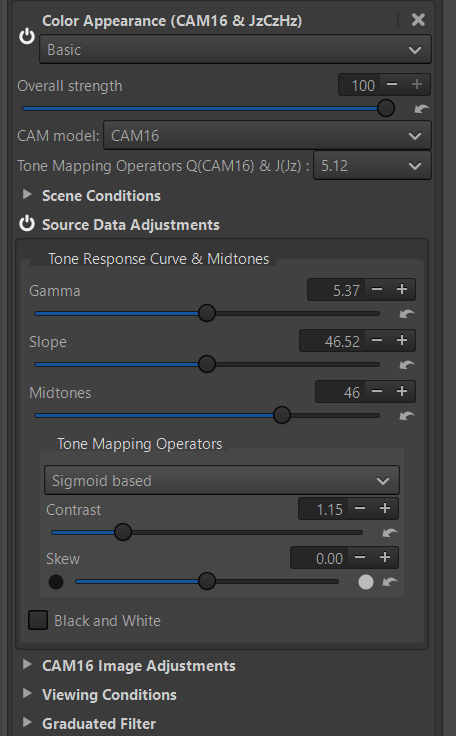
I hope the answer is suitable?
Jacques
I obviously have the incorrect version of RT. When I open the module selective editing, I get the following, which is quite different from your image.
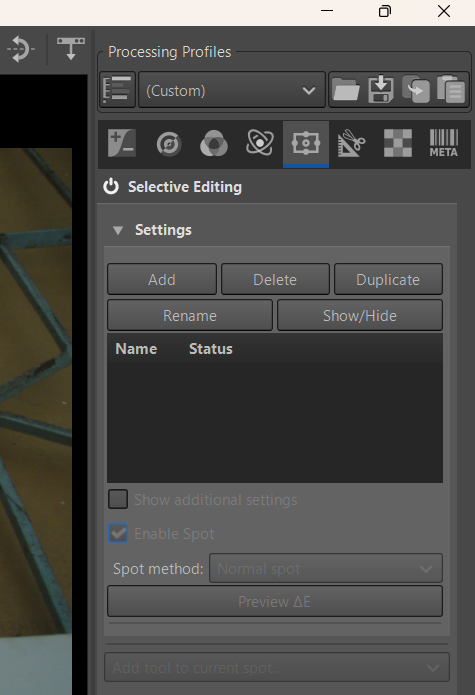
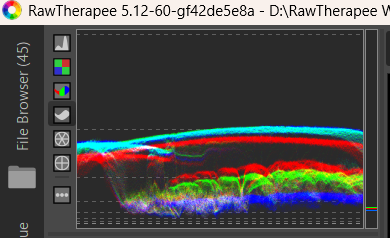
My RT version is this - downloaded recently from the dev section
You need to add an adjustment spot before you can select a tool. I suggest starting with a Global spot. Local Adjustments - RawPedia
Got it. Thanks a lot, @jdc @wayne_Sutton. Now to play with it with different conditions
1 Like
I have been struggling with the highlights of this pic. (It is from playraw forum). I just can’t figure out how to see the waves and at the same time improve the tonal quality of the background. Would you attempt?
DSC_6229.NEF (19.6 MB)
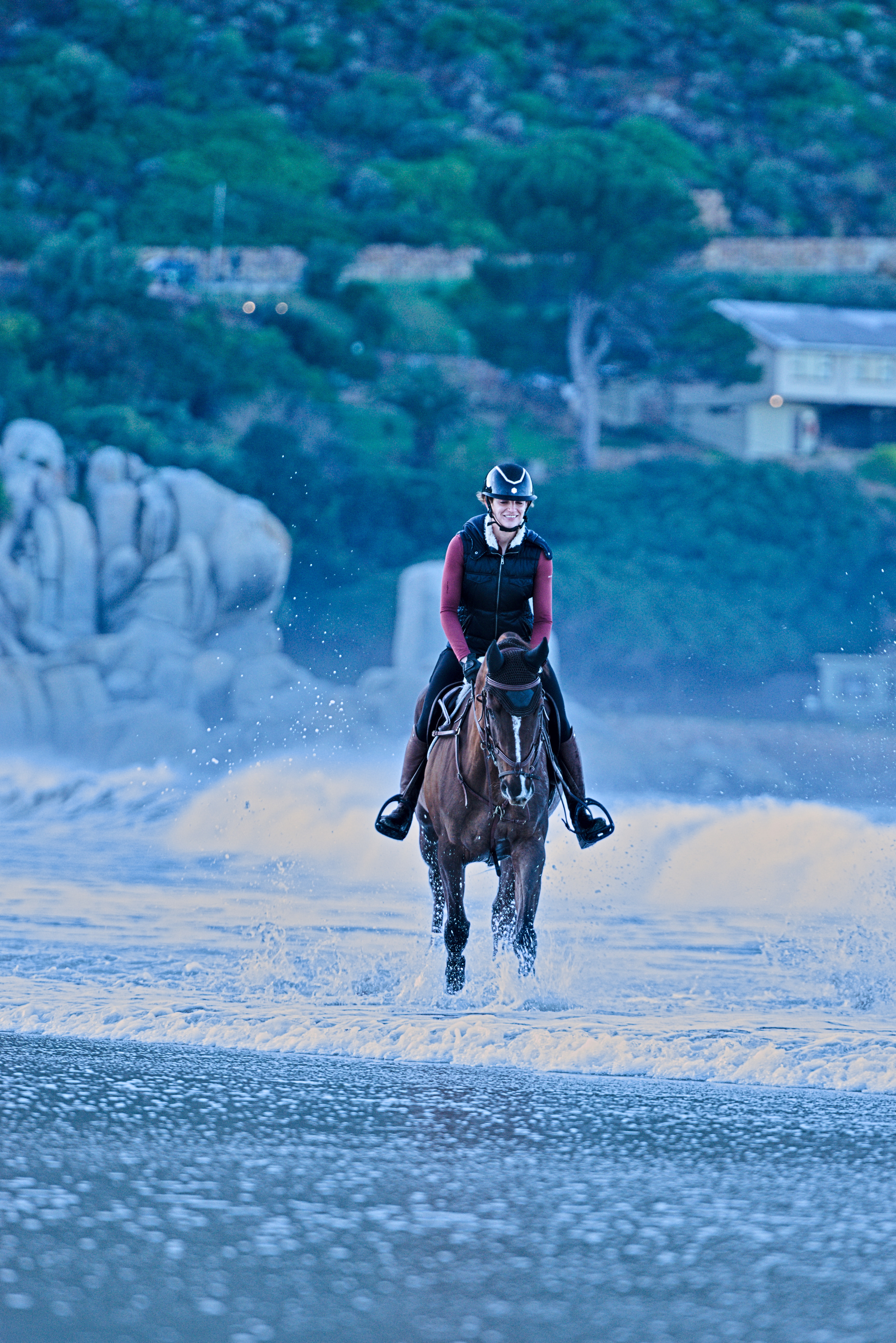
This is the best I could achieve, but it is not satisfying.
I wonder if this alternative method can help improve the tonal range?
Here’s a quick attempt. I used the tools in the Exposure tab to get the image more or less in the right ballpark and then the Abstract Profile and the Film Simulation in the Color tab to fine tune. I white balanced off the waves but the film simulation has introduced a color cast so that probably wasn’t a good idea.
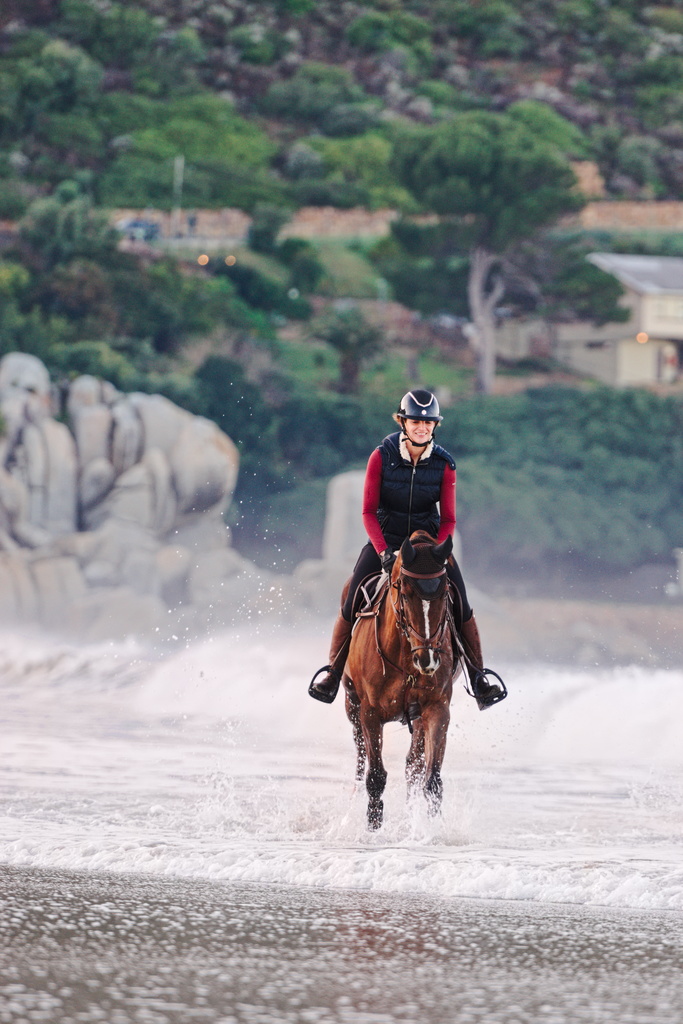
DSC_6229.jpg.out.pp3 (20.7 KB)
1 Like
Thanks, @Wayne_Sutton. The overall color balance in your version is definitely a step ahead of mine—much more pleasing to the eye.
That said, the issue with the waves in the foreground still persists. Like in my edit, they appear as a white blur. I’m curious to know if it’s possible to recover any detail from that white mass just behind the rider. Could it be that the RAW file has already lost all the texture in that area, making it impossible to bring out the wave shapes?
Looking forward to hearing your thoughts!
1 Like
this is the max structure i can find by purposely overdoing the local contrast, sharpening and local adjustments retinex sliders fully to the right:
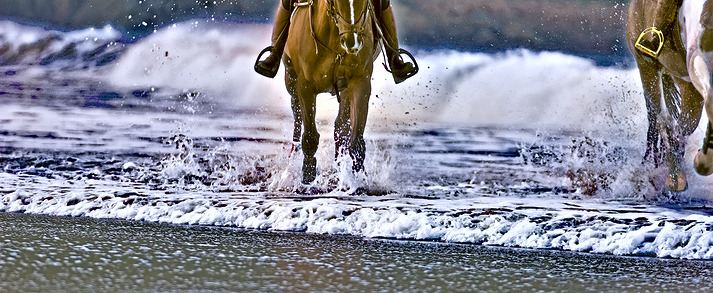
DSC_6229.NEF.jpg.out.pp3 (17,8 KB)
of course the colors are totally off by this kind of treatment and haloing also occurs obviously…
1 Like
If you look at the raw histogram, you’ll see that both the blue and green channels are blown so there’s not much to work on really.
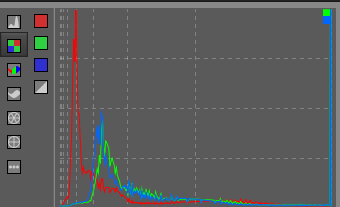
1 Like
Hello all
I created a Pull Request here
Pull request
In summary, this is a possible approach (I’m not saying it’s a perfect fit, but it’s a solution) to the various problems encountered by users.
This PR has several objectives:
- address issues raised on Pixls.us regarding black dot artifacts in some difficult images
- add another method to the ‘Tone mapping operators’ with a modifiable TRC (gamma and slope) for each RGB channel, in a fairly simple way. This is a possible approach to modifying ‘Levels’ (even if the vocabulary is confusing) in linear mode
- Providing the ability to invert colors with a simple ‘click’, which combined with RGB ‘TRC based’ and the ‘RGB channel slope’ tool allows us to address the two issues raised above.
- Changes the checkbox in Abstract Profile that allows you to control the highlights, by a slider with extended capabilities.
- …
Executables
with cam16slope
2 Likes