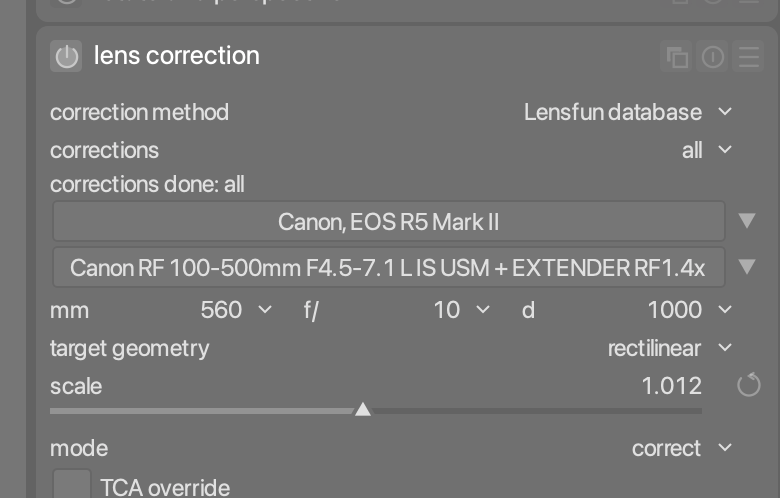
Names are NOT the issue. I also don’t have a custom canon mil file but a lensfun.xml with added lenses as one should. The issue is somewhere else so please.
and put directly into the canon-mil file in the updates directory it does not work for me after running lensfun-update-data. Maybe my darktable database is screwed up I don’t know as I started with this name of course.
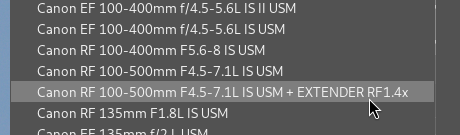
Name changes directly show up in the darktable drop down list so updating the lensfun database is working fine
I’m on macOS, the database is directly included in the app bundle, and I simply edit the mil-canon.xml. No lens-fun-update-data.
Of course a custom lensfun.xml is better, as the standard files might be overwritten with a lensfun-update-data, should this run somewhere in the background.
Anyway, I simply appended the " + EXTENDER RF1.4x" to the model tag of the “Canon RF 100-500mm F4.5-7.1 L IS USM”, saved the file and done.
There’s no “en” version of the tag in mil-canon.xml, so no need to bother with it (but as I said, the code in lensfun would use the “en” entry if present and not the generic one, so you should delete it).
BTW, I modified the version_1 file, not the version_2 - not sure if this plays a role.
With this, the lens is already automatically recognized, but shown in a bit weird way in the lens correction module as “Canon, Canon RF 100 …”.
So I deleted the maker tag for that lens in the database, and now it shows up as expected “Canon RF 100…” automatically.