I don’t mind the change in colours (on images where I don’t like it, I can simply use the “smooth” preset instead). My question was just for understanding the intention of why the blender primaries are set the way they are. If I understand you correctly (“to get more pleasing colours”), this is mostly an artistic choice?
Not quite. In human vision, perceived hue, saturation and brightness are interwoven. The original Blender AgX LUT generator specifically mentions the Abney effect, intentionally shifting red a bit towards orange, and this article of filmic RGB the Bezold-Brücke shift:
Note that the Bezold-Brücke shift affects human perception but not sensor measurements, therefore the digital rendition from Ansel 2023 honours the chromaticity coordinates of the spectral colors (red) and will look less yellow than expected by an human observer. This can be selectively fixed by color balancing highlights.
6 Likes
I searched thru the 2k post, but I failed to find a clear answer. Why using the pivot input shift auto picker also affects the pivot target output? I find myself moving the target output back to most of the images to the point that I just don’t use the auto picker anymore.
To keep the original brightness of the selected area. It’s intended to help you move the region of highest contrast, not as a brightness adjustment.
Moving the x shift moves the region of highest contrast, setting its brightness to mid grey (or whatever y is set to).
Moving y changes brightness of the input selected by x.
1 Like
Maybe you thought it’s a picker for mid grey? You should adjust midtones via exposure. Or if that’s not the case, what did you intend to achieve using the picker?
I was not understanding why one picker was impacting two slides. That’s just not the typical dt approach. I read the docs and the doc state it. I was processing images with a challenging high contrast lighting and it might also be throwing of the picker. I will keep playing with it. Thanks.
I’m not sure which part of the docs your read.
the pivot is the point around which the curve is built, indicated by a dot. By default, it maps mid-gray to mid-gray. You may move this point to match your main subject using the provided picker
[…]
A color picker, placed next to pivot input shift, is provided to pick an image area. The pivot input shift and pivot target output values will be adjusted so that the average value of the selected area is mapped to the current average output, avoiding major shifts in brightness.
Please let me know if the documentation requires further improvement. Given that English is not my mother tongue, suggested wording is welcome.
1 Like
I came to wonder: Would it be possible to extend the shoulder and toe power sliders to 0,5 on the lower end (I know it is possible to reach lower values by right-click + entering the number)? This would give a bit more flexibility to brighten the shadows within the same module.
The curve does not behave very well with very low powers. It does have the desired contrast at the pivot (atv the start of the toe or shoulder, actually), but changes so rapidly that it looks broken. In the mathematical sense, it’s not, but you still could get visible banding, I’m afraid. Use tone equalizer, or lift, or slightly raise the curve’s target black point.
1 Like
I’d like to ask how many of you have tried the OpenCL implementation, on what OS and what GPU, and if there were problems.
Wait, when was that released? The only thing I’m currently slightly annoyed at is that AgX is running on the CPU, and therefore somewhat slow.
Edit: Scratch that. I misremembered. AgX is plenty fast on the CPU.
1 Like
It wasn’t. It was posted here, to be tested by this brave crew. 
1 Like
I can update it, syncing with master, if there’s interest.
The OpenCL implementation seems to run fine on macOS/M2.
Edit: I may have spoken too soon. There appears to happen a white balance shift sometimes when applying the auto-level in agx. The shift goes away if I change exposure afterwards. I rebased onto master, though, so this may be unrelated to agx.
1 Like
Could you check with/without agx (e.g. with sigmoid), and if it’s related to agx, with/without OpenCL?
I’ll try and check tomorrow.
By the way, AgX is right now revolutionizing my editing. It produces a beautiful punchy contrast that I am not used to seeing in Darktable. I’m having to re-learn editing in some ways, but it’s fantastically good! Thank you!
9 Likes
I wasn’t able to reproduce the problem this morning. I’ll try and edit a few more photos later and see if I can trigger it again. It only happens intermittently.
That said, I found a useful application for the color rotations, that I’d like to run by you knowledgeable folks:
I have this scene, mostly greens with hints of yellows and reds:
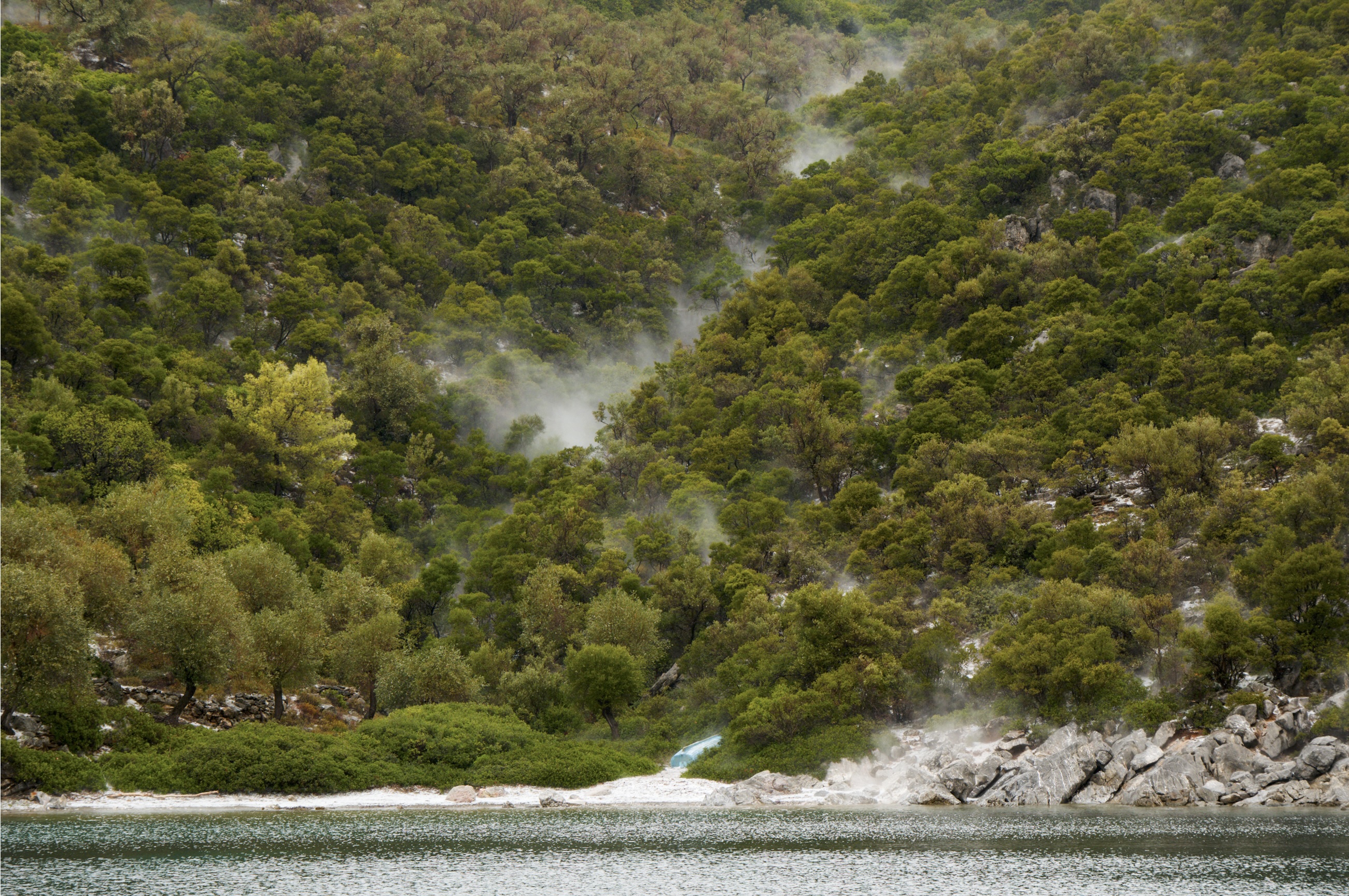
Twisting green reverse rotation negative and positive seems to enhance the variations of greens towards reds, or yellows, respectively:
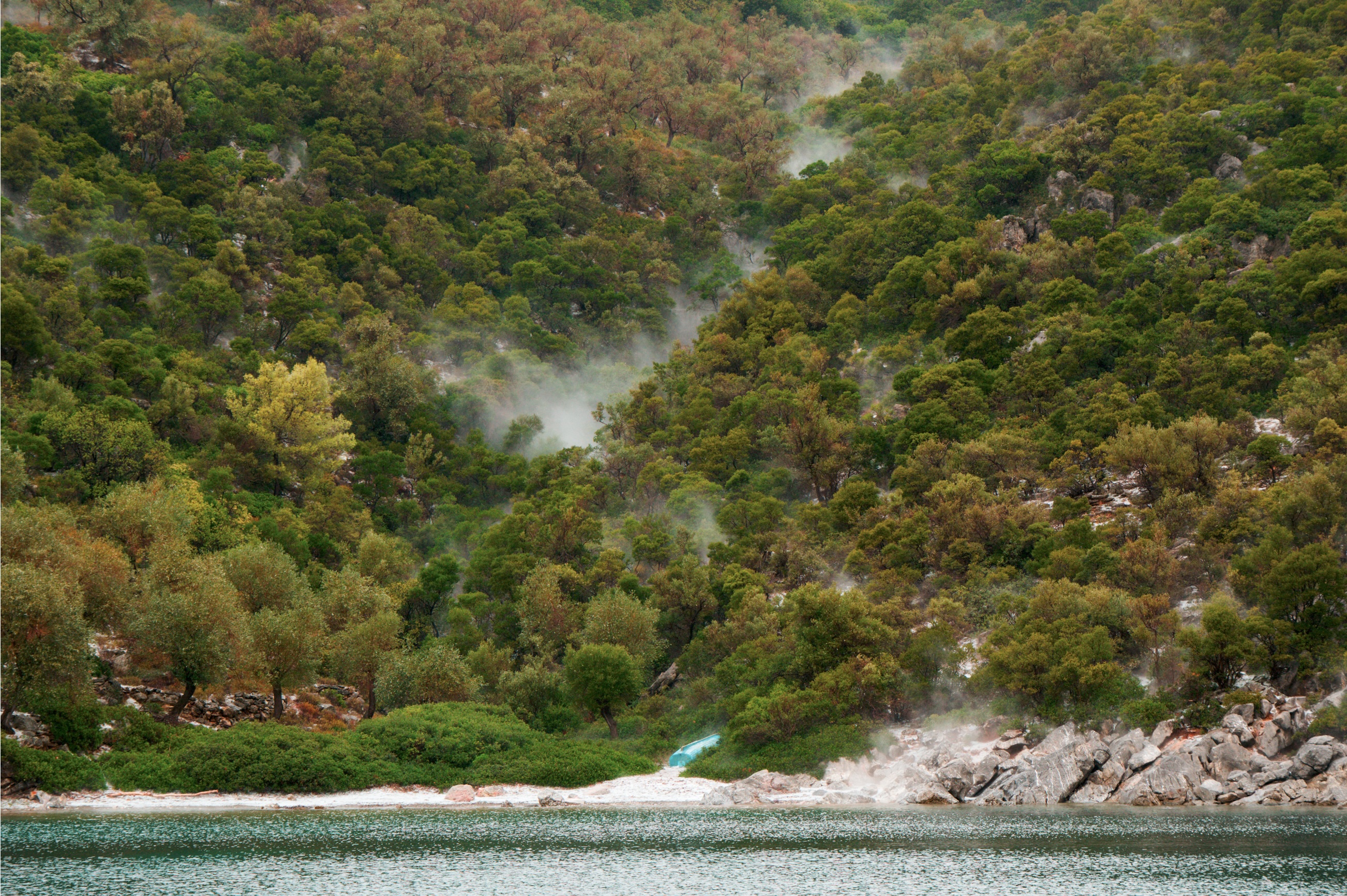
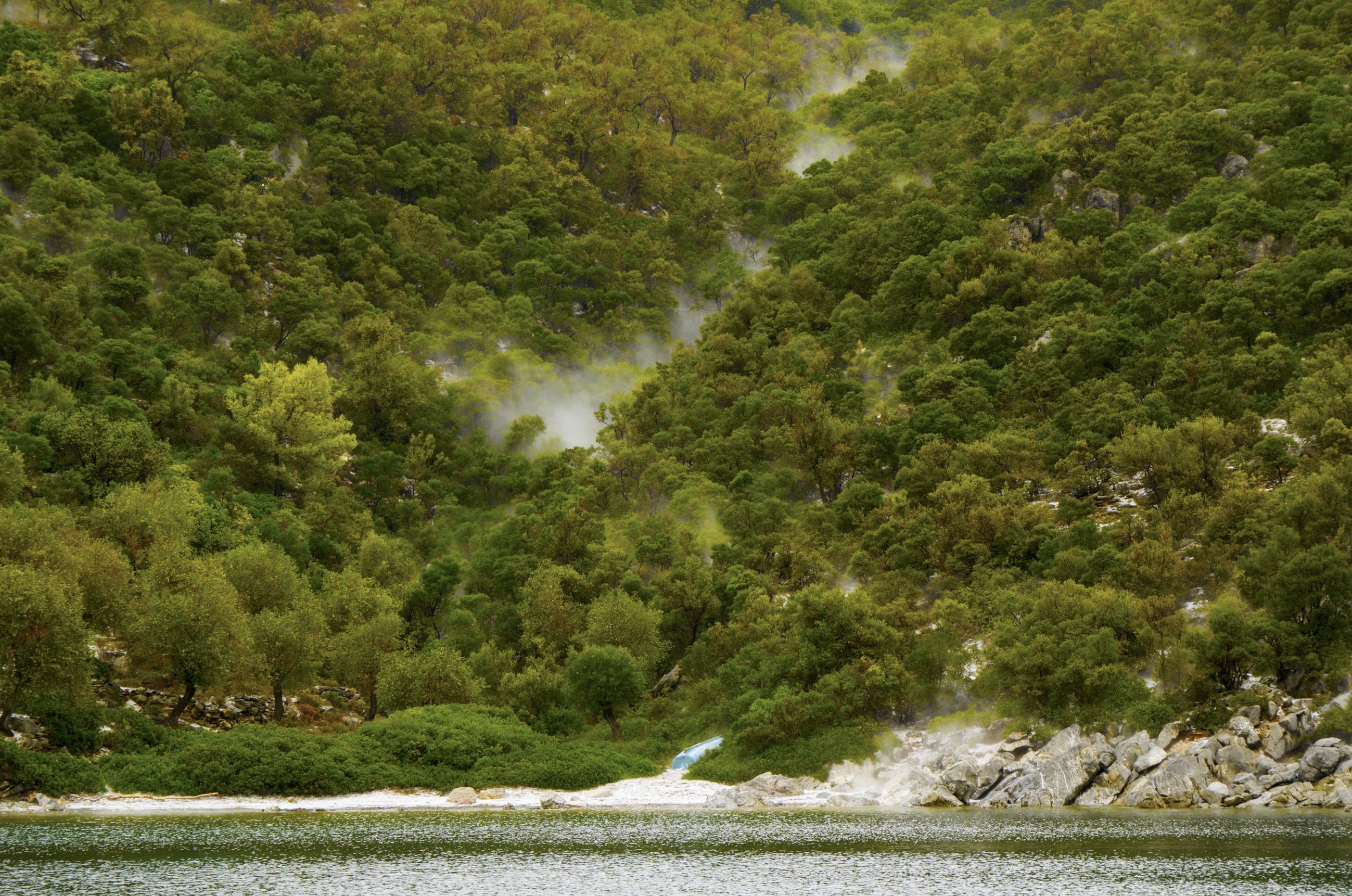
(rotations taken way too far in this example, for illustrative purposes)
Thus, I’d use the green rotation for enhancing the color variety within the green portion of the image.
My mental model for this is currently: purity (or saturation) is “pushing towards primary and secondary colors”. If green is one of the primaries, pushing saturation will naturally push all green-adjacent hues towards pure green. But if the primaries are twisted a bit, saturation will separate them from green.
Is that a correct interpretation of the effect of rotations?
1 Like
Purity is literally pushing a primary away from the achromatic / white point, closer to the spectral gamut boundary (single wavelength, monochromatic, ‘laser’ colour).
Rotation also influences brightness, if taken to the extreme. Shouldn’t be an issue with a few degrees of rotation.
The curve introduces a ‘Notorious 6’ shift, which may become more noticeable with increased purity; it (the N6 shift) may be countered using preserve hue.
But I’m mostly clueless about visualising how hue shifts work.  Boris has been trying to help, but my skull is too thick for him to be able to get through.
1 Like
No. Green purity only changes the saturation of all hues, but most strongly affects green and all other hues that contain green.
With rotation, you can then control whether green hues shift toward cyan or yellow.
If you rotate it towards yellow, all green tones will approach yellow:

When rotating towards cyan, green tones become colder and yellow shifts towards red (becoming orange):
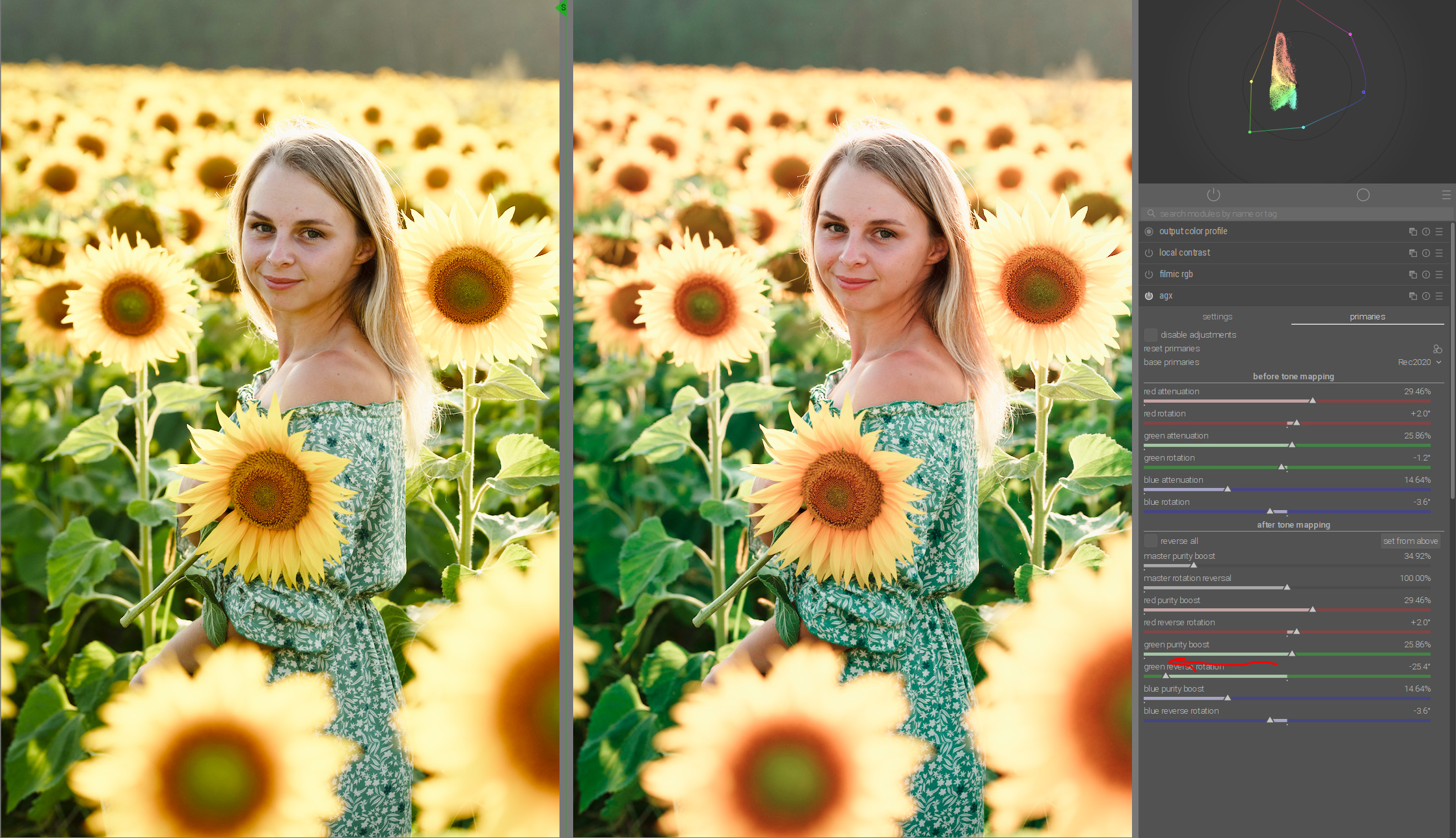
This can be put to good use to separate green tones from the subject. Here, it is also sufficient to rotate the blue very slightly towards magenta and red towards yellow to balance the woman’s skin tones.
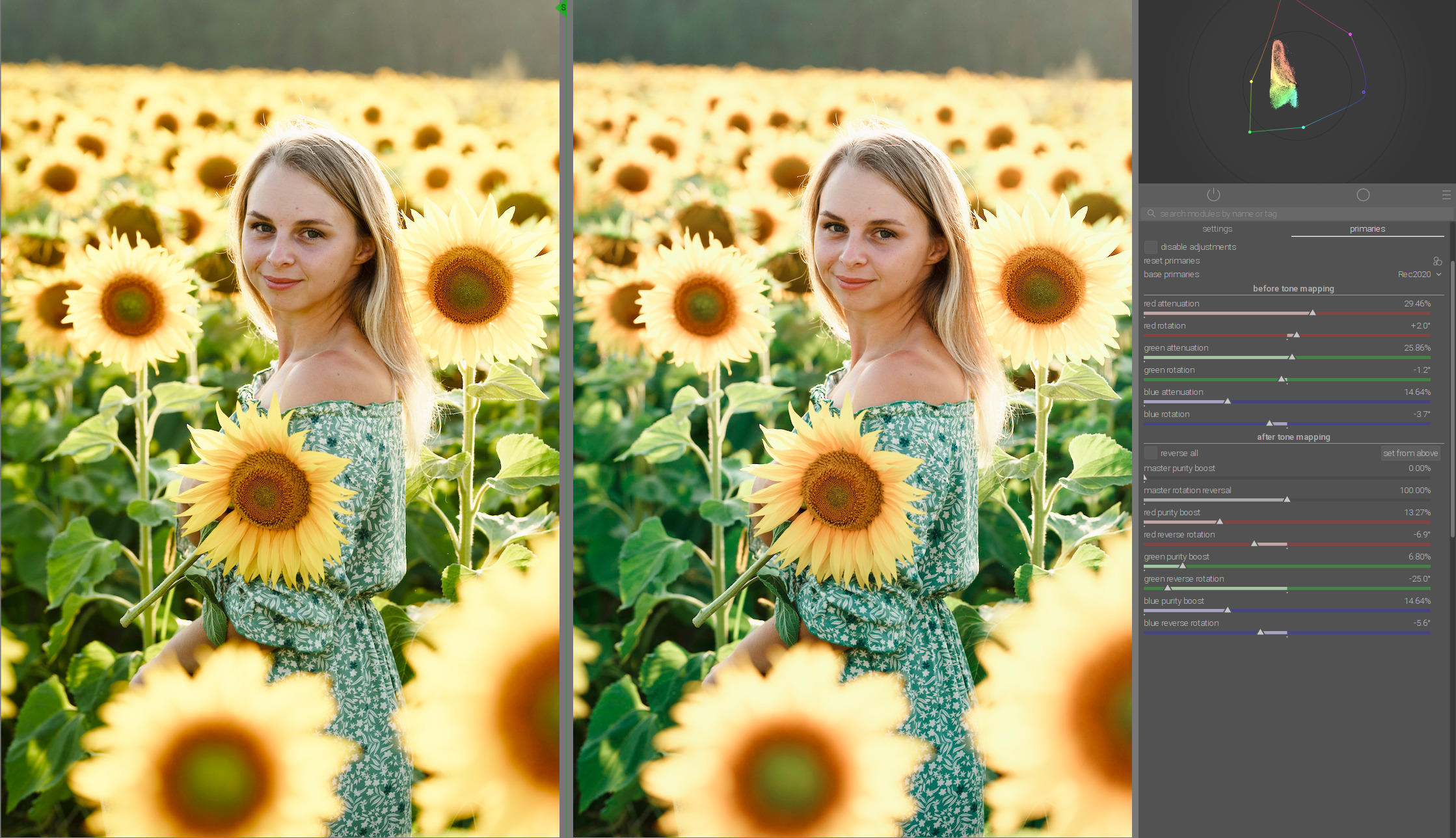
Now the green becomes a little cooler and nicely separated from other colors.
13 Likes
I really need some handy cheat sheet for all this stuff. It hurts my little brain
9 Likes