Blender AgX in darktable (proof of concept)

Just discovered this recently. Looks very interesting! Here comes some feedback about the nascent documentation. Unfortunately, my lack of understanding confines me to simply stating my confusion without suggesting concrete improvements.

I find the technical part of the documentation of the new AgX module good. What it lacks in my opinion are general explanations and putting things into context. In particular, with this being the fourth tonemapper added to Darktable, some information about the relative merits of each would be really beneficial IMHO.

(Here is my perspective on the different tone mappers: “filmic rgb” was added to replace “base curves” as part of a broader move towards scene-referred processing and better replication of the pleasant behavior of analog photographic film. Later, “sigmoid” was added as an easier to use and more “well-behaved” (when tweaking parameters) alternative to filmic.)

Now, what itch is AgX actually trying to scratch in Darktable? I looked at this explaination and other texts by the author of AgX for blender, but I find them almost unreadable because of their (in my opinion elitist) mixture of jargon and slang. I am not an expert in color perception, but I am a physicst with some understanding of color science, so I would expect to understand at least something on first reading. (Meanwhile I do, but this took much more effort than necessary.) So, some explanation of the philosophy and purpose of AgX in the context of Darktable would really help! (By the way, AgX must be a reference to silver halide. Does this mean that AgX is trying to be a better filmic? In which ways precisely?)

Here is one particular aspect: The documentation of the AgX module mentions the “notorious 6” problem, but it seems to imply that N6 is a problem that AgX’s design introduces:

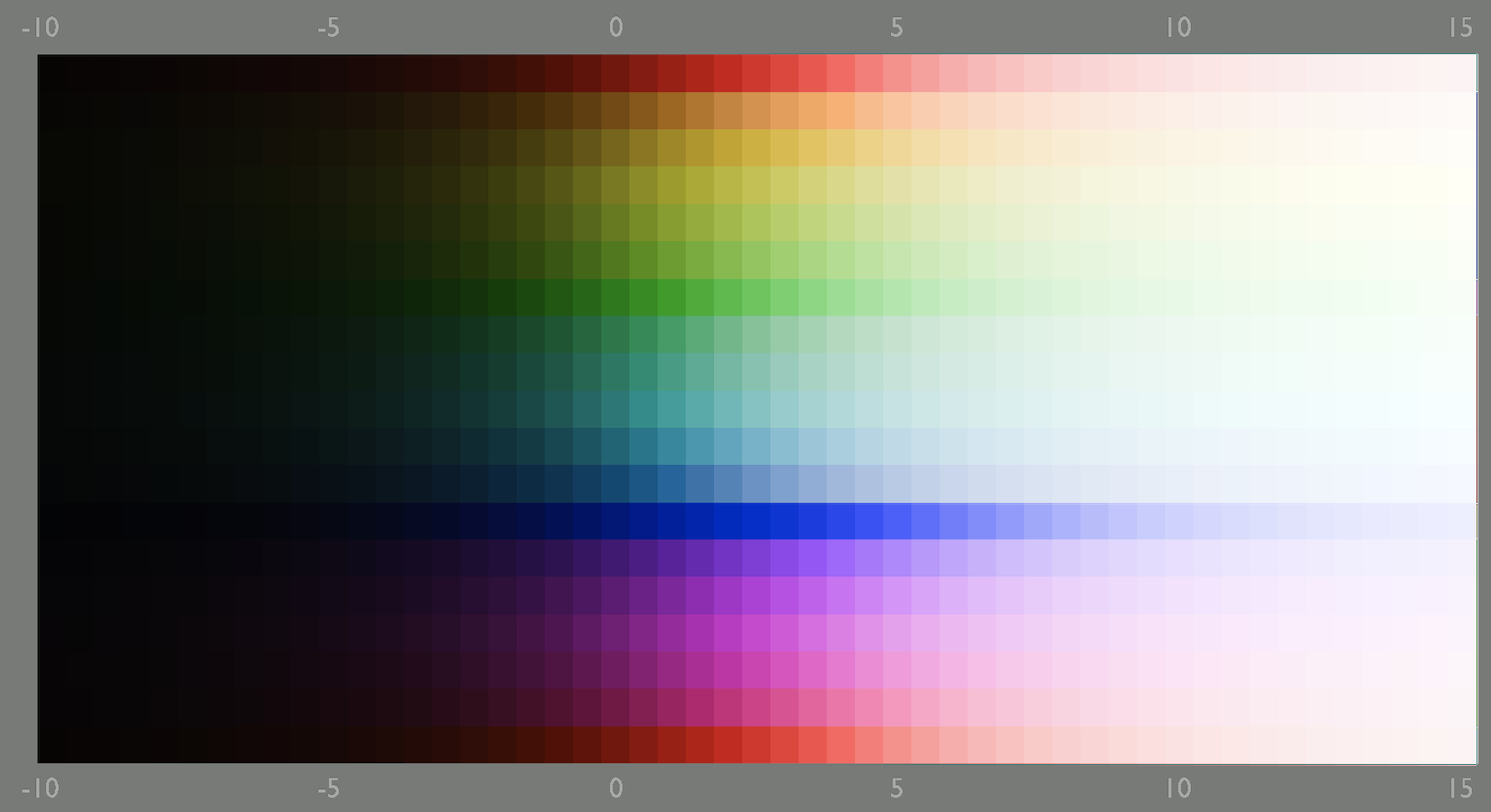
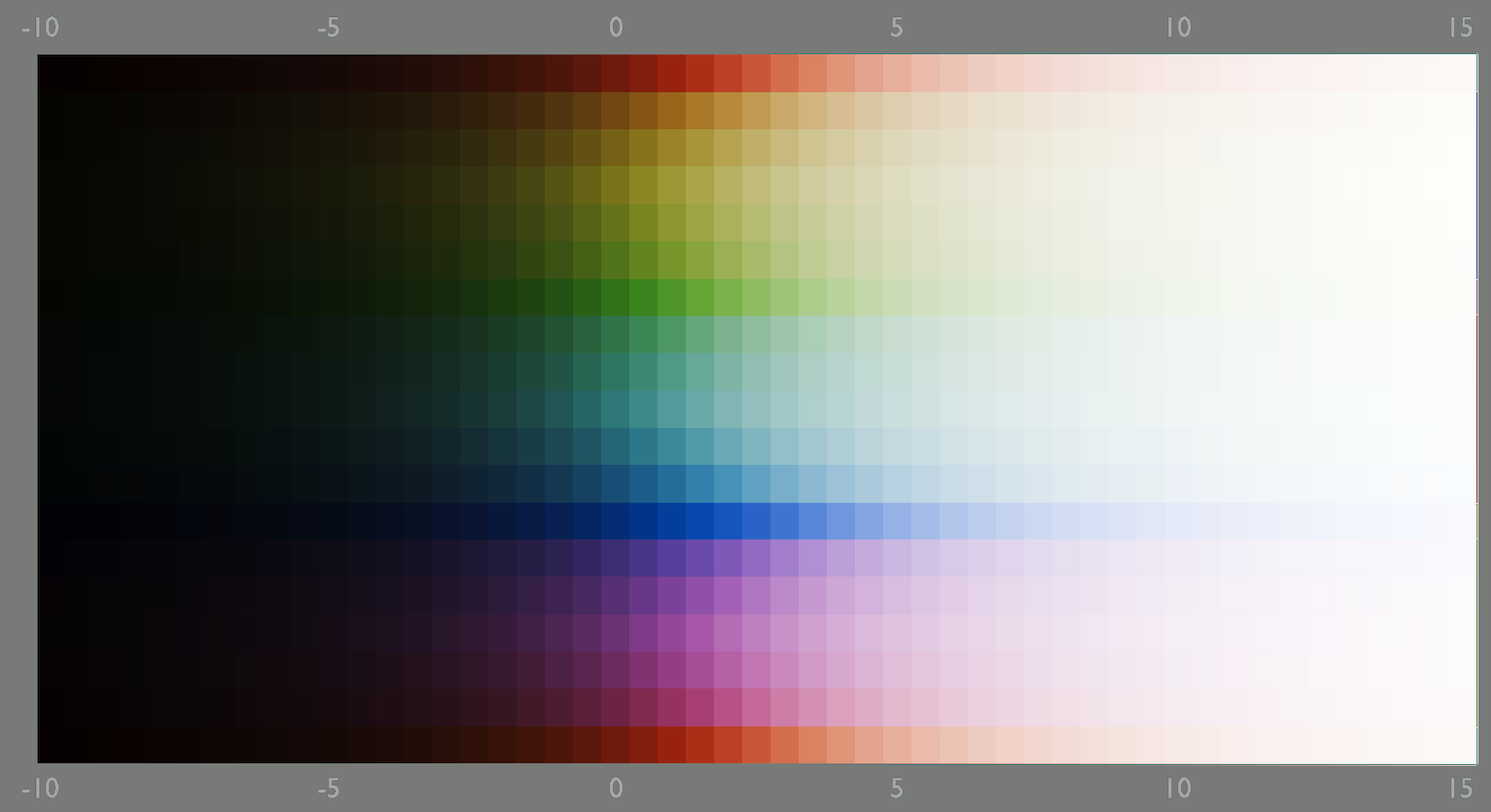
AgX processing applies the tone mapping curve on a per-channel basis. Such application of curves has a number of side effects: contrast affects not only the tonal contrast, but also saturation. Another effect is the convergence of all non-pure primary colors (red, green, blue) to the secondaries (yellow, cyan, magenta). Since it involves the full spectrum of colors collapsing to the 3 primary and 3 secondary colors, the effect has been nicknamed ‘Notorious 6’. An example can be seen below:

To me this reads as if N6 is an internal problem of AgX for which it luckily provides remedies. But is this the whole story? From reading blender-related N6 texts, I got the impression that N6 was a problem (for example in Blender’s filmic) that AgX actually sets out to solve. Is this also true in Darktable? I.e. is N6 also a problem when using filmic or sigmoid? If not and N6 only affects AgX, why should one even use it? I don’t remember ever reading about N6 in the context of filmic rgb. Quite on the contrary, the hallmark of filmic is its color science and the ways in which it desaturates highlights.

I think that I’m not the only one who is suffering (or will suffer) from such confusion. Adding some explanations to AgX module documentation would help greatly.

4 Likes

Mainly for the great control of contrast in highlights I get with agx and the amount of contrast I can add without nuking the image. I is fab for b&w photography.

2 Likes

keep in mind the documentation is to explain/describe the module and its behaviour.
It isn’t intended to be a tutorial when to use which tone mapper.

This explanations will be done by several users creating tutorial videos or posting here like Let's learn Filmic RGB! Your one stop shop to understanding filmic-based approach to edits! - #12 by s7habo or Filmic vs Sigmoid - when to use which
Following the discussions you can see there’s not just one opinion …

3 Likes

You can give it a test yourself with this file:

Sweep_sRGB_Linear_Half_Zip_01.tif (11.9 MB)

Filmic has had multiple versions, you can even test out all the color science changes along the way. All versions are quite drastic and different from one another

3 Likes

Sure, comparing the different tonemappers probably doesn’t belong to the documentation of one particular tonemapper. But I would say that some overview of the four modules does belong somewhere else in the manual, and not just into tutorials on the web. Of course artistic questions can be left for tutorials.

And the issue I raise regarding N6 is local to AgX’s module documentation. IMHO the way it is presented right now is unclear.

2 Likes

In its present state, AgX should be the recommended option, period. It is on the frontier of the effort-results curve and dominates all other options. The other modules should of course be kept but all new users should start out from AgX from the moment it is merged.

This does not mean that they need all the sliders, but even for simple edits or defaults it is much, much better than filmic. It is about equivalent to sigmoid if the only thing you adjust is contrast, but once you touch skew, doing it in AgX is easier to handle.

The focus should be not on comparing modules, but documenting a simple workflow with AgX so that it is accessible to everyone, even those who opened Darktable for the first time.

7 Likes

Sounds very promising, I’m looking forward to trying it out! (Although I remember that filmic was also highly praised in its time. I read and watched hours of detailed explanations by its author and others.)

If Darktable devs share the opinion that the other tonemappers are relegated to legacy, then indeed an overview in the manual is not necessary. (A blog entry for old users would be good, however.)

Still, I maintain that IMHO the “Primaries” section of the module documentation that I quoted above is unclear. It states “AgX processing applies the tone mapping curve on a per-channel basis” and then lists the problems caused by this approach. Other tonemappers like filmic work in perceptual color spaces exactly to avoid this, right? So why does AgX work in this way?

The answer seems to be related to the image of the filmic-treated color sweep @hatsnp showed above as compared to what AgX does. But if this is the raison d’être of AgX, why not state it explicitly, or at least point to a clear explanation somewhere else?

2 Likes

I will try to answer once I’m home.

3 Likes

I think you are way too premature. This new module is still not merged into master. Even if it is, I don’t think we should just depreciate the others.

3 Likes

I repeated the opinion of @Tamas_Papp. I do not have one of my own yet.

1 Like

Absolutely!!! Please don’t even think about declaring modules as deprecated, if there is no need. There are modules which others see as imminent, but I hardly use and vice versa. It is one of the beauties of darktable to have all this options and modules. If there are modules you don’t need, just don’t use them. Make your own toolset and you even don’t see them.

3 Likes

I think “AGX processing” refers to the whole process of the module…so not just the curve but the potential for pre and post processing of the color to avoid that N6 issue… One of the presets is I believe the “Blender” recipe for this…

Kofa as usual will likely give a more detailed an organized response

I think you misunderstood, I am not recommending deprecation of filmic or sigmoid, just not suggesting them. They should remain accessible for a long time, for existing users who prefer them.

And rightly so, each tonemapper was a huge improvement over what was available previously. In particular, filmic (rgb) coincided with the introduction of the scene-referred workflow and was a huge step forward.

Tone mappers solve a very hard problem, the same one that the chemical film industry spent decades on getting right. No wonder that the improvements are gradual.

All I am saying once the improvement is available, and there is a consensus about this, users should just be directed to the best option, instead of providing a comparative analysis of historical options.

3 Likes

As far as I know modules are never removed from Darktable since this would prevent old edits from opening. So the thought of making modules no longer accessible or removing them never crossed my mind.

From your enthusiastic message I got the impression that in your opinion there is no reason to use any other tonemapper but AgX for new edits. I would say that for you this qualifies the other tonemappers as obsolete. If Darktable devs share this view, then I would say this qualifies the other tonemappers as officially obsolete.

And if this is not the case, then I believe that some clarification of the merits of the different tonemappers belongs into the manual. Not into the module references, but why not into Overview / an introduction to darktable’s workflow / process?

2 Likes

There will always be some users who prefer one tonemapper over another. Filmic RGB still retains enthusiasts even after Sigmoid was introduced, and Sigmoid will retain enthusiasts after AgX is introduced.

Other than designating one as the default, I’m not convinced we need to think of any as obsolete or “better” than the others.

I think many people on this forum will migrate to AgX because it offers much more control and this forum’s users tend to be more advanced users. But there’s a wonderful simplicity to Sigmoid that will probably appeal to many other people.

5 Likes

I of course share the opinions expressed here about not deprecating a tonemapper. I think Filmic, Sigmoid and AgX can all live together. The only tonemapper that could be deprecated is the base-curve which difficult to use and can quickly make the edit broken. But even this won’t happen in a foreseeable future to support people working in display-referred workflow.

5 Likes

I see this to be racking up an unnecessary controversy. It is best to choose which TM of the three suits your style. Filmic and Sigmoid having been living together for quite some time now, without one trying to be one up on the other. Same will be true of AgX, when it enters the master. Once @kofa completes his documentation, new users will get a flavor on how to get the maximum benefit out of it, and decide your TM of choice (default)

1 Like

Since the basecurve moved in the pipeline it became less problematic at least for images with well managed DNR. It often still can give a quick decent result.

Can we even say that DT has a truly display referred workflow when the base curve is no longer placed before the input profile as it is in the legacy module order and it now slots in where sigmoid and filmic are …

Maybe I don’t think about this correctly…:grin:

So, I’m home.

As Eary_Chow rightly pointed out, without the primaries manipulation all we have is a very nice, configurable, per-channel tone-curve.

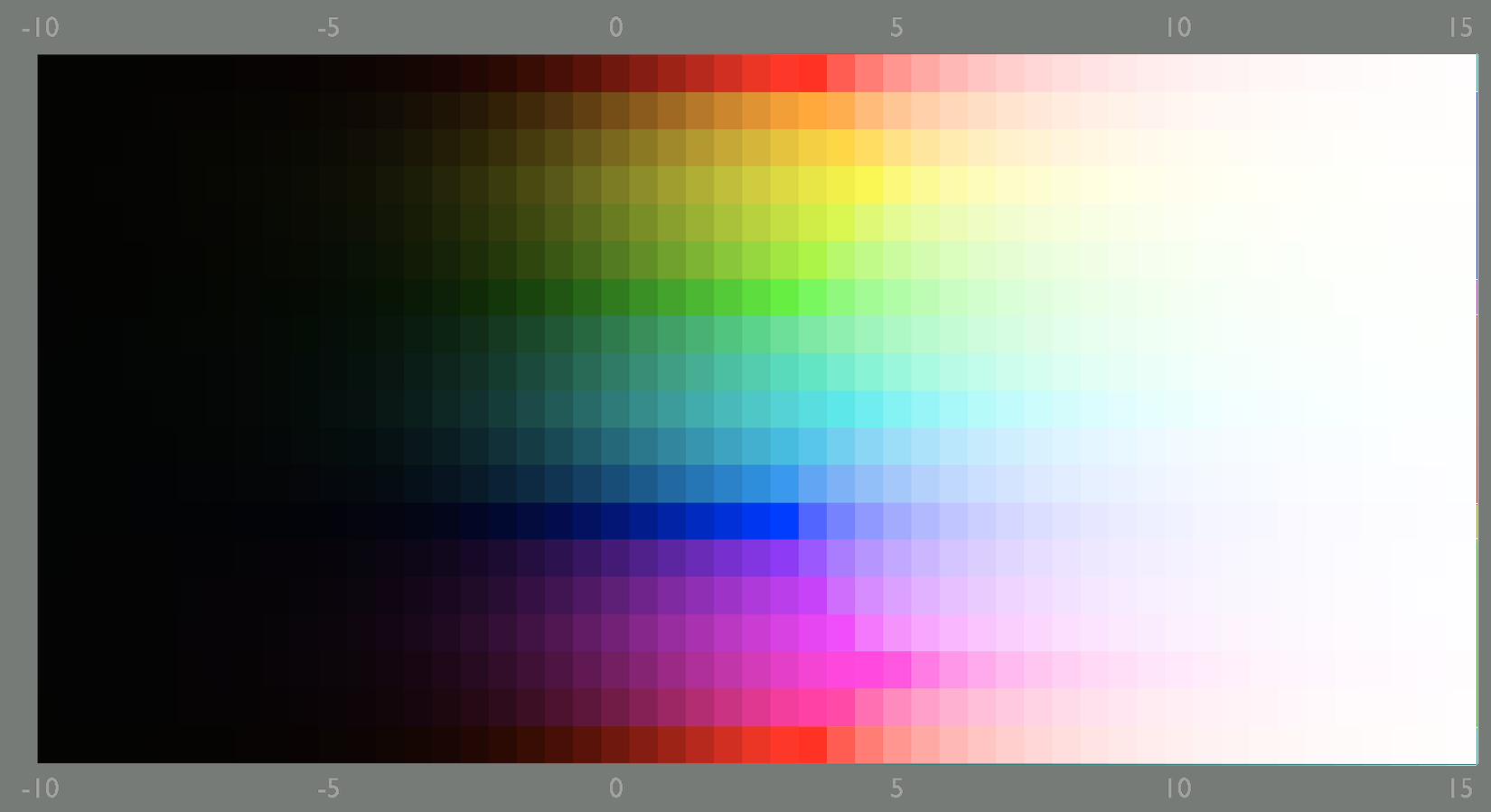
Per-channel application of curves has been known to introduce colour shifts and saturation change. I mentioned this in the docs. The curve used in Blender’s AgX and its darktable port, is no exception – it’s impossible to create a curve that does not do this in per-channel mode: low values get pushed even lower, closer to output = 0; midtones are shifted towards output = 1; the highest input values are limited by output <= 1. I tried to describe that in the documentation, but here is a page I had created, which tries to explain it in detail – please check the explanation on the left:

In darktable, sigmoid (in per-channel mode), base curve (in preserve colors: none mode), rgb curves (in preserve colors: none mode) will introduce the same colour shifts. Gimp does that, too.
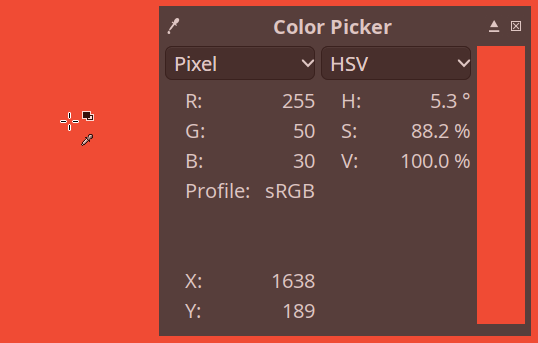
Here is a screenshot from Gimp, showing a colour which I set to (255, 50, 30):

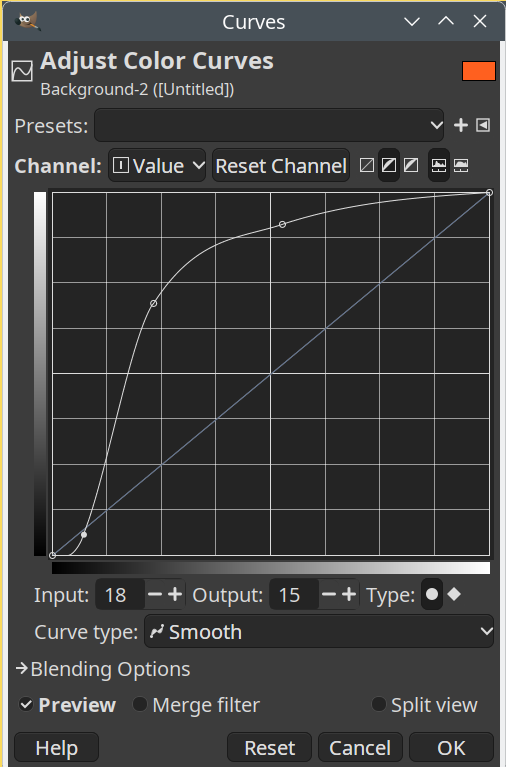
Let’s apply this curve:

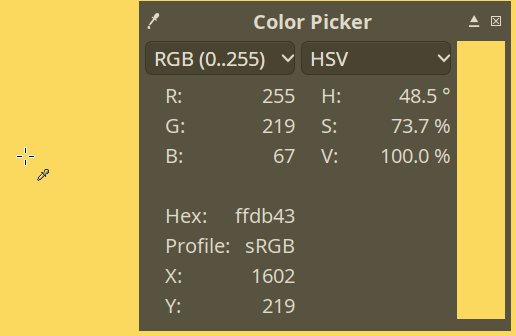
The result:

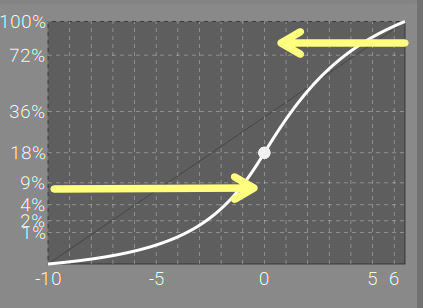
With HDR input, this only gets worse:

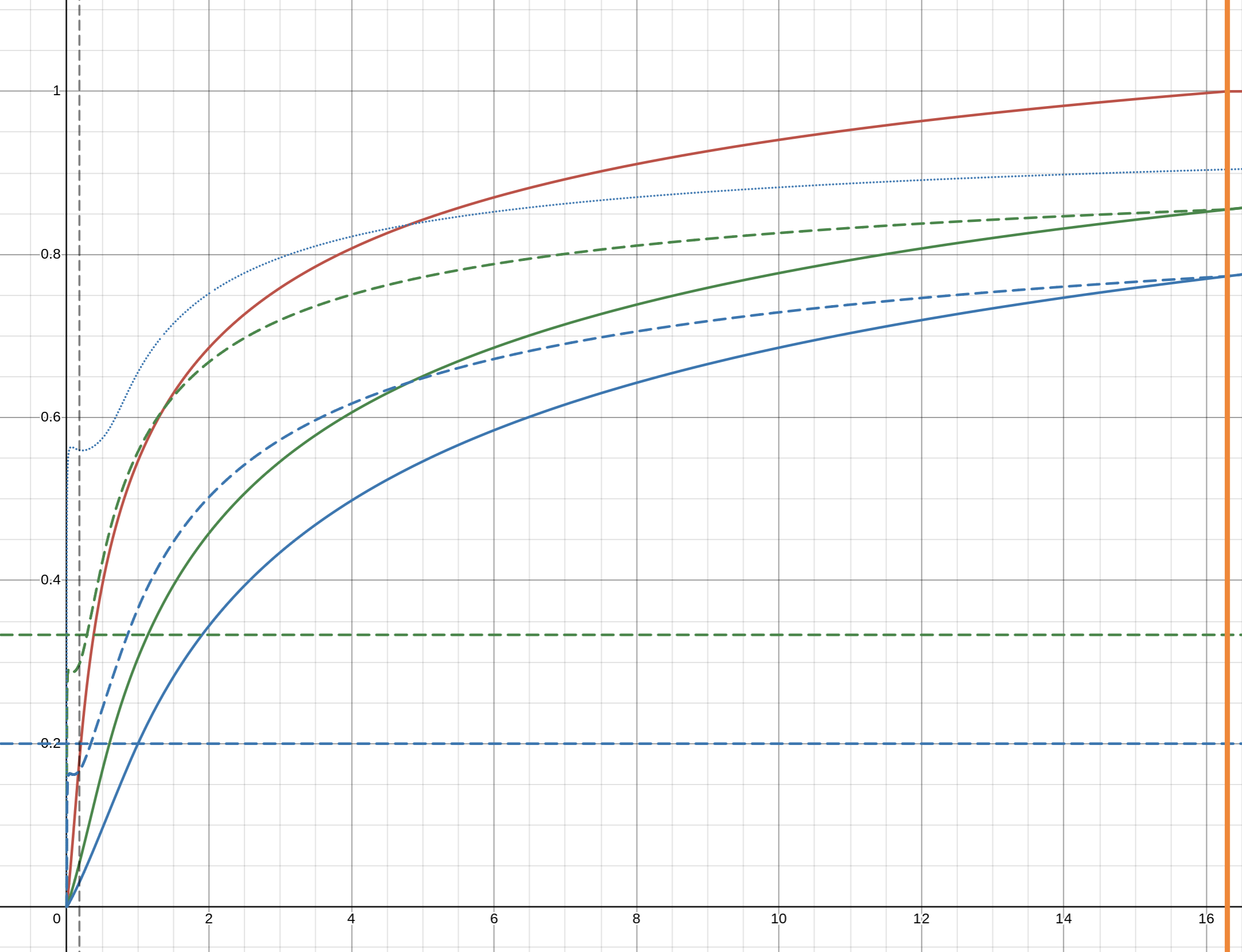
The range on the left of the pivot, taking up about 2/3 of the x-axis represents the input values 0 to 0.18. The right-hand side, taking up about 1/3 of the x-axis, represents everything between mid-grey and 6.5 EV above it, so 0.18 and 2^6.5 * 0.18 ~= 16.3, a much longer range! If we examine the tone mapping curve with a linearly scaled x axis, we get a very steep curve, with the range below mid-grey squished together on the left-hand-side of the screen (mid-grey is the dashed vertical line right next to the y-axis!):


You can check that, zoom in/out, move around etc. here:

So, you could say that Aurélien was right: per-channel curves are not the right way. If only it were that simple!

In his original article (which he has updated to promote his fork, Ansel, but filmic works the same way in darktable, too), he writes:

Note that the Bezold-Brücke shift affects human perception but not sensor measurements, therefore the digital rendition from Ansel 2023 honours the chromaticity coordinates of the spectral colors (red) and will look less yellow than expected by an human observer. This can be selectively fixed by color balancing highlights.

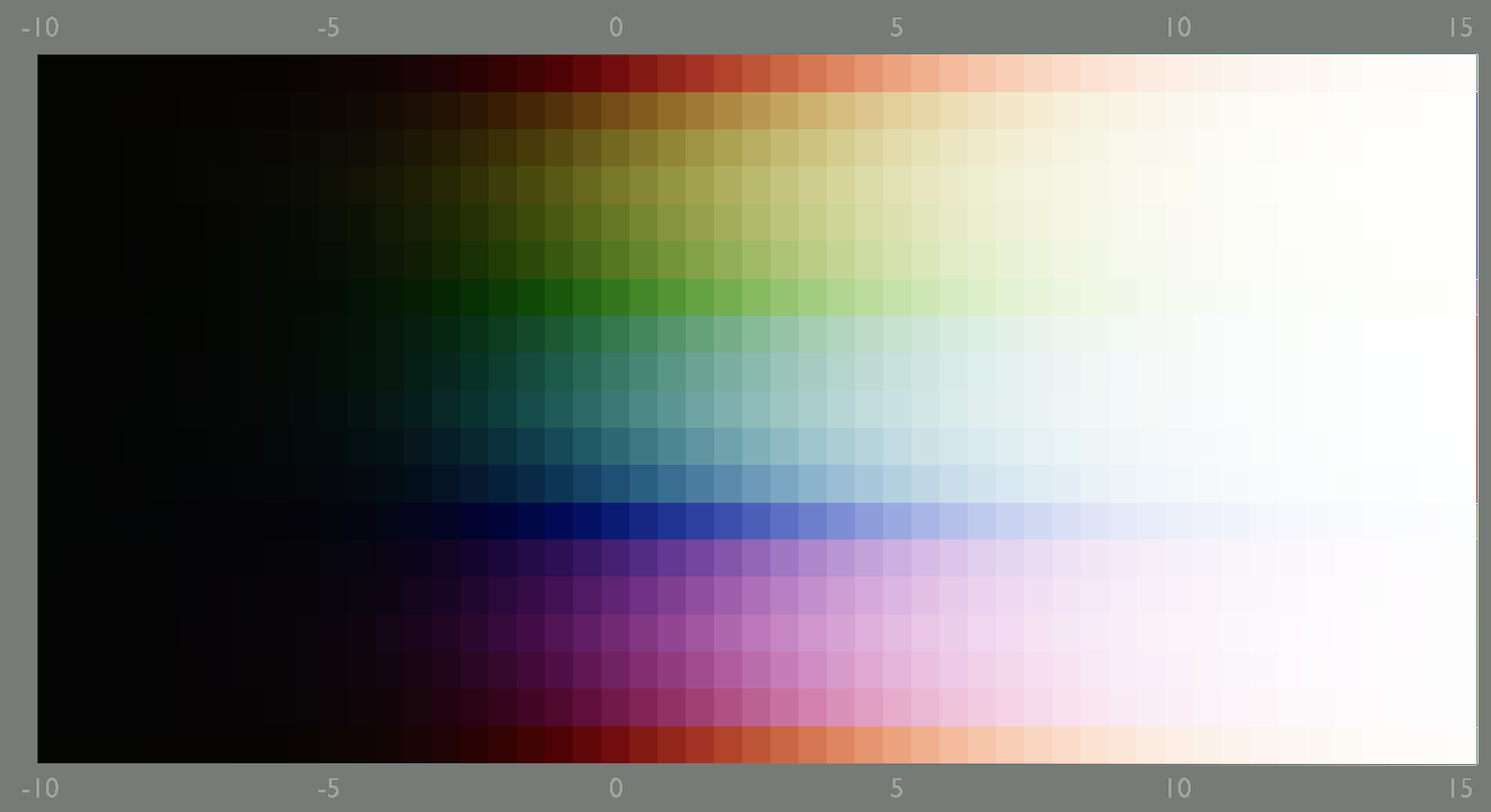
So, in order to achieve a natural-looking result, you are required to use another module (e.g. color balance rgb) to shift the hues naturally. This is why filmic has been criticised by many for creating pink sunsets and salmon-coloured fires. It does avoid the complete shift to yellow, though.

Note: in the comparisons below, I did not try to match contrast, which influences the results. I hope the general idea can still be understood.

If used in rgb ratio mode, sigmoid also shows something similar:

Allowing sigmoid to use ‘AgX-like’ processing (tweaking the primaries, here using the smooth preset) gets you a nice transition:

agx with Blender’s settings for primaries:

filmic works by tone-mapping using a ‘norm’: a “brightness”-like value calculated from the RGB components. In filmic v6 and below, you can choose between norms; v7 uses a mix between the max RGB norm and the no-preservation option (quoting the manual). Then, the final (mapped) RGB values are derived from ratio of the original RGB values to the original norm (the input of the curve), and applying those ratios to the mapped norm (the output of the curve). The article at Filmic Tonemapping with Piecewise Power Curves – Filmic Worlds (that filmic is not darktable’s filmic, it’s just a generic term to describe a curve resembling the response of film) describes, towards the end, under the heading Luminance Only, the potential drawbacks of such an approach.

So, if sigmoid and agx look so much alike (see above), why agx?

  1. I wanted to learn
  2. sigmoid uses a curve that never reaches 0 and 1; it asymptotically converges to them. You do not have explicit control over toe and shoulder behaviour: you can set the contrast and change the curve using the skew. The controls in agx make detailed control possible (thanks to Jed’s curve).

Yes. I think I have now either bored everyone to death, or confused them, or did both, and probably also stated some inaccurate things. Anyway, that’s my (mis)understanding.

25 Likes

This miss the point, one can still set the module order to : legacy

In this mode the base curve is in the early part of the pipeline as it was before the scene-referred workflow was design.

Of course in new module order the base curve is late in the pipeline. But frankly it is hard to believe that it is easier to use than Filmic or Sigmoid as there is only a curve for the control and the precision is quite limited. In the early dt days when only base-curve was present it was almost mandatory to calibrate the camera by creating a dedicated base curve. The default Nikon, Canon, Fuji like curves were just a relatively mediocre base for the edit.

2 Likes