But you need one finger less to type it 
Thanks for the info, I’ll try to see if I can use it for something (masking?)
But you need one finger less to type it
Thanks for the info, I’ll try to see if I can use it for something (masking?)
Had some time today to experiment a way to recreate Apollonian gasket as a G’MIC script.
Here it is:
# Apollonian Gasket rendering in G'MIC.
# (see: https://en.wikipedia.org/wiki/Apollonian_gasket).
apollonian_gasket :

  # Init.
  siz=1280 rad:=$siz/2.2
  $siz,$siz,1,2
  circle {[$siz,$siz]/2},$rad,1,1
  repeat 3 { circle {[$siz,$siz]/2+0.537*$rad*cexp([0,90°+$>*120°])},{0.464*$rad},1,0,{2+$>} }

  # Iterate.
  ind=4 e "  > Computing"
  do
    sh 0 +distance. 0 x,y,r:="x = xM; y = yM; [ x,y,i(x,y) - 1 ]" rm[-2,-1]
    circle $x,$y,$r,1,0,$ind ind+=1
    e "\r  > Computing "{`c=arg0(int($>/10)%4,124,47,45,92);[c,c==92?92:0]`}
  while $r>3

  # Decorate.
  k. channels 100%
  +n. 0,255 map. hot
  l[0] { g xy,1 a c norm != 0 * 255 to_rgb }
  max rs 80%
A bit slow, but at least it does something 
Some results and variations:
This morning, I needed to code a small function that draws oriented Gaussians in a discrete 3D volume, and so I tested out this function intensively with gaussians of various sizes, orientations, colors, opacities, etc., to see how they would look.
The fun thing about generating continuous data in a discrete 3D volume is that you can then store each slice of the volume as a frame in a output video file, and it sometimes makes for some cool stuff to watch.
That’s what happened here!
Here’s a video of each slice of a 3D volume generated by starting from an empty volume and drawing Gaussian shapes in it, randomly varying their size, orientation, color and opacity. I used a little trick to make the video loop perfectly, so that I could turn it into an animated gif.

I won’t detail the code here, I just copy/paste it below, so you can reproduce it if you wish!
anim_ellipses :
  180,180,160,3
  2000,1,1,1,":
    draw_gauss3d(ind,xc,yc,zc,u,v,w,siz,anisotropy,R,G,B,A) = (
      unref(dg3d_mask,dg3d_one,dg3d_rgb,dg3d_isiz2);
      dg3d_vU = unitnorm([ u,v,w ]);
      dg3d_vUvUt = mul(dg3d_vU,dg3d_vU,3);
      dg3d_T = invert(dg3d_vUvUt + max(0.025,1 - sqrt(anisotropy))*(eye(3) - dg3d_vUvUt));
      dg3d_expr = string('T = [',v2s(dg3d_T),']; X = ([ x,y,z ] - siz/2)/siz; exp(-12*dot(X,T*X))');
      dg3d_mask = expr(dg3d_expr,siz,siz,siz);
      dg3d_rgb = [ vector(##siz^3,R),vector(##siz^3,G),vector(##siz^3,B) ];
      const dg3d_isiz2 = int(siz/2);
      draw(#ind,dg3d_rgb,xc - dg3d_isiz2,yc - dg3d_isiz2,zc - dg3d_isiz2,0,siz,siz,siz,3,A/255,dg3d_mask);

      # Trick: These two lines allow to generate a perfectly looping animation.
      draw(#ind,dg3d_rgb,xc - dg3d_isiz2,yc - dg3d_isiz2,zc - dg3d_isiz2 + d#0/2,0,siz,siz,siz,3,A/255,dg3d_mask);
      draw(#ind,dg3d_rgb,xc - dg3d_isiz2,yc - dg3d_isiz2,zc - dg3d_isiz2 - d#0/2,0,siz,siz,siz,3,A/255,dg3d_mask);
    );

    X = [ u([w#0,h#0] - 1),u(d#0/4,3*d#0/4) ];
    U = unitnorm([g,g,g]);
    siz = v(5);
    anisotropy = u(0.6,1);
    R = u(20,255);
    G = u(20,255);
    B = u(20,255);
    A = u(20,255)/(1 + siz)^0.75;

    siz==0?draw_gauss3d(#0,X[0],X[1],X[2],U[0],U[1],U[2],11,anisotropy,R,G,B,A):
    siz==1?draw_gauss3d(#0,X[0],X[1],X[2],U[0],U[1],U[2],21,anisotropy,R,G,B,A):
    siz==2?draw_gauss3d(#0,X[0],X[1],X[2],U[0],U[1],U[2],31,anisotropy,R,G,B,A):
    siz==3?draw_gauss3d(#0,X[0],X[1],X[2],U[0],U[1],U[2],41,anisotropy,R,G,B,A):
    siz==4?draw_gauss3d(#0,X[0],X[1],X[2],U[0],U[1],U[2],51,anisotropy,R,G,B,A):
           draw_gauss3d(#0,X[0],X[1],X[2],U[0],U[1],U[2],61,anisotropy,R,G,B,A)"
  rm.
  rs 250%,250%,6 c 0,255 normalize_local , n 0,255
  slices {[d/4,3*d/4-1]}
Nice, isn’t it ?
I had some time this morning, and an idea for doing a simple 3D animation.
Here is the result, and the code (short, as usual). I’m quite pleased with it!
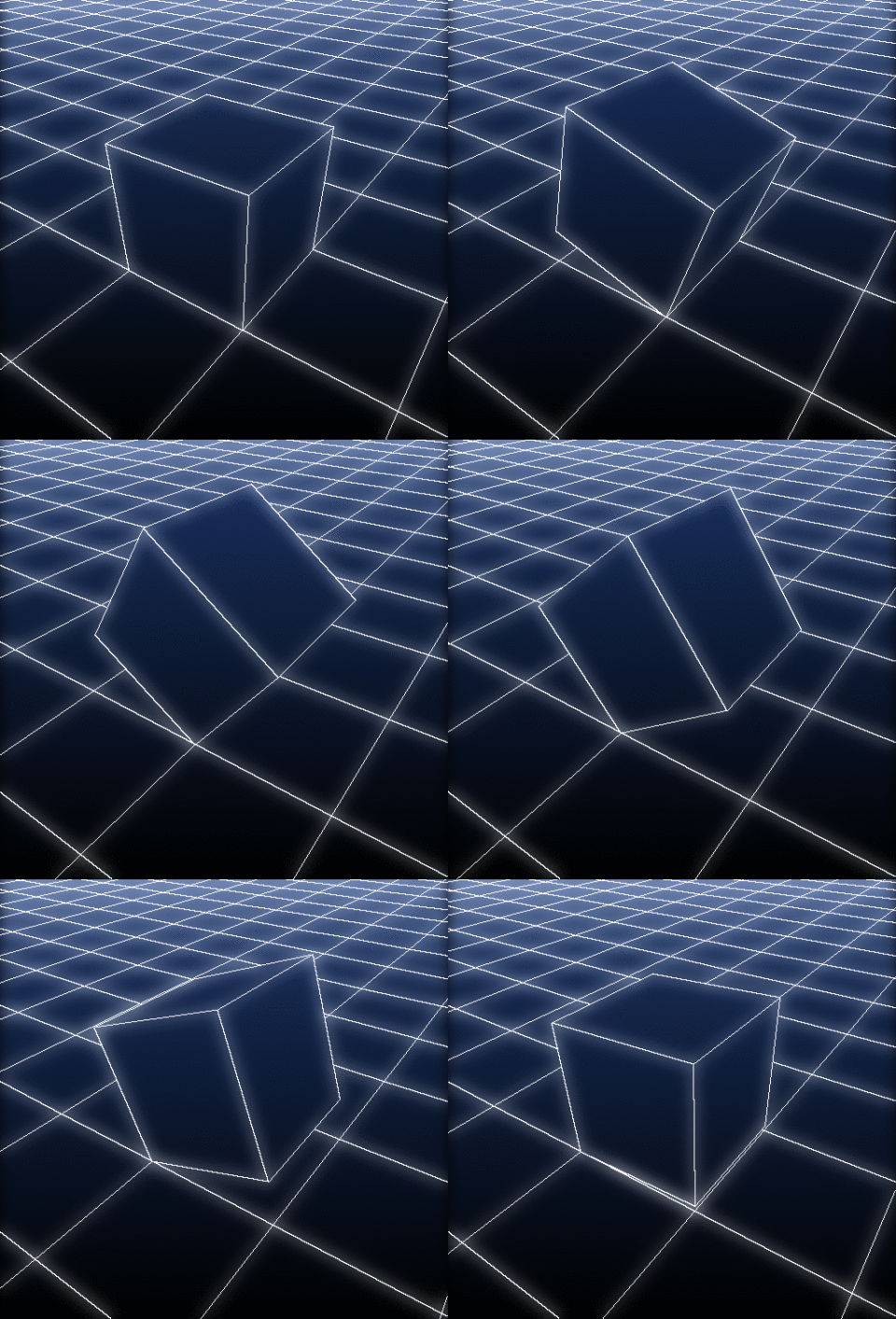
There are only 32 frames.
Here is the code:
foo :

  # Create checkerboard floor and cube.
  plane3d 97,97,97,97 s3d f.. int(y/3)%2 a y => floor
  box3d 1,1,1 l. { s3d. f.. int(y/3)+2 a y } => cube

  # Generate animation.
  nbf=32
  repeat $nbf { f=$>
    e[] "\r  > Frame "{$f+1}"/"$nbf
    ang:=-lerp(0,90,$%)
    +-3d[cube] 1,0,1 r3d. 0,1,0,$ang +3d. 1,0,1 # Rotate cube around bottom edge
    +3d. 48,48,-1 +3d. [floor] # Place cube on the floor
    -3d. $%,0,0 # Scroll floor
    -3d. 48.5,48.5,0 *3d. 150 r3d. 0,0,1,35 r3d. 1,0,0,-50 # Rotate whole object to have a nice view
    512,512 j3d. ..,50%,60%,0,1,2,0,0,500 # Draw object on canvas
    f. "const boundary=1; i!=j(1)||i!=j(0,1)" # Render as black & white outline
    rm..
  }

  k[2--2] * 255 to_rgb
  100%,100%,1,3,lerp([8,16,32],[0,0,0],y/h) max[^-1] . rm. # Add background gradient
  foreach { +b 8,0 n. 0,150 +  c 0,255 } # Add  glow
  rows 10,100% # Remove ugly top part due to 3D perspective
  rs 480
And here is a small variation, where the cube can go in different directions :
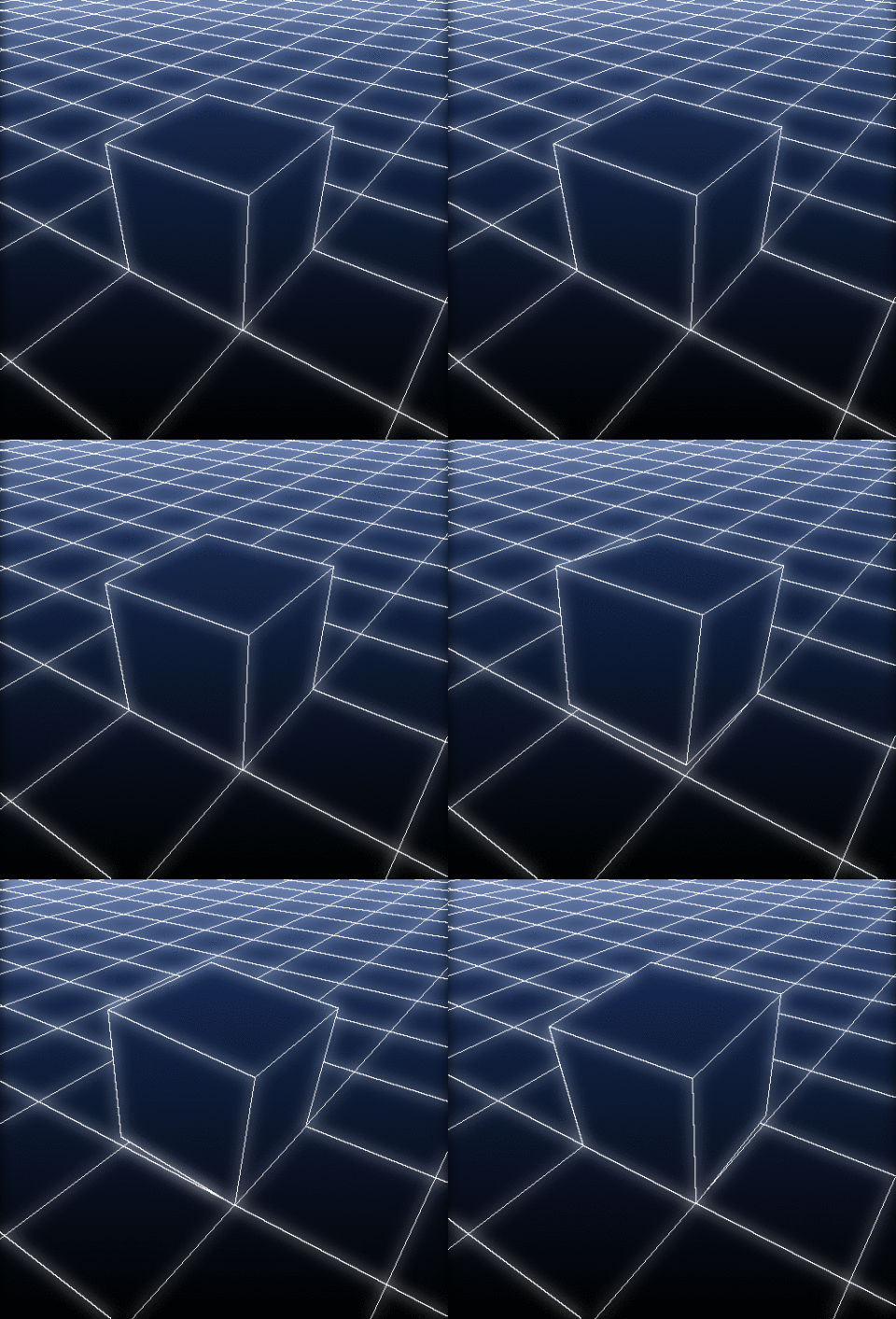
Modified source code:
# Main function
go :

  # Create checkerboard floor and cube.
  plane3d 97,97,97,97 s3d f.. int(y/3)%2 a y => floor
  box3d 1,1,1 l. { s3d. f.. int(y/3)+2 a y } => cube

  # Generate animation.
  nbf=16 direction=0
  repeat 5 {
    direction:=$direction<2?v(2,3):v
    shift:=arg0($direction,[1,0,1],[0,0,1],[1,0,1],[1,1,1])
    axis:=arg0($direction,[0,-1,0],[0,1,0],[-1,0,0],[1,0,0])
    scroll:=arg0($direction,[-1,0,0],[1,0,0],[0,1,0],[0,-1,0])

    repeat $nbf { f,t:=$>,$>/($>+$<+1)
      e[] "\r  > Frame "{$f+1}"/"$nbf
      ang:=lerp(0,90,$t)
      +-3d[cube] $shift r3d. $axis,$ang +3d. $shift # Rotate cube around bottom edge
      +3d. 48,48,-1 +3d. [floor] # Place cube on the floor
      +3d. {$t*[$scroll]} # Scroll floor
      -3d. 48.5,48.5,0 *3d. 150 r3d. 0,0,1,35 r3d. 1,0,0,-50 # Rotate whole object to have a nice view
      512,512 j3d. ..,50%,60%,0,1,2,0,0,500 # Draw object on canvas
      f. "const boundary=1; i!=j(1)||i!=j(0,1)" # Render as black & white outline
      rm..
    }
  }

  k[2--1] * 255 to_rgb
  100%,100%,1,3,lerp([8,16,32],[0,0,0],y/h) max[^-1] . rm. # Add background gradient
  foreach { +b 8,0 n. 0,150 +  c 0,255 } # Add  glow
  rows 10,100% # Remove ugly top part due to 3D perspective
  rs 480
~~A last one, a version with a colored cube.
I like the 80’s computer style
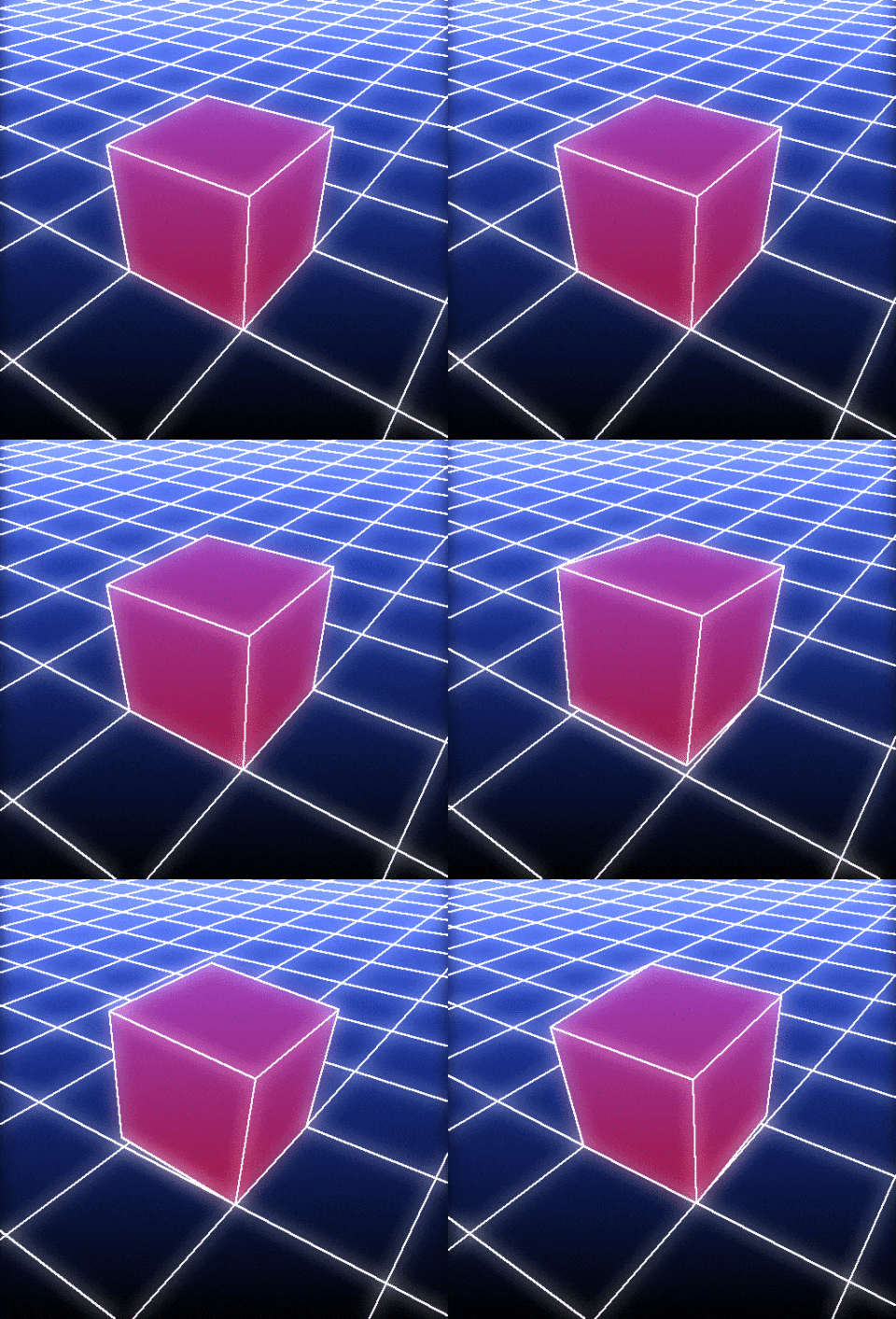
Source code:
# Main function
go :

  # Create checkerboard floor and cube.
  plane3d 97,97,97,97 s3d f.. int(y/3)%2 a y => floor
  box3d 1,1,1 l. { s3d. f.. int(y/3)+2 a y } => cube
  512,512,1,3,lerp([16,32,96],[0,0,0],y/h) => background
  8,1,1,3,"x>1?[64,0,32]:[0,0,0]" => colormap

  # Generate animation.
  nbf=16 direction=0 srand 2
  repeat 5 {
    direction:=$direction<2?v(2,3):v
    shift:=arg0($direction,[1,0,1],[0,0,1],[1,0,1],[1,1,1])
    axis:=arg0($direction,[0,-1,0],[0,1,0],[-1,0,0],[1,0,0])
    scroll:=arg0($direction,[-1,0,0],[1,0,0],[0,1,0],[0,-1,0])

    repeat $nbf { f,t:=$>,$>/($>+$<+1)
      e[] "\r  > Frame "{$f+1}"/"$nbf
      ang:=lerp(0,90,$t)
      +-3d[cube] $shift r3d. $axis,$ang +3d. $shift # Rotate cube around bottom edge
      +3d. 48,48,-1 +3d. [floor] # Place cube on the floor
      +3d. {$t*[$scroll]} # Scroll floor
      -3d. 48.5,48.5,0 *3d. 150 r3d. 0,0,1,35 r3d. 1,0,0,-50 # Rotate whole object to have a nice view
      {background,[w,h]} j3d. ..,50%,60%,0,1,2,0,0,510 # Draw object on canvas
      +f. "const boundary=1; i!=j(1)||i!=j(0,1)" *. 255 dilate. 2 # Render as black & white outline
      map.. [colormap]
      max[-2,-1] max. [background]
      +b. 10,0 n. 0,200 +[-2,-1] c. 0,255
      rows. 10,100% # Remove ugly top part due to 3D perspective
      rs. 480
      rm..
    }
  }
  k[4--1]
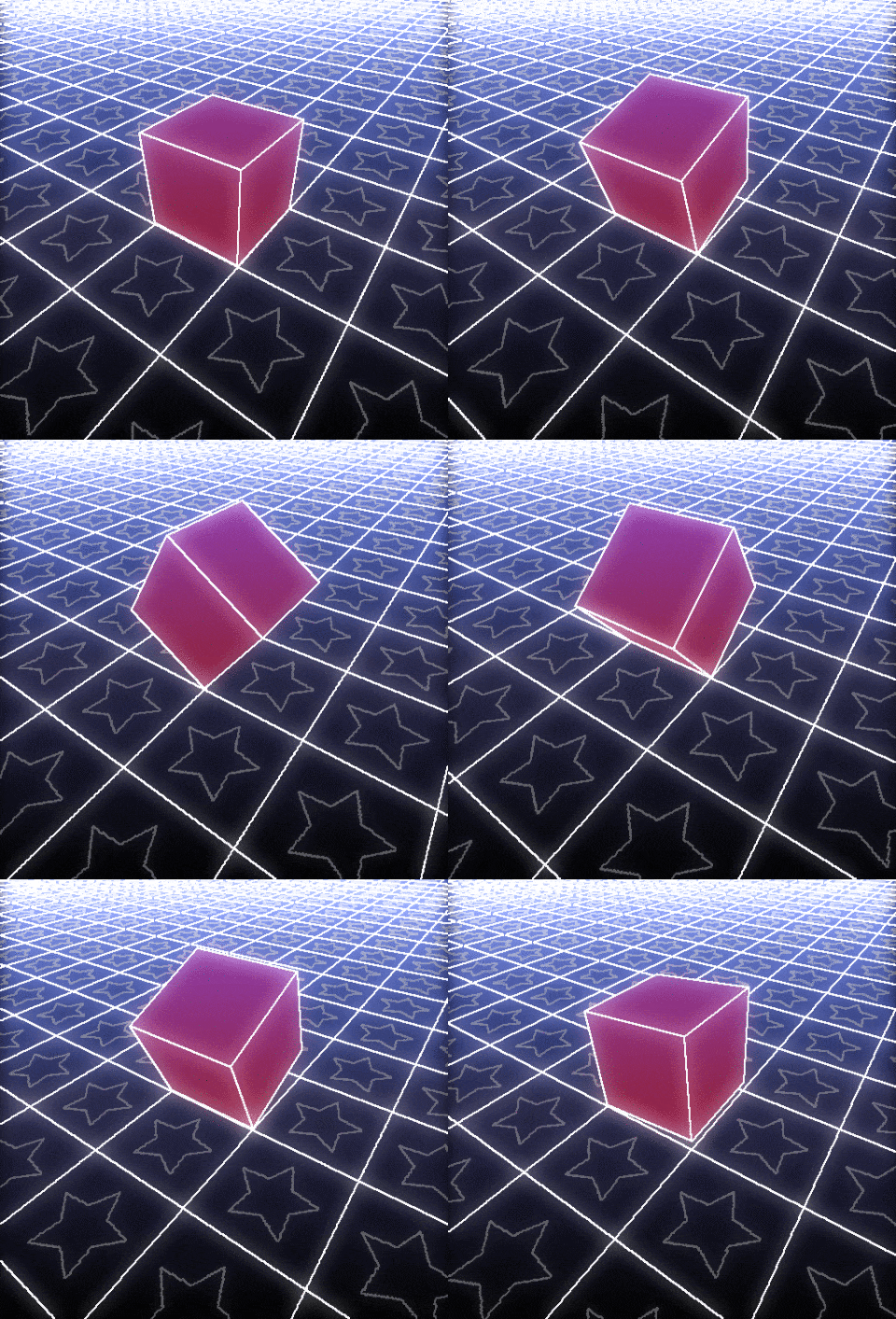
Yes, I stop now, I promise 
Hmm, it would be nice to have synthwave bacmground generator. That is on my TODO list.
You should make the stars light up when stepped on
@prawnsushi You beat me to the idea factory. I refrained because @David_Tschumperle would be tempted to continue. But today is a new day:
My thought yesterday was to have the star light up (outline or fill) and imprint the side of the cube it touches. If we are going all out, then have the entire cube light up briefly on contact and the colours randomized. Lastly, the background show probably fade with distance; otherwise, there is just one colour or too much density at the top.
I said it was the last one, and I’m going to keep my word
Just poking fun. Besides, @Reptorian promised something…
Had fun tonight! 
tunnel3d :

  # Create 3D mesh.
  30,1,1,2 rand -3,3 r. 256,1,1,2,5 => coords
  +s. c store[-2,-1] _X,_Y
  curve3d "begin(X = get('_X',256)); X[t]","begin(Y = get('_Y',256)); Y[t]",t,1.25,256,0,255,16 rv3d.
  l. { # Set colors and opacities
    s3d
    1,100%,1,3,"c0 = [ 255,0,0 ]; c1 = [ 255,255,255 ]; xor(int(y/16),y)%2?c0:c1" permute. cyzx y. rv[-3,-1] rm.
    f. "y<h-32?1:0"
    a y
  } => mesh3d

  # Display animation.
  repeat 1000 {
    z={coords,lerp(0,w-1,$%)}
    ang:=180*cos($>/100)
    ++3d[mesh3d] {coords,-I($z,0,0,1)},{-$z} r3d. 0,0,1,$ang
    600,600,1,3 j3d. ..,50%,50%,-500,1,5,0,0,500 rm..
    w.
  }
  k[2--1] rs 50%
You coded one of my nightmares!!
Update:
The cool thing with this creative code is that it highlighted that there was a small bug in the object3d command, when dealing with z-clipped gouraud-rendered triangles and quadrangles. So I’ve been able to fix that bug this morning (and released a 3.6.2_pre version for the occasion ).
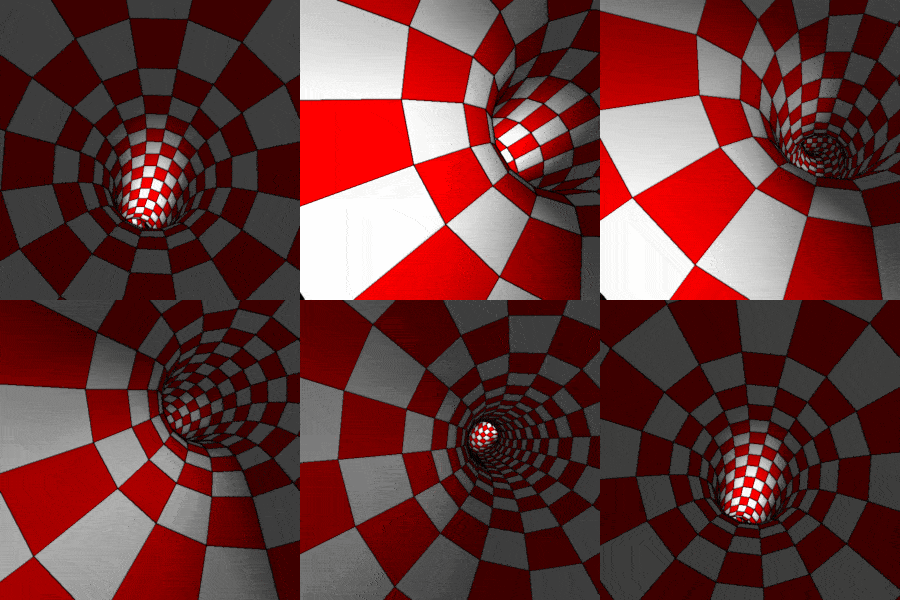
And the associated G’MIC script:
tunnel3d :

  # Generate random 3D coordinates for tunnel center.
  8,1,1,2,"f = sin(2*pi*x/(w-1)); 2.5*f*[g,g]" r. 64,1,1,2,5 b. x,3,2 => coords

  # Create 3D tunnel mesh.
  +r[coords] {2*w#$coords},1,1,100%,0,2 s. c store[-2,-1] _X,_Y
  curve3d "begin(X = get('_X',2*w#$coords)); X[t]",\
          "begin(Y = get('_Y',2*w#$coords)); Y[t]",\
          t,1.25,{2*w#$coords},0,{2*w#$coords-1},16 rv3d.
  l. { # Set colors and opacities
    s3d
    1,100%,1,3,"xor(int(y/16),y)%2?[ 255,0,y/1000 ]:[ 255,255,255 - y/1000 ]" permute. cyzx y. rv[-3,-1] rm.
    f. "y<h-32?1:0"
    a y
  } => mesh3d

  # Display animation.
  nbf=200
  r[coords] {coords,w+1},1,1,2,0,2
  repeat $nbf { f=$>
    e[] "\r  > Frame "{$f+1}/$nbf
    cx,cy,cz:="cz = lerp(0,w#$coords - 1,$>/$nbf);
               cx = i(#$coords,cz,0,0,0,2);
               cy = i(#$coords,cz,0,0,1,2);
               [ cx,cy,cz ]"
    ++3d[mesh3d] {-[$cx,$cy,$cz]}
    r3d. 0,0,1,{180*cos(2*pi*$>/$nbf)}
    600,600,1,3 j3d. ..,50%,50%,-500,1,4,0,0,500
    600,600,1,3 j3d. ...,50%,50%,-500,1,2,0,0,500 g. xy,1 a[-2,-1] c norm. !=. 0 b. 1 n. 0,1
    100%,100%,1,3 j... .,0,0,0,0,1,..
    rm[-4,-2,-1]
    w.
  }
  k[2--2] a z n 0,255 contrast 20 s z rs 50%
Result
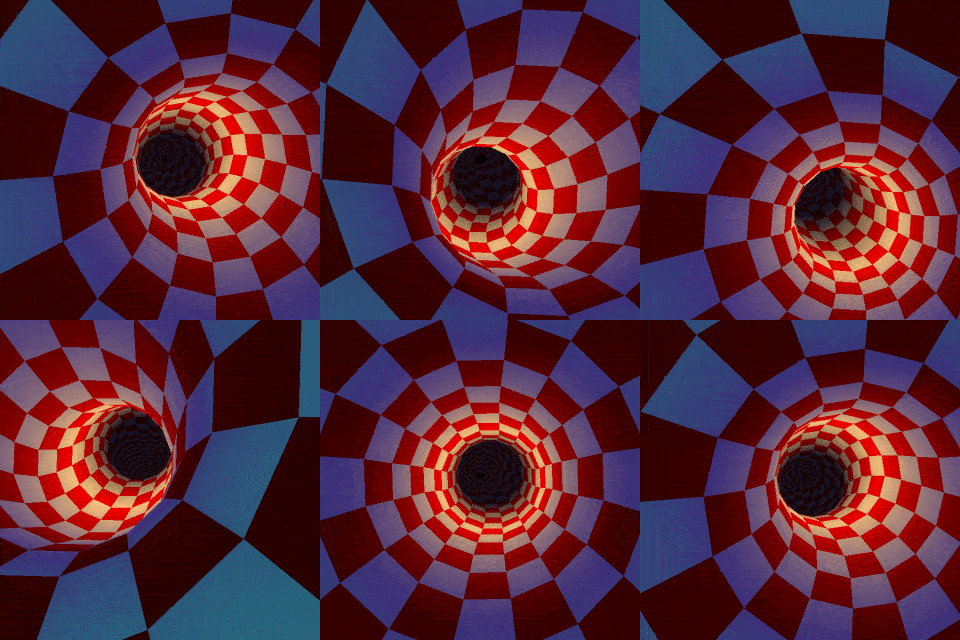
Code
foo :

  # Generate template mesh for the 3D tunnel.
  curve3d 0,0,t,1,64,0,63,16,0 rv3d # Generate a straight bar along z-axis
  s3d eval "i[#1,1]-=32" rows... 0,{-3,h-4*32-1} rows.. 0,{-2,h-3*32-1} rows. 0,{h-32-1} a y # Remove closed extremities
  2,1024,1,3,"x?[255,200,128]:[255,0,0]"
  (0^1^1;0.25^0.25^1;1^1^1;0.8^0.7^0.6;0^0.25^0.5;0^0^0) r. 2,{-2,h},1,3,3 *[-2,-1] t3d.. . rm. => template3d
  . => mesh3d
  +l. { s3d off_p:=8+{2,h} k... r 13,{h/13},1,1,-1 permute zycx } => primitives

  # Generate sequence of 3D tunnel centers.
  64,1,1,2,u b. x,3,2 n. -0.75,0.75 a. .,x => coords

  # Display animation
  mzi2=-inf

  nbf=256
  repeat $nbf {
    z:=16+lerp(0,w#$coords/2,$>/$nbf)

    zi2:=int($z/2)
    if $zi2!=$mzi2 # Generate 3D mesh for current tunnel view.
      +z[template3d] 0,8,0,{template3d,8+3*i[6]-1} r. 3,{h/3},1,1,-1 permute. zycx # Extract 3D coordinates
      f. "C = I[#$coords,2*$zi2 + int(y/16),2]; [ i0 + C[0],i1 + C[1],i2 ]"
      permute. cyzx y. +j[template3d] .,0,8,0,0 rm..
      mzi2:=$zi2
      j[mesh3d] . rm.
    fi

    cx,cy:="I(#$coords,$z,0,0,2,2)"

    +-3d[mesh3d] $cx,$cy,{$z%2}
    *3d. 4

    r3d. 0,0,1,{180*cos(2*pi*$>/$nbf)}

    # Add depth effect.
    f[primitives] "
      P = I;
      z = int(y/16);
      P[5] = P[7] = P[9] = P[11] = xor(z,y)%2;
      P[6] = 16*i[#-1,8+3*i1+2];
      P[8] = 16*i[#-1,8+3*i2+2];
      P[10] = 16*i[#-1,8+3*i3+2];
      P[12] = 16*i[#-1,8+3*i4+2];
      P"
    +permute[primitives] cyzx y. j.. .,0,$off_p rm.

    # Render frame.
    600,600,1,3 j3d. ..,50%,50%,-810,1,2,0,0,800 rm..
    w. wait 20
  }
  k[4--1] rs 320 a z n 0,255 s z
Kind of reminds me of Mario games. You should give 3D Luigi “let’s a go”.
This reminds me of Boost 2 mobile game (I still have it).
Result:
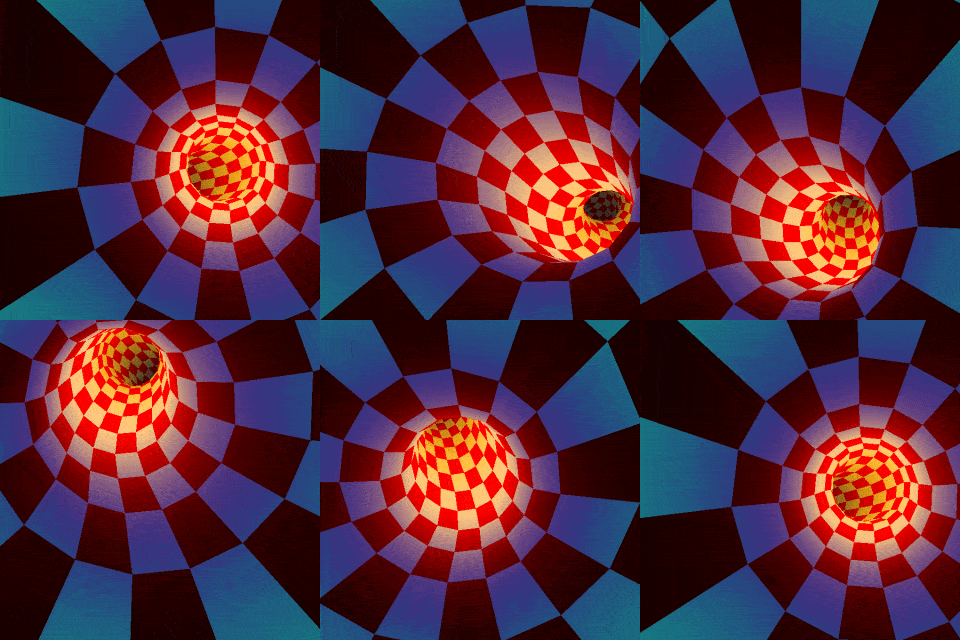
Code:
go :
  v 0

  # Generate template mesh for the 3D tunnel.
  curve3d 0,0,t,1,64,0,63,16,0 rv3d # Generate a straight bar along z-axis
  s3d eval "i[#1,1]-=32" rows... 0,{-3,h-4*32-1} rows.. 0,{-2,h-3*32-1} rows. 0,{h-32-1} a y # Remove closed extremities
  2,1024,1,3,"x?[255,200,128]:[255,0,0]"
  (0^0^0;0^1^1;0.25^0.25^1;1^1^1;0.9^0.8^0.2;0.3^0.3^0.3;0.2^0.2^0.2;0.1^0.1^0.1;0.1^0^0)
  2,{-2,h},1,3,"Y = lerp(0,h#-1,(y/h)^0.6); cut(I(#-1,0,Y,0,2),0,1)" rm.. *[-2,-1] # Colors for depth shading

  t3d.. . rm. . => template3d,mesh3d
  +l. { s3d off_p:=8+{2,h} k... r 13,{h/13},1,1,-1 permute zycx } => primitives # Keep editable version of primitives

  # Generate sequence of 3D tunnel centers.
  1,32,1,2,u b. y,4,2 n. -1.5,1.5 a. .,y => coords
  +g. y channels. 0,2 sh. 100% f. 1 rm. orientation. => orientations # Desired camera orientations

  # Display animation
  nbf=256 mzi2=-inf
  repeat $nbf { f=$>
    e[] "\r  > Frame "{$f+1}"/"$nbf

    z:=16+lerp(0,h#$coords/2,$>/$nbf)
    zi2:=2*int($z/2)
    if $zi2!=$mzi2 # Generate 3D mesh for current tunnel view.
      +z[template3d] 0,8,0,{template3d,8+3*i[6]-1} r. 3,{h/3},1,1,-1 permute. zycx # Extract 3D coordinates
      f. "C = I[#$coords,$zi2 + i2,2]; [ i0 + C[0],i1 + C[1],i2 ]"
      permute. cyzx y. +j[template3d] .,0,8,0,0 rm..
      mzi2:=$zi2
      j[mesh3d] . rm.
    fi

    cx,cy:="I(#$coords,0,$z,0,2,2)"
    u,v,w:="unitnorm(I(#$orientations,0,$z,0,2,2))"
    M:="W = unitnorm(I(#$orientations,0,$z,0,2,2)); V = cross(W,[1,0,0]); U = cross(V,W); 1.5*[ U,V,W ]" # Camera matrix

    +-3d[mesh3d] $cx,$cy,{$z%2}
    apply_matrix3d. $M
    r3d. 0,0,1,{180*cos(2*pi*$>/$nbf)}

    # Add depth effect.
    f[primitives] "
      P = I;
      z = int(y/16);
      P[5] = P[7] = P[9] = P[11] = xor(z,y)%2;
      P[6] = 16*i[#-1,8+3*i1+2];
      P[8] = 16*i[#-1,8+3*i2+2];
      P[10] = 16*i[#-1,8+3*i3+2];
      P[12] = 16*i[#-1,8+3*i4+2];
      P"
    +permute[primitives] cyzx y. j.. .,0,$off_p rm.

    # Render frame.
    600,600,1,3
    j3d. ..,50%,50%,-502,1,2,0,0,500 rm..
  }
  k[5--1] rs 320
Me watching: