The tone curve use in a traditional sense at least in most explations I have seen is an operation to tweak the look of the image once the scene referred data has been tone mapped and the dynamic range has been managed
In this context, the “tonemapping curve” serves as the initial, technical mapping that compresses the high-dynamic-range (HDR) linear scene data into a display-referred state (e.g., SDR), while the additional “tone curve” edits act as an artistic tool for final contrast, color grading, or to tweak the specific look of shadows, midtones, or highlights after the scene has been mapped to the display range.
Darktable has added chroma preservation modes to the rgb TC and allows you to move the TC around the pipeline so variations on that theme are possible.
So building on that, would this scene aware tone curve be a replacement for the tone eq, would it be a basic tone curve, would it have some masking or parametric aspects?? In your workflow would you see it adding or replacing something ??
I did some time ago when I was new to DT. I can’t recall every argument but at the time I accepted it moved on and things became normalized…
I think my proposed change was that the tab called active module be dissociated from what was in the custom module list and that when creating those custom list that you could arrange as you like or in alpha order or whatever…
The active modules tab which could also also be named “pipeline” (because if you click it a second time you get a list of all the modules in pipeline order and it has a dual role to show active modules and order) would not change and would indeed behave exactly as it does now.
That seemed like a logical use of “custom” module groups, ie letting the user create the structure) and maintaining the key role of the active modules tab…
I think there was obviously some coding issues to do this and I think it was like many suggestions, something that worked for me in my head but was not a good design choice.
I must admit the only place that I ever focus on order is that tab and in the rest of my 3 custom groups I now have muscle memory whereas early on I would hunt in the list…
So you are not alone in maybe thinking about something like this and if I was to go back there might also have been some other good reasons why this proposal is not a good idea… I have a lot of “not good” ideas as it turns out…
All operations tweak the look in some way. Why make a distinction between technical and artistic?
And why should artistic look tweaks be limited to tone-mapped SDR data? (I’m not sure if that’s what you’re saying.)
I’m thinking of it as a “replacement” for RGB Curves, or as an update so it works in the HDR domain.
A 45° line would basically be a 1:1 pass-through.
Maybe there could also be an option to scale the input and output ranges.
I assume I don’t need to explain how to use curves and what to do with them.
Since you mentioned it, it could be used similarly to Tone EQ, but I wouldn’t call it a replacement for Tone EQ, since Tone EQ has masks and more features… just no RGB mode.
Yes shortcuts is what I currently use. Would just simplify things to use one instead of four.
I also use snapshots often. But of course, one must set the black and white points of both modules before the snapshots can be compared.
Isn’t it just inevitable that re-doing something early on might mess up later settings? It’s not just Tone Eq. For example if you’ve set black/white points in filmic or AgX then they get messed up too.
If some POC was done it might turn out that auto stretching or compressing the control points worked fine, in which case RGB Curve could be immune to “back-and-forth”.
@priort , I see this as an enhancement to the RGB Curve module and an extra tool for doing some of the things you list for example. Personally I’m interested in manipulating the one channel and not working with separate R, G and B curves, and I wouldn’t want to attempt colour alterations with it.
I’m not criticizing, it’s just a fact of life when editing. However, I don’t think that should be used to argue against fixing an embarrassing shortcoming of the RGB Curve module.
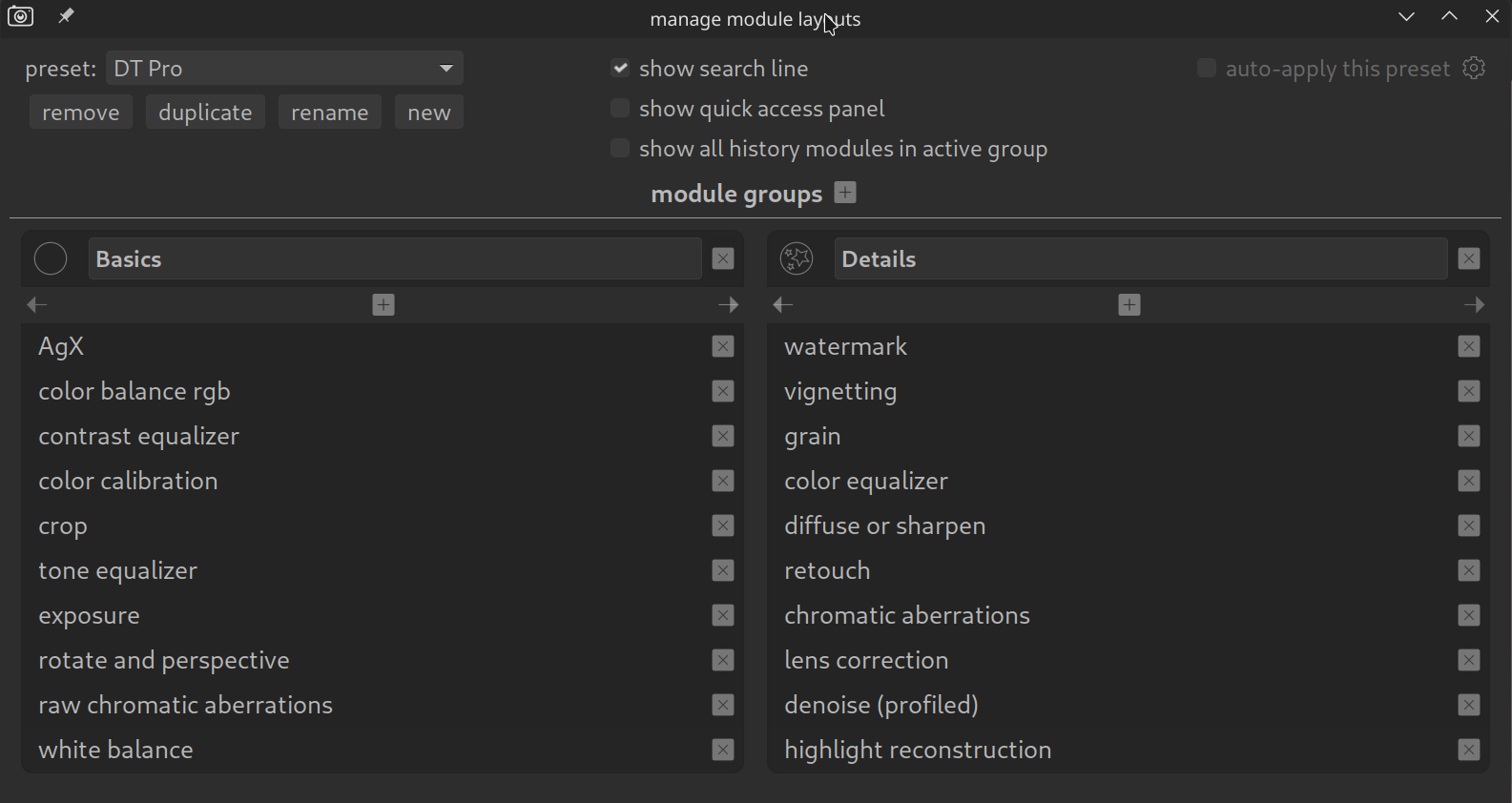
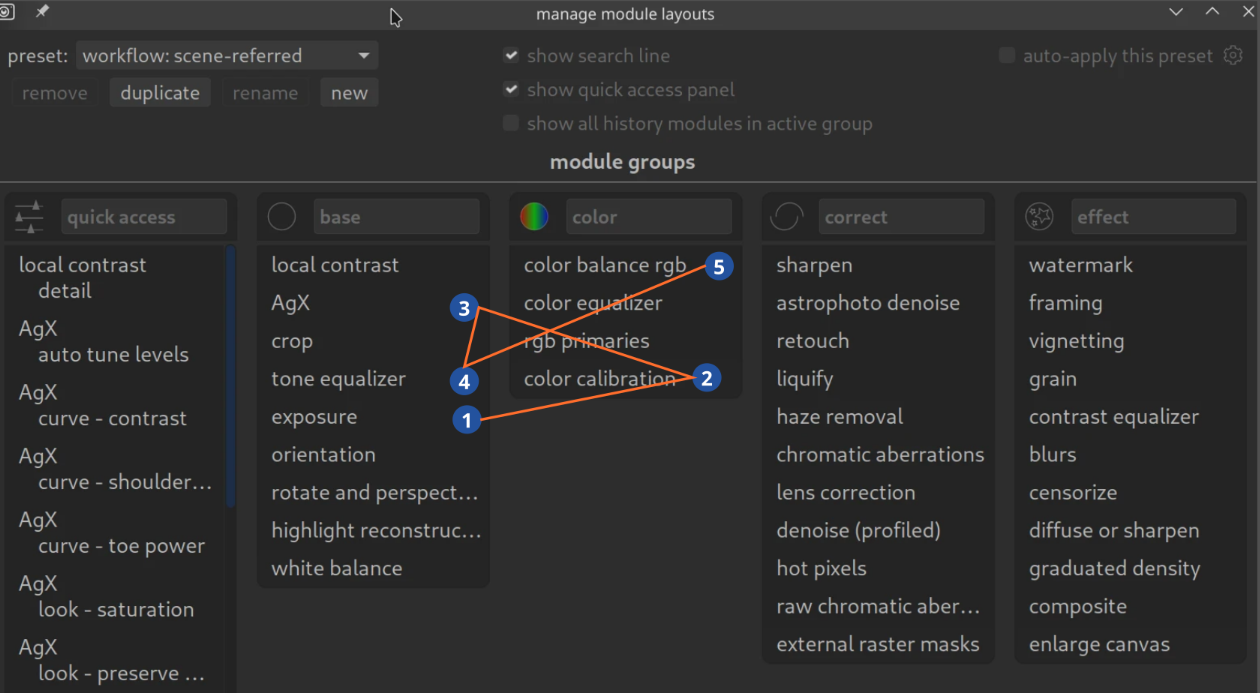
I wouldn’t change anything there. When all filters are deactivated, you can see all modules and you can move them around in the pixelpipe. I was thinking more about being able to create a tab where you can change the order yourself without affecting the pipe.
Currently, these are “only” filters that display certain modules in a tab. I think it would need a small “unlock” icon to be able to move the modules.
In general, moving modules between tabs would be a very cool feature. Currently, you have to delete a module from one list to add it back again.
Others will have to judge how difficult that is, but you can also move the modules using drag & drop…
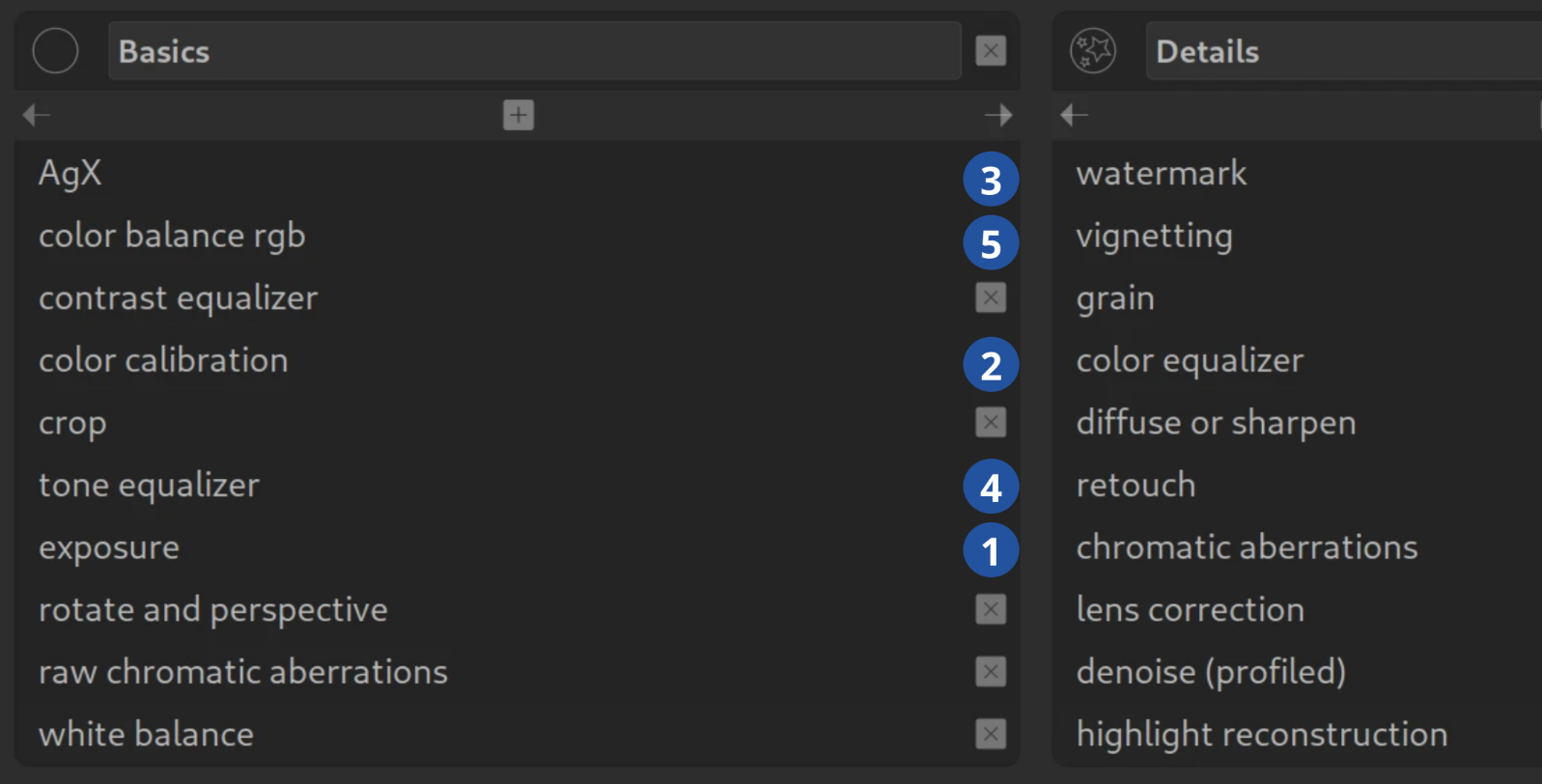
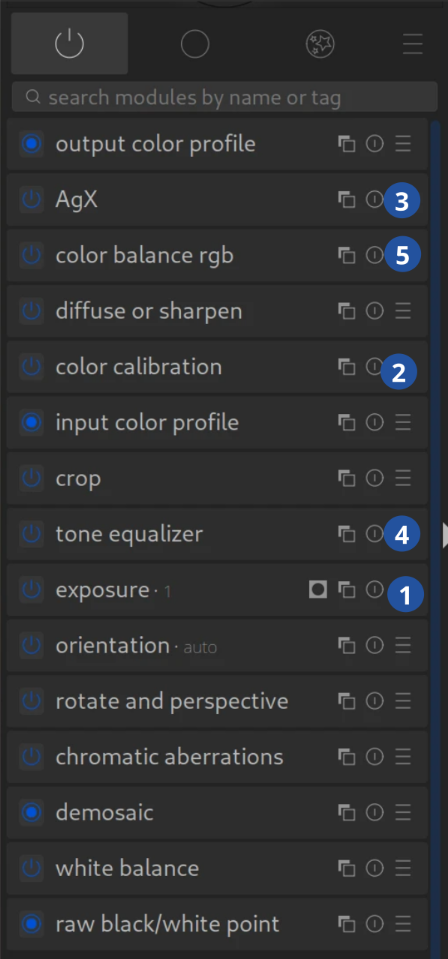
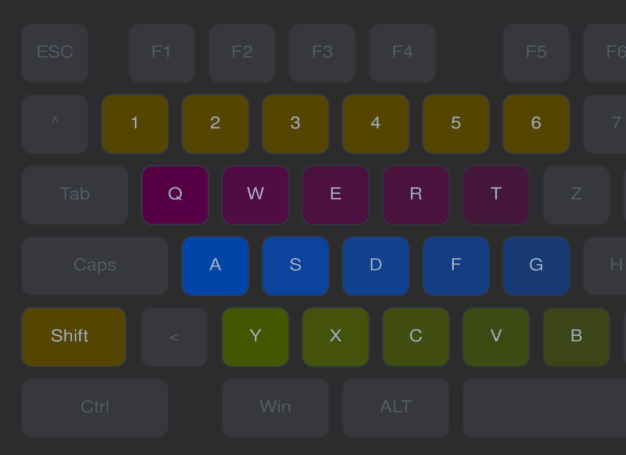
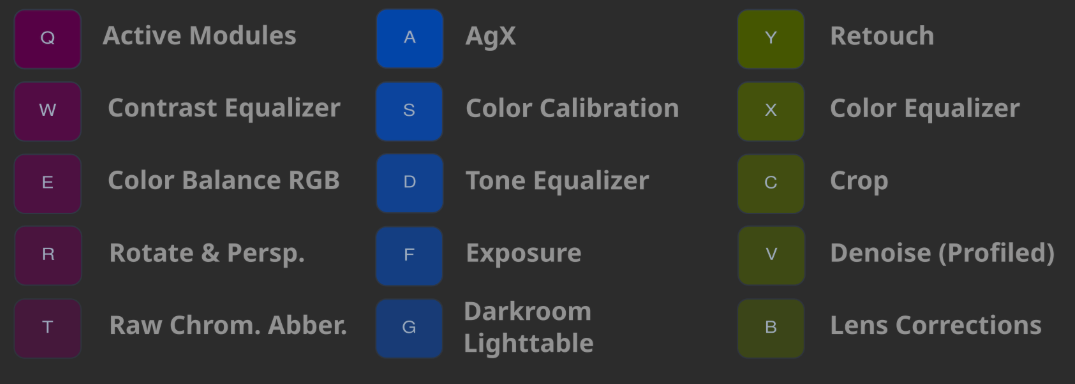
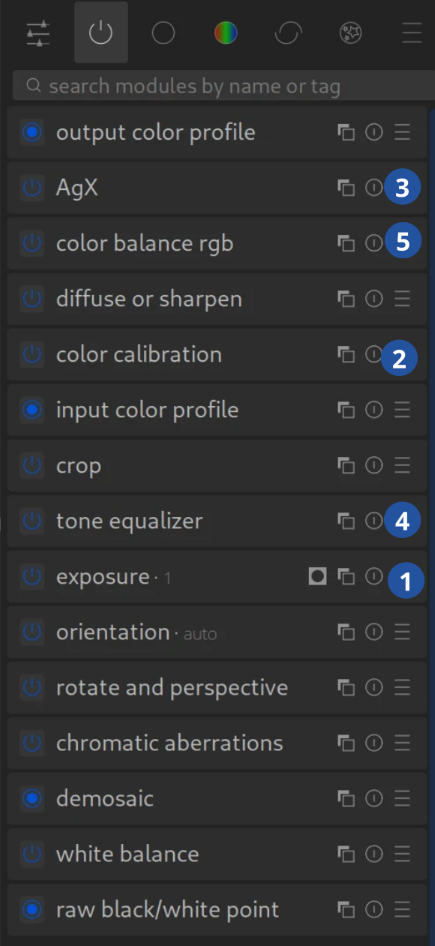
Q is my key for displaying active modules. My easiest-to-reach keys are ASDF, so I have arranged the functions that are most important to me (according to Pixelpipe) accordingly.
The shortcuts make the situation a little better because I am less dependent on the view of the “active” modules.
Nevertheless, I keep looking for modules in the view and, depending on which ones I use, they are always in different positions. I have got used to it and can usually manage fine.
So how easy would DT be if there were a tab where I had, for example, 10 modules in a logical order (which everyone could set or change themselves) that I could stick to. An order in which I could edit perhaps 90% of my images.
Even a very long list with 20 modules would not be a problem, because I would always know where they were and the order would correspond to my workflow.
I agree that I would like the ability for us to reorder our modules without changing pipeline structure. It is something I miss from lightroom, which generally is laid out top to bottom in order of usage: image profile at the top, then light, color, detail, etc.
On the Other Hand…
@Qor I will say this in support of how darktable is laid out now: I think it is helpful for users to always be reminded of how the pixelpipe is ordered, so that they can begin to make logical inferences about where problems need to be addressed. For example, if the module order was totally custom (without changing the order of the pixelpipe), then users wouldn’t necessarily know that going back and changing exposure might require resetting the black/white relative exposure in the tonemapper (like AGX). but with the whole pixelpipe laid out the way it processes, users might be more likely to make those inferences.
This is a gripe I have with lightroom, when I go back to edit something in it: There is no way to visually see which operations are happening when. “Does black point happen before or after curves? Does contrast happen before or after curves, highlight/shadows, etc.” This cause me at least to have to hop around even more, bouncing between different controls in order to overcome the black box effect.
It becomes very confusing very soon if you can rearrange modules independently of pipeline order.
Concrete example. You notice some color artifacts. Where is it originating from? You start disabling modules from the top, until they go away. You found the source of the problem.
If the order were arbitrary you would have to know the actual pipeline order by heart.
You may ask, why not adding an option to make this possible for those who want to? I would argue against it. darktable’s interface is already very complex, if anything it would need to be simplified.
For example, I would advocate that most of the predefined module groups are not necessary. I would only keep all, all active and user-defined groups.
It would need to be clarified if @Qor is talking about custom reordering that would impact the active tab or only in custom module groups… where the default order could be pipeline as it is now but still allow for a conscious custom reordering in module groups.
I think by some of the comments above people believe the former but considering the alternative
If the active tab worked exactly as it does now. Modules in order of execution, showing active modules and showing any reordering that was intentional for processing would that not be enough and the place to focus on all matter pipeline related. The history gives us the order in which we did things so we also have this and then if module groups could be constructed in a defined order they could provide the user a layout custom to how they want to work. On the surface maybe??
There are likely several issues this might introduce, but one issue is that this is treating the “custom” groups more like module option lists/menu and when you start to add extra instances that might also be reordered in the pipeline how would they appear (be added) in such a custom “reordered” module and how would you track all that. So I think in addition to the potential confusion you would have to track and rework many things code wise…
Maybe there would be some room in the implementation of the quick access panel to allow that sort of ordering there as it is or can be a random collection of controls and modules??
The modules in the tab are in pixelpipe order. Breaking the connection wouldn’t be easy if even possible.
I could also see a lot of confusion on the part of users when they have one order in one place and another order in a different place and the can’t remember which is which or understand why changing the “top” module made the “bottom” module need to be changed.
My workflow consists of styles with the modules I want (most of them turned off) in the order I want. I work from the bottom up and there aren’t any surprises.
I think if you use the modules in the order you want to then you are introducing a lot of back and forth because the pixelpipe order is going to cause changes that wont be anticipated.