@rvietor said:
That is not true for RawTherapee. I just now used the Nikon input profile for a JPEG file with no problem.
There appears be a misunderstanding - perhaps due to loose terminology somewhere.
@rvietor said:
That is not true for RawTherapee. I just now used the Nikon input profile for a JPEG file with no problem.
There appears be a misunderstanding - perhaps due to loose terminology somewhere.
Input profiles are built to specific camera models. However, the major manufacturers seem to be spec-ing their Bayer dyes consistently of late, as their spectral response looks consistent among models. Take a look at the Nikon and Canon SSF plots here:
https://glenn.pulpitrock.net/openfilmtools_ssf_plots/
The two Nikon plots are almost identical, as are the two Canons, but the two manufacturers are different.
When I was messing around with spectral sensitivity measurement, I tried a profile made with Nikon D7000 on a Z 6 image, worked just fine.
There are input profiles and there’s the module “input profile”. Not the same thing.
Darktable (and I suppose Rawtherapee, and others) use a working space for the editing operations. This space is most likely different from the colour space of the opened image. The module “input profile” converts the image data from the original colour space to the working space. In most cases, selecting the input colour space can be done automatically, but not always. Or there are good reasons to override the choice. So you can set the input colour space: an “input profile” for raw files, sRGB or AdobeRGB are the more usual cases, but nothing stops you from using sRGB for a raw file, or an input profile for a jpeg.
I was referring to the radio-button options listed under ‘Color Management’ in the color tab. I used the ‘Custom’ button and selected the Nikon D300 profile as the input profile.
From RawPedia:
More here: http://rawpedia.rawtherapee.com/Color_Management
@Terry said:
… and it did not.
And yet Rawtherapee gives instructions on how to use them.
Please explain what this comment is referring to.
In a previous life when I used RT I felt it gave nice colors straight out of the box which I presume was some sort of camera profile being used. On the otherhand, in my view DT expected you to do the work to create nice colors. This didn’t worry me as I felt it was part of the creative process. I have since made my own starting point by creating my own camera styles. One click and I have a great starting point in DT and it is my own creative work and not the style imposed upon me by the software or the camera manufacturer.
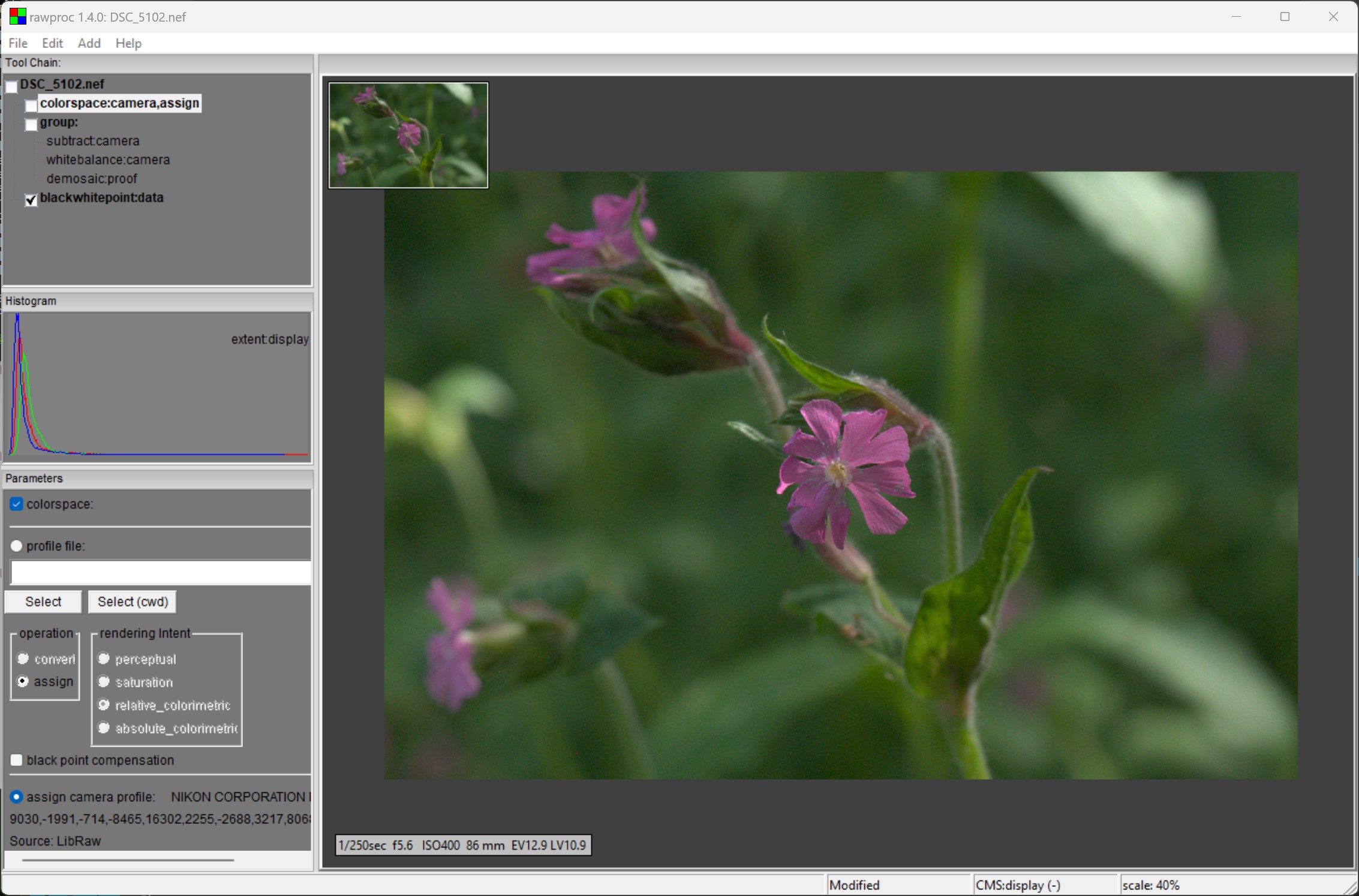
Thought I’d download the .icm and .nef and give it a go in rawproc. Of note, I’m not using a working profile, the color transform goes straight from camera space to display space. First, here’s the linear image with the libraw color matrix:
A bit dull, to be expected since there’s no “artistic” tone curve (e.g., flimic, sigmoid, etc).
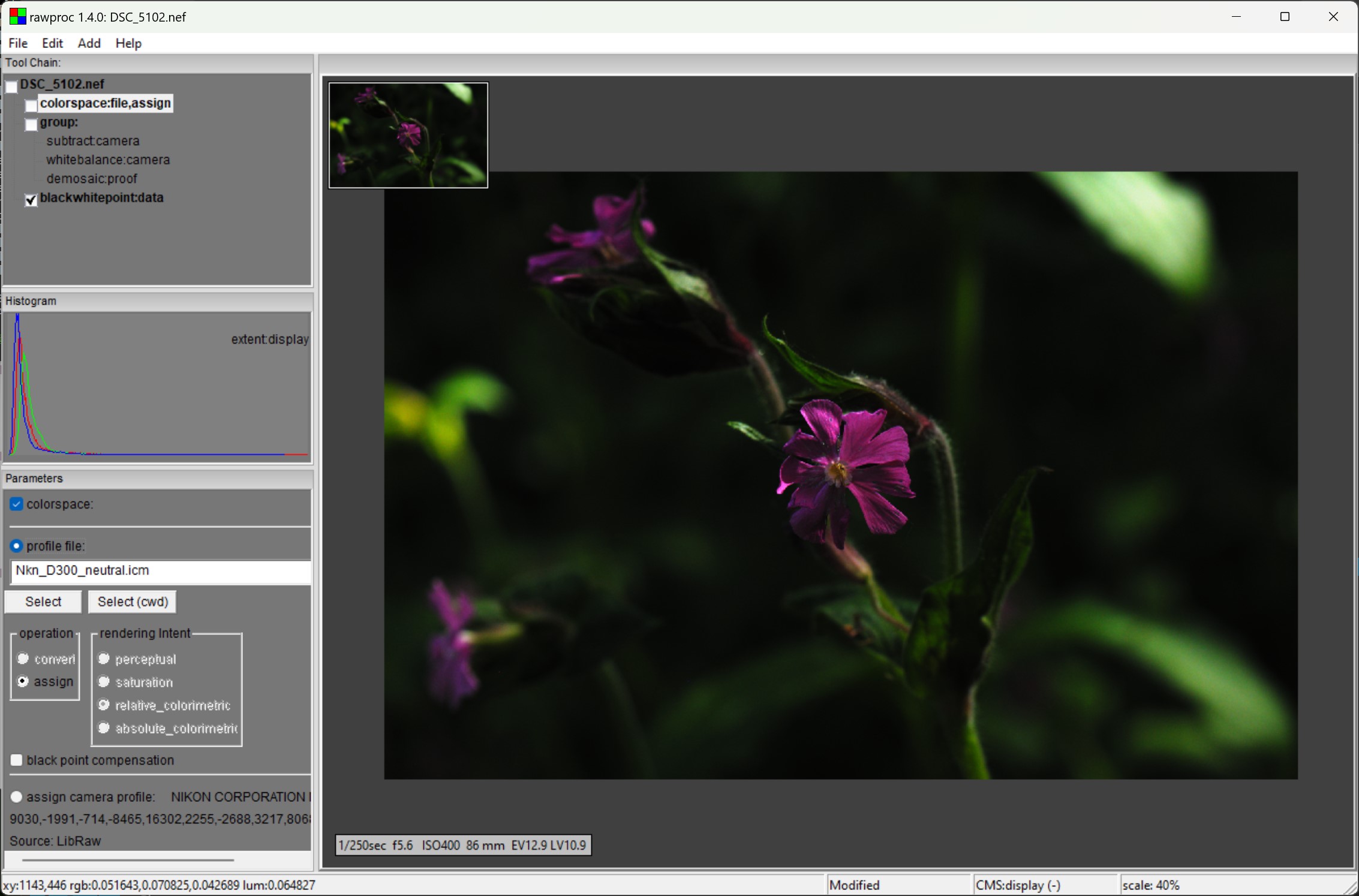
Now, replace the libraw matrix with the NikonNX icm:
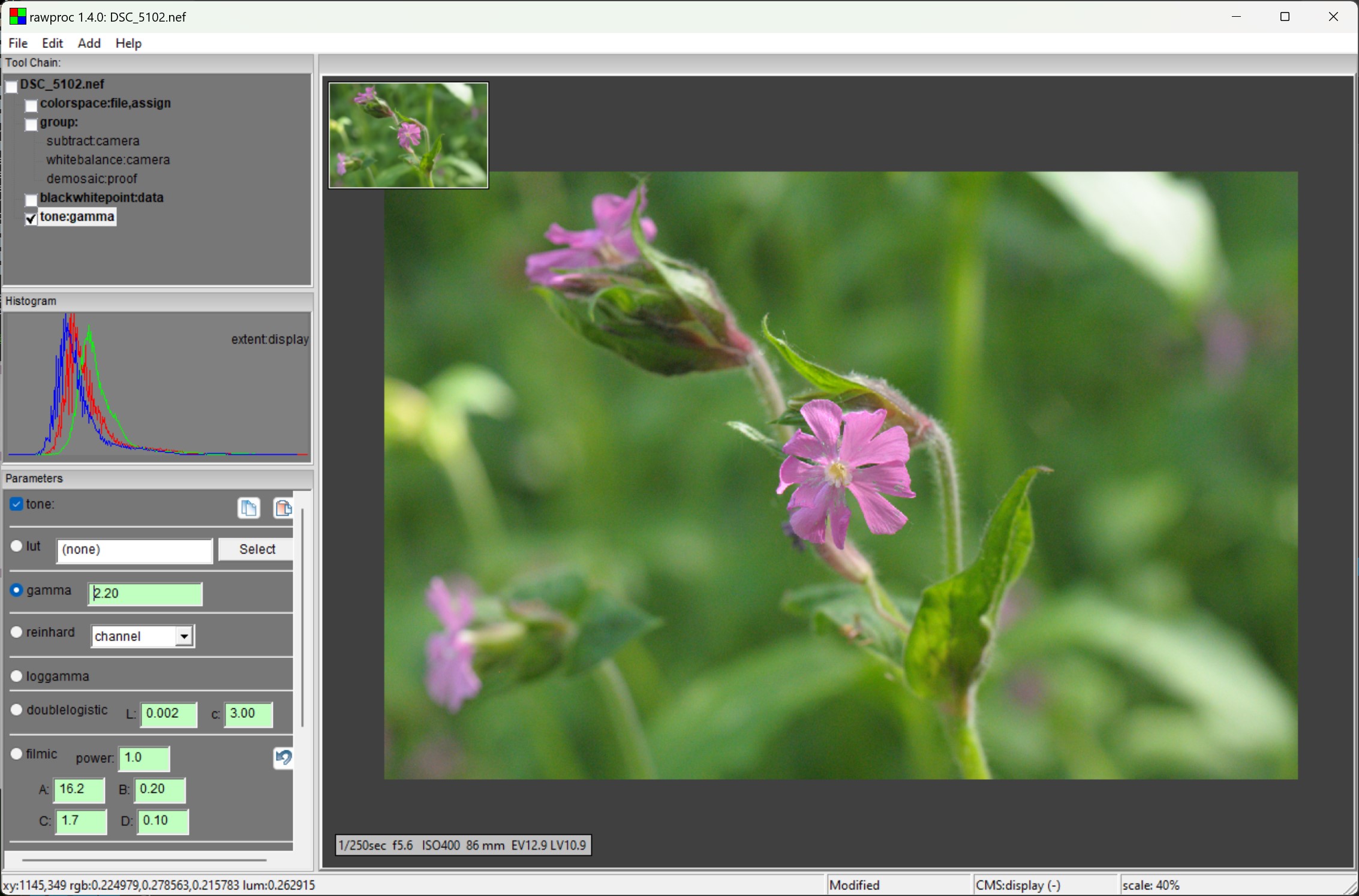
A bit baffling, it’s as if the .icm profile has a negative tone curve. I then added a 2.2 gamma tone curve:
Actually, this is more like a final rendition.
I then ran the .icm profile through exiftool (you can do that, exiftool reads ICC files), and found that the Nikon .icm is a LUT profile, containing a ‘A To B0’ LUT of ~240Kb, and a ‘B To A0’ LUT of 250 bytes. The former is the one being used here, where the Nikon profile being used as the source, as opposed to the destination.
So, with this new information I’d be curious to see how the .icm file performs on an image with extreme hues, preferably red or blue. That would be a good reason to use it.
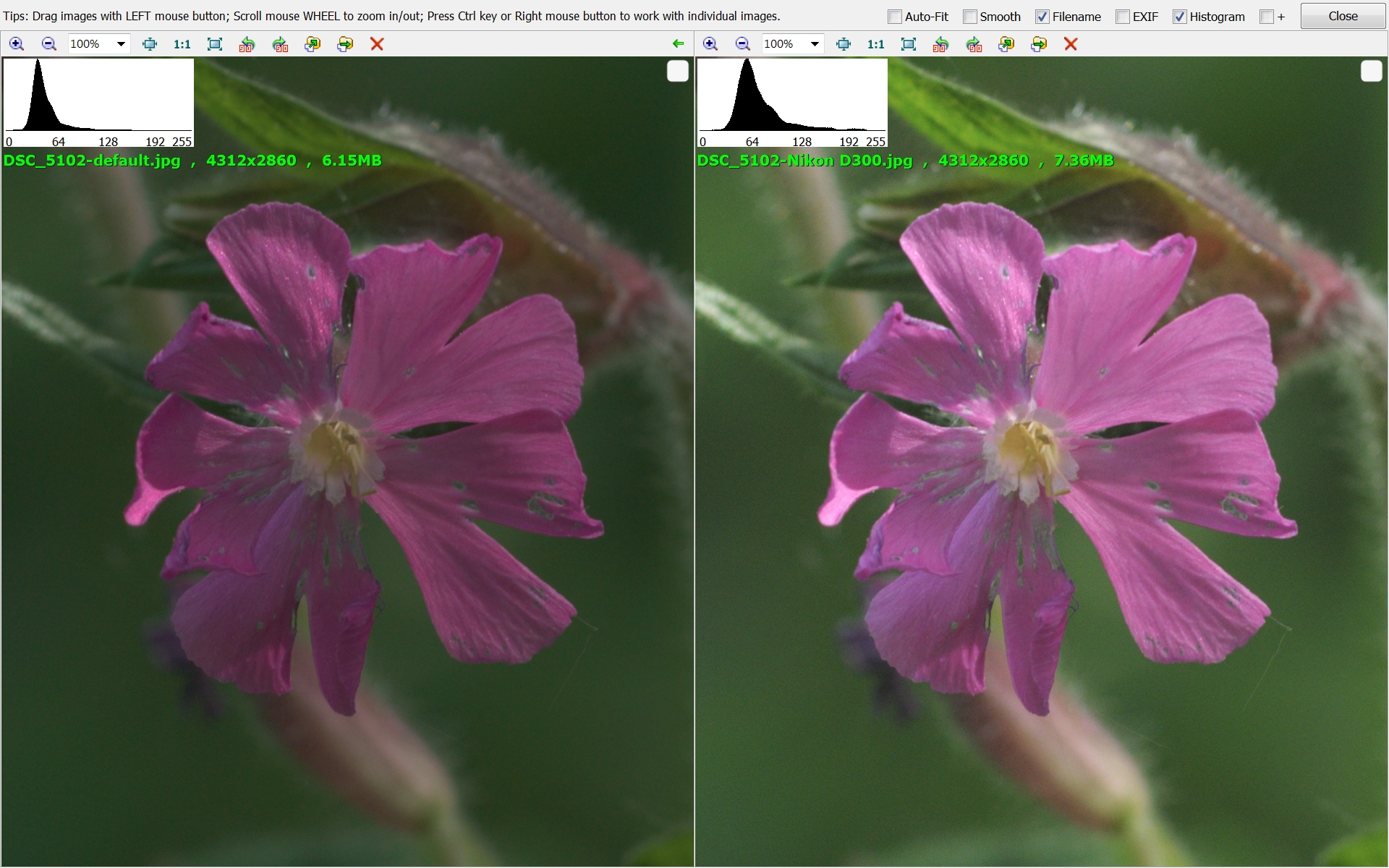
As this thread turns into a “Play Profiles”, here’s mine:
Left: default RawTherapee. Right: Custom input profile, the infamous Nikon D300 …
I probably need to more definitively state my conclusion. The choice of camera profiles in this case is more about the tone curve than it is about color, as I don’t see an appreciable difference in the presented hues, but a lot of difference in tone distribution.
That said, I think the Nikon .icm may have use in handling extreme hues due to its use of a LUT for the gamut transform, but we’re not looking at an image that readily presents that situation.
The Rawtherapee documentation.
In Darktable I get the same dark image, until I activate the unbreak input profile module and increase the gamma. However, in Darktable I find the colours to be off kilter. When I get a chance I will upload 3 images like you have to show what I mean.
Not helpful, sorry. Not obvious to what or to whom you were responding nor why …
Really? I was responding to you. I quoted you in my response.
You asked me what my comment was refering to, and I answered “The rawtherapee documentation”. My comment refers to the rawtherapee documentation.
The rawtherapee documentation gives instructions on how to extract the Nikon icc profiles.
OK, fine, I’m out.
It’s not my intention to upset anyone but I really don’t know any other way to respond to your statement. This is one of the reasons why I find online discourse is so much worse than actual in person discussion. No tone of voice, no intonation, no facial expression. This is just the world we live in now.
I value your input just as much as anyones, so stay involved in this thread if you have the inclination. If you are out, that’s fine also, no hard feelings from my side.