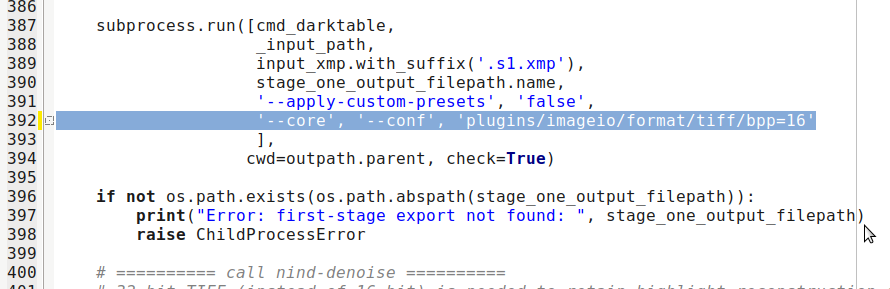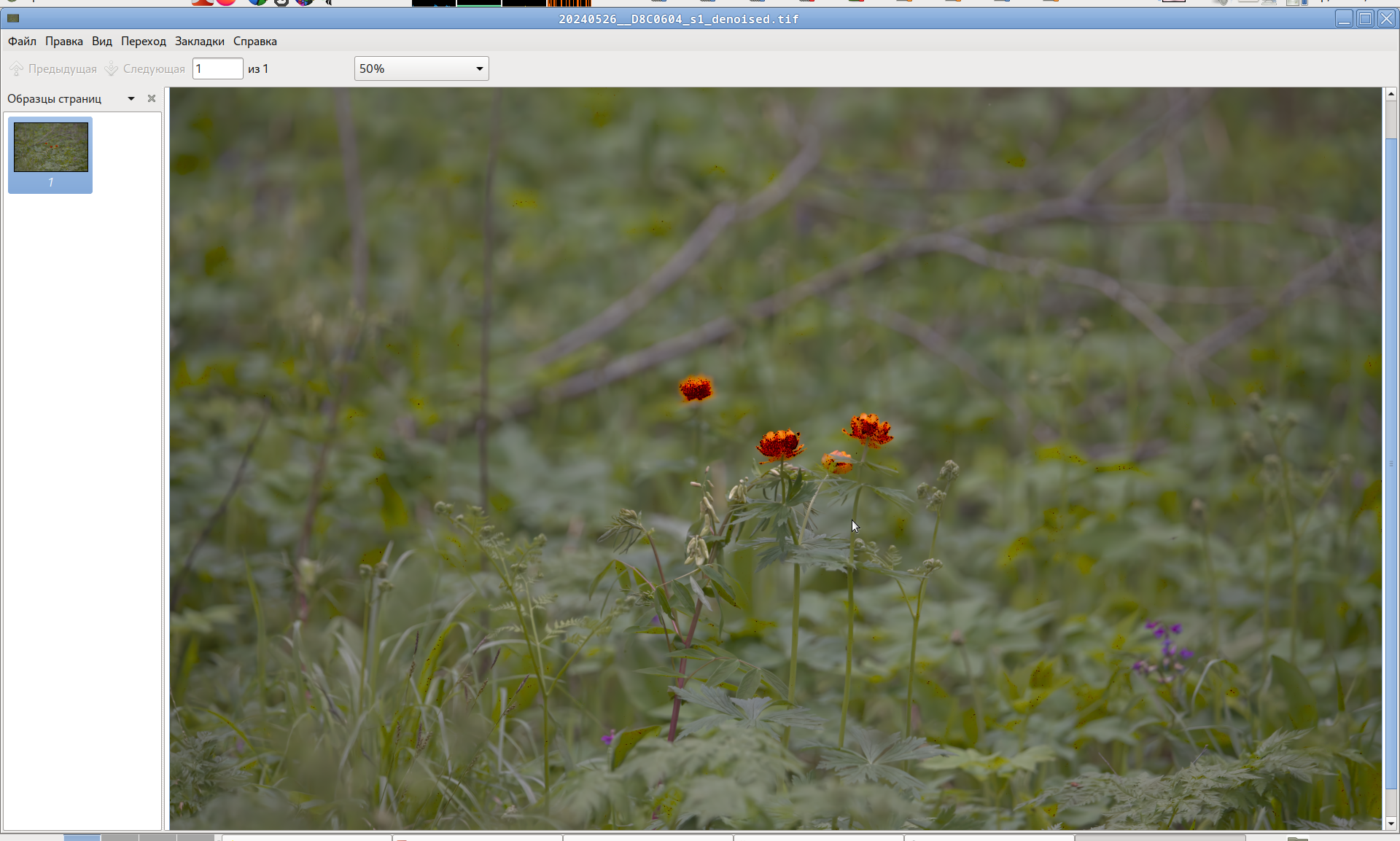
It’s my “20240526__D8C0604_s1_denoised.tif” with your “20240526__D8C0604.NEF.xmp”.
GMIC v. 3.6.1
What else is wrong?! 
GMIC v. 3.6.1
What else is wrong?!
wait, are you using my old script, or rengo’s new script?
If you export directly from darktable without using the nind-denoise script, do you get dark spots?
I using Release 0.3.2 · CommReteris/nind-denoise · GitHub and the tiff from dt is clean.
ah, thanks for debugging, that helps!
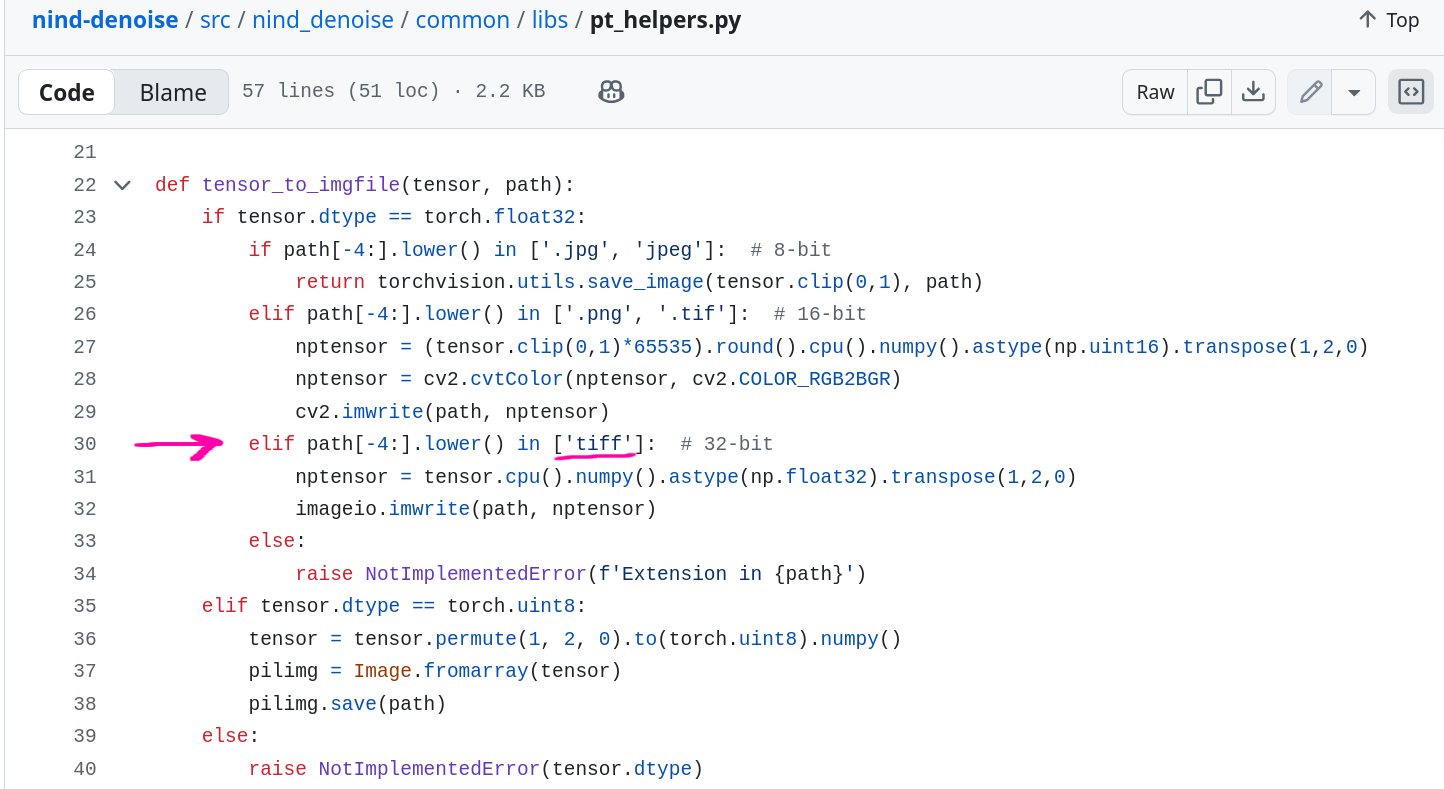
The denoised file output from nind-denoise should be .tiff (instead of .tif). This is a change I made to nind-denoise earlier to accommodate 32-bit TIFF.
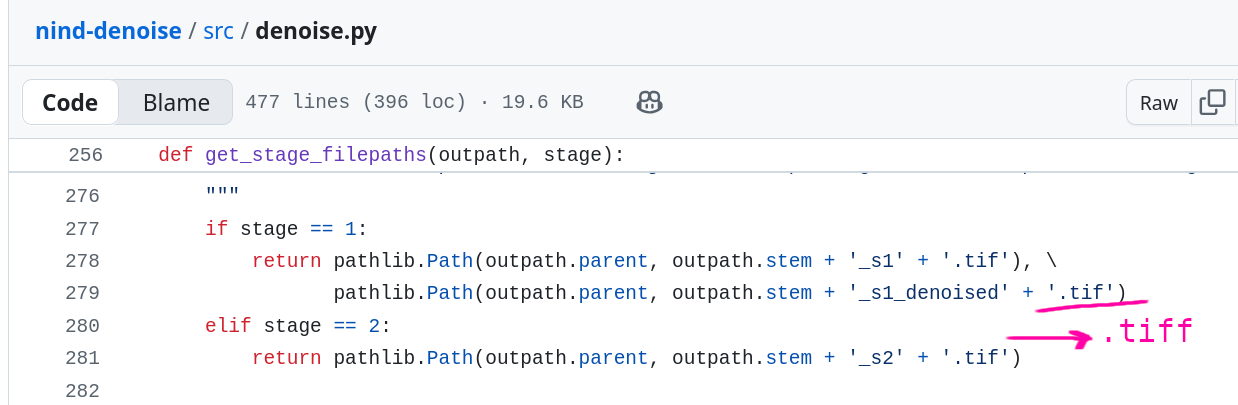
.tif, nind-denosie will output 16-bit..tiff, nind-denoise will output 32-bitCan you modify the function get_stage_filepaths() and change it to '_s1_denoised' + '.tiff'? If that works, you can create a pull request or @rengo can just make the fix directly.
Here’s where the change should be:
Here’s my earlier change to output 32-bit TIFF if the output file extension is .tiff
Just to confirm - I’m changing all of the “.tif” to “.tiff”? Yeah I can do that, but an issue wouldn’t hurt just to document it
created an issue:
Only the denoise tiff filename needs to be .tiff. The s1 and s2 filename stay .tif (darktable-cli only exports to .tif file, can’t find a way to force it to .tiff, no need to complicate the code with extra renaming)
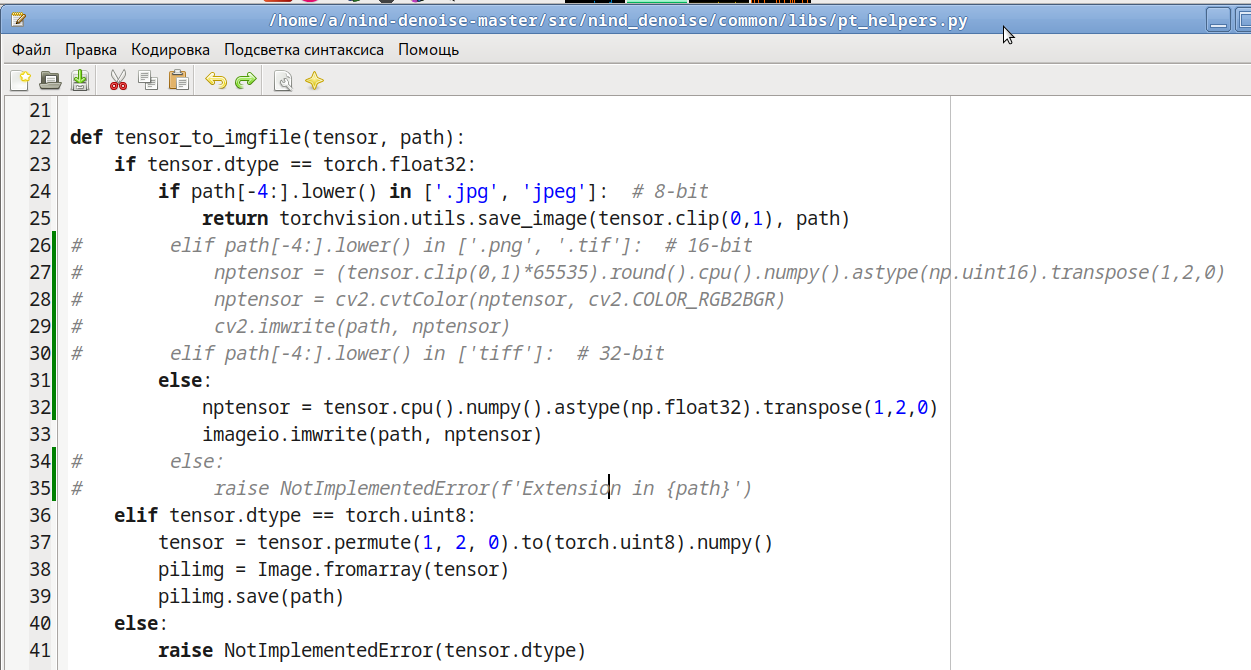
For 32-bit TIFF, I modified “pt_helpers.py” as follows. The spots in “_s1_denoised” remained. Here is the problem. Or earlier.
I’m sorry for the confusion, you don’t need to modify pt_helpers.py, I was just explaining why the change in get_stage_filepaths() of denoise.py was needed.
Basically darktable-cli exports to 32-bit _s1.tif file, we then pass that to nind-denoise, but we also want nind-denoise to output to 32-bit TIFF file by telling it to output to _s1_denoised.tiff (if we tell it to output to _s1_denoised.tif, it’d write out 16-bit instead, and thus clips values larger than 16-bit)
Hopefully I didn’t make any typos what with the 1-character change to the code.
I understood you and did what you asked. But it didn’t help, so I continued my research.
Another question: are there any settings for the degree (depth) of denoise?
Maybe the problem is that the model was trained for 16-bit?
You can blend with the original to achieve this.
I think the only thing we’ve determined is that this a problem on your system that we can’t replicate. We can keep trying to speculate, but without more data I don’t know how much more help we can offer. Are you running this on a GPU with tensor cores? Is color management set up correctly on your pc?
This is good feedback though, I’ll think about how it might be included in a future enhancement
I have AMD RADEON and, accordingly, calculations are performed on the CPU.
What do you mean? The “20240526__D8C0604_s1.tif” (32-bit) image is spotless. Spots appear on the “20240526__D8C0604_s1_denoised.tif” (32-bit) image. How can color management affect this? How should it be configured? What are the requirements?
Start here.
I’m aware of this manual. Please don’t make riddles. What exactly should I pay attention to? How does DT affect the “imageio” Python library?
Sorry, was pressed for time and figured I’d drop a helpful link rather than say nothing.
This is the specific page in that section of the manual which talks you through how to check if your display is properly set up with a color profile. If its not properly set up, it may not be displayed correctly on your screen (e.g., clipping) despite being correct on disk.
I don’t think I know which OS you are running?