To get the command line for any G’MIC-Qt filter, you can go to Settings and select this option:
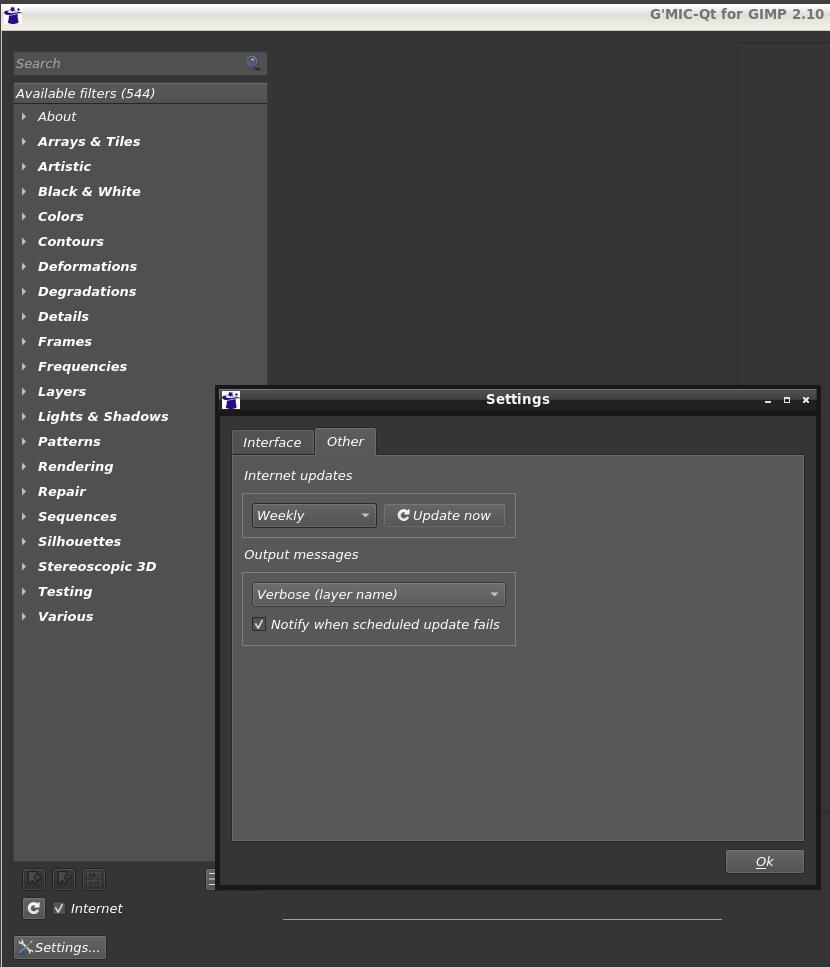
i.e Output messages → Verbose (layer name).
Then apply the filter with the desired parameters. The corresponding G’MIC command line will be displayed as the name of the processed layer.
For the Smooth Skin filter, you’ll get something as:
[G'MIC] Smooth [Skin]: fx_smooth_skin 2,0.5,1,1,1,50,50,5,2,0.2,3,1,0.05,5,0,50,50
meaning, the equivalent command line is:
$ gmic input.png fx_smooth_skin 2,0.5,1,1,1,50,50,5,2,0.2,3,1,0.05,5,0,50,50 -o output.png