Did you look at fotocx? It is really the one I use the most.
Hi Tim, thanks much for your suggestion … My apologize … I decided to not try fotocx because there are no official (or even a community) packages available for my distribution and after reviewing a build dependencies it seems to me that software uses rather old and obsolete stuff ++ I’ve googled additionally on it and well … I am 25 years Linux guy, simply, fotocx didn’t qualify for my trust … I’ve spent reviewing that quite some time, downloaded it, reviewed sources and build deps, looked further into the online discussions about that …
1 Like
While I’m not down with the slagging, I do agree that this aspect of geeqie could be better, especially
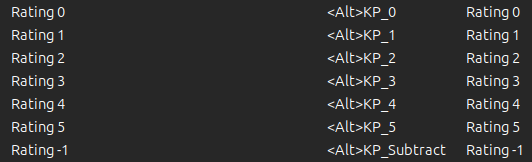
when on a computer with a keyboard that doesn’t have a numeric keypad.
But the key word is default. You and I are free to change the keyboard assignments to whatever is comfortable for each of us.
1 Like
I use the simplest viewer I could find qimgv. It has some basic functions beyond simply viewing, but very basic.
But this thread has made me think. I don’t view raw files outside of darktable, I view only the from-camera or post-processed jpegs. This will probably sound like a daft question to those who do (or don’t) but viewing raw files? (wait: yes I know it’s possible) but if one does, does any viewer understand the darktable-produced xmp files?
1 Like
If you mean if they can apply the XMP to show the image as darktable would process it, the answer is no.
Most viewers simply use the embedded JPG preview (the same as what your camera uses) to display raw files. I often do a first round in geeqie to get rid of the obviously bad (blurred, blown out etc) images.
Geeqie has some kind of ability to read the files, e.g. star ratings and rejected statuses:
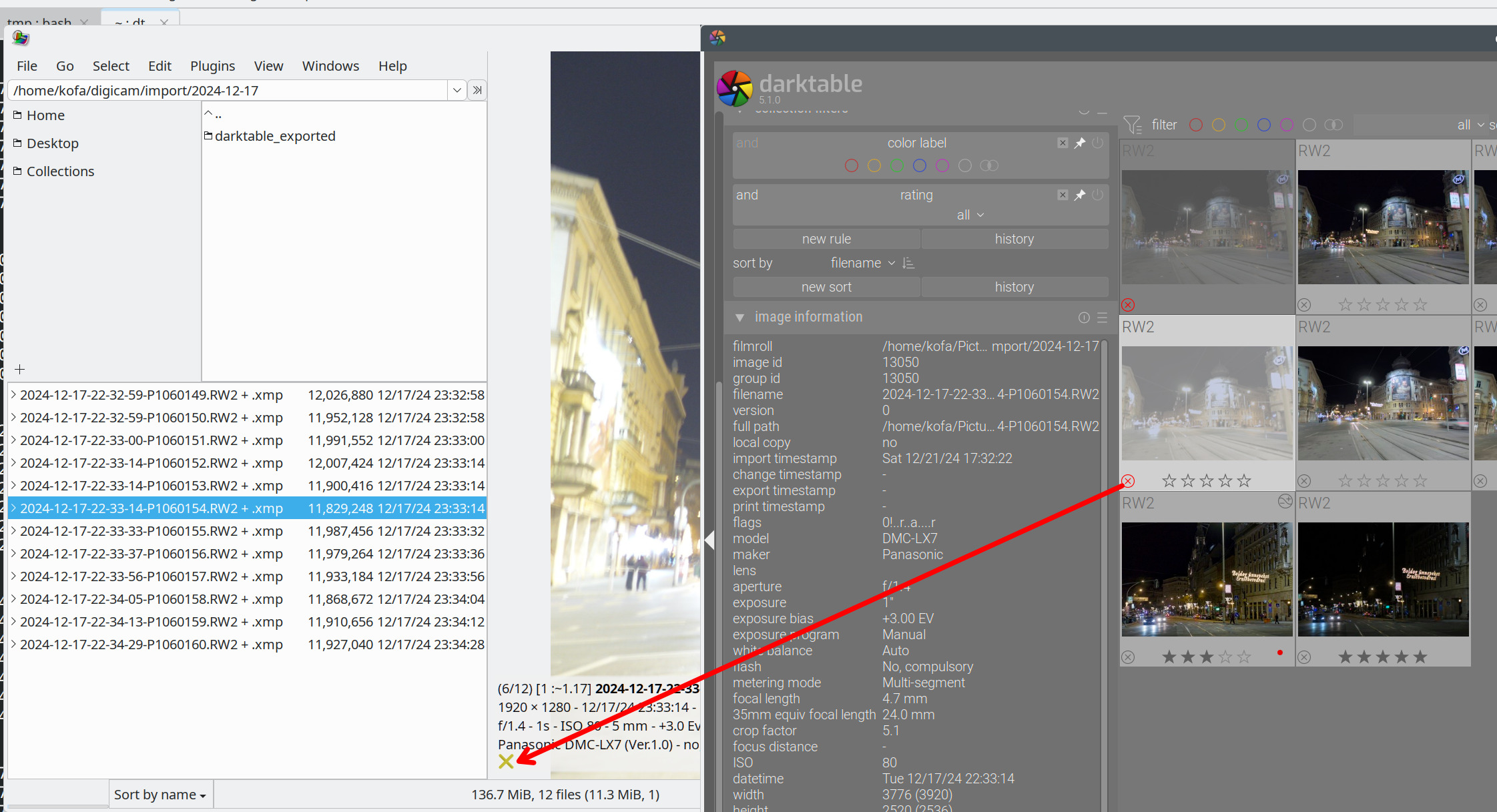
However, if I then update the star rating, the update is not reflected (it is cached under .local/share/geeqie/metadata/, so delete that directory to force geeqie to reload darktable’s XMP modifications). Also, no idea what happens if you have multiple XMPs (‘duplicates’, in darktable terminology).
It can also write into the XMP:
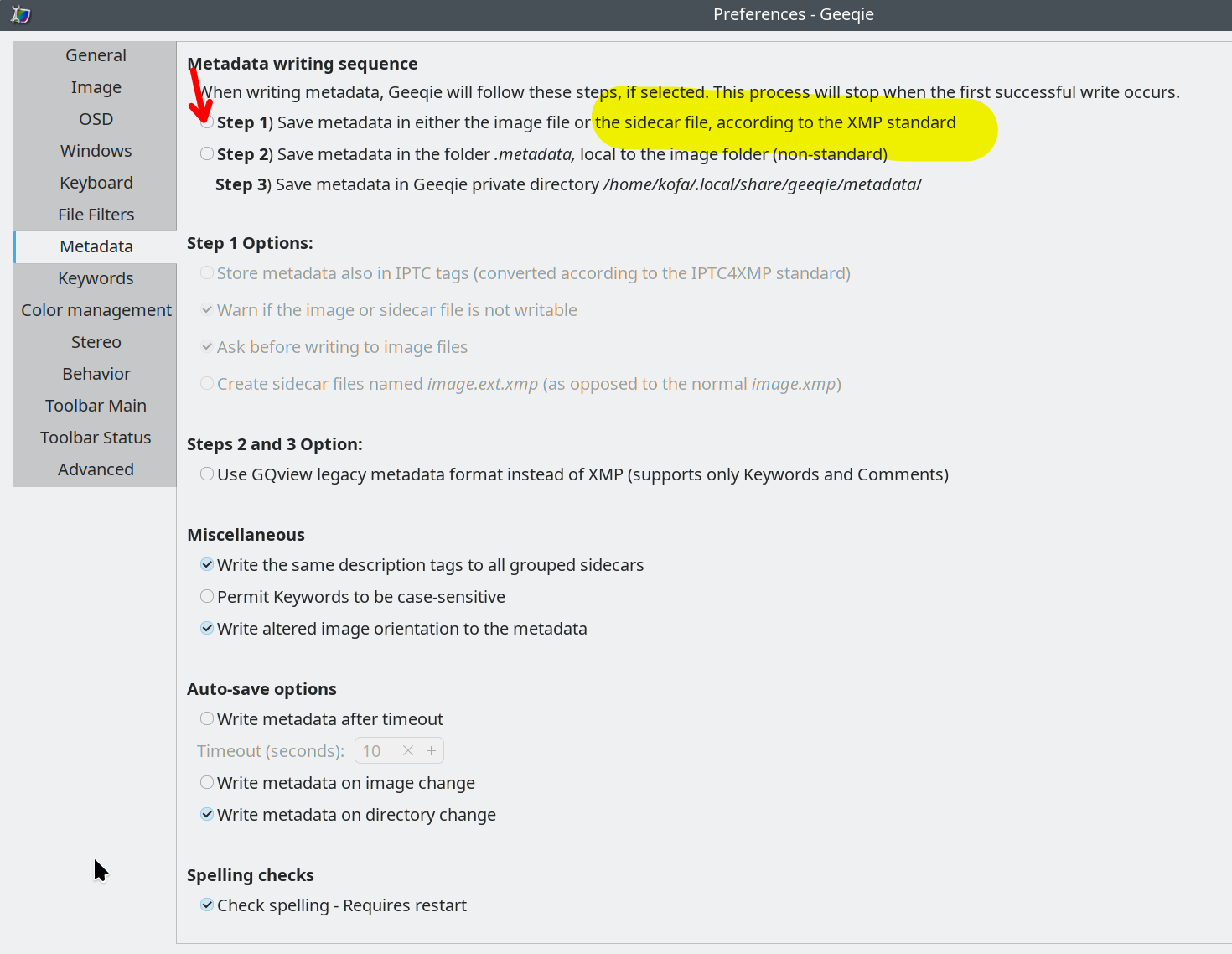
Hope this helps. I don’t tag and don’t rate, I just reject and then delete rejected photos, and use a red dot to mark images as ‘processing finished’, so I’m not much use here.
2 Likes
for some reason didn’t work for me assigning a combos like ctrl+N or assigning some keys like arrows … maybe there is something not working properly in KDE environment but it seems to me that I cannot re-assign a very-most of other default keys … After re-assigning some I cannot reset to defaults with `defaults’ button … in my environment geeqie works really as junk not even accepting a GTK theme from KDE settings … It displays images fast but everything else is just a bummer …
I like the default one that came with ubuntu studio, can’t remember the name and there is no full package list online, has a slideshow built in and shows the exif data for each pic at the bottom, doesn’t read raws which i prefer so i don’t have to scroll through each image twice
might be ristretto apps:ristretto:start [Xfce Docs]
it seems to me now that the image manipulation in kde is the `industry-worst’ … I did few more tests … for example - folder with mix of hundreds jpegs and raws takes to gnome 40 seconds to load/create a thumbnails … same folder after clearing cache and thumbnails take over 2 minutes to kde … same folder, to load the thumbnails, takes 30 seconds when you open it as a folder in RawTherapee
displaying JPGs on fullscreen … set of images that takes to gwenview 2:29 to display takes geeqie 60 seconds …
I am really very close to conclusion that the resolution of my problem is to say a farewell to KDE … and I am with KDE more than 15 years …
I also use plasma as a desktop, but that doesn’t mean you have to use every app they provide. I used geeqie under plasma and its fine. And every other image viewer should be too.
3 Likes
Saying Goodbye to KDE and plasma because of a image viewer??? 

Yes, Gwenview is slow and has some other downsides. Anyway I’m coming back remorseful to it, every time I try another viewer. I’m not happy with it, but the problem in my opinion is, that all alternatives on Linux aren’t really better.
Anyway an imageviewer is a single program, why should I change the desktop, just because one or two native applications are not my taste. For me there is no alternative to Plasma. Plasma is in my opinion the Masterpiece of a desktop.
Anyway, I will try different image viewers further on, as long as I have found a better one then Gwenview, or untill the Gwenview developers iron out the remaining problems.
1 Like
You put my question so much better than I did. And thank you for the answer.
It is as I expected, but I quite often find my sense of what is available or possible to be outdated or just plain wrong, so it’s always worth asking 
jpegs are fine even with gwenview
One by one yes, but if you want to see the thumbnails of a directory, be prepared to wait because Gwenview with only use one thread (and I also have a 13th gen I7 with 16 cores and 22 threads). Seeing the CPU peak at 4.5% is a bit of a downer. I asked about this in the KDE forum a couple of years ago (it was already a bit ridiculous on my previous machine) and was told it would be too complicated.
2 Likes
Multi-threaded recommendations?
I concur, geeqie is indeed really fast. I use it to watch my CR3 files. For the rest, I use XnviewMP. In Xnview, I exclude CR3 files not to slow things down.