Yes I did. 0 changed to bold in my posting.
ok. But you don’t provide any meaningful details. Did you change the value and started dt again? What does the log say after turning it on?
Yes I changed the value from 1 to 0, using Linux and then I booted Win (dualboot pc) and saw, that I cannot activate opencl. Then I gave up. I think this could not work, if the settings don’t show and allow opencl.
Should I do a test now with deactivated opencl? It looks like it is useless.
FINALLY: opencl PREFERENCE=OFF is AVAILABLE and NOT ENABLED
But as said I can’t enable it in the settings. Full log attached.
dt-win-noopencl-after-edit-rc.txt (7.3 KB)
It is no longer disable. All you need to do is go to preferences and turn OpenCL on.
3,8311 [opencl_init] FINALLY: opencl PREFERENCE=OFF is AVAILABLE and NOT ENABLED.
You are right, sorry, but it looks like LightGrey and not clickable.
Finally I know what I wanted to know from my Dualboot-PC:
Windows:
     4,8348 [dev_process_export] pixel pipeline processing took 1,941 secs (2,438 CPU)
     5,4373 [export_job] exported to `setubal_01.jpg'
 [opencl_summary_statistics] device 'Intel(R) OpenCL Graphics Intel(R) Arc(TM) B580 Graphics' id=0: 197 out of 197 events were successful and 0 events lost. max event=196
Linux:
     2.9135 [dev_process_export] pixel pipeline processing took 1.513 secs (2.311 CPU)
     3.6837 [export_job] exported to `setubal_01.jpg'
 [opencl_summary_statistics] device 'Intel(R) OpenCL Graphics Intel(R) Arc(TM) B580 Graphics' id=0: 197 out of 197 events were successful and 0 events lost. max event=196
Full logs attached.
dt-setubal_windows.txt (11.4 KB)
dt-setubal_linux.txt (11.0 KB)
I’m sure after all you have gone through the configurable settings are the same too and so the difference is truly the OS but it might be worth checking that you have them set the same…
These are mine and not a suggestion for you just to show the settings I am talking about…
cldevice_v5_nvidiacudanvidiageforcertx3060ti=0 250 0 16 16 128 0 0 0.000 0.000 0.250
cldevice_v5_nvidiacudanvidiageforcertx3060ti_building=-cl-fast-relaxed-math
cldevice_v5_nvidiacudanvidiageforcertx3060ti_id0=600
Edit
After a closer look at the log it seems so… it was just a thought 
Of course I did, that was the problem in summer when I tried to compare graphic cards. My 5 years old mid-price Nvidia was nearly so fast than new Nvida RTX 3xxx-gpus. Comapring Windows and Linux and different settings.
I think the most important setting is “darktable ressources: large”, it speeds up the performance a lot.
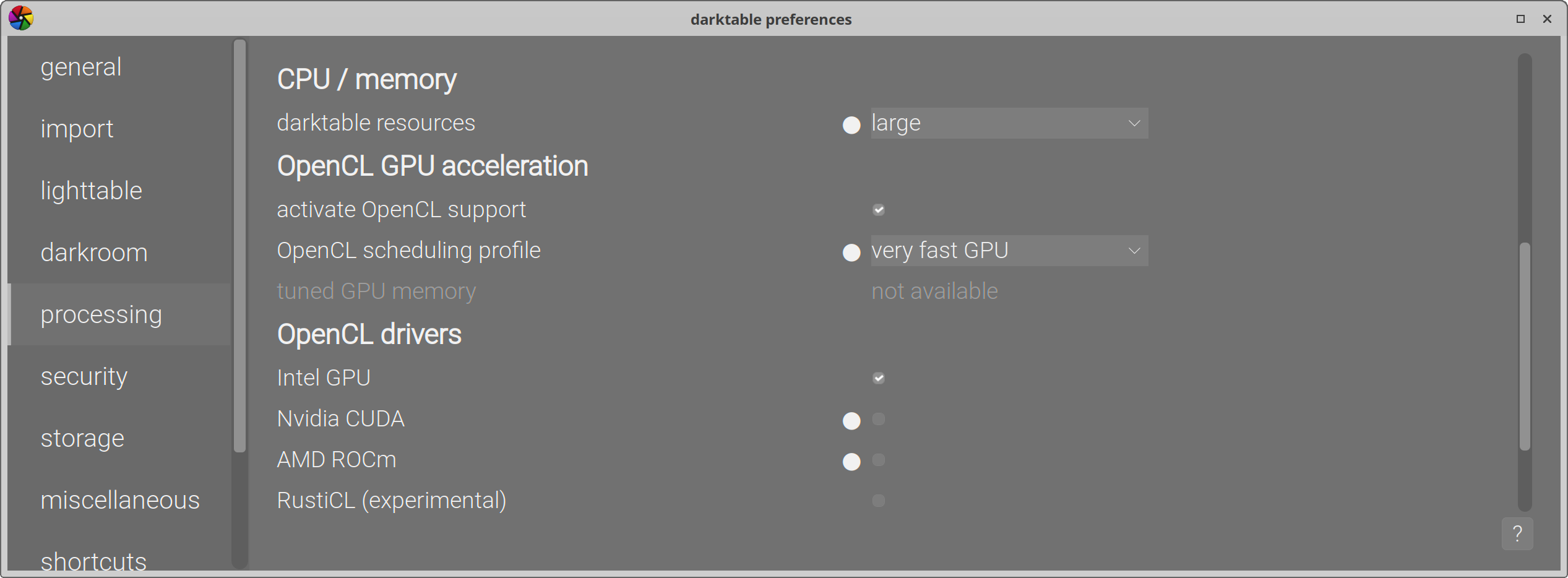
On my card when I was experimenting with that I raised the handles to a larger number…I think 1024. But the one thing that I did find was setting the micronap to zero made a real difference. I was told by someone this was not a good idea…point taken but DT almost never crashes and this change made significant performance gains… So I am mindful and if I have issues I can always revert that… other wise as you say the resources seems to help…
1 Like