I have 3.0.2 (Ubuntu 18.04, darktable from OBS), but I think I don’t see the module.
Is this correct or I’m missing something?
EDIT: sorry for the spam… I found out the answer my self with just a simple search in the forum… 
I have 3.0.2 (Ubuntu 18.04, darktable from OBS), but I think I don’t see the module.
Is this correct or I’m missing something?
EDIT: sorry for the spam… I found out the answer my self with just a simple search in the forum…
There is a thread with windows (dev) builds around here, around 20 days old. It contains negadoctor (have been playing around with it last few days… But got distracted by filmic v4 :))
Hoping this may be of interest to some. Comparing inversion methods in darktable using invert, tone curves and rgb curves.
Image is a .png [not a negative], input profile sRGB.
Working space is linear rec 2020.
Output profile is sRGB.
Blend mode is normal for all.
Original.

Inversion methods below in order of best to worst:
Invert Module.

Tone Curve Module (preserve colors: none).

RGB Curves Module (preserve colors: none).
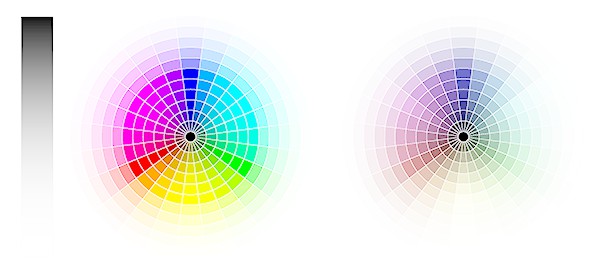
Tone Curve Module (preserve colors: average RGB - default).
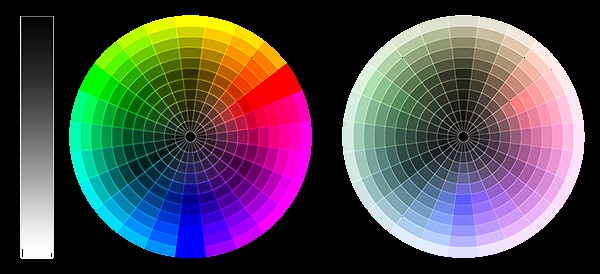
RGB Curves Module (preserve colors: luminance - default).
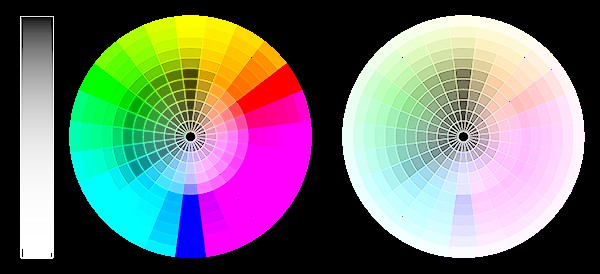
Comparing tone curve to rgb curves, we see tone curve doing a nicer job with luminance, and rgb curves producing brighter colour. When preserve colors are set to defaults, the inversion effect is poor (hue remains mostly the same, black background remains black), but when preserve colors is set to none the effect is much better. It is somewhat immaterial though, as invert module is best.