Messed around with /src/iop/lens.cc in darktable for 4 hours, just to find out, as someone mentioned, it’s a lensfun problem parsing and matching the lens name. It’s this lensfun function:
FindLenses (const lfCamera *camera, const char *maker, const char *model, int sflags=0)
Specifically it’s having problem with “85/1.8”. If I replace that part by “85 1.8” in both the EXIF of the image, and in the lensfun’s XML file, then darktable/lensfun would have no problem autodetecting the lens.
Here is a JPG with the “Lens Model” in EXIF has been modified to “AF 85 1.8 II XF”.

Here’s the viltrox_85.xml I’m using that would work with the above JPG. The vignetting data is made-up just for testing.
<lensdatabase version="1">
  <lens>
    <maker>Viltrox</maker>
    <model>AF 85 1.8 II XF</model>
    <mount>Fujifilm X</mount>
    <cropfactor>1.53</cropfactor>
    <calibration>
      <distortion model="ptlens" focal="85" a="0" b="0.00846" c="0"/>
      <vignetting model="pa" focal="85.0" aperture="2.5" distance="10" k1="-0.5485433" k2="0.6021258" k3="-0.6310329" />
      <tca model="poly3" focal="85" vr="0.9998219" vb="0.9999488"/>
    </calibration>
  </lens>
</lensdatabase>
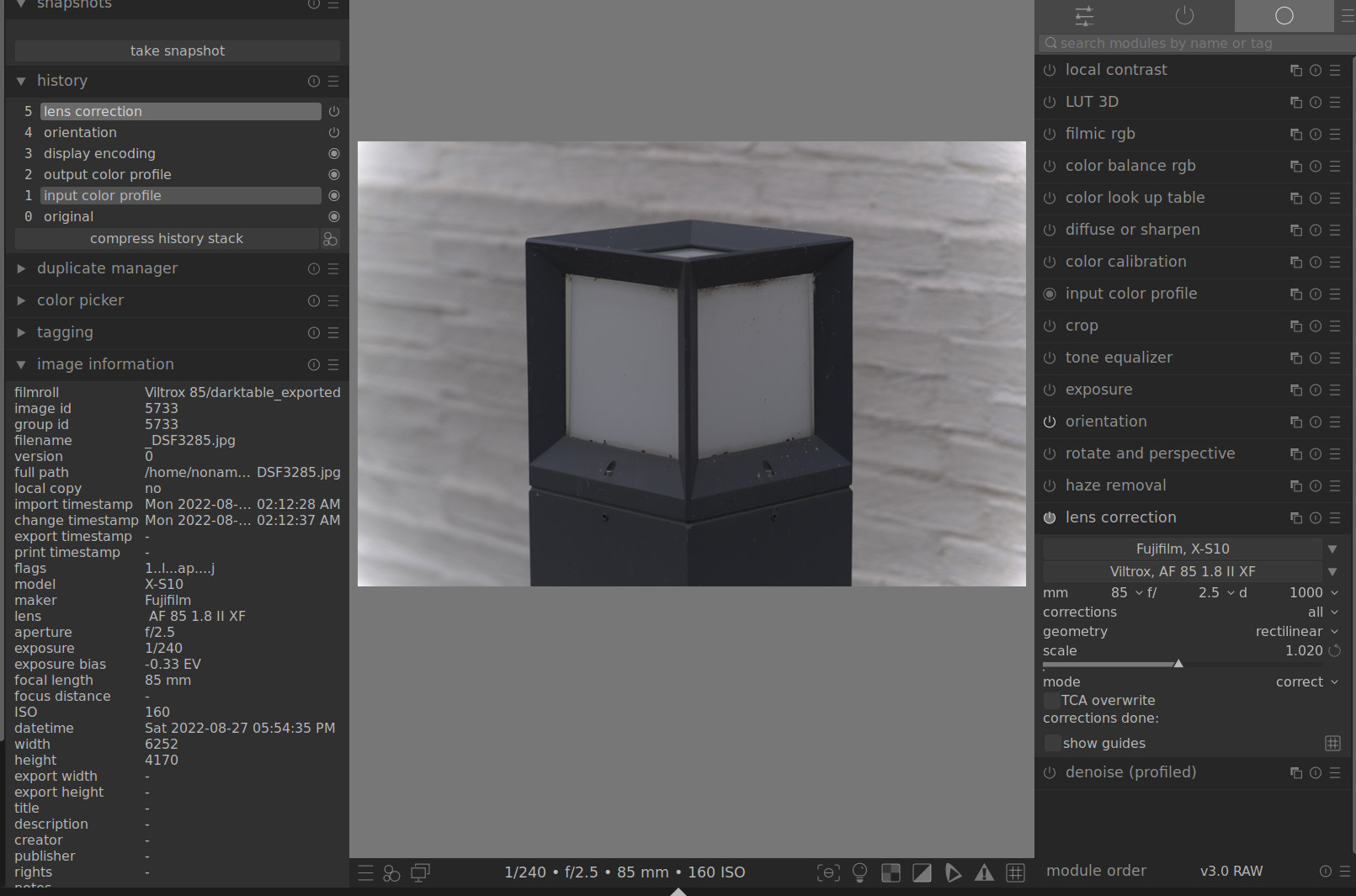
Also found out that darktable doesn’t read the lens maker from EXIF (VILTROX), and thus doesn’t pass it to lensfun for searching. I tried passing the lens maker to lensfun’s FindLenses() but that didn’t help. Adding “Viltrox” into the Lens Model didn’t help neither. So, nothing needs to be done to darktable in this case.
One work-around for now is to select the lens manually, apply the default correction or none, then save it as a preset that automatically applied to the matching lens model. That way, the correct lens profile will be automatically pre-selected upon importing the image into darktable.
It’d be nice if OP can submit a bug report to lensfun. Otherwise, I can do that sometime later. I’m using lensfun 0.3.3.
