Important things first: @piratenpanda, do you think the resize module is ready for prime time? I really hope the
resize module it can make it before the 5.8 feature freeze, so that the spektrafilm module reaches its full potential.
In my tests it worked really well. What might be missing is a way to resize by specifying ppi + cm/inch (for easier print resizing. That could be added in a later version though. It’s an UX improvement.
Downscale
If I’d downscale for the web or general screen viewing I would just place a resize module to downscale after/above the spektrafilm module. After/above the resize module I would place a module for output sharpening.
Upscale
I would place a resize module instance somewhere before the spektrafilm module. Preferably that instance would be set the to the number of pixels on longest side that would give my exact print size (like 90 cm at 300 dpi). After/above the resize module and before/below the spektrafilm module I experimented with diffuse or sharpen to enhance the local contrast before the image reaches spektrafilm.
Output sharpening
I’m happy that you’re bringing up the need for a resize module from another angle @bazdesh. Photographers have been doing output sharpening for decades. But, if you’re not ready to do roundtrips (export and import), output sharpening isn’t really possible with darktable right now. There is no sharpening after the export module interpolates the image. Here’s what the Lightroom output sharpening setting looks like:
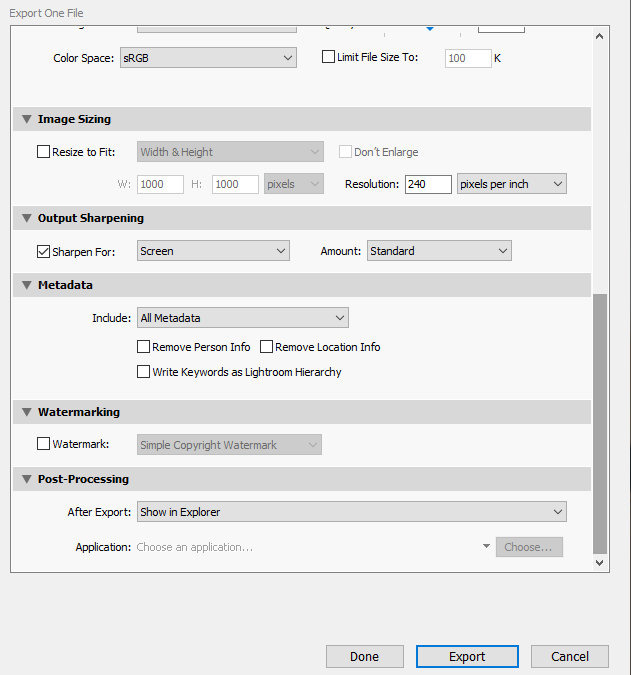
The resize module would lessen the need for such a feature in the export module as a module for sharpening could be placed after the size module. However, as soon on changes the size in the export module, some kind of sharpening should be possible to apply at the export module stage.