Ok. I’ve made my suggestion, and I’ve offered to help implement it. I will leave it to the RawTherapee team to decide if they would like me to follow up or if it will cause too much trouble.
If people have started translation, they should probably stop. We need to use some sort of translation system, like weblate, in order to properly manage the translations, otherwise it’ll be an unorganized mess.
1 Like
@plantarum @SCHA @paperdigits @Rick and others.
From my point of view, this doesn’t pose a problem. Of course, others may have a different opinion.
I think this is an opportunity (it would be the first time) for cooperation among those interested. The goal is to create a tutorial tailored to users’ needs and educational. Of course, there may be more (or fewer) technical aspects than the current version, more or less explanation or links,…
Reflection on architecture – beyond simply placing tutorials at the start – can begin right now. It is also not forbidden to request ‘advice’ from an AI (Gemini, Grok, …) to reformulate, format, etc.
Of course, it will be better when the pull request is online.
The option for ‘volunteers’ to use ‘Getting a local Hugo live preview’ would be an additional convenience (not mandatory).
RawPedia - Code
But examining the ‘content > Tutorials’ on this page may be sufficient.
I see no objection to you editing my texts (which are in bad English and with the logic of an old Frenchman), the main thing is to keep the meaning, the principles - to focus as much on the why as on the how. You can of course plagiarize my spiel about ‘sensor referred’ at the beginning of this thread.
I would only be there as the initial designer, and would only intervene if you ask me to, or if I see blatant errors (unlikely).
Of course I could ensure the push of the Pull request when the time comes, but it is not mandatory that it be me.

Of course, I am not forcing anyone, everyone is free, this is just a suggestion for cooperation.
Jacques
Not sure where the best place to post questions on the tutorials is. I’m continuing to work on editing and updating formatting, but it’s been slow as I end up diving into Hugo rabbit holes, mostly dealing with linking to images via shortcodes, partials etc.
While working through all that, I run into a strange issue. I’ve been trying to work through Jacques’ @jdc Shadows and Highlights tutorial, to confirm that everything matches the description. The section on Raw Black Points confuses. me. According to the text I should see some dramatic differences based on the settings here:
The ‘Dehaze’ system designed by Ingo Weirich (thanks to him) suggests here, due to the difference between the values R=0, G=0, B=0 and the very low values R=0.4%, G=0.4%, B=0.4%, that it’s a haze problem… I think that’s not the case. We’re dealing with data corruption here… just like what happens in highlights.
- First, try the “Dehaze” checkbox; you’ll see the sliders move to the right, the histogram expands, especially to the left (the shadow areas), and the image is brighter and more colorful: Red:+1, Green 1:+7, Green 2:+7, Blue:+2.
- Second, increase the settings (by unchecking the ‘Dehaze’ box) : Red:+3, Green 1:+14, Green 2:+8, Blue:+5. You will again notice a more vivid image, a better utilized histogram, and a reduction in artifacts.
- Be very careful, these settings are very sensitive and can contribute to making the images unusable.
When I play with this, I see an almost imperceptible change in the image itself, regardless of the Raw Black Point settings. The histogram does change a bit, but curiously it doesn’t look very close to the histogram snapshot in the tutorial.
I started from the beginning of the tutorial, and all I’ve done at this point is:
turned on soft proofing and highlight out of gamut pixels
set the neutral profile
set AMaZE+VNG4
set false colour suppression = 4
The histograms I get are:
No Raw Black Point:
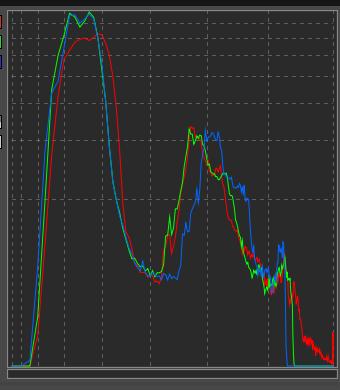
Raw Black Point R 3 G 14 G2 8 Blue 5:
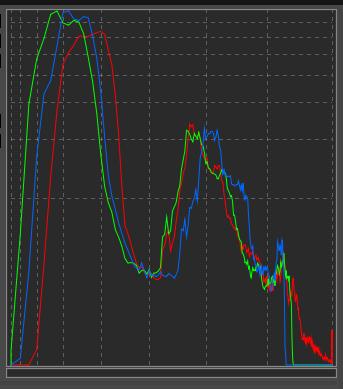
This is using the RT5.13 rc app image.
Have I missed something, or is there something missing in the tutorial?
Hi all
Its a bit late here so I couldnt read all the posts in this topic.I want to create my own images, edit and process them suitably for use in laser software. I bought my first dslr last week and found darktable, then this forum and moved to raw-therapee just yesterday.
Rawtherapy is a great set of tools and very nicely presented. I was having a hard time getting orientated to darktable and it felt similar to learning laser UI as a complete newbie.
The shift to rawtherapee has been great, I took the camera for a walk today, took a batch of about twelve shots, came home and started transferring - editing - processing and exporting within an hour or so, mostly intuitively.
Nothing brilliant or adventurous
quality wise and I’m still a bit uncertain of things…but I got going!
Newbie brains take a while to differentiate and recall…de-clutter what later becomes easy, recognisable and obvious…Flow charts are great!
Generally I have found instruction manuals very Wordy, drawn out, time consuming and easy to click away from.
All the best
Pete
I’m still not home, but up in the mountains with (very) limited resources and an unstable internet connection.
The histogram shown reflects the end of the process; it therefore encompasses the full set of operations included in the PP3 file(s) - specifically using output profile and gamma settings (which I hadn’t previously specified), and notably ‘Exposure > Color propagation’, Selective Editing, Gamut compression, Abstrcat profile, Color Appearance, etc.
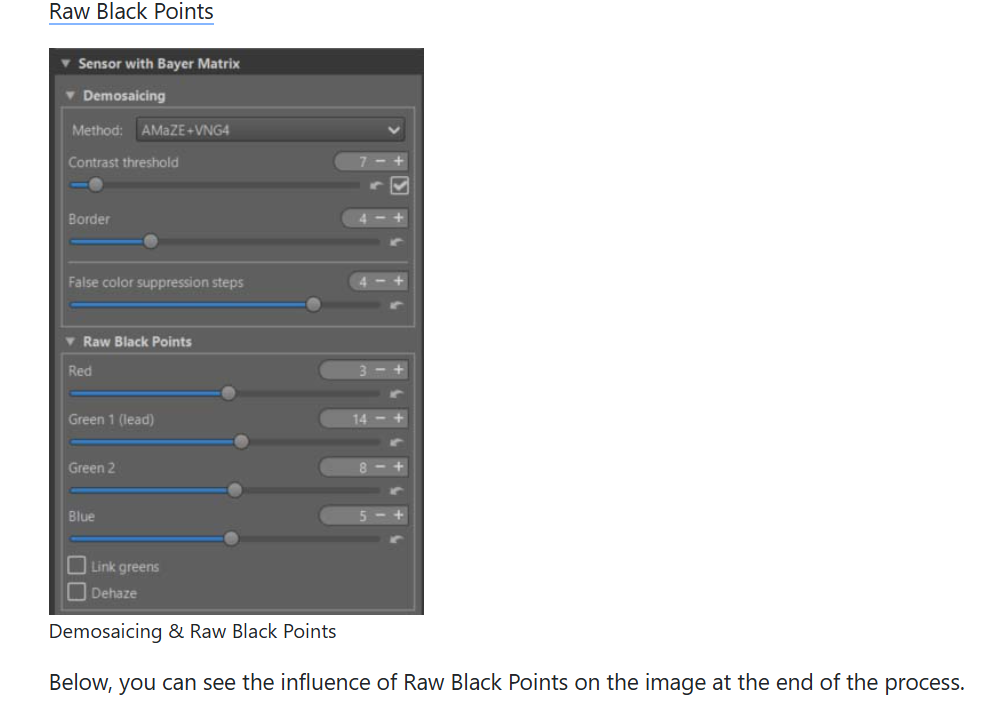
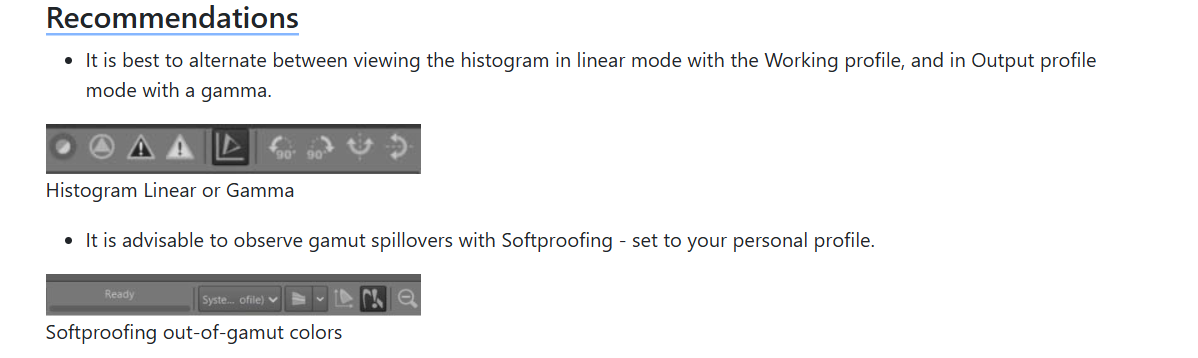
I also didn’t specify which of the two PP3s was used.
Nevertheless, I notice some differences compared to the histograms shown in the tutorial - likely due to variations in file update dates on Hugo, reflecting the tutorial’s evolution over time. It is very difficult to update documentation in real time, regardless of the medium.
The key point I wanted to demonstrate with this specific image is the importance of the RAW black point.
Once I am back home, I will update Rawpedia, being more precise about the conditions.
Thank you for testing 
Jacques
Thanks Jacques!
I can see that now.
One related question: when you write
We’re dealing with data corruption here, just like what happens in highlights
that suggests that the data captured by the camera’s sensor has subsequently been altered by some kind of hardware failure (i.e., “corrupted”). Maybe this is an issue with translation? I wonder if it would be accurate to say instead:
We’re dealing with shadow detail lost due to the image being underexposed, the same way we lose highlight detail when an image is overexposed.
I got home and made the changes based on your comments.
I won’t have much free time for another week.
Game changer - tutorial N°1 - Raw Black Point
Jacques