I’ll do that tomorrow morning
1 Like
A new day and… no crash now! Upscaling works, although “quite slow” as the filter warns. Upscaling a 650x1000px image took 2m2s on my old 4-core machine. 
So problem solved.
Hello @David_Tschumperle, today I tried the latest AppImage of GIMP (3.2.4) and it finds the 4.0.0_pre version of G’MIC. The filters seem to work, but as soon as I type something (even 1 character) in the search field, gmic_gimp_qt crashes and GIMP shows the same message as above, in my post #36.
No idea if you can solve that or if it’s an AppImage thing, but I just thought I’ll let you know.
And happy canicule ! 
1 Like
I find this to be interesting expression. Made a test of a nonsense code:
C:\Windows\System32>gmic 1 eval var=2*i(#-1,0,0)=5;echo(var);
[gmic]./ Start G'MIC interpreter (v.4.0.0).
[gmic]./ Input black image at position 0 (1 image 1x1x1x1).
[gmic]./ Evaluate expression 'var=2*i(#-1,0,0)=5;echo(var);' and assign it to status.
0
[gmic]./ Display image [0] = '[unnamed]'.
[0] = '[unnamed]':
  size = (1,1,1,1) [4 b of float32].
  data = (0).
  min = 0, max = 0, mean = 0, std = 0, norm = 0, coords_min = (0,0,0,0), coords_max = (0,0,0,0).
[gmic]./ End G'MIC interpreter.
var returns 0, image is not assigning image pixel.
Thanks. your example exhibited a regression introduced in G’MIC 3.7.6.
Actually, your example is syntaxically not correct.
Value assignment operator = expects its left operand to be a lvalue, and in your example, 2*i(#-1,0,0) is not one (i(#-1,0,0) alone would be one though).
So the correct behavior when trying to running your example should be (what it is now, after the fix I pushed this morning  ) :
) :
$ gmic 1 eval "var=2*i(#-1,0,0)=5;echo(var);"
[gmic]./ Start G'MIC interpreter (v.4.0.0).
[gmic]./ Input black image at position 0 (1 image 1x1x1x1).
[gmic]./ Evaluate expression 'var=2*i(#-1,0,0)=5;echo(var);' and assign it to status.
[gmic]./ *** Error *** Command 'eval': Operator '=': Invalid lvalue '2*i(#-1,0,0)', in expression 'var=2*i(#-1,0,0)=5'.
In latest version G’MIC 3.7.6, I’ve done some optimizations on variable assignment, and during these optimisations, I forgot to check that the memory slot to assign was actually a lvalue.
So, thanks for your message, it made me realize of that regression.
Will be then fixed in next version 4.0.0 !
OK, so I’ve worked hard these last days to implement the few things I wanted for next major version G’MIC 4.0.0:
-
Get rid of expression
{``string}, replaced by{:string}[easy]. -
Add a mechanism to check validity of shared images, to avoid things like this make G’MIC segfault because of invalid memory access [quite painful].
sp colorful sh rm.. blur 10
- Merge most of the
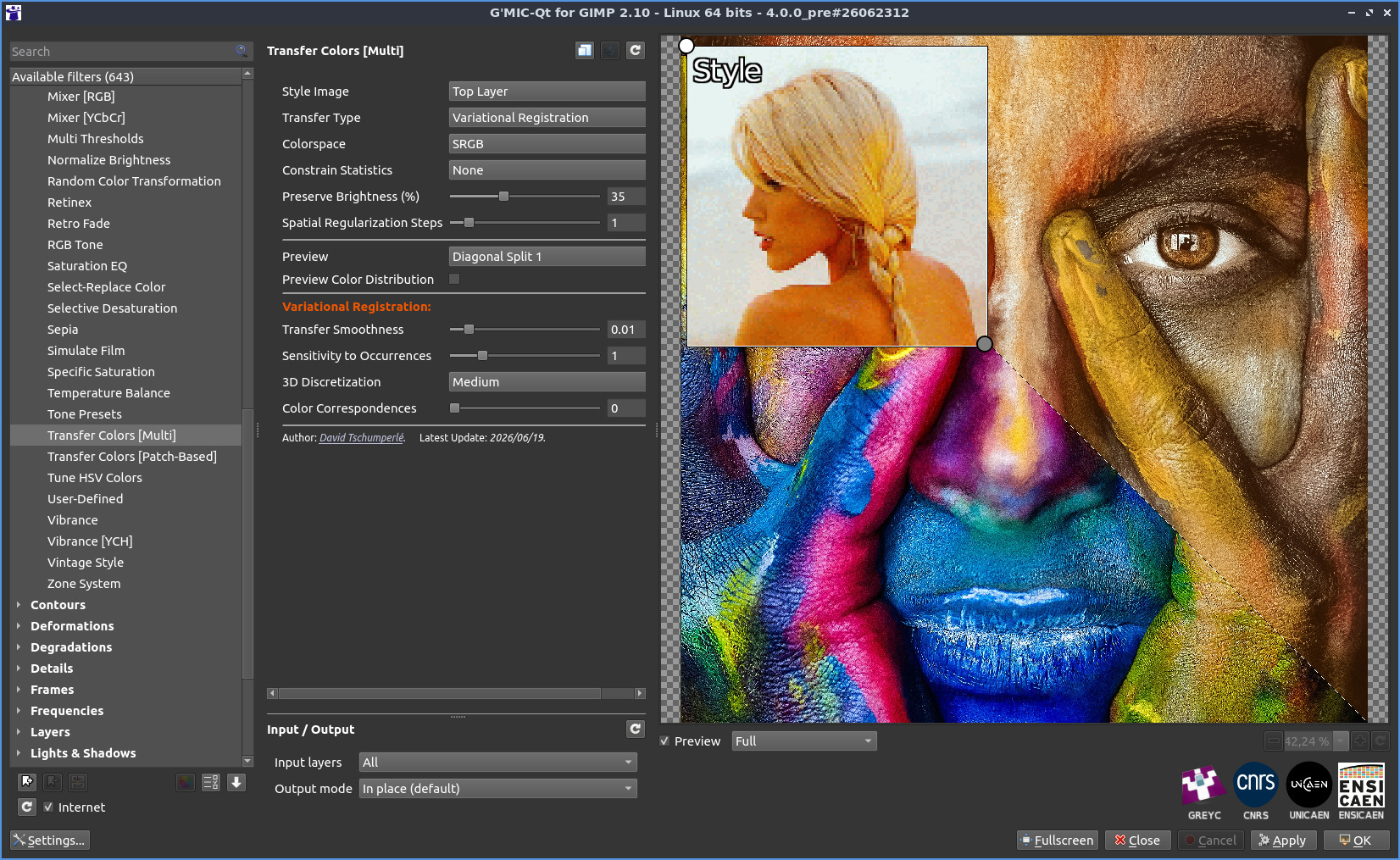
Colors / Transfer Colors [XXX]filters as a single one, namedColors / Transfer Colors [Multi], that proposes an implementation of a brand new color transfer algorithm I’ve imagined. I’ve almost finished with the writing of a scientific article about it (20+ pages), I’ll share it when it’s ready [tedious].
- Do some code cleaning and optimizations (math parser, G’MIC interpreter, command
displacement, etc.) [grind].
I’ve just posted new pre-release binaries of G’MIC 4.0.0_pre, on the G’MIC website.
I’ve a last idea for a new filter, hopefully I’ll get some time next week to deal with it.
But apart from that, I consider G’MIC 4.0.0 could be ready.
So, if you have some time to spend, please download the latest pre-release binaries, and test them as much as you can (and report bugs if you find some ).
Thanks!
5 Likes
To complete my previous post, here is the effect I’m interested to implement as a new G’MIC filter :
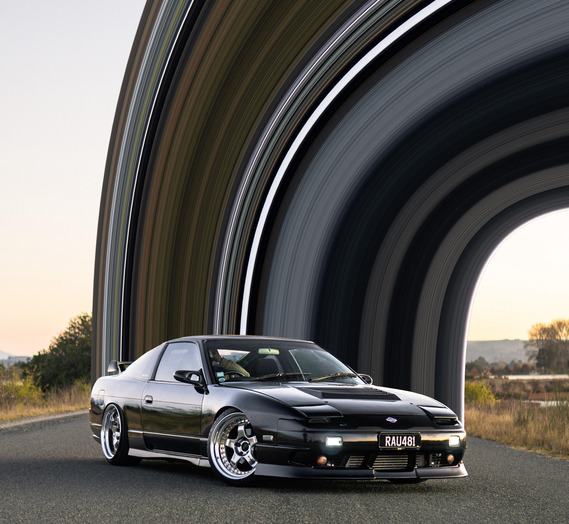
I saw this on various places, including reddit.
Looks quite fun to implement!
3 Likes
I think to do that effect well, you’d have to do it as a interactive filter methinks. That is what I would do. That’s done through different tools with image editing.
Nice last additions. As for the effect, I could see it having more patterns like a more squiggly or spiky path. A water wave splash, or even a style transfer.

@David_Tschumperle , you are currently working on Color Transfer filters. The following has been on my mind for some time:
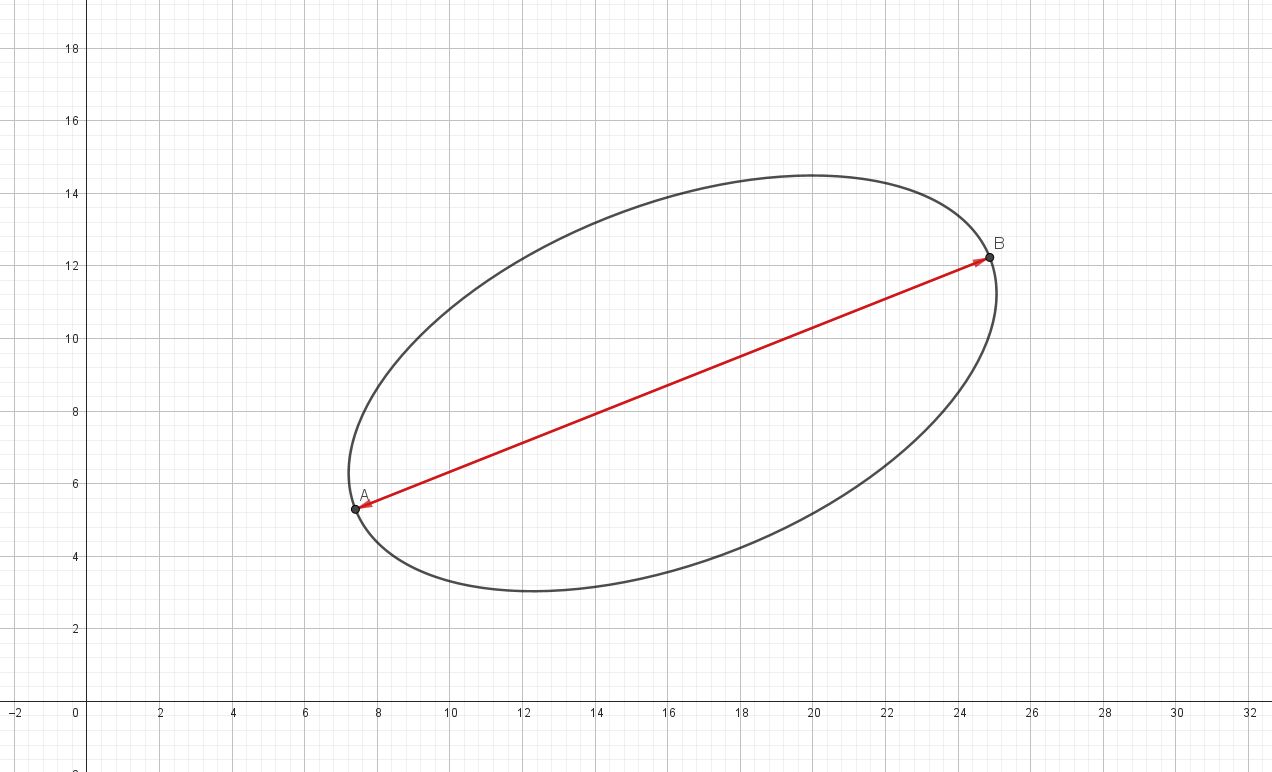
When using “Transfer Color [PCA]” , the transfer does not always turn out nicely, and it sometimes looks as if one or more inversions have occurred along one or more principal axes of the ellipsoid.
I would therefore like to have the following option in the “Mixer [PCA]” filter, so this can be corrected after the color transfer. Could an option be added to the “Mixer [PCA]” filter that allows an inversion along one or more principal axes of the ellipsoid?
I know this can be useful, because I once made this myself for this filter six years ago see: https://discuss.pixls.us/t/release-of-gmic-3-0/17226/65?u=iarga. However, so much has changed in G’MIC since then that it has become far too complicated for me to implement it now.
With this new option in the “Mixer [PCA]” filter, it would often be possible to get even closer to the desired result after applying a PCA color transfer.
Yesterday, I also tried to recreate the effect using GIMP. The procedure in most of the Photoshop tutorials I found is as follows:
- Cut out the object.
- Select a 1xN pixel area, drag it wider to create the colour gradient and then distort it using the Warp tool.
- Place the cut-out object over the colour gradient.
This works almost exactly the same way in GIMP, but I could not control it very precisely.
I also tried using the one-pixel-wide section as a brush to draw along a path. It didn’t look good.
Then I tried using the Bend filter, but it seems outdated and not really useful for this task.
I also tried the mesh gradient in Inkscape. It’s very powerful, but a bit too complicated.
In conclusion, I would like to express my appreciation for your plugin.
I like your approach with the rotating axes.
How do you create the color gradient? Do you get the colors from the image, or do you have to select them manually?
I even thought about doing it in Blender. It could create some cool effects with light and shadow. But my threshold for using Blender is pretty high, so I decided against it.
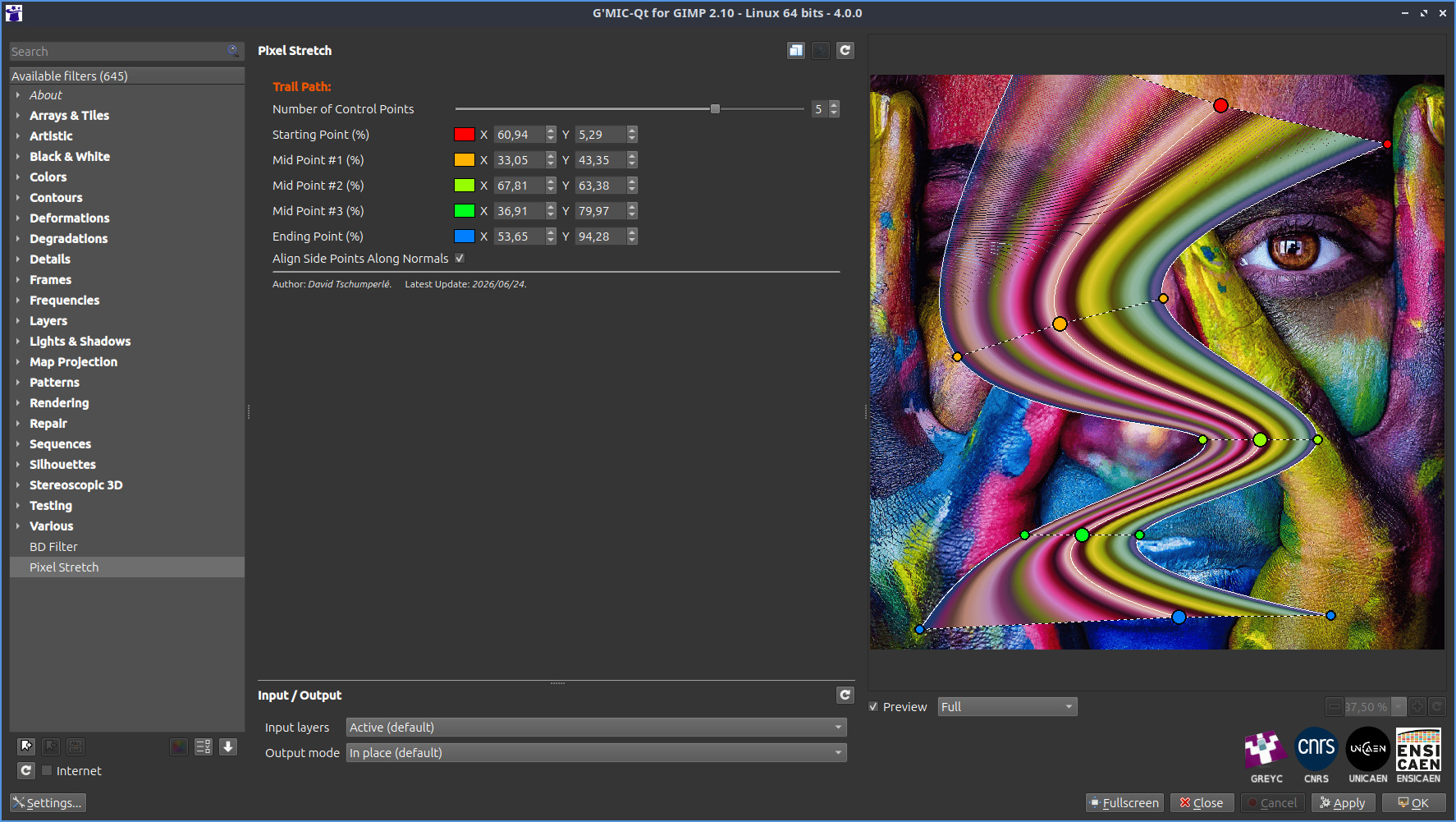
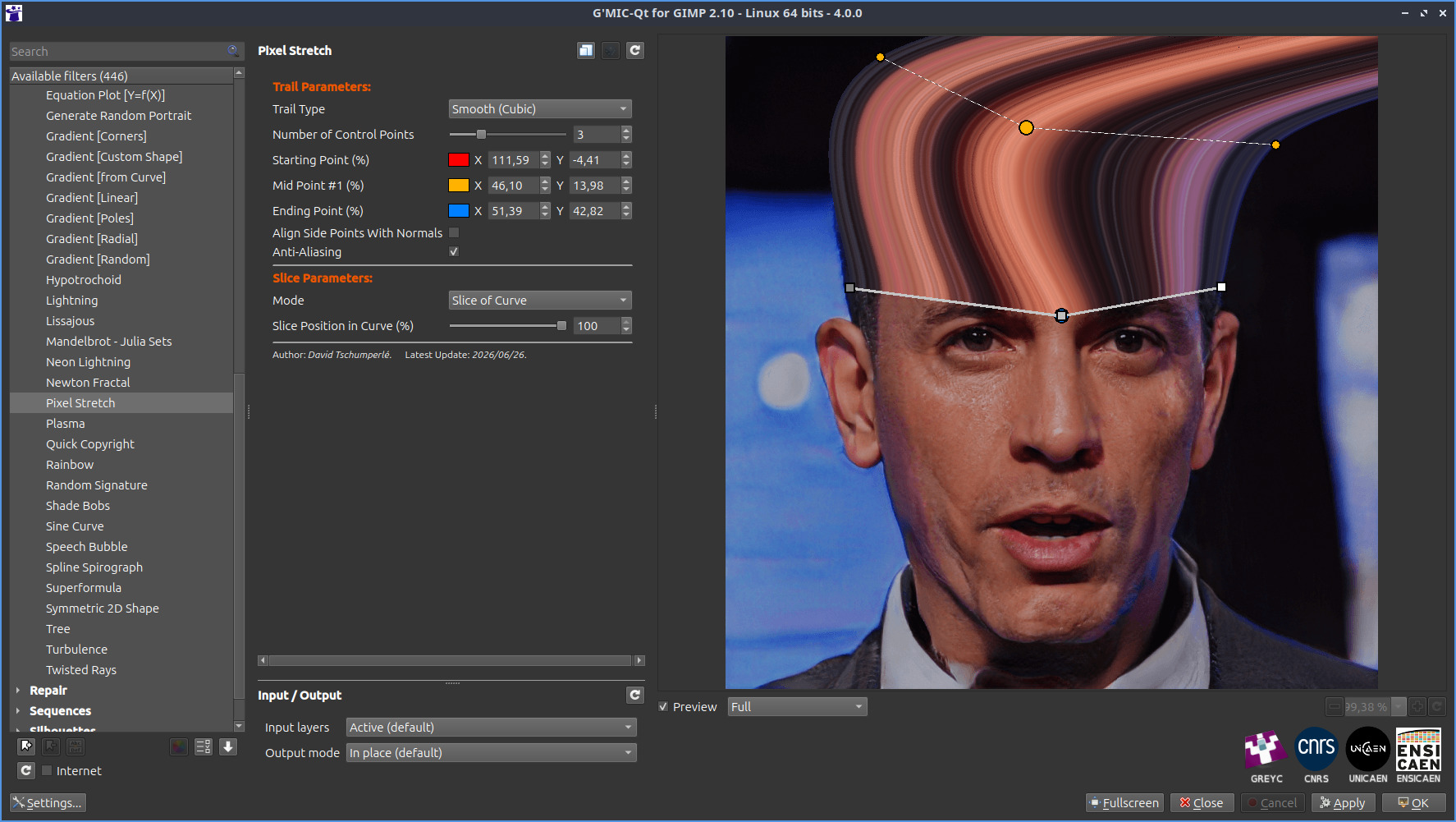
I’ve pushed a first version of the Pixel Stretch filter, for testing (on G’MIC 4.0.0+) :
How the filter looks like in the plug-in:
How the result looks like after applying the effect:
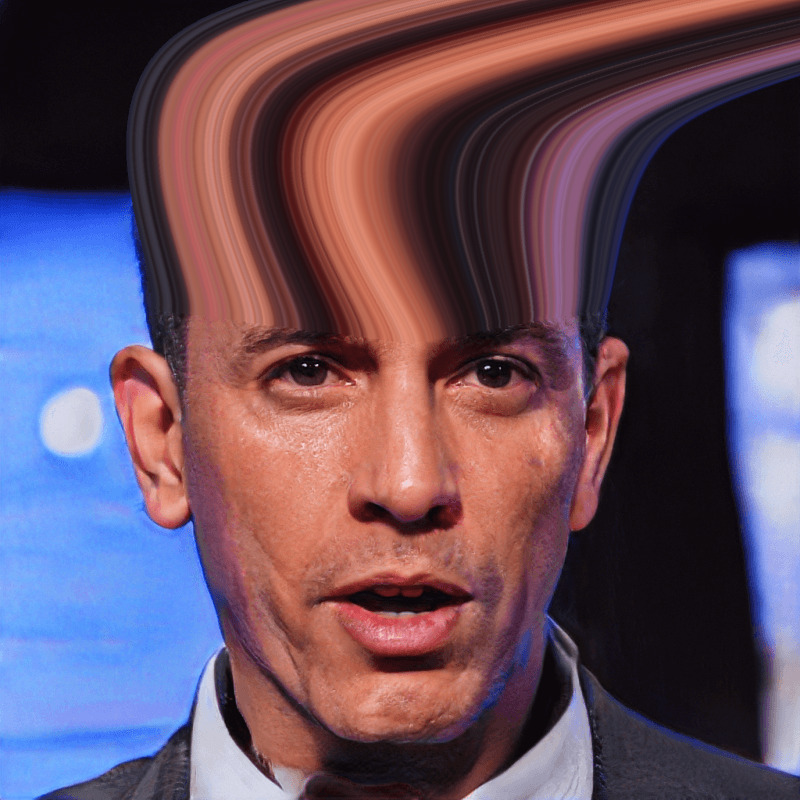
Honestly, this filter was actually pretty complicated to make, so I don’t think I’m going to spend a whole lot of time on it just yet
2 Likes
No problem. Any additions from you is a pleasure. I do not know if you are into manga but your image evokes memories of HxH. 
2026/07/01: Release of G’MIC 4.0.0! 
5 Likes
Only thing I really notice with this new update is all of my favorites are no longer. Haven’t tried to save new updates yet, since I don’t want to overwrite what I already have (so going to temporarily revert back to the older version that has my favorites for now).
Will add that presets I’ve tried seem to run much faster (and some really faster).
edit:
Argh; favortes are no longer even after I reverted. Guess I’m going to have to add them back over time (ouch). lol
Will admit that some of my saved favorites didn’t work any longer anyway and had not tried to revert to the new settings and saved. Will now go back to 4.0.
edit (again):
Looks like you can no longer save favorites. Oh well. Hopefully this will soon be resolved. Do have to add I’m using the version that supports the GIMP 2.10x.
A few more observations with 4.0 is a few of my presets like blend shape average no longer works. I went ahead and reverted back to the last version I had installed and all’s well (except my favorites of course). I did save a favorite and this time that favorite actually saved. I’m sure all will soon be well with 4.0 and higher; will wait.
Thanks for reporting Lyle !
Apparently, this is related to the function const QString & gmicConfigPath(bool create); in the G’MIC-Qt code that returns an empty string rather than the correct path.
I’ve tried a quick fix. I’m testing it this morning to see if everything is OK, then I’ll release a new micro-version 4.0.1 with this fix included.
Thanks for the update, David. Hopefully it explains why some of the presets no longer works as well. Am impressed at how fast the presets tested that work actually did, David. Kudos to you and the G’MIC team.
Lyle, bug found and fixed.
Version 4.0.1 has just been released. Please download the latest plug-in binaries and tell me if that works for you
(unfortunately, your old fave files will be lost, sorry about that).