Reptorian G'MIC Filters

I found a easier way of doing this that’s pretty flexible:

My solution is this:

rep_custom_command_test:
m "temp:
	m \"$0_temp:u ${\"$""1--1:$""2\"}\"
	$0_temp $*
	um $0_temp
	"
echo ${temp\ $1,$2}

This is going to be used in another attempt of gui_toolkit_pal, and this time I coded in printing of available of global arguments.

I wonder if any active G’MIC filter developers can make use of this.

Code (Use Examples)
#@cli rep_zip: axis={ x=horizontal | y=vertical | z=depth },output_sections={ 0=false | 1=sections | split_sections }
#@cli : Zips images. All images must have same spectrum size!
#@cli : $ (0,5,9,13,15,16) (1,6,10) (2,7,11) (3,8,12,14) (4) rep_zip x
#@cli : $ (0,3,6) (1,4,7) (2,5,8) rep_zip x
#@cli : $ sp cat,flower rep_zip x resize. 1360,525,1,100%,-1
#@cli : Author: Reptorian.
rep_zip:
skip ${2=0}
check "inrange(('$1')[0],_'x',_'z',1,1)&&isint($2,0,2)"

old_status=${}

arg0 $2,"."," and split by sections."," and split by split_sections."
e[^-1] "Zips image"$?" along $1-axis"${}

remove_empty
if $!<=1 return fi

vol_of_images,info_image:=$!+[0,1]
axis:='$1'
axis_ind={$axis-_'x'}
$!,1,1,1,whd#x

check isint($!,2)?!var(expr('s#x',w))&&im#-1

+sort. discard. x sort.

100%,1,1,{3+bool($2)},>"begin(
		t_sum=0;
		ref_vec=["{crop(#-2)}"];
	);
	x?(
		previous_pos=j(#-1,-1);
		rows=sum(ref_vec>previous_pos);
		columns=i(#-1)-previous_pos;
		area=columns*rows;
		v=[t_sum,t_sum+area-1,previous_pos,rows];
		t_sum+=area;
	):(
		t_sum=w#-2*im#-2;
		v=[0,t_sum-1,0,im#-2];
		0;
	);
	v;
	"

rm..

{D=vector(#3,1);D[$axis_ind]=is#-2;[D,s#0]},${arg0\ is#-1>0x10000,>,:}"
	begin(
		const vol_of_images_ind=$vol_of_images;
		const info_image_ind=$info_image;
		const axis=$axis;
		const min_range_pos=0;
		const max_range_pos=1;
		const start_img_ind_pos=2;
		result=vector(#s,0);
		available_volume_of_images=vector(#w#vol_of_images_ind,0);
		num_of_available_arrays=0;
		initialized=1;
		range_min=-1;
		range_max=-1;
		search_dim_start=0;
		search_dim_end=size(available_volume_of_images);
		img_ind=-1;
		img_pos=-1;
		pos_info_image=0;
		axis==_'x'?(axis()=x;):
		axis==_'y'?(axis()=y;):
		            axis()=z;
	);
	pos=axis();
	initialized||pos>range_max?(
		initialized?(
			pos?(
				left=0;
				right=w#info_image_ind-1;
				while(left<=right,
					pos_info_image=left+((right-left)>>1);
					range_min=i(#info_image_ind,pos_info_image,0,0,min_range_pos);
					range_max=i(#info_image_ind,pos_info_image,0,0,max_range_pos);
					isint(pos,range_min,range_max)?(
						break();
					):
					pos<range_min?(
						right=pos_info_image-1;
					):(
						left=pos_info_image+1;
					);
				);
				start_img_pos=i(#info_image_ind,pos_info_image,0,0,start_img_ind_pos);
			):(
				pos_info_image=start_img_pos=0;
				range_min=i(#info_image_ind,pos_info_image,0,0,min_range_pos);
				range_max=i(#info_image_ind,pos_info_image,0,0,max_range_pos);
			);
		):(
			++pos_info_image;
			range_min=i(#info_image_ind,pos_info_image,0,0,min_range_pos);
			range_max=i(#info_image_ind,pos_info_image,0,0,max_range_pos);
			start_img_pos=i(#info_image_ind,pos_info_image,0,0,start_img_ind_pos);
		);
		found_search_dim_pos=num_of_available_arrays=0;
		for(p=search_dim_start,p<search_dim_end,++p,
			current_dim_size=i[#vol_of_images_ind,p];
			current_dim_size>start_img_pos?(
				available_volume_of_images[num_of_available_arrays++]=p;
				found_search_dim_pos?(
					temp_search_dim_end=p+1;
				):(
					search_dim_start=p;
					found_search_dim_pos=1;
				);
			);
		);
		search_dim_end=temp_search_dim_end;
		relative_pos=pos-range_min;
		img_pos=start_img_pos+int(relative_pos/num_of_available_arrays);
		img_ind=relative_pos%num_of_available_arrays;
		initialized=0;
	);
	current_img_ind=available_volume_of_images[img_ind];
	copy(result[0],i[#current_img_ind,img_pos],s,1,i[#vol_of_images_ind,current_img_ind]);
	if(++img_ind==num_of_available_arrays,
		++img_pos;
		img_ind=0;
	);
	result;"

if $2
	keep[-2,-1]
	repeat w#-2-1 {
		t0,t1={m=I[#0,$>][0,2];m-m[0]}
		+crop[1] $t0,$t1
		crop[1] {$t1+1},100%
	}
	move[1] $!
	if $2==2
		repeat $!-1 {
			s[{$<+1}] $1,-{i(#0,$<,0,0,3)}
		}
	fi
	rm[0]
else
	keep[-1]
fi

status ${}

The code is very similar to zip_longest in Python, but in this case, it’s useful for images.

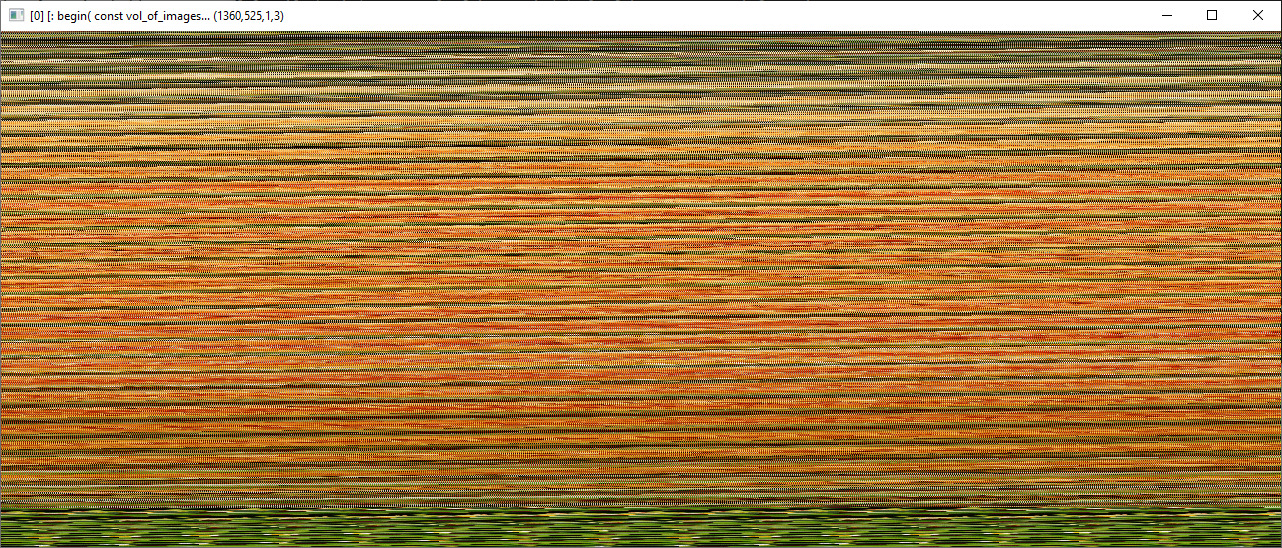
I tested zipping sp cat,flower and I got this result:

C:\Windows\System32>gmic sp cat,flower tic rep_zip x toc resize. 1360,525,1,100%,-1
[gmic]./ Start G'MIC interpreter (v.3.5.3).
[gmic]./ Input sample image 'cat' (1 image 600x550x1x3).
[gmic]./ Input sample image 'flower' (1 image 640x600x1x3).
[gmic]./ Initialize timer.
[gmic]./ Zips images [0,1] along x-axis.
[gmic]./ Elapsed time: 0.026 s.
[gmic]./ Resize image [0] to 1360x525x1x100% , with no interpolation, dirichlet boundary conditions and alignment (0,0,0,0).
[gmic]./ Display image [0] = '[: begin( const vol_of_images...'.
[0] = '[: begin( const vol_of_images_ind=$vol_of_images; const info_...':
  size = (1360,525,1,3) [8367.2 Kio of float32].
  data = (202,14,212,21,212,14,219,14,219,14,219,10,219,10,219,10,219,10,219,10,219,10,219,10,219,10,219,10,219,10,219,10,219,20,219,10,212,10,219,10,212,10,212,10,212,10,212,10,212,10,212,10,212,10,212,10,212,7,202,10,202,7,202,7, ... ,12,4,4,4,4,4,2,4,2,2,2,2,2,2,2,2,1,2,2,2,1,2,1,1,2,1,1,1,1,1,1,2,1,1,2,1,2,1,2,1,2,1,2,1,2,2,2,2,2,2,2,2,2,2,2,2,2,4,2,2,4,2,2,2).
  min = 1, max = 254, mean = 108.35, std = 77.2618, coords_min = (149,0,0,2), coords_max = (869,3,0,0).
[gmic]./ End G'MIC interpreter.

For me, I used rep_zip in a new version of rep_rrd.

With rep_zip - multiple threads:

Without rep_zip - multiple threads:

Sometimes it leads to first result without rep_zip, but rep_zip is used to more likely to have the output you get in single thread mode. This is why I made rep_zip. In any case, rep_zip is instantaneous from testing.

1 Like

That looks like the result of a dimension mismatch. E.g., this would happen if I do gmic sp cat,flower s c a c. I am sure you are aware of that; just brainstorming.

Actually, it’s merging two images in itertools.zip_longest way. The dimensions is correct. Sum the product of width and height. Compare with the product of zip image.

The only real down side is that it does not work for >4096*4096 cases. I think I will address that downside.

Are you saying that this happens only when we exceed that limit? Or are you still investigating the cause?

I already know why. G’MIC float results in inaccurate int after 16777216. You can test that.

Recently, I have fixed this limitation. Now, there’s technically a limit with $#>16777216, but honestly, I don’t expect you to utilize more than 16777216 images. It works for any dimensions as long as the total dimension is not over 1<<53. So a little bit over 94,906,265x94,906,265.

Anyway, I’m having trouble. What do I do if I wanted a command to ignore existence of empty arguments no matter the amount of args?

skip "$*" is not working.

I made this to restructure some bit of my code:


#@cli rep_cs_args: enable_fwd={ 0=false | 1=true },enable_bwd={ 0=false | 1=true },cs_arg_num,cs_arg_0,cs_arg_1
#@cli : Generates strings for color space conversion string.
rep_cs_args:
skip ${4=}

comma_mode:=sum(bool($1),bool($2))

check isbool($1)&&\
      isbool($2)&&\
      isint($3,0,$#+1)&&\
      $comma_mode>=1

list_of_cs_spaces=${4--1}
selected_cs=${arg0\ $3,$list_of_cs_spaces}

arg $comma_mode,,"," char_sep=${}

if $1
	arg1=rgb2$selected_cs
fi

if $2
	arg2=${selected_cs}2rgb
fi

u $arg1$char_sep$arg2

Use $=arg, like in this example:

foo : 
  $=arg
  repeat 10 { e "arg"$>"="${arg$>} }

and then in your code, use $arg1,$arg2,… rather than $1, $2, etc.
If not assigned, the value of $argN will be an empty string:

$ gmic foo 1,2,3,,,6
[gmic]./ Start G'MIC interpreter (v.3.5.3).
arg0=foo
arg1=1
arg2=2
arg3=3
arg4=
arg5=
arg6=6
arg7=
arg8=
arg9=
[gmic]./ End G'MIC interpreter.
1 Like

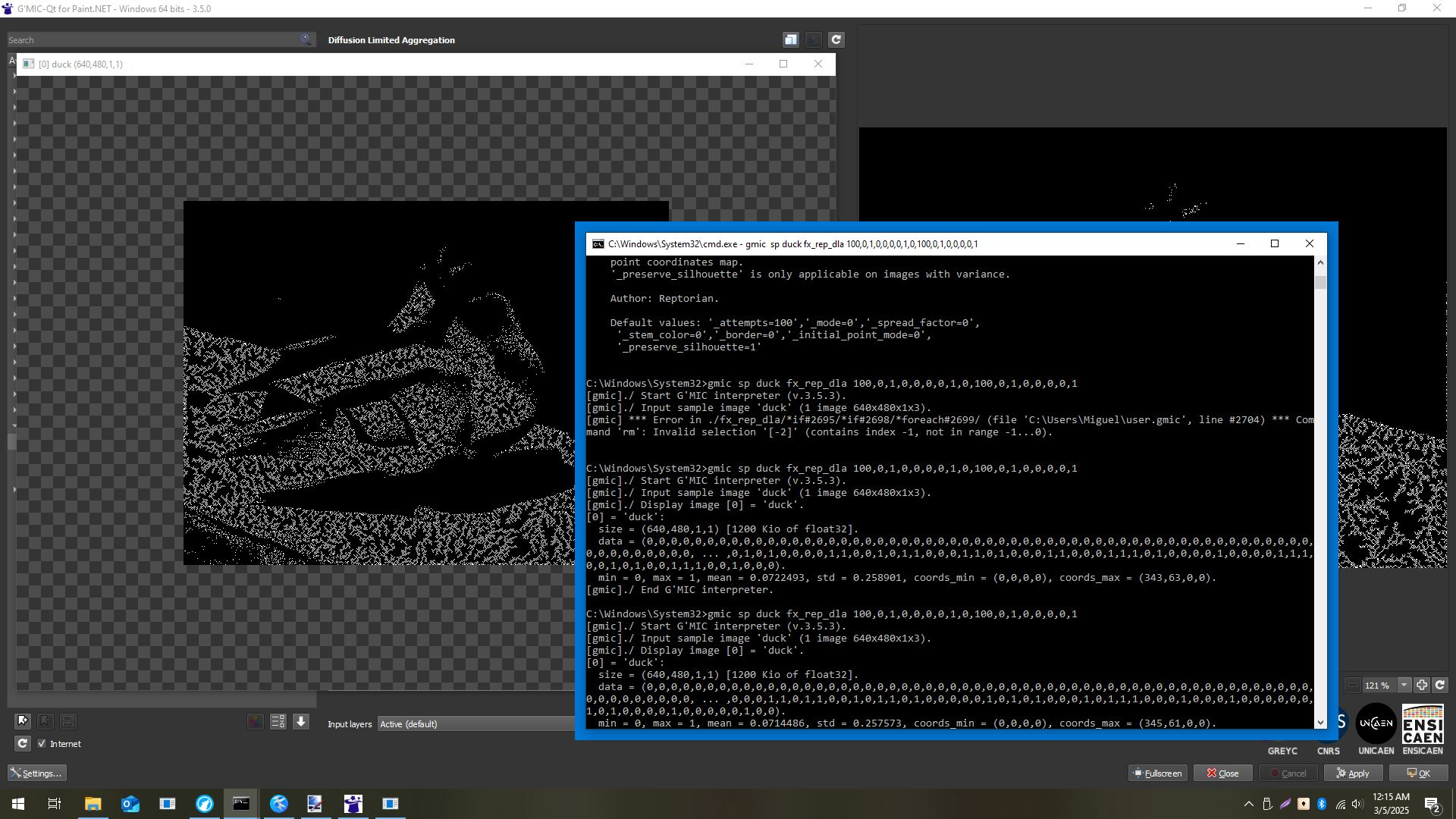
Trying a filter of yours (Diffusion Limited Aggregation) but it fails, why I don’t know … is it not available in the gmic CLI ?

gmic v -99 in.png fx_rep_dla 100,0,0,0,0,0,1,0,100,0,0,0,0,0,1,0,0,50,50 o dla01.png   
[gmic] *** Error in ./fx_rep_dla/ *** Unknown command or filename ''; did you mean '%'?

It’s available as a CLI filter, yes. I’ll add a feature to copy the CLI equivalent later on. The GUI filter code utilize a bit more things to allow for slight more flexibility. fx_ denotes GUI. The lack of fx_ is the CLI version.

For now:

C:\Windows\System32>gmic h rep_dla

  rep_dla:
      Shortcut for command 'rep_diffusion_limited_aggregation'.

  rep_diffusion_limited_aggregation:
      _attempts>1,_mode,0<=_spread_factor<=1,_stem_color={ 0=dark | 1=light },
        _border,_initial_point_mode={ 0=less_dense | 1=more_dense },
        _preserve_silhouette={ 0=maskless | 1=mask }

    Generate Diffusion Limited Aggregation
    (equivalent to shortcut command 'rep_dla').


    '_attempts' defines how much attempts on filling the aggregation form
    before finishing.
    '_mode' defines how particles aggregate on the aggregation form.
    '_spread_factor' defines how much times a particle will be created upon
    appending. The algorithm for this may not be the correct implementation,
    but it works for what it describes.
    '_stem_color' defines where the aggregation form will fill on.
    '_border' is only applicable if there is a planting seed map. It is used
    to limit particles based on proximity away from existing structure.
    '_initial_point_mode' defines whether to use less dense or more dense
    point coordinates map.
    '_preserve_silhouette' is only applicable on images with variance.

    Author: Reptorian.

    Default values: '_attempts=100','_mode=0','_spread_factor=0',
     '_stem_color=0','_border=0','_initial_point_mode=0',
     '_preserve_silhouette=1'
1 Like

Got it! Thanks a lot, and thanks for the quick reply.

Ok, I made changes to fx_rep_dla, so now it should work with just copy and paste. There was no need for a string in GUI which you can copy from.

Now, I’ll be taking a break for a bit. If any one of you sees a issue similar to what @Mushy experienced in other GUI filters, let me know.

Hi @Reptorian ,

have a nice break :slight_smile:
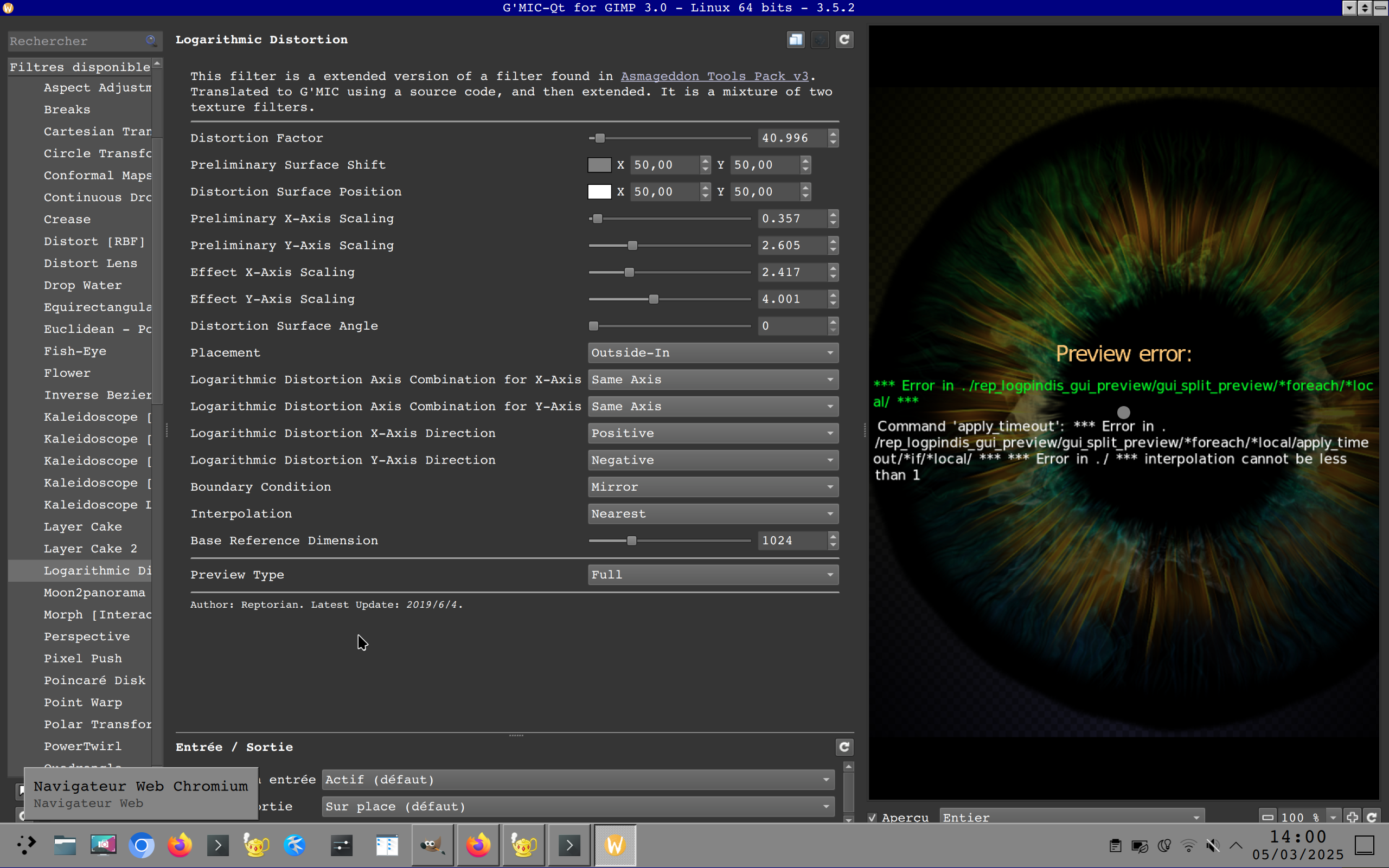
Was testing Logarithmic Distortion today and got this error when using nearest interpolation:

Sorry to disturb :open_mouth:

No problem. gui_split_preview is a bygone era code.

@David_Tschumperle Do you think you can address gui_split_preview codes?

Could you check if it works? Quick bug fix that is.

Alas, no, i still get the same error with “nearest” interpolation.
The squareroot version works fine though.
Did you change the date? It still says 2019.

The error comes from the fact that when Nearest-neighbor interpolation is selected, the command rep_logpindis is called with argument $17 equal to 0, and an error occurs at line 20675 of file reptorian.gmic:

if $17<1 v + error "interpolation cannot be less than 1" v - fi

It’s not related to gui_split_preview (if you apply the filter on your image, you’ll get the same error).

I’m not sure what’s the best solution for a fix here. I’ll let you judge according to what you want to do.

Ok, have not posted in a while. But, some good news at least. gui_util_pal command is about to be completed, this will be the backbone of some filters that use color(). Another good news is that I figured out how to make random rectangle division 4500% faster in infinite loop case, so for 4096x4096 image, dividing in a infinite loop takes 3.7 s max on my case, and in the current version, it will take over a minute or even 2-3 minutes. In fact, even the C# version is way slower than my new G’MIC code.

Bad news is that refactoring is taking a while, but with gui_util_pal being close to completion, 2 filters will be successfully optimized and improved.

2 Likes

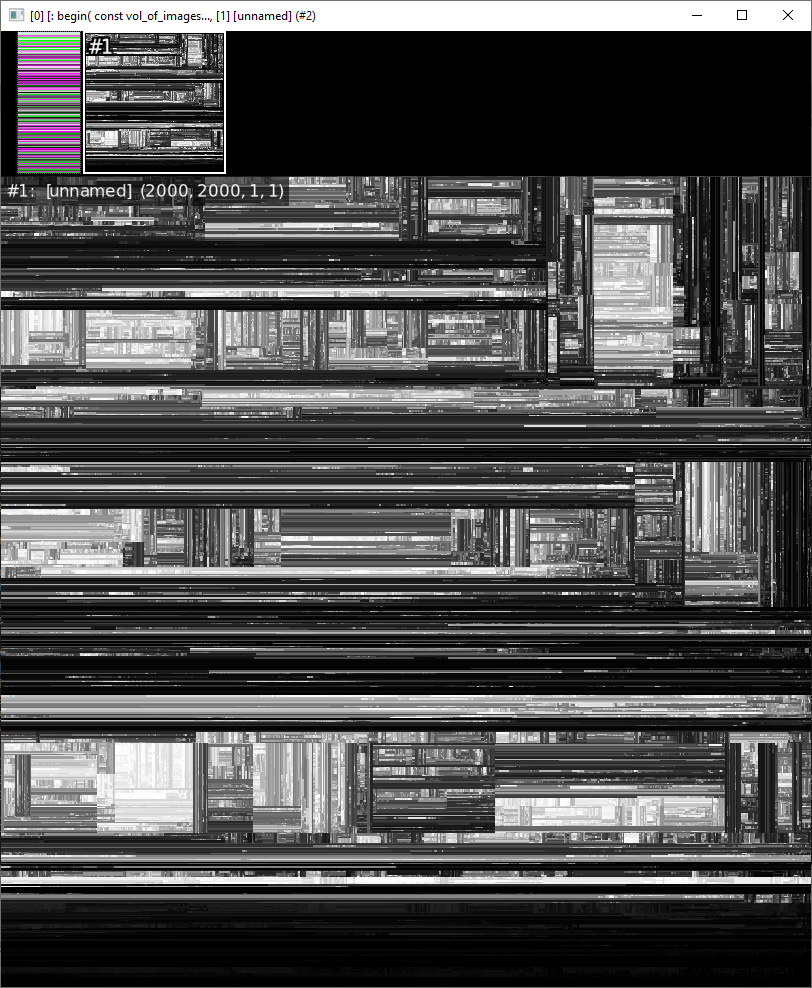
Another delay, I figure out that BowerWatson algorithm may help me generate random colors using farthest distance while not relying on distance, but Delaunay triangulation is uh hard. Anyway, this seems simple to code:

1 Like

Ok, I have not posted in here for a long time because of having to deal with 2 major roadblocks. Like, major one.

But, big news, I solved one of them! This for the potential Markus-Lyapunov Fractal upgrade.

C:\Windows\System32>gmic rep_rde_compsel_poss_index2list 5,4,3 e ${}
[gmic]./ Start G'MIC interpreter (v.3.7.3).
0,0,2,3,1
[gmic]./ End G'MIC interpreter.

C:\Windows\System32>gmic rep_rde_compsel_poss_list2index 0,0,2,3,1 e ${}
[gmic]./ Start G'MIC interpreter (v.3.7.3).
3
[gmic]./ End G'MIC interpreter.

C:\Windows\System32>gmic repeat 240 { rep_rde_compsel_poss_index2list 5,4,$">" e ${} }
[gmic]./ Start G'MIC interpreter (v.3.7.3).
0,0,1,2,3
0,0,1,3,2
0,0,2,1,3
0,0,2,3,1
0,0,3,1,2
0,0,3,2,1
0,1,0,2,3
0,1,0,3,2
0,1,1,2,3
0,1,1,3,2
0,1,2,0,3
0,1,2,1,3
0,1,2,2,3
0,1,2,3,0
0,1,2,3,1
0,1,2,3,2
0,1,2,3,3
0,1,3,0,2
0,1,3,1,2
0,1,3,2,0
0,1,3,2,1
0,1,3,2,2
0,1,3,2,3
0,1,3,3,2
0,2,0,1,3
0,2,0,3,1
0,2,1,0,3
0,2,1,1,3
0,2,1,2,3
0,2,1,3,0
0,2,1,3,1
0,2,1,3,2
0,2,1,3,3
0,2,2,1,3
0,2,2,3,1
0,2,3,0,1
0,2,3,1,0
0,2,3,1,1
0,2,3,1,2
0,2,3,1,3
0,2,3,2,1
0,2,3,3,1
0,3,0,1,2
0,3,0,2,1
0,3,1,0,2
0,3,1,1,2
0,3,1,2,0
0,3,1,2,1
0,3,1,2,2
0,3,1,2,3
0,3,1,3,2
0,3,2,0,1
0,3,2,1,0
0,3,2,1,1
0,3,2,1,2
0,3,2,1,3
0,3,2,2,1
0,3,2,3,1
0,3,3,1,2
0,3,3,2,1
1,0,0,2,3
1,0,0,3,2
1,0,1,2,3
1,0,1,3,2
1,0,2,0,3
1,0,2,1,3
1,0,2,2,3
1,0,2,3,0
1,0,2,3,1
1,0,2,3,2
1,0,2,3,3
1,0,3,0,2
1,0,3,1,2
1,0,3,2,0
1,0,3,2,1
1,0,3,2,2
1,0,3,2,3
1,0,3,3,2
1,1,0,2,3
1,1,0,3,2
1,1,2,0,3
1,1,2,3,0
1,1,3,0,2
1,1,3,2,0
1,2,0,0,3
1,2,0,1,3
1,2,0,2,3
1,2,0,3,0
1,2,0,3,1
1,2,0,3,2
1,2,0,3,3
1,2,1,0,3
1,2,1,3,0
1,2,2,0,3
1,2,2,3,0
1,2,3,0,0
1,2,3,0,1
1,2,3,0,2
1,2,3,0,3
1,2,3,1,0
1,2,3,2,0
1,2,3,3,0
1,3,0,0,2
1,3,0,1,2
1,3,0,2,0
1,3,0,2,1
1,3,0,2,2
1,3,0,2,3
1,3,0,3,2
1,3,1,0,2
1,3,1,2,0
1,3,2,0,0
1,3,2,0,1
1,3,2,0,2
1,3,2,0,3
1,3,2,1,0
1,3,2,2,0
1,3,2,3,0
1,3,3,0,2
1,3,3,2,0
2,0,0,1,3
2,0,0,3,1
2,0,1,0,3
2,0,1,1,3
2,0,1,2,3
2,0,1,3,0
2,0,1,3,1
2,0,1,3,2
2,0,1,3,3
2,0,2,1,3
2,0,2,3,1
2,0,3,0,1
2,0,3,1,0
2,0,3,1,1
2,0,3,1,2
2,0,3,1,3
2,0,3,2,1
2,0,3,3,1
2,1,0,0,3
2,1,0,1,3
2,1,0,2,3
2,1,0,3,0
2,1,0,3,1
2,1,0,3,2
2,1,0,3,3
2,1,1,0,3
2,1,1,3,0
2,1,2,0,3
2,1,2,3,0
2,1,3,0,0
2,1,3,0,1
2,1,3,0,2
2,1,3,0,3
2,1,3,1,0
2,1,3,2,0
2,1,3,3,0
2,2,0,1,3
2,2,0,3,1
2,2,1,0,3
2,2,1,3,0
2,2,3,0,1
2,2,3,1,0
2,3,0,0,1
2,3,0,1,0
2,3,0,1,1
2,3,0,1,2
2,3,0,1,3
2,3,0,2,1
2,3,0,3,1
2,3,1,0,0
2,3,1,0,1
2,3,1,0,2
2,3,1,0,3
2,3,1,1,0
2,3,1,2,0
2,3,1,3,0
2,3,2,0,1
2,3,2,1,0
2,3,3,0,1
2,3,3,1,0
3,0,0,1,2
3,0,0,2,1
3,0,1,0,2
3,0,1,1,2
3,0,1,2,0
3,0,1,2,1
3,0,1,2,2
3,0,1,2,3
3,0,1,3,2
3,0,2,0,1
3,0,2,1,0
3,0,2,1,1
3,0,2,1,2
3,0,2,1,3
3,0,2,2,1
3,0,2,3,1
3,0,3,1,2
3,0,3,2,1
3,1,0,0,2
3,1,0,1,2
3,1,0,2,0
3,1,0,2,1
3,1,0,2,2
3,1,0,2,3
3,1,0,3,2
3,1,1,0,2
3,1,1,2,0
3,1,2,0,0
3,1,2,0,1
3,1,2,0,2
3,1,2,0,3
3,1,2,1,0
3,1,2,2,0
3,1,2,3,0
3,1,3,0,2
3,1,3,2,0
3,2,0,0,1
3,2,0,1,0
3,2,0,1,1
3,2,0,1,2
3,2,0,1,3
3,2,0,2,1
3,2,0,3,1
3,2,1,0,0
3,2,1,0,1
3,2,1,0,2
3,2,1,0,3
3,2,1,1,0
3,2,1,2,0
3,2,1,3,0
3,2,2,0,1
3,2,2,1,0
3,2,3,0,1
3,2,3,1,0
3,3,0,1,2
3,3,0,2,1
3,3,1,0,2
3,3,1,2,0
3,3,2,0,1
3,3,2,1,0
[gmic]./ End G'MIC interpreter.

The other roadblock is a general spectrum-agnostic way of finding colors that are farthest from existing colors without using distance command. That’s a very huge thing to do.
2 Likes