I have never used them. On canvas controls are much more accessible and faster for me.
Mask manager? What mask manager? 
Ok, I’m joking, but just a little. I’ve looked at mask manager a few times, but find it to be confusing. If I knew of a good reason to use it, I would try to learn. I’m sure there is something worthwhile, I just do not know enough to say what.
Perhaps the proposed changes would change my mind, but I’d have to try it myself or read/watch a tutorial.
1 Like
Yeah I often just click buttons till I see familiar symbols appear and call it a day (I mostly use it for intersecting masks)
1 Like
I think it’s like a fade where as the global module one is impacting the edge aware aspect of the masking…and the contrast slider impacts the contrast of the “fade” from 100% out to 0…Fade is not a decent term but likely someone can do better based on that functional description
mask border sharpness
mask border feathering
mask edge sharpness
Thinking more about this, I don’t think it is ideal to use this edge function at all. The mask filter should be the best tool to give you a smooth transition using the content of the image.
1 Like
Yeah. Linguistically, I don’t perceive a difference between “border” and “edge”.
1 Like
Isn’t it called feathering radius?
It’s a modification of the feathering behaviour. The feathering itself has some edge awareness.
1 Like
There may be some interaction but overall the feathering radius will control the edge behaviour in or around the ROI of the mask but the feather size expressed as a percentage to me is a simple fade or gradient from 100 or the set shape opacity to zero and it can be impacted by contrast and the opacity modifier to introduce a sharp, moderate or uniform fade out to zero…
Object min feather size 0.05 I think… then set some feather
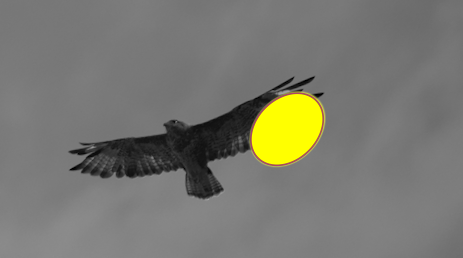
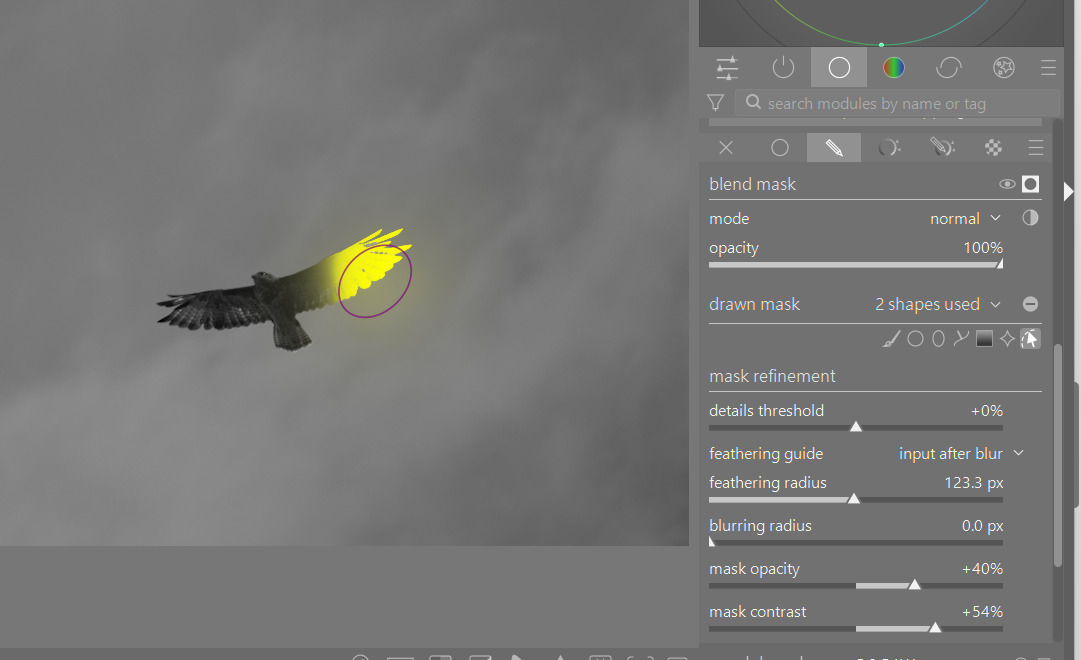
Turn off feathering ie 0 radius and add a large feathering size…
Opacity and contrast the same as before…
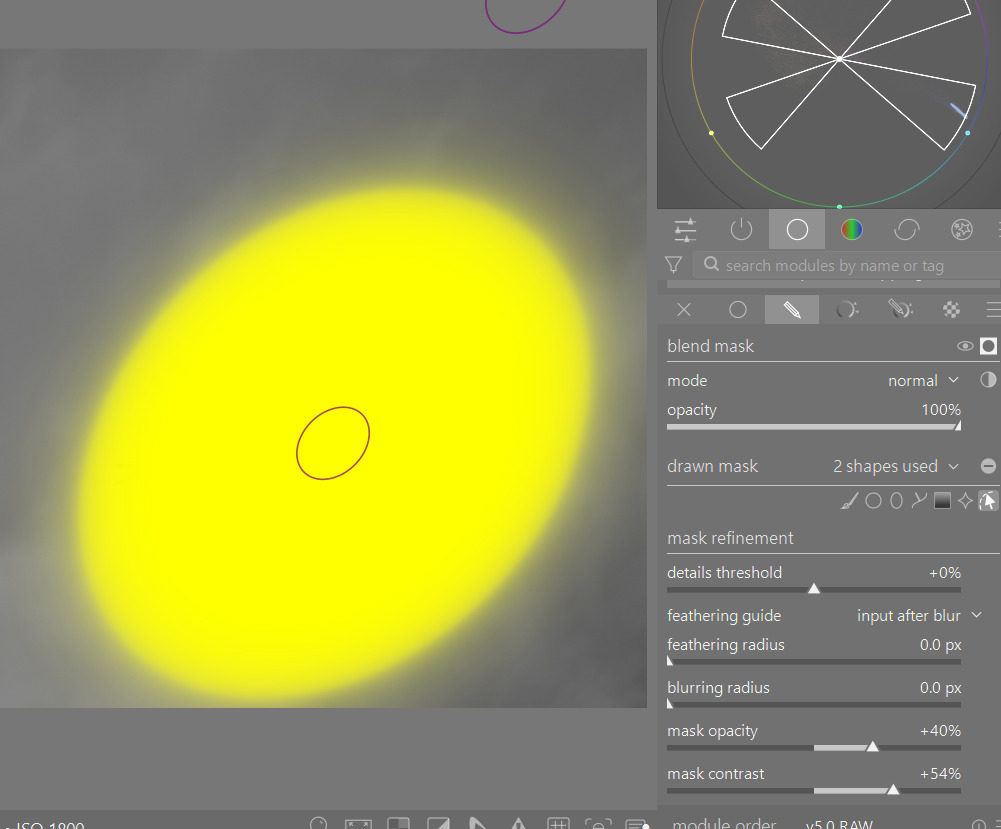
Add back feathering…
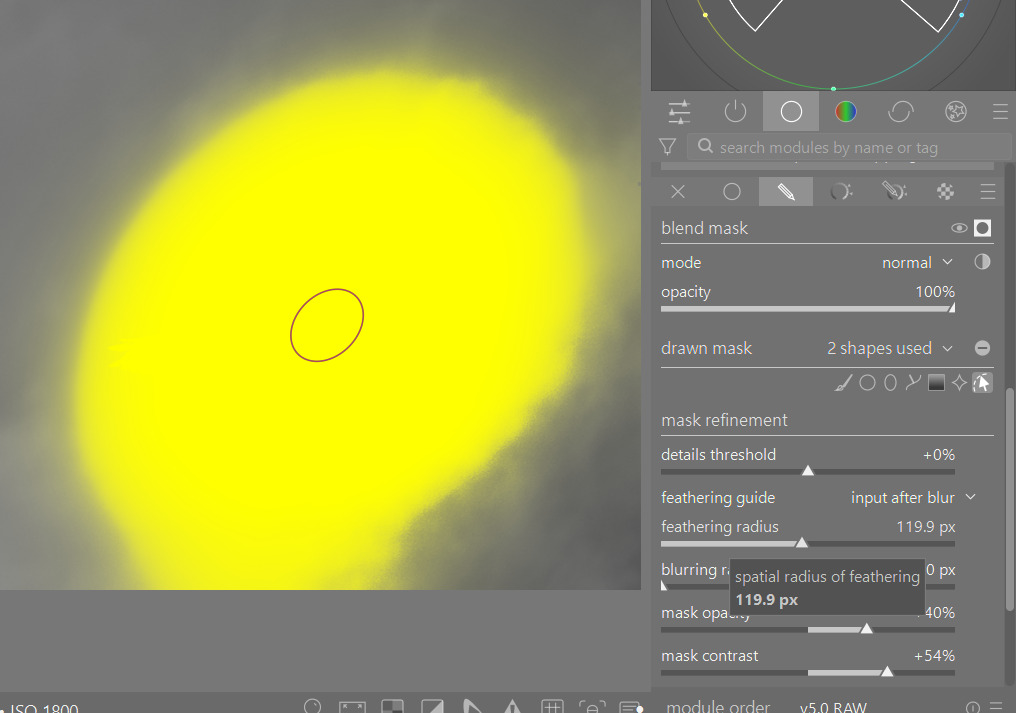
Pull first the opacity…so you get a little pull back…
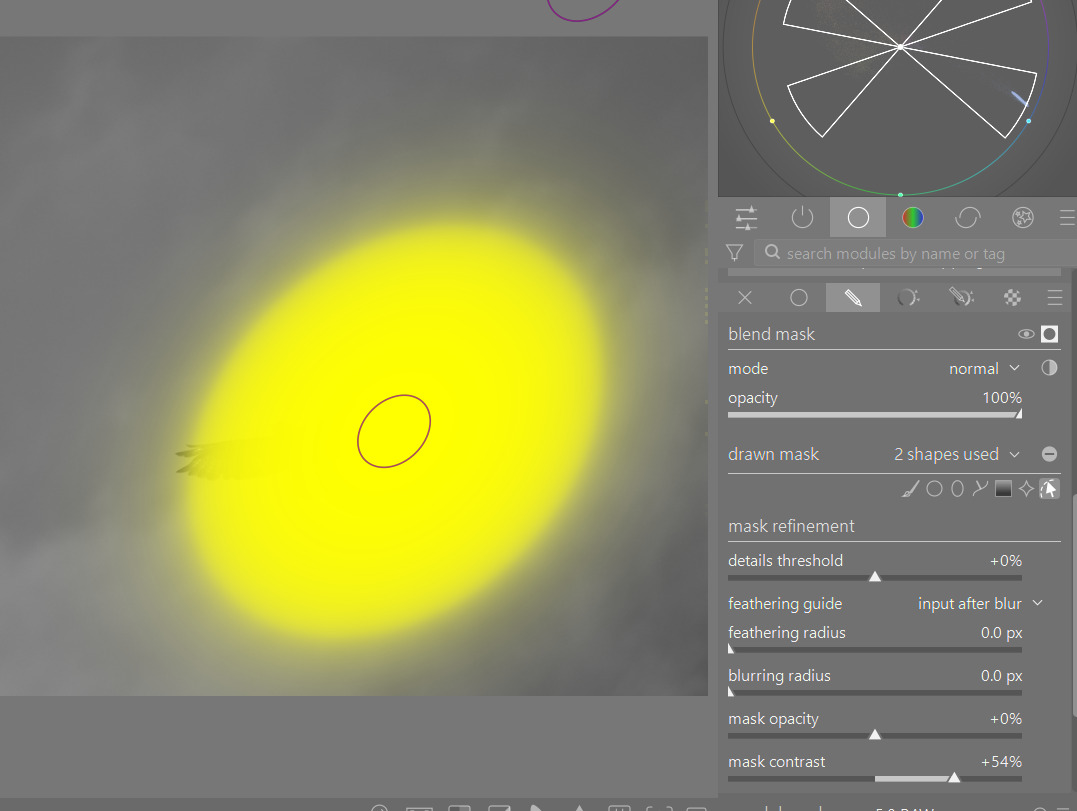
Now contrast
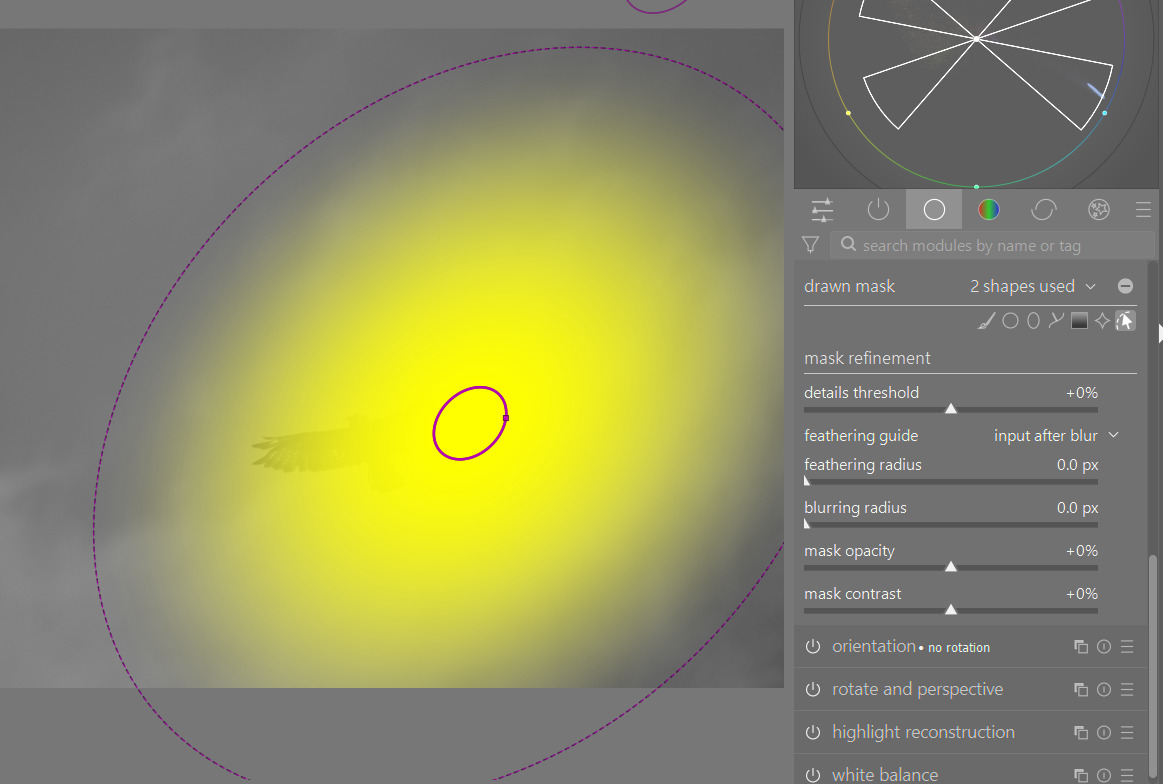
With contrast and opacity down you can add back feathering and get some diffusion of the outer boundry of the mask…
So you can generate interplay to alter the result
I agree it might make some sense to make it more clear how each will behave…
1 Like
The one point I would like to make is that the feathering slider for mask refinement in the module being adjusted should be called edge aware feathering.
I have been a DT user for many years but only recently discovered the edge aware nature of this slider compared to the on screen shift+ scroll thanks to @priort teaching me something new. I just thought it was a duplicate means of applying the same feathering.
I guess I see the on screen feathering more as a feathering gradient and in fact doesn’t function in a similar way to the slider. BTW, I don’t use the mask manager module very much in its current format but suspect @Masterpiga is driving some great improvements for managing masks with his current work. Thanks Daniele.
1 Like
I usually use the on-canvas tools, although they have quirks that make them annoying, such as needing too many mouse wheel scrolls, the need for certain keyboard shortcuts (not always possible), and settings retained from some past mask from several days ago.
So the sliders in the Mask Manager are actually a really nice option to have, and they’re much easier to use for quick adjustments of the mask.
However, they are in a horrible location, and so I will rarely use them. If they were somewhere easily accessible, then I might actually prefer to use them over the on-canvas tools and shortcuts.
I also agree with other comments that there needs to be proper differentiation between the mask refinement “feathering” in the module and the shape feathering on-canvas.
1 Like