Seems to work perfectly Bill!
My Wifi card is the weak link. I use the card extender ribbon cable to get it outside the body and it seems to work of.
Thank you again!
Seems to work perfectly Bill!
My Wifi card is the weak link. I use the card extender ribbon cable to get it outside the body and it seems to work of.
Thank you again!
You’re welcome
I know this thread is 6 years old. Was this ever resolved for Windows (and/or MacOS) ?
When a workflow includes bouncing out to an external app, and then creating a new image file while out in said external app.
Or, simply a workflow that includes dumping new files/folders into a centralized photo directory structure.
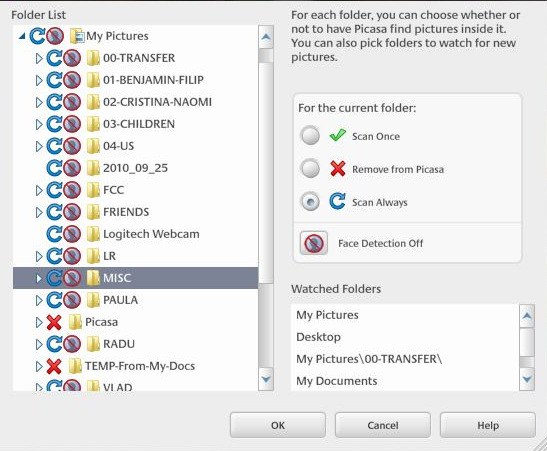
Darkroom really needs to just automatically detect and import new images automatically from a watched folder. See Picasa Folder manager for reference.
I have searched for this on the site and the web. I apologize if it is answered/resolved someplace.
I know this thread is 6 years old. Was this ever addressed/resolved for Windows/Mac. I did search on this site and the general web and did not find if it was resolved.
When bouncing out to an external editor and then generating a new image file while out in that editor (crop version, edits, etc…)
…or, A workflow that involves dumping new folders/images into a central photo directory structure.
Darktable really needs functionality to watch and automatically import those images into darktable.
You can reference Picasa Folder manager functionality for a great model solution to this.
Thank you for any feedback or consideration.
Hi @Mike_Johnson welcome to the community.
You can check out this script as a solution: darktable/tools/watch_folder.sh at master · darktable-org/darktable · GitHub
Or perhaps check out this comment above: Solved: Auto import a directory when a file arrives? - #2 by paperdigits
Thank You! I had seen that. Unfortunately it doesn’t apply to Windows, and as I understand things… MacOS either.
It relies on inotifywait which is not valid on Windows.
Appreciate the input.
ok how about the 2nd link, using LUA at start up.
Tried that, then found.
Also, tried:
dt = import “darktable”
dt.database.import(“path/to your/directory”)
Seems like this should work, but doesn’t as best I can tell.
I just did a couple of searches and found a way to watch a directory using a powershell script to provide a similar function to inotifywait on windows.
I don’t have time to pursue it right now, but if someone does then replace the call to intotifywait with the call to the script and then handle the output from the script.
Lua starts before the GUI is running so trying an import at that point probably wont work.