working on a nice solution for this 
8 Likes
This is absolutely brilliant, amazing beautiful and gorgeous. All the good tidings!
I know maybe you got this question a lot, but is there any, tiny, possibility one could actually turn this into an OFX plugin for Resolve?
I am a person with 0 skills in coding, but knowing about vibe coding, I am a bit tempted to go in murky waters and see if I can port it.
Thank you for any reply!
1 Like
It’s definitely possible. But with how much and quickly things are changing and being updated, I can’t imagine that it’d be a priority for now 
Having LUT export options for print and film separately will allow certain effects to be placed in-between, which will be great for Resolve users! Exciting 
2 Likes
this is would be amazing! seriously. I am sure @arctic knows one of the “best plugins” out there called Genesis, runs at around 2000$ a pop, and it is not as good as this. :)) of course im not talking anything but just about the irony of it
TYSM!
And I also cannot wait to use the print luts on my film scans! Not sure how will I actually do it but maybe the new “photo” page in Resolve 21 will come in handy 
Exciting indeed!
1 Like
Yesterday evening walk:
Lumix S5IIX, V-Log Open Gate, TTartisan 35mm f1.4, 5000K WB, Ultramax 400 on Fuji Crystal Archive
The light was basically perfect! Only adjusted exposure. No contrast or saturation changes.
I am amazed how easy it is now to get the look I want after years of learning and trying.
Thank you @arctic !
9 Likes
yeah, things are far from finished (for example there are some exciting discussions in the tech thread for the next big steps in accuracy of the filming stage; i hope it will help getting closer matches with the samples by @Anthonygansauer). anyway things are evolving quite fast.
i am very excited for this project (if it was not clear enough ), and I am trying to balance sleep and day-work without burning out.
there are several milestone and ideas in the to do list. LUT export is of course a big priority, and will enable easy integration in other programs (without the non local-local and stochastic effects ofc). and LUTs are flexible for now and can easily be re-exported if big changes happen. plus i have a Lumix camera so i am even more driven in creating nice new LUTs for it!
i will explore reversing negative scans within the same spectral framework, it is not as simple as applying a print lut, but i have a clear blueprint in mind to try. and i am sure it is gonna be a fun little challenge to get right!
i am aware of the landscape of plugins available, and i am sure they are already including (or-coming-soon-with) physically based spectral pipelines. they have totally different amount of money and resources, and many developers to deploy on features. so it will never be a fair race unfortunately.
but the beauty of the open-source/open-science is the possibility of collaborating with so many nice and competent people.
so just a reminder, this project is not free as in “free-beer”  but open-source, and would not be possible without the help and support of many people here on pixls. so remember to thank everyone here contributing to this nice environment, and @hanatos in particular for the accuracy of the filming stage that is one of the big reasons the output is so good.
stunning!!!
7 Likes
Oh sweet! My idea was to just edit inverted scans “under” the print only LUT, the same way I do it with video for now
But the ability to work on it within spektrafilm engine sounds exciting!
I will happily re-scan and share some of my negatives to test that feature in the future if needed
1 Like

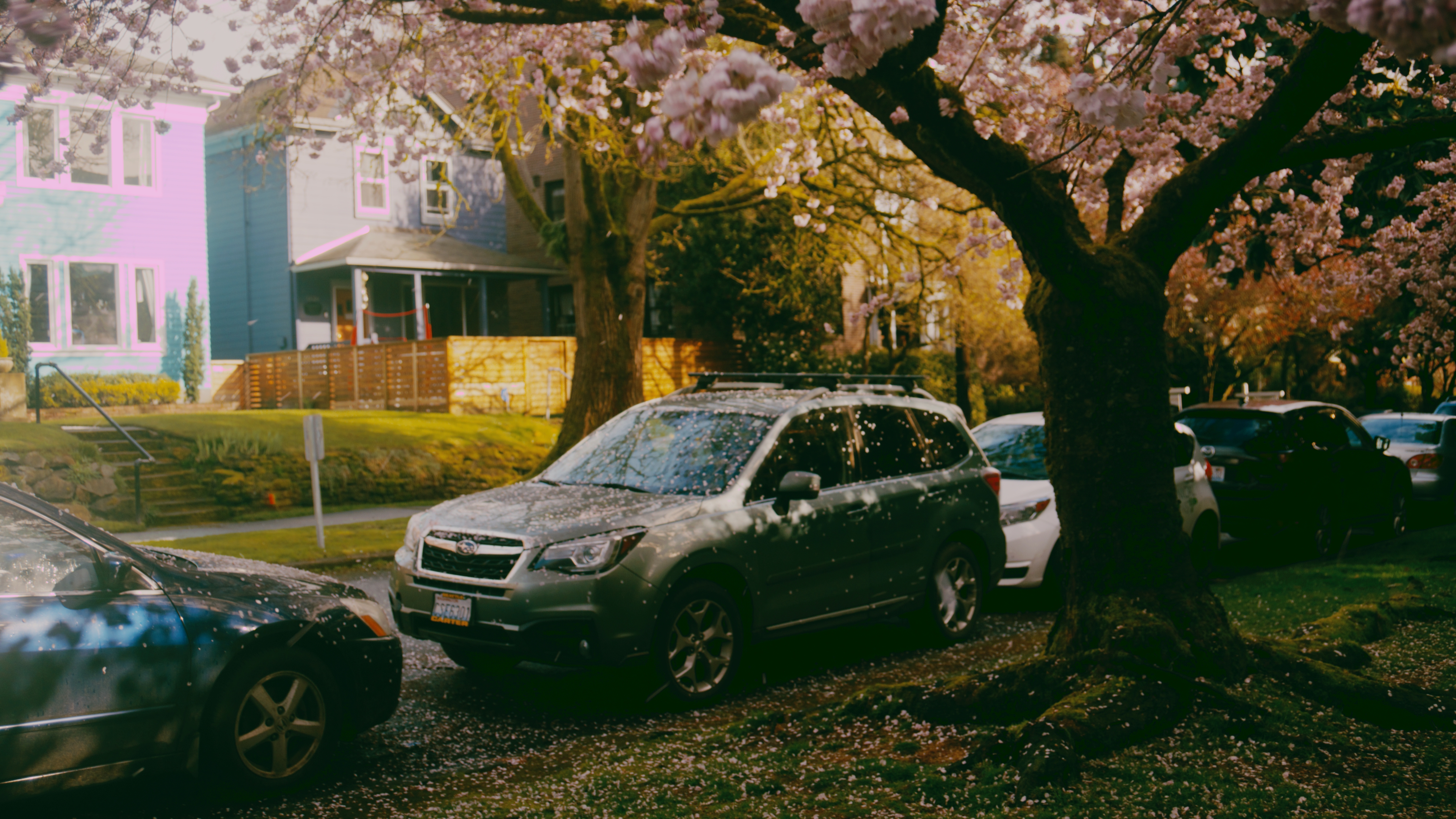
Just incredible!
I really think that using a CUBE made for Rec709/sRGB is not going to look ideal, as Spektrafilm is really designed to work scene-linear input. I’d imagine it’d work okay in some situations and then break apart in others.
I would try out the tool I posted earlier (Which is based off ART’s implementation and takes Ap0/Linear in and out):
I can help you get it working over a DM if you’re unable!
Otherwise wait for Arctic’s official solution 
1 Like
well the problem here is very common, the tints you get on highlights could even be related to restoring highlights. If you restore highlights in Resolve, sometimes it does that. Since you probably did it in a video editing software or Lightroom at most, try not to check the Restore Highlights box
with yout method i have seen this is what gets ignored:
- grain
- halation
- print glare
- lens blur
- unsharp mask
- crop/preview/upscale settings
- raw white balance loading settings
- display canvas/padding settings
But not the couplers? Man that would be lovely, as the saturation from the couplers is pretty cool!
1 Like
Yes that looks like highlight clipping, improper tone-mapping or wrong colour management. I had similar issues with some luts in the past. If you are using CSTs in Resolve, try changing the tone-mapping and gamut-mapping methods and maybe play around with „Use Custom Max Input” setting.
With luts in rec709 colorspace it is really important to work „under” or before them in the node sequence. There should be no edits made after the luts created with my method, otherwise things can break really easily.
1 Like
I tried to install it but it was too hard for me 
But since my luts work for me I will just wait for arctic implementation.
They are for sure way more flexible and accurate than mine! 
1 Like
Look at the histogram without the lut applied. My guess is that brightest part on the building in your image is going „beyond” the histogram. These luts cannot handle out of gamut information. Try lowering the white-point before the lut.
I will share google drive link to some of my luts later and you will be able to troubleshoot some more
Any non-spatial related saturation that the couplers provide will be there!
I was wondering did you change the green hue? those lushful green are amazing
1 Like
No! It is because of 5000K white balance. Spektrafilm produces very warm results out of the box so I cool everything down in camera. That and Fuji Crystal Archive paper has the best greens. Kodak stuff is just too warm for me and its greens become almost yellow.
1 Like