Another general rule that often applies is that if you have the equivalent of more than 20 input images (so potentially large images) at the same time in your list, then you could probably find a cheaper way to do the same thing 
Like drawing stuffs sequentially on the same canvas, or something like this.
Yes, that’s more or less how the current code works. I generate 2 trees for each loop and get rid of them as soon as possible to save memory.
But I have to use light_relief on each tree separately, or they look terrible if I regroup them on a single image ( like they melted together).
I also wanted to make the threading optional via the gui, off by default.
Oh, and optionally output to multiple layers. That explains the image sorting.
1 Like
After awhile, it will be a 1,000 hours. Then 100. Then 10. With experience comes cut-to-the-chase Eureka! moments.
Second @David_Tschumperle 's remark on name. Recall that names label image collections. Collections comprised of single images foster an illusion that names just explicitly tag single images. Look past that illusion, then one could astutely collect together images with particular characteristics into specific collections. Accomplish that aim, then the local command can select on specific collections and perform characteristic-specific operations on the membership. So goes one complexity management technique.
A toy, somewhat contrived, but wished to note that $! also reports the size of a local (and the collection the local selects).
reallyreally: skip ${1=1024},${2=0}
   # Make lots of one pixel images that we can classify by color conditions
   sz,fog=${1-2}
   -input ({u(255)},{u(32)},{u(32)}^{u(32)},{u(255)},{u(32)}^{u(32)},{u(32)},{u(255)})
   -permute cyzx
   -resize. {$sz},1,1,3,5
   -normalize. 0,255
   -if $fog
      -blur. $fog
   -fi
   -split x

   # Collect together on color condition
   -foreach {
      -if R>G+B
         -name. ReallyRed
      -elif G>R+B
         -name. ReallyGreen
      -elif B>R+G
         -name. ReallyBlue
      -else
         -name. ReallyBland
      -fi
   }

   # Report counts through collection-based
   # localities.
     -named "ReallyRed"
     -if narg(${})
        -local[ReallyRed] {
            -echo "Really Red: "$!
        }
     -else
        -echo "Nothing Really Red…"
     -fi

     -named "ReallyGreen"
     -if narg(${})
        -local[ReallyGreen] {
            -echo "Really Green: "$!
        }
     -else
        -echo "Nothing Really Green…"
     -fi

     -named "ReallyBlue"
     -if narg(${})
        -local[ReallyBlue] {
            -echo "Really Blue: "$!
        }
     -else
        -echo "Nothing Really Blue…"
     -fi

     -named "ReallyBland"
     -if narg(${})
        -local[ReallyBland] {
            -echo "Really Bland: "$!
        }
     -else
        -echo "Nothing Really Bland…"
     -fi

   # Clean up
   -remove
---
gosgood@bertha ~/git_repositories/gmic-community/tutorial/cheats $ gmic -m reallyreally.gmic reallyreally 1024
[gmic]./ Start G'MIC interpreter (v.3.3.6).
[gmic]./ Import commands from file 'reallyreally.gmic', with debug info (1 new, total: 4784).
Really Red: 227
Really Green: 533
Really Blue: 225
Really Bland: 39
[gmic]./ End G'MIC interpreter.
gosgood@bertha ~/git_repositories/gmic-community/tutorial/cheats $ gmic -m reallyreally.gmic reallyreally 512,200
[gmic]./ Start G'MIC interpreter (v.3.3.6).
[gmic]./ Import commands from file 'reallyreally.gmic', with debug info (1 new, total: 4784).
Nothing Really Red…
Really Green: 353
Really Blue: 76
Really Bland: 83
[gmic]./ End G'MIC interpreter.
See also:
Hope this helps.
Thanks, yes, i am aware of this. The reason i use single image selectionshere is that i don’t really want to track where the trees are in the list, and i paste them onto the BG before deleting them. But i don’t think ja will like it if i do ja. [Tree]... if the collections contains 30 images… Not sure what will happen then. Should do a little test maybe. And i do not wish to blindly remove the whole collection either.
Anyway, i’ve done so many modifications here and there that underwoods is really a mess. i see leftovers of this and that everywhere, that still work, but they don’t have any reason to be this way,so i guess i’ll need to rewrite it some day. But i hate to do the same thing again and again lol. I just keep on tweaking it to shave a few milliseconds here and there.
Thats a nice info indeed, sounds very useful.
I don’t know how you all write your scripts, probably you can see the final goal and all the paths leading to it from the start, but i don’t. I’m just running into the labyrinth until i dig a hole into a wall 
How come i didn’t get any notification about these messages?
That’s the same for me. I’m already thinking about what i’ll do next. But i probably don’t have the skills yet. Frustrating lol.
I probably will have forgotten about this filter in a year lol. Unless people complain about how slow it is, which is unlikely.
By the time it’ll come, i’d be so old i’d need an assistant to type for me lol
Another idea would be to just write a downscaled preview version, not sure how or if it will work though.
Yeah, happens. You could be me, on the edit or rewrite only mode. I rewritten my bigint2bigbin conversion tool like 7x times, and went from 270 s for 90000 digits to .25 s for 90000 digits. Boring at times, but what keeps me going is the hope that they will be at their best and the most fun to use. More than 10000 lines of codes to go here, and saving the bests for the last.
Yeah i see your point but the problem is i’m just starting, and i already forgot a few things i wanted to do. I have a file full of one-liners (that i write when i’m bored) that could potentially become filters, but that could make me go in all directions and lose my way. I already forgot the whole gingko leaf and circle patterns and stuff that i was doing before this tree thingy. Oups. That was only a small part of it.
Is it possible to avoid this kind of redundancy:
    arg0 $rayBL,\
      "add","alpha","and","average","blue","burn","darken","difference","divide","dodge",\
      "edges","exclusion","freeze","grainextract","grainmerge","green","hardlight","hardmix","hue","interpolation",\
      "lchlightness","lighten","lightness","linearburn","linearlight","luminance","multiply","negation","or","overlay",\
      "pinlight","red","reflect","saturation","screen","seamless","seamless_mixed","shapeareamax","shapeareamax0",\
      "shapeareamin","shapeareamin0","shapeaverage","shapeaverage0","shapemedian","shapemedian0","shapemin","shapemin0",\
      "shapemax","shapemax0","shapeprevalent","softburn","softdodge","softlight","stamp","subtract","value","vividlight",\
      "xor"
    rayBL=${}

    arg0 $bgBL,\
      "add","alpha","and","average","blue","burn","darken","difference","divide","dodge",\
      "edges","exclusion","freeze","grainextract","grainmerge","green","hardlight","hardmix","hue","interpolation",\
      "lchlightness","lighten","lightness","linearburn","linearlight","luminance","multiply","negation","or","overlay",\
      "pinlight","red","reflect","saturation","screen","seamless","seamless_mixed","shapeareamax","shapeareamax0",\
      "shapeareamin","shapeareamin0","shapeaverage","shapeaverage0","shapemedian","shapemedian0","shapemin","shapemin0",\
      "shapemax","shapemax0","shapeprevalent","softburn","softdodge","softlight","stamp","subtract","value","vividlight",\
      "xor"
    bgBL=${}
Maybe put the whole list of modes in a variable? Or it is possible to combine the 2 arg0 calls into one?
PS :
Looks like it fixed a few problems :
No more white dots at the origin of light relief (took some time to tweak BTW)
Disabled light relief for half the trees (No need for those in the back, right? Might add this as an option)
And finally, downscaled the preview (note the checkbox):
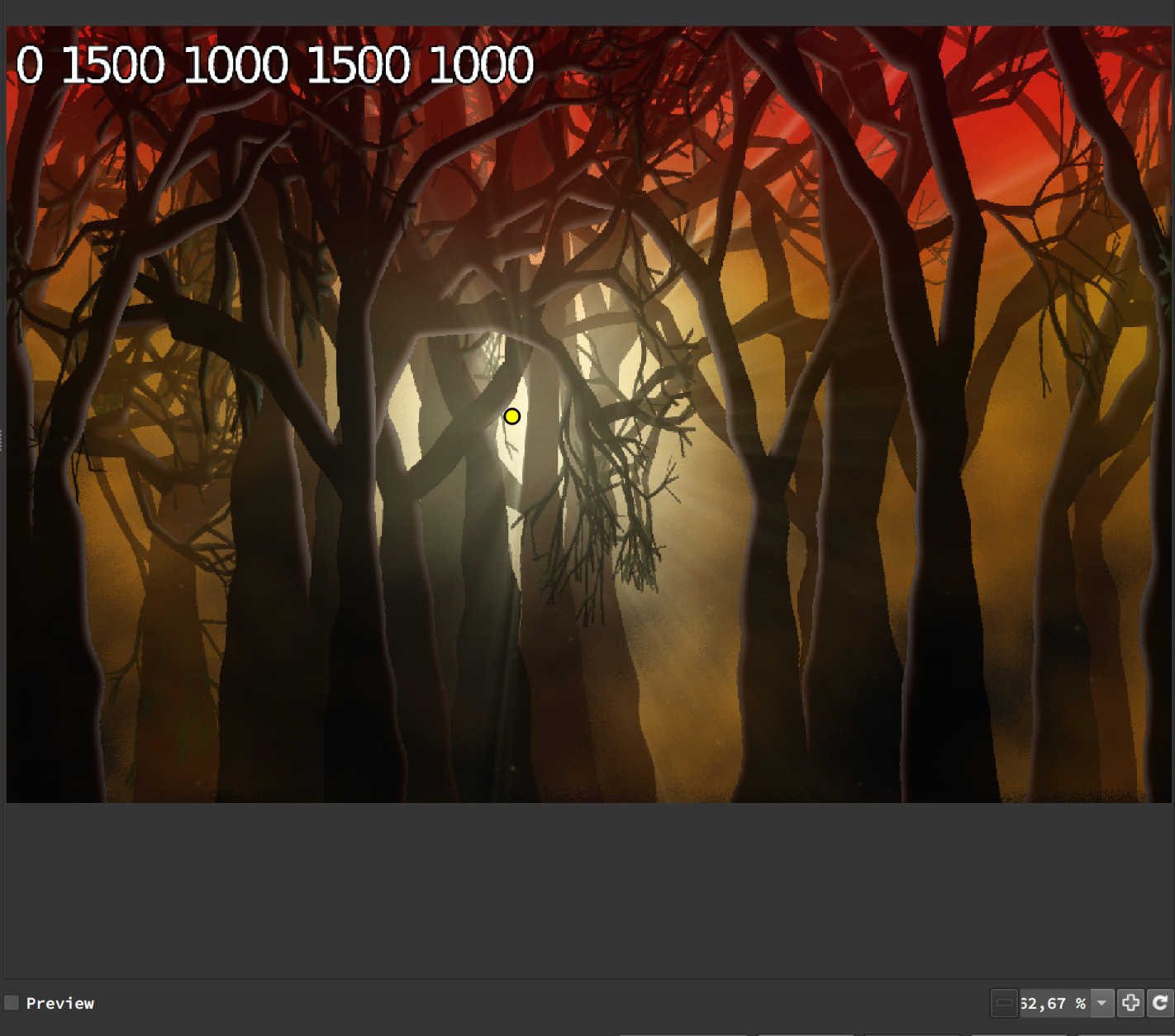

Tree shapes and rays are slightly different but that’s ok for now i guess? Might be too much blur in the BG too.
Yes. What you can do is this:
list_of_blending_modes=add,alpha,and,average,burn,darken,difference,divide,dodge,exclusion,freeze,grainextract,grainmerge,hardlight,hardmix,interpolation,lighten,linearburn,linearlight,multiply,normal,negation,or,overlay,pinlight,reflect,screen,shapeaverage,softburn,softdodge,softlight,stamp,subtract,vividlight,xor
rayBL=${arg0 $rayBL,$list_of_blending_modes}
bgBL=${arg0 $bgBL,$list_of_blending_modes}
You can disable word wraps to simply ignore the additional line in KDE Kate. I enable and disable dynamic word wraps depending on needs.
1 Like
It’s actually man made word wrap. I hate long lines
Actually it throws an error “file arg0 doesn’t take any input options (add, alpha, etcc specified)”
Had to write it like this and it works :
    rayBL=${"arg0 $rayBL,"$list_of_blending_modes}
    bgBL=${"arg0 $bgBL,"$list_of_blending_modes}
Thanks!
PS : is it possible to do the same for GUI declarations?
i have 2 of these :
#@gui : Blending =  choice(34,"Add","Alpha","And","Average","Blue","Burn","Darken","Difference","Divide","Dodge",\
# "Edges","Exclusion","Freeze","Grainextract","Grainmerge","Green","Hardlight","Hardmix","Hue","Interpolation",\
# "Lchlightness","Lighten","Lightness","Linearburn","Linearlight","Luminance","Multiply","Negation","Or","Overlay",\
# "Pinlight","Red","Reflect","Saturation","Screen","Seamless","Seamless_mixed","Softburn","Softdodge","Softlight","Stamp","Subtract","Value","Vividlight",\
# "Xor")
That’s a bit redundant, can’t imagine a filter with 10 identical menus…
My bad. Didn’t felt like testing my snip (Only gotten 3 hours of sleep). Anyways, you can do this too (tested too):
rayBL=${arg0\ $rayBL,$list_of_blending_modes}
bgBL=${arg0\ $bgBL,$list_of_blending_modes}
1 Like
No, but I have a crazy solution. You can 2025 dropdown menu to represent all possible combinations of them.
Joking asides, I think it would be a really nice idea to allow for linking parameters to reduce the number of characters.
Ah yes, i’ve seen this somewhere too in my file:
val=${arg\ $i,${4--1}}
Not sure which one i like most. the \ looks like i wanted to escape a line break but forgot to press enter
And that’s not good, sir.
What do you mean? Defining one param and insert it into multiple menus?
Something like this:
#@gui:1.GUI Element A=choice(0,"A","B","C")
#@gui:2.GUI Element B=@1(0)
GUI Element B would have every options provided by GUI Element 1, but the default is whatever argument provided by the default of GUI element 1 when omitted. @ acts like a linker. Would also be very nice for testing dynamic GUI too.
1 Like
Sounds good to me. Anything but copy/pasting the same list over and over
Can someone with a little bit of time test this code to see how it compares to the old one? It’s very hard to master the rays in 2 different resolutions.
Underwoods2 should appear under rendering if you import this in gmic_qt.
#@gui _<b>Rendering</b>
#-------------------------


#@gui Underwoods2 : pr_underwoods2, pr_underwoods2_preview(1)*
#@gui : Reload current parameters = button(2)
#@gui : Preview Scaling = int(30,1,100)
#@gui : note = note("<small><i>Preview is downscaled.</i></small>")
#@gui : sep = separator()
#@gui : note = note("<span color="#EE5500"><small><b>Light:</b></small></span>")
#@gui : Light Source Location = point(50,5,0,0,255,255,0,255,6)
#@gui : Source Width = float(10,0,100)
#@gui : Source Height = float(10,0,100)
#@gui : Rays Max Opacity = float(0.7,0,1)
#@gui : Color = color(208,208,156)
#@gui : Blending =  choice(34,"Add","Alpha","And","Average","Blue","Burn","Darken","Difference","Divide","Dodge",\
# "Edges","Exclusion","Freeze","Grainextract","Grainmerge","Green","Hardlight","Hardmix","Hue","Interpolation",\
# "Lchlightness","Lighten","Lightness","Linearburn","Linearlight","Luminance","Multiply","Negation","Or","Overlay",\
# "Pinlight","Red","Reflect","Saturation","Screen","Seamless","Seamless_mixed","Softburn","Softdodge","Softlight","Stamp","Subtract","Value","Vividlight",\
# "Xor")
#@gui : Particles = int(500,0,5000)
#@gui : P. Max Opacity = float(1,0,1)
#@gui : Color = color(255,255,255)
#@gui : Rim Light Softness = float(0.4,0,10)
#@gui : sep = separator()
#@gui : note = note("<span color="#EE5500"><small><b>Trees:</b></small></span>")
#@gui : Tree Shape Seed (0 : Random) = int(0,0,100000)
#@gui : Tree Position Seed (0 : Random) = int(0,0,100000)
#@gui : Complexity = int(10,5,20)
#@gui : Deformity = float(4,0,50)
#@gui : Deform Scale = float(2,0,10)
#@gui : Max Height = float(0.4,-1,1)
#@gui : Min Width = float(0,-1,0)
#@gui : Amount = int(20,1,100)
#@gui : Trunk Color = color(10,2,0)
#@gui : Opacity = float(1,0,1)
#@gui : Leaves Color = color(0,10,0)
#@gui : Opacity = float(0.8,0,1)
#@gui : sep = separator()
#@gui : note = note("<span color="#EE5500"><small><b>Ambiance:</b></small></span>")
#@gui : BG Top 1= color(100,0,0)
#@gui : BG Top 2 = color(40,30,0)
#@gui : BG Middle = color(40,20,0)
#@gui : BG Bottom 1 = color(20,10,0)
#@gui : BG Bottom 2 = color(0,0,0)
#@gui : Opacity = float(0.2,0,1)
#@gui : Blending =  choice(34,"Add","Alpha","And","Average","Blue","Burn","Darken","Difference","Divide","Dodge",\
# "Edges","Exclusion","Freeze","Grainextract","Grainmerge","Green","Hardlight","Hardmix","Hue","Interpolation",\
# "Lchlightness","Lighten","Lightness","Linearburn","Linearlight","Luminance","Multiply","Negation","Or","Overlay",\
# "Pinlight","Red","Reflect","Saturation","Screen","Seamless","Seamless_mixed","Softburn","Softdodge","Softlight","Stamp","Subtract","Value","Vividlight",\
# "Xor")
#@gui : preview = bool(0)_0
#@gui : sep = separator()
#@gui : note = note("<span color="#EE5500"><small><b>Rotation:</b></small></span>")
#@gui : note = note("<small>Author: <i><a href="http://prawnsushi.free.fr">Prawnsushi</i></a>.\
# Latest Update: <i>2024/04/10</i>.</small>")

pr_underwoods2:
  foreach {

    rndB,preSca,rayX,rayY,rayW,rayH,rayO,rayR,rayG,rayB,rayBL,partiN,partiO,partiR,partiG,partiB,rimO,\
    treeS,tposS,treeComp,treeD,treeDS,treeH,treeW,treeCount,trunR,trunG,trunB,trunO,leafR,leafG,leafB,leafO,\
    bgtR,bgtG,bgtB,bgt2R,bgt2G,bgt2B,bgmR,bgmG,bgmB,\
    bgbR,bgbG,bgbB,bgb2R,bgb2G,bgb2B,bgO,bgBL,prev=$*

    W,H:=w,h
    rm
    trunO,leafO*=100

    list_of_blending_modes=add,alpha,and,average,blue,burn,darken,difference,divide,dodge,edges,exclusion,freeze,grainextract,grainmerge,green,hardlight,hardmix,hue,interpolation,lchlightness,lighten,lightness,linearburn,linearlight,luminance,multiply,negation,or,overlay,pinlight,red,reflect,saturation,screen,seamless,seamless_mixed,softburn,softdodge,softlight,stamp,subtract,value,vividlight,xor
    rayBL=${"arg0 $rayBL,"$list_of_blending_modes}
    bgBL=${"arg0 $bgBL,"$list_of_blending_modes}

    ($bgtR;$bgt2R;$bgmR;$bgbR;$bgb2R\
    ^$bgtG;$bgt2G;$bgmG;$bgbG;$bgb2G\
    ^$bgtB;$bgt2B;$bgmB;$bgbB;$bgb2B)
    => BG
    r $W,$H,[BG],[BG],1
    if $rayW&&$rayH ellipse $rayX%,$rayY%,$rayW%,$rayH%,0,$rayO,$rayR,$rayG,$rayB fi
    pr_deform 100,0,2,0,1,3 b 5%
    +plasma , spread. 5
    blend value,.25
    c 0,255
    # n 0,255
    # R:=$treeCount
    R:=round($treeCount/2)
    offm:=$W/$treeCount
    offM:=$offm*2
    if $prev&&$preSca<100 rs $preSca% fi
    .
    repeat $R {
      T:=$>+2
        repeat 2 {
          if $treeS treeS+=$T+$> srand $treeS else srand fi
          fx_tree $treeComp,0,{u($treeW)},{u($treeH)},10,200,0,2,.8,-10,10,50,75,0,70,20,\
          $trunR,$trunG,$trunB,255,$trunO,$leafR,$leafG,$leafB,255,$leafO,.4,.4
          }
        =>[0] Tree$T
        =>[1] Tree1$T
        l[Tree$T,Tree1$T] {
          # if $treeD pr_deform $treeD,0,$treeDS,2,1,3 fi
          if $tposS tposS+=$T srand $tposS else srand fi
          shift[Tree$T] {$T*u($offm,$offM)}%,0,0,0,2,0
          shift[Tree1$T] {-$T*u($offm,$offM)}%,0,0,0,2,0
          if $T>$treeCount/2
            if $prevSca<100 int=.1,.2 else int=.8,.1 fi
            light_relief {u($int)},.5,.5,{u(.04,.08)},$rimO,$rayX%,$rayY%,.00001,2,0
          fi
            blend[Tree$T,Tree1$T] alpha,1
            if $treeD pr_deform $treeD,0,$treeDS,1,1,3 fi
        }

        ja. [Tree$T],0,1~,0,0,1
        rm[Tree$T]
        srand
        if $bgO
          if $>%3==1||$>==$R-1
            [BG] blend[-1,-2] $bgBL,$bgO
          fi
        fi
        if $rayO
          if $prev den=10 partiN*=.5 else den=5 fi
          if $>==0||$>%2==1||$>==$R-1
           +lightrays. $den,{$rayX+u(1)}%,{$rayY+u(1,2)}%,1,255
            if $partiN&&$partiO
              repeat $partiN {
               ellipse. {u(100)}%,{u(100)}%,{u(.1)}%,{u(.1)}%,{u(180)},{u($partiO)},$partiR,$partiG,$partiB
              }
              b. .1%
              to_rgba. s. c rm. . a[-4--1] c
            fi
            .,.,1,3,[$rayR,$rayG,$rayB] blend[-1,-2] overlay,1
            blend[-2,-1] $rayBL,{u(.2,$rayO)}
          fi
        fi
  }
  keep.
  n 0,255
}

pr_underwoods2_preview:
  pr_underwoods2 ${1--2},1
Is there any way to have imageplane3d (or others) take alpha channel into account ?
Righ tnow it renders alpha as black.
I don’t know of that command, but I think it can from what I’m thinking it is. It’s up to David.
@Reptorian Thanks, nvm then.
I’m trying other ways, wish me luck :
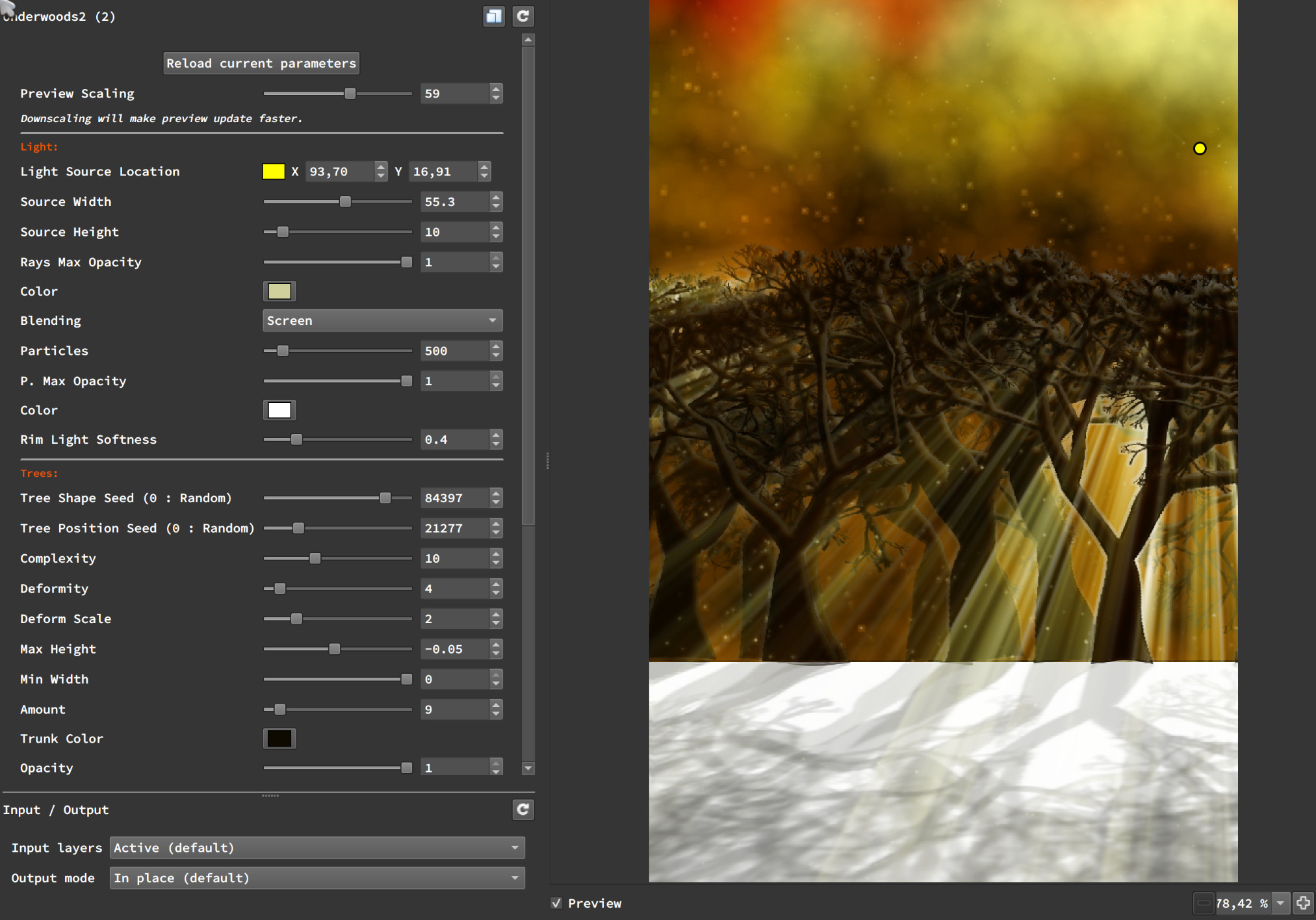
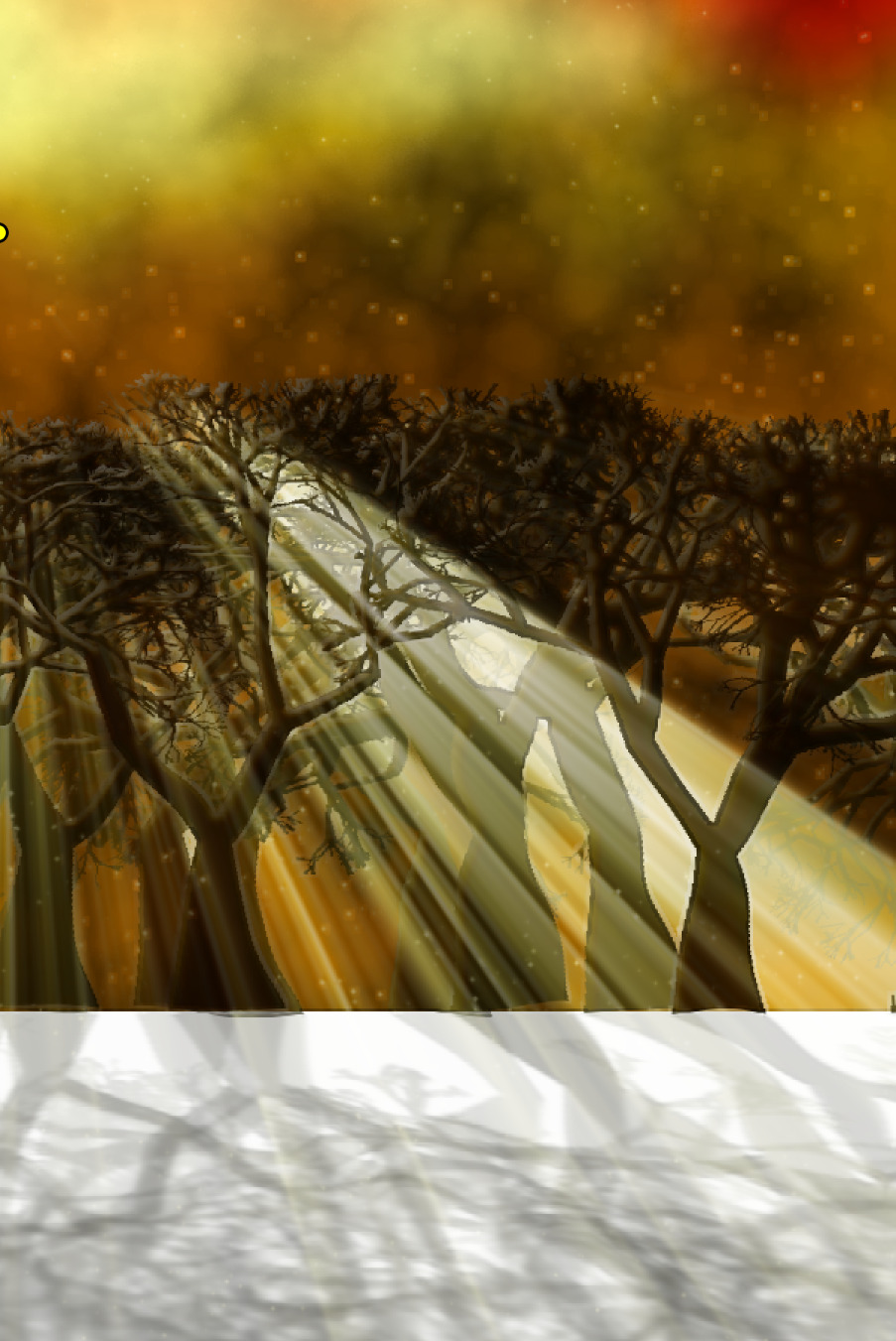
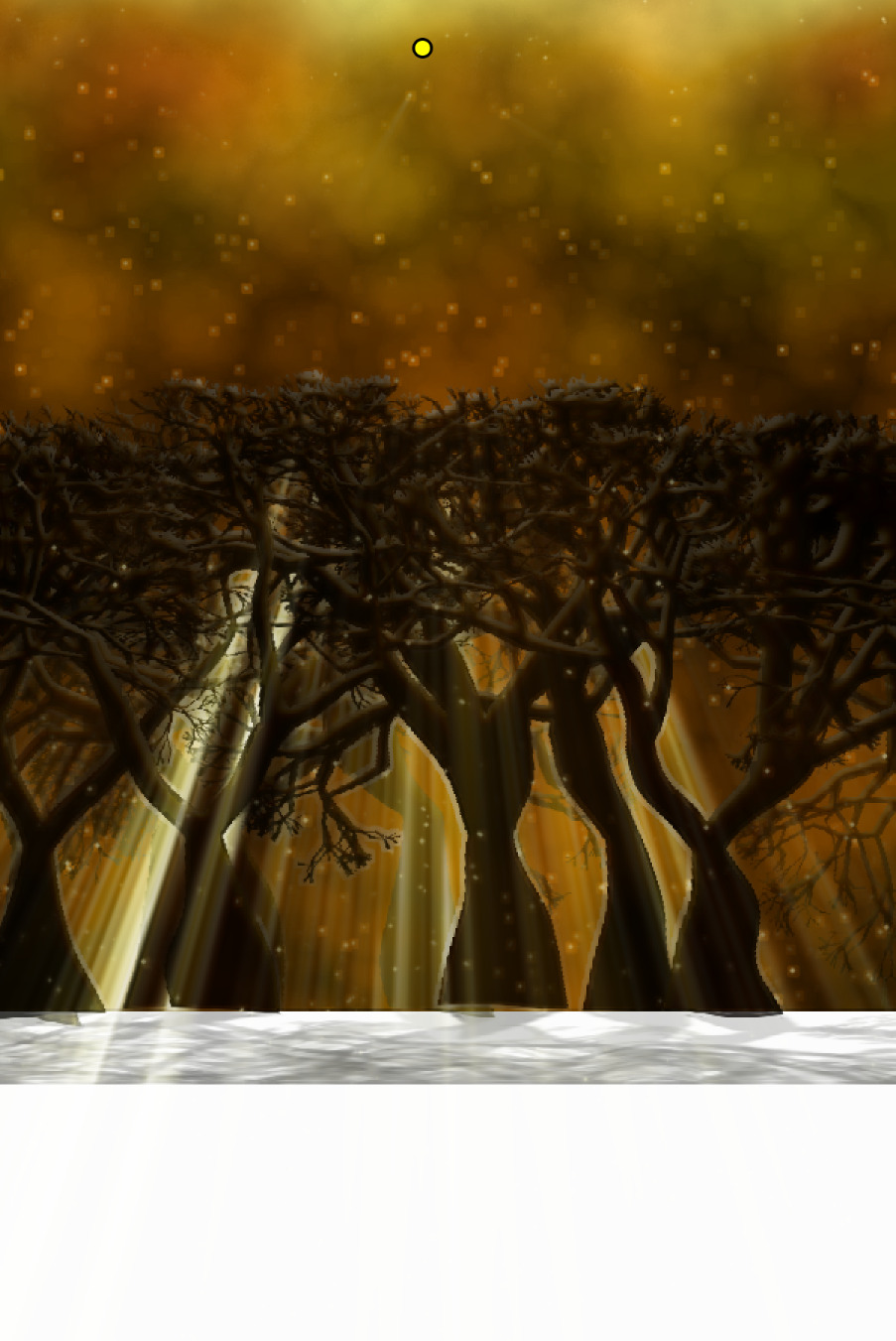
All this probably not accurate at all and obviously truncated… So my next questions are:
How do you expand in one direction only? expand y,100 will expand top AND bottom, so i had to shift here.
And how to select the background color expand? Had to flood to white here, otherwise it’s black.
Or would it be possible to add auto-expanding to warp_perspective?
1 Like
You can use resize to expand on one direction only. You can pregenerate background to avoid needing to fill I think.
Background is generated only once, i just paste the trees and their shadow over it.
I just had to expand the BG other you don’t get to see shadows.
Maybe i’ll need another image to generate trees (fx_tree uses the existing background dimensions to generate a new image ) and have the actual BG larger? Don’t know yet.
Resize with interpolation zero? gmic sp r 100%,120%,100%,100%,0