vkdt devel diary

i increased the size of the vertex storage 10x (to 10k vertices) for a little more headroom there now. i suppose at desktop framerates hat still runs out at 10 seconds worth of brush stroking, and needs some ui throttling/detection if vertices are too close.

also i wrote some documentation how it works.

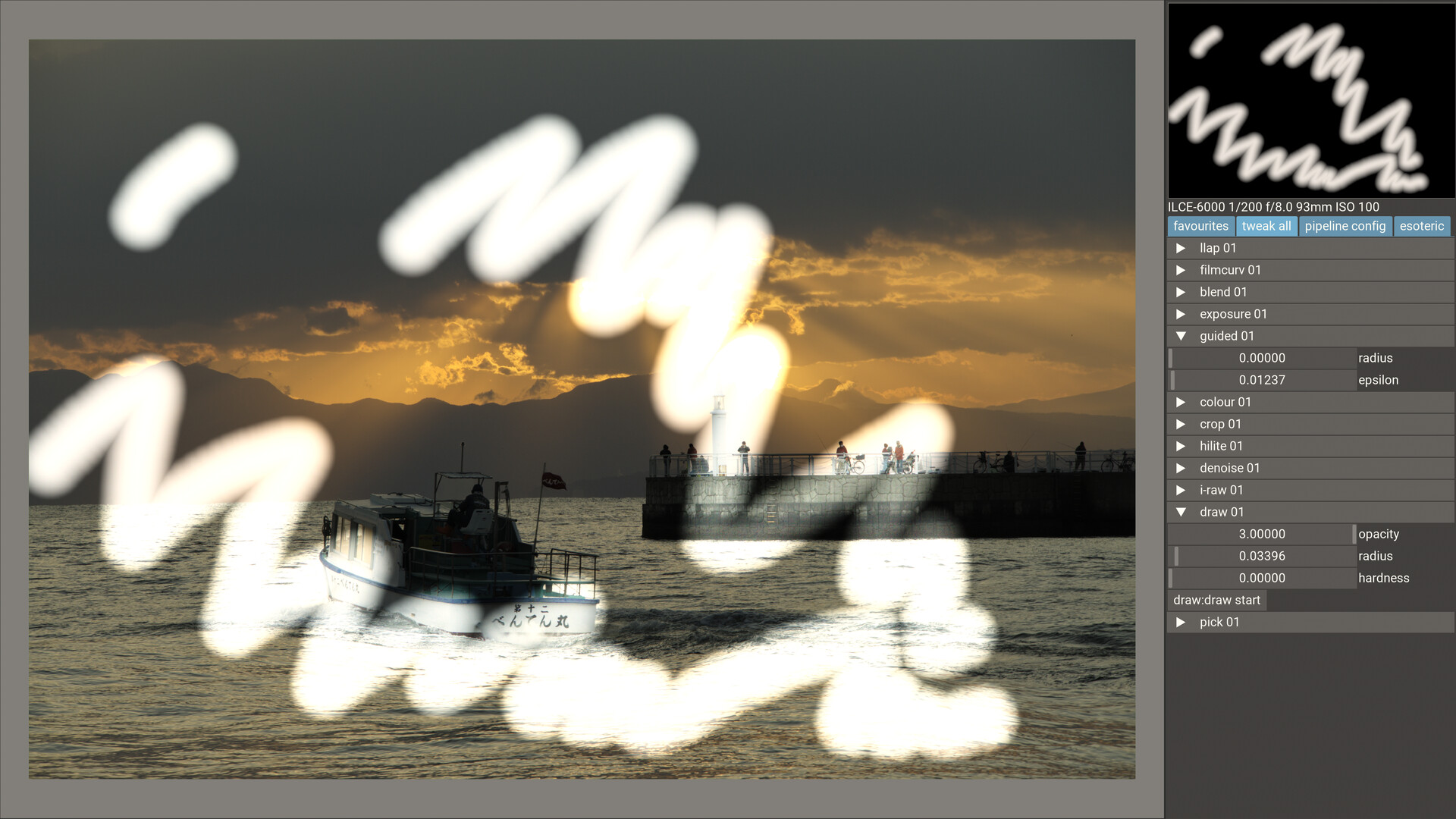
i’m especially looking for feedback on the blending and the parameters. it’s now half global on sliders and half local to the stroke (accessible with modifiers+mouse wheel). also it’s only blending up to max of what you set on the slider. that is, the strokes do not sum up, but they use max() blending. this makes it possible to draw flat/filled masks with feathering only on the outside, but may have some other implications. i didn’t draw a lot of masks in general and certainly not with this system yet :slight_smile: so any input/preferences you may have are interesting to hear for me at this point.

1 Like

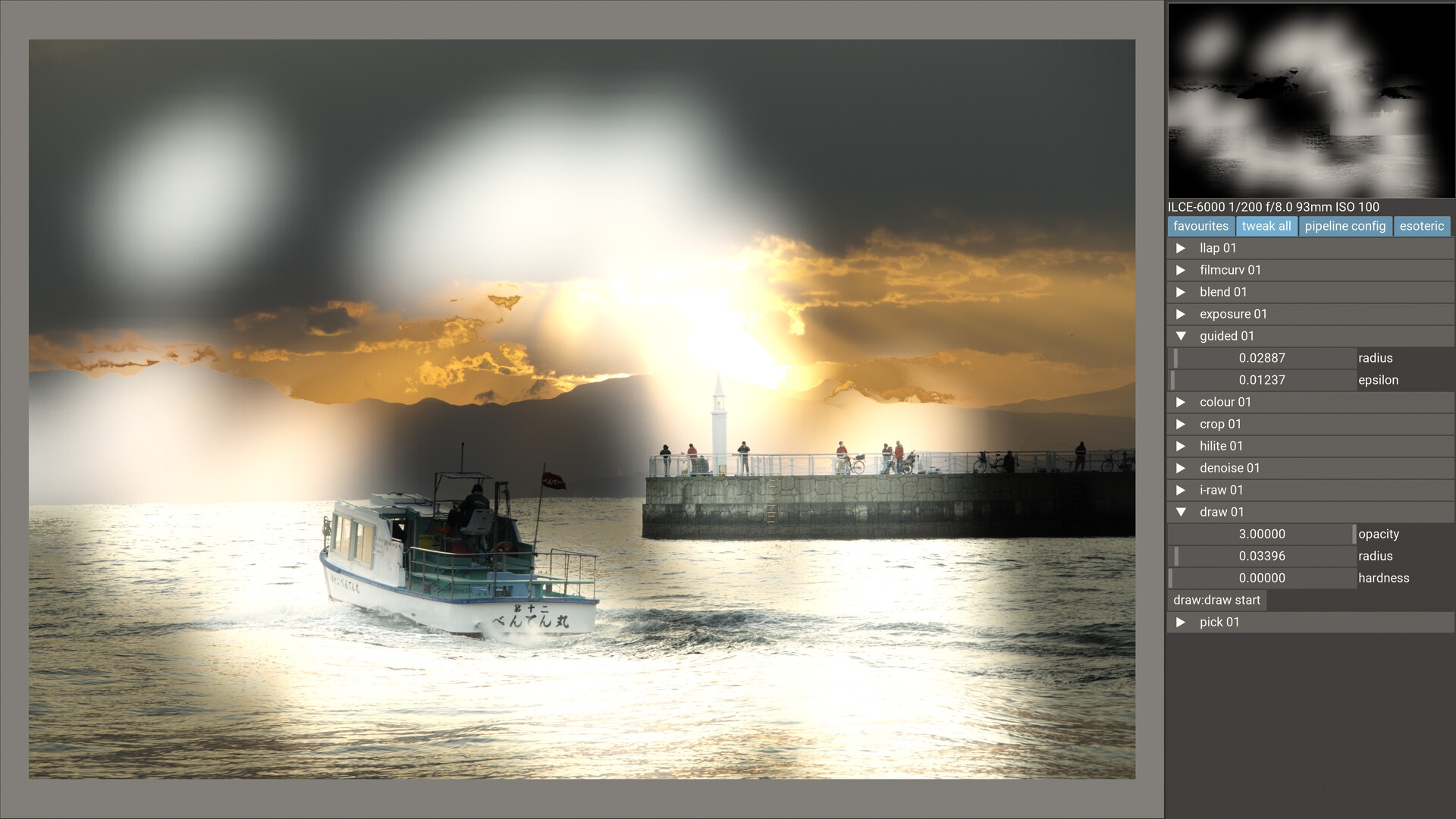
There is a bug with radius in the latest version. The mask seems to affect the whole image all the time no matter the radius. The radius slider seems to be tied to hardness rather than brush radius.

10000 verts seems to be a lot better than 1000 but I’m starting to experience some drop in performance and brush lag around 1235. Mind you, the mask always affects the whole image because the radius can’t be made smaller.

Hm, if I do a stroke over some highlights, it brings up all highlights in the images. If I do a stroke over midtones it brightens all the midtones in the image. I’m using it with the exposure module.

… maybe you have a guided filter instance in the graph that has non-zero blur? the old version used to have 200 (then meaning pixels) as default, the new one goes in fraction of image width… so 200 would be quite a lot.

1 Like

Oh yeah! I had 5 set.
Hm, I can’t get the smooth stroke like you. It lags a lot for me.
It draws, then it stops, then it continues but jumps. Sometimes it doesn’t draw and the verts counter stops too. And sometimes it doesn’t draw but the verts counter is still counting new verts.

If this is what’s causing the issue I’ve described. That would be immediately on my machine, not after 10 seconds.

interesting. that’s on your desktop with the AMD? possible that there’s some driver difference to AMD here. i can stroke okay on the laptop with the 1650… not that the code is super optimised. you could take out the guided filter module to test whether that is too heavy (just connect the other two modules directly), and i should probably try incremental uploads of the ssbo (now i’m always copying everything).

…okay, i can reproduce on my other machine. will look into it.

pushed a fix. it’s just that i’m an idiot trying to throttle the vertex spam.

Yes, it’s on my desktop AMD machine.

It’s much better now (I still have the guided filter), now it stops drawing when the number of verts reaches around 2000-ish. It’s smooth up to that point.

Now I’ve noticed another very interesting thing:

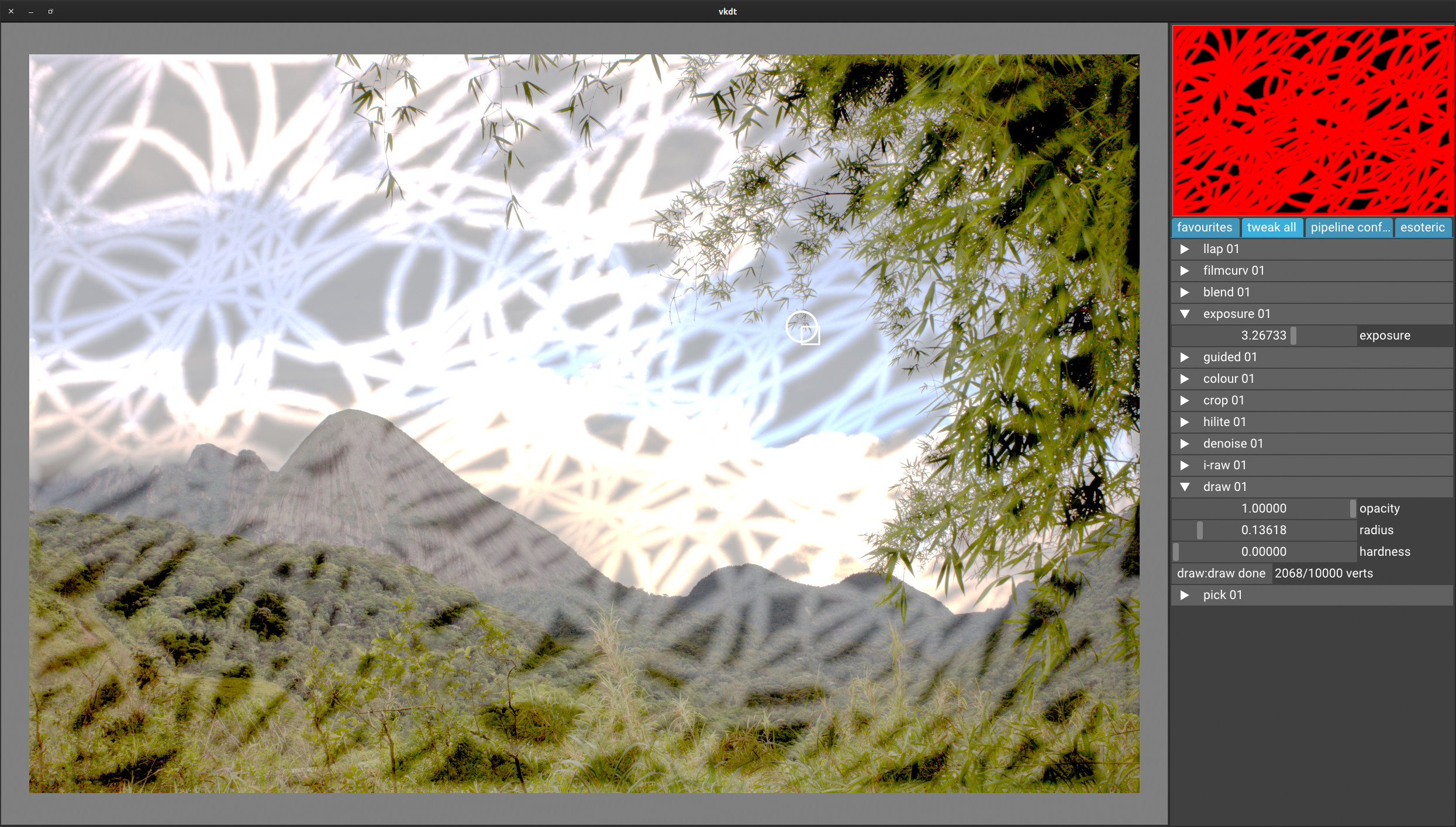
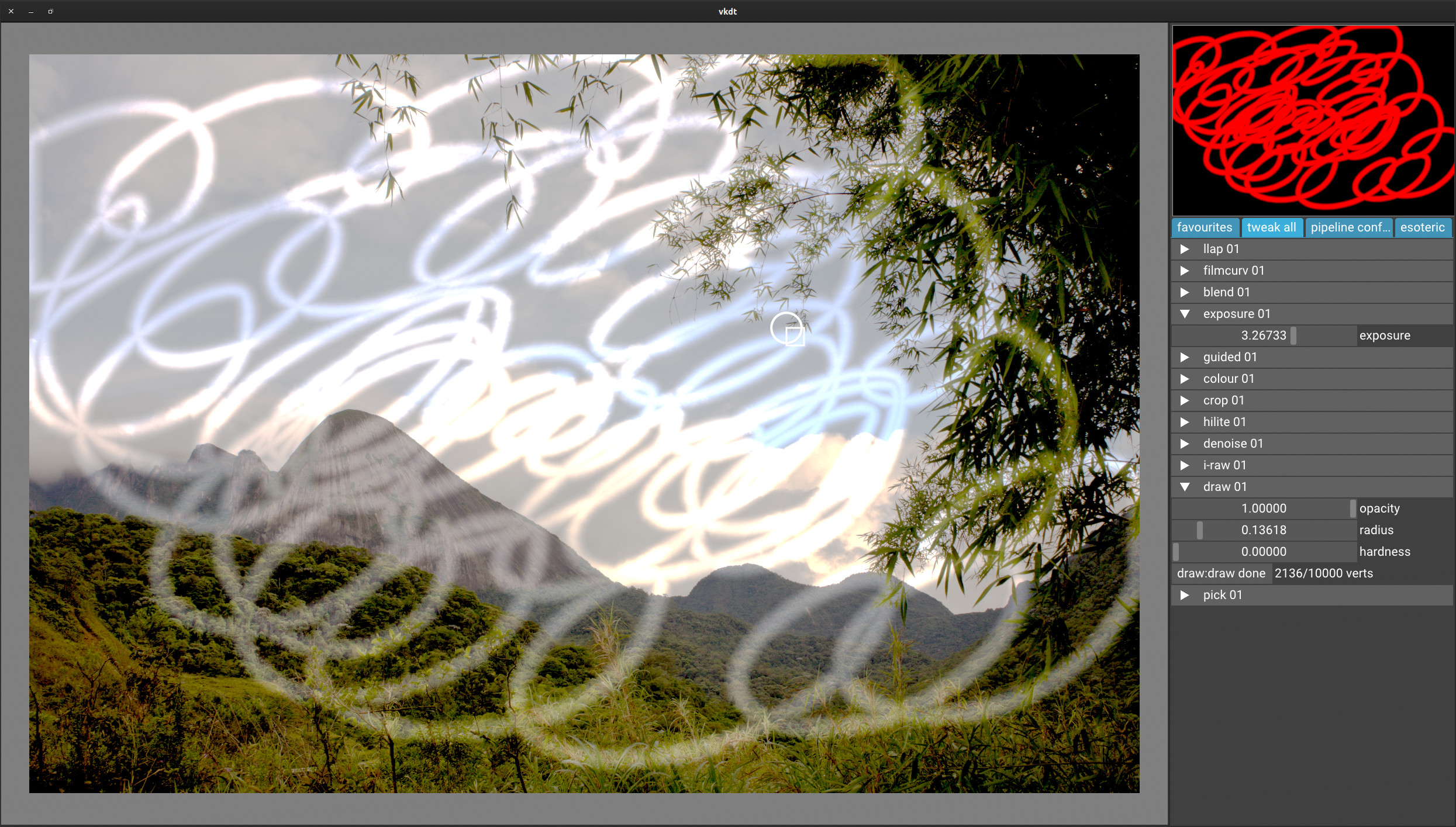
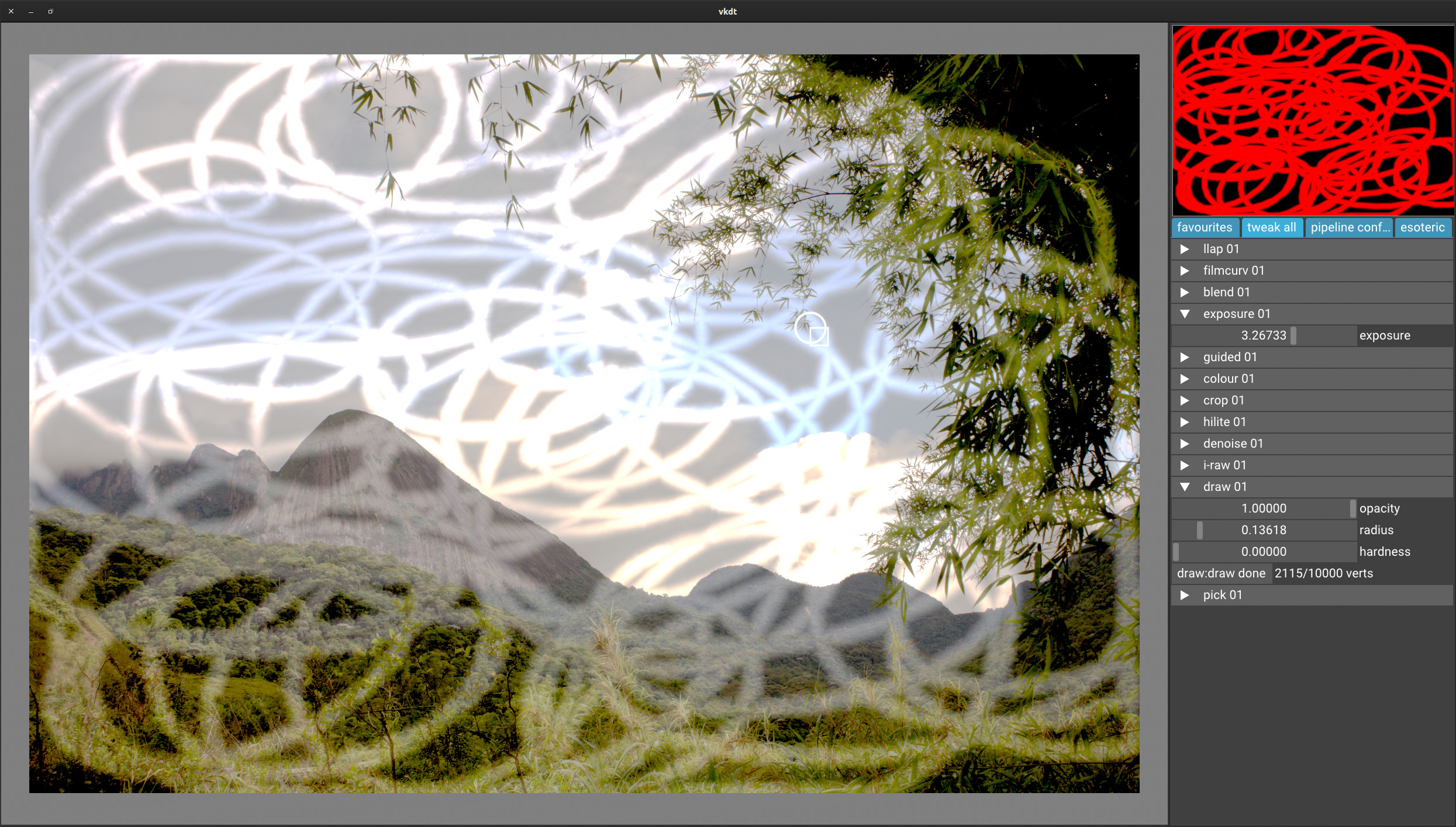
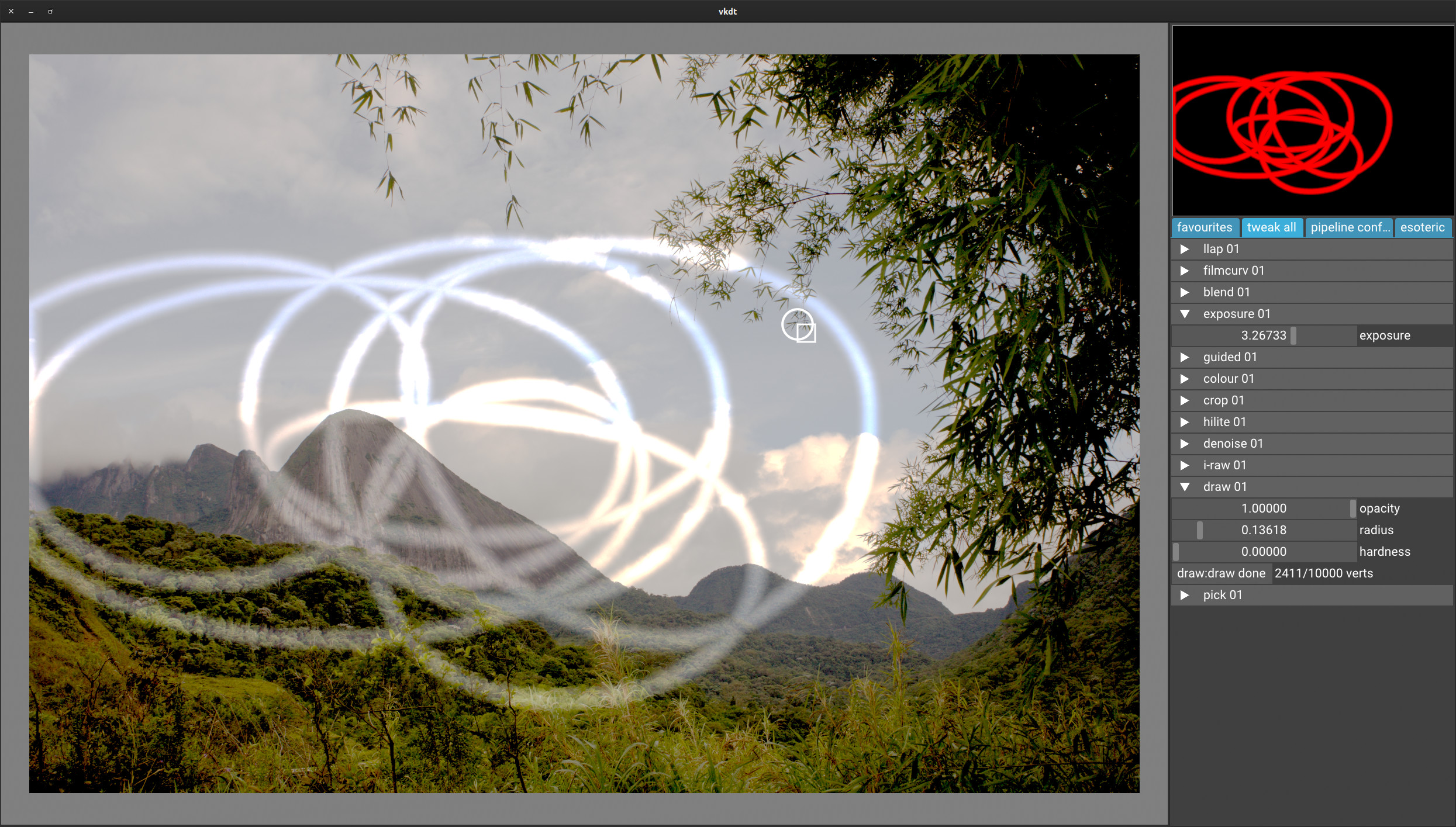
The following is the sequence of screenshots where I drew in one continuous stroke until it reached the point that it stops drawing with different input devices.

You’ll notice that some devices draw a lot of verts fast while other draw a lot less and are actually much more usable as you can draw for a lot longer period of time.

Wacom Intuos Pro M (PTH-660-S) using it as a touchpad (using a finger not a stylus) via bluetooth:

Wacom Intuos Pro M (PTH-660-S) using stylus via bluetooth:

Apple Magic Mouse 2:

R.A.T. Pro X wired mouse with Pixart ADNS9800 laser sensor (8200 dpi):

Basically it’s different on every input device. A lot different.

great! thanks for testing. you got an awesome collection of input devices there, i should get some too.

i put this on my list:

  • find where it caps the number of vertices, and really make it allocate dynamically i guess
  • probably need time-based rejection of additional vertices (don’t want to do fixed frame rate, so i’ll have to check the clock on mouse movement)

glad to hear at least it doesn’t seem to have the performance issues any more. at a lousy 2k vertices that should really not be the case :slight_smile:

Thanks! It got collected over the years. The trick is to buy used, refurbished or on sale. I’m always on the look out for a good deal :smiley: If needed I can can also borrow and try other cool input devices like Magic Trackpad 2. I’ll probably get that for myself too after the release of GNOME 40. It seems like gestures will be a thing in Linux and it might be helpful to have it. It’s a great device for doing video and scrubbing trough footage too.

I’m sorry to disappoint but I notice lag in the following image when drawing both using guided filter and without it. Can you check if I’m even connecting it correctly?:
IMG_0655.CR2 (29.5 MB)
IMG_0655.CR2.cfg.txt (2.8 KB)
IMG_0655_002.CR2.cfg.txt (2.9 KB)

I’ve added the .txt to sidecar to bypass the input check so don’t forget to remove that.

Until now, I’ve been using this image and it works fine on this one:
IMG_8336.cr2 (12.3 MB)
IMG_8336.cr2.cfg.txt (33.6 KB)

Also how come every input device has a different “draw density”? Shouldn’t it be the same? Some draw a lot of verts densely and some seem to draw it less densely if the verts count is correct.

thanks for the raw, trying now.

i throttled the vertex emission to 60Hz for all devices/frame rates now. may be a bit aggressive, for very fast movements you start to see the corners/edges now. at least it’s consistent, could make it configurable i guess.

still searching for the limit on overall vertex count… i could draw about 5k now (filled the image completely) but that failed to write back to .cfg and then wasn’t there upon next load.

btw if you leave the i-raw filename in the _002.cfg to point to the same raw you would have a “duplicate”, i.e. a 2nd cfg using the same raw. it’ll behave much like a duplicate in dt does.

1 Like

Hey, just to clarify. When I said it stops drawing around 2000-ish verts, I meant it stops showing any changes on the screen but the vert counter is not stopping.

Oh, thanks! I didn’t know that was implemented, nice :smiley:

re: slowdown: don’t really notice much here. might be different hardware or the throttling i already have in place.

drawing the brush strokes is the most expensive single operation here though with 2.9ms. maybe the max blending is too expensive after all.

also it seems the complexity is finally adding up with all the operations always executing from scratch. might be time to implement graph cuts. this does go to 29ms. unacceptable.

It could be the hardware or driver? AMDGPU-PRO has been really buggy lately, people experience all kinds of problems just to compile it on an officially supported distro and kernel.

Even with throttling from the latest commit I still observe significant lag and the stroke trailing like 10cm behind the cursor on the IMG_0655.CR2 image but now I also have a slight lag on the other (IMG_8336.cr2) image too. It is probably to be expected at 60Hz but it trails up to 2cm behind the cursor on a 2K 25" screen.

Yeah, a quick circle becomes a polygon now.

But, as you said, all input devices can now draw equally long and don’t vary in result.

I should compile this again, have a closer look and maybe write something about it. Is a GTX 1660 Super good for this?
I am lazy…

I tried to compile it and get this:

In file included from ./pipe/node.h:4:
./pipe/raytrace.h:9:3: error: unknown type name 'VkAccelerationStructureKHR'; did you mean 'VkAccelerationStructureNV'?
  VkAccelerationStructureKHR                  accel;          // for ray tracing: top level for all nodes that may hold bottom level
  ^~~~~~~~~~~~~~~~~~~~~~~~~~
  VkAccelerationStructureNV
/usr/include/vulkan/vulkan_core.h:9281:35: note: 'VkAccelerationStructureNV' declared here
VK_DEFINE_NON_DISPATCHABLE_HANDLE(VkAccelerationStructureNV)
                              ^
In file included from cli/main.c:2:
In file included from ./pipe/graph.h:2:
In file included from ./pipe/node.h:4:
./pipe/raytrace.h:16:2: error: unknown type name 'VkAccelerationStructureGeometryKHR'
    VkAccelerationStructureGeometryKHR          geometry;
    ^
./pipe/raytrace.h:17:3: error: unknown type name 'VkAccelerationStructureBuildGeometryInfoKHR'; did you mean 'VkAccelerationStructureCreateInfoNV'?
  VkAccelerationStructureBuildGeometryInfoKHR build_info;
  ^~~~~~~~~~~~~~~~~~~~~~~~~~~~~~~~~~~~~~~~~~~
  VkAccelerationStructureCreateInfoNV
/usr/include/vulkan/vulkan_core.h:9435:3: note: 'VkAccelerationStructureCreateInfoNV' declared here
} VkAccelerationStructureCreateInfoNV;
  ^
In file included from cli/main.c:2:
In file included from ./pipe/graph.h:2:
In file included from ./pipe/node.h:4:
./pipe/raytrace.h:37:3: error: unknown type name 'VkAccelerationStructureKHR'; did you mean 'VkAccelerationStructureNV'?
  VkAccelerationStructureKHR                  accel;          // needed for ray tracing kernels: bottom level structure
  ^~~~~~~~~~~~~~~~~~~~~~~~~~
  VkAccelerationStructureNV
/usr/include/vulkan/vulkan_core.h:9281:35: note: 'VkAccelerationStructureNV' declared here
VK_DEFINE_NON_DISPATCHABLE_HANDLE(VkAccelerationStructureNV)
                              ^
In file included from cli/main.c:2:
In file included from ./pipe/graph.h:2:
In file included from ./pipe/node.h:4:
./pipe/raytrace.h:38:2: error: unknown type name 'VkAccelerationStructureGeometryKHR'
    VkAccelerationStructureGeometryKHR          geometry;
    ^
./pipe/raytrace.h:39:3: error: unknown type name 'VkAccelerationStructureBuildGeometryInfoKHR'; did you mean 'VkAccelerationStructureCreateInfoNV'?
  VkAccelerationStructureBuildGeometryInfoKHR build_info;     // geometry info
  ^~~~~~~~~~~~~~~~~~~~~~~~~~~~~~~~~~~~~~~~~~~
  VkAccelerationStructureCreateInfoNV
/usr/include/vulkan/vulkan_core.h:9435:3: note: 'VkAccelerationStructureCreateInfoNV' declared here
} VkAccelerationStructureCreateInfoNV;
  ^
6 errors generated.
make[2]: *** [Makefile:70: cli/main.o] Error 1
make[2]: Leaving directory '/home/anna/vkdt/src'
make[1]: *** [Makefile:31: src] Error 2
make[1]: Leaving directory '/home/anna/vkdt'
make: *** [Makefile:7: all] Error 2

Well, maybe it is helpful: I am on Linux Mint 20.2

And maybe one more thing: I installed the Nvidia driver from the original Nvidia .run.

I’ve also tried to play again with vkdt after a long time…
Apparently it builds OK, but when I tried to launch it I get this:

$ ./vkdt -d all /home/philippe/Desktop/test
[ERR] /home/philippe/git/vkdt/bin/modules/i-raw/libi-raw.so: undefined symbol: __gcov_merge_add
[ERR] module burst has no connectors!
[gui] monitor [0] DVI-D-0 at 0 0
[gui] vk extension required by GLFW:
[gui]   VK_KHR_surface
[gui]   VK_KHR_xcb_surface
[qvk] error VK_ERROR_LAYER_NOT_PRESENT executing vkCreateInstance(&inst_create_info, NULL, &qvk.instance)!
[ERR] init vulkan failed
[ERR] failed to init gui/swapchain

How could I fix the error bin/modules/i-raw/libi-raw.so: undefined symbol: __gcov_merge_add ?

I was just able to compile it on Manjaro because I happened to have the system on a USB stick.
It seems much more developed than when I compiled it for the first time. I was actually able to change the exposure/brightness of the image, sharpen it, and do some other things and finally save/export the result.
The speed is not so impressive actually, I mean somehow it is not noticeable. I mean a “normal” user probably would not notice that it’s actually the whole image that is processed every time. I mean… imagine… give this program to some ignorant person, they just would not notice what is going on. I mean speed or the lack of it does not get in the way, and in terms of speed it is an ideal image editor. You usually notice the lack of speed. it’s like not being in pain. vkdt is not like a drug or so, it’s just the lack of pain.
What I did not try yet: probably I should create like 5 instances of deconvolution and see what it’s doing then.
Also, I wanted to rotate my photos because photos in portrait format had the wrong orientation, and I could not figure out how to do that.
I also wanted to test the brush mask and did not find it (probably its the module “draw” but I could not figure out how it works).
Well. If I zoom in to 100%, the photos seem to be somehow softer than when I open them in dt or RT/ART (without sharpening), they look like a low-res photo that was blown up, but I am not quite sure about this.
Generating the thumbnails did not seem to be much faster than in dt though. Probably it’s just the reading of the files that needs longer.
Well… it also crashed once. I was probably playing around with it for 30 minutes or so.
It is much more developed than in December 2019, but all in all it still seems quite experimental and “unstable”.
But I guess it’s the future of image editing and raw developing.
Btw, the dependency list is still/again incomplete.
Well I am curious what it will become. Certainly more developers are needed for this to become something usable for artists. :thinking: :shaking head: I think if I were a developer I would rather develop tools that can be used right now like for real art, but… there is no doubt that people with a “vision” are also necessary for progress.

oh just reading this now. let me try and answer some things.

first of all, glad you got it working. it requires a fairly recent vulkan/nvidia driver (i think one from january will do but that’s apparently not a given in most distros). apparently now it also works with wayland and amd cards, but i haven’t tested myself.

yeah, lack of pain: means that i can now develop tools that would usually be too expensive to do. also always processing the full buffer means way less pain developing modules. not sure i care about ignorant persons and drugs.

and yeah it’s possible to slow it down if you input multiple 50MP raw images into the same processing graph or things like that.

re: orientation: this is read from exif tag if you compiled with exiv2 support (see the file bin/config.mk and the .defaults version of it). the crop module takes care of it, and it has a rotate slider (which is not present in the default darkroom.ui file that determines which sliders will appear in the favourites tab). probably you only looked at the favourites tab. the crop module allows perspective correction, cropping, and rotation. the ui is terrible/autogenerated but works for me ™.

re: draw module: there is a button insert block.. in the pipeline config tab. it has a draw.cfg that connects all necessary modules to setup some basic stroking. i don’t really use it so i hope it still works.

re: sharpness at 100%: there is no sharpening whatsoever applied by default.

re: thumbnails: here it is much faster than dt. it’s limited by disk io, so that probably only shows when creating the images from an appropriate ssd (it’s a lot slower from my external usb drive).

re: crash: i’d be interested in a stack trace or at least a short description of what you did to cause this. i’m occasionally fixing crashes, but often don’t even publish on github (because it seems not many people run recent drivers or have appropriate gpus at their disposal nowadays).

similar for the dependency list. what were you lacking? in fact i think the readme is outdated, rawspeed is optional now (in case you’re not interested in raw photography).

re: artists: i’m using it as a testbed for interesting processing. it has temporal image alignment, it supports temporal feedback in general in the graph, it can read magic lantern .mlv raw video files and do a bit of 3d rendering. it supports key frames so it can be used to process timelapse footage etc. i can experiment with a lot of interesting methods that would have been a pain to develop both in terms of code and speed in vanilla dt. this is where i currently see the value of it. we’ll hopefully get an all new toolchain/processing pipeline out of this.

developing software that is useful to end users definitely needs more emphasis on user interface. at this point i’m just more interested in the core processing part.

umm… old build? maybe needs a git submodule update -f or a fresh checkout altogether? i did rename the burst module to align, and you still seem to have the old directory. so maybe there’s an old build of rawspeed too?