what's so hard about darktable

There is one point where your critic, imm, may have some relevance as to what a beginner meets in darktable, and that is if they actively select the Module Groups header preset Workflow: beginner.

This module set-up do not fully use the core scene-referred modules like Color balance RGB, but for the Color group displays i.a. the Split toning, RGB levels and the RGB curve modules. These three modules are not anymore among the modules commonly used by dt users, and are not among those referred to in the processing intro part of the manual. (They are likely there because they may perhaps in themselves (their UI) be considered to be more intuitive.) This is confusing when one seek to pursue a modern scene-referred workflow that one is everywhere else persuaded to do. Also its module groupings/tabs use a somewhat deviating terminology. It has one less tab, though, and a less number of Corrective/Effect modules by leaving out some modules that are not essential, but imm mostly easy to anyhow understand the basic function of.

I’ve argued for the removal of this preset – and rather just stay with the default Workflow: Scene-referred.

But where do a beginner see that “overabundance” of modules if one stay within the default UI of Workflow: scene-referred?

As a totally new user of image processing I found this UI set-up to be quite orderly and informative and fairly easy to get an overview over its displayed modules.

(Previously one could unaware easily be flooded with a list of all modules by an extra click on a Module Group tab, but not any longer. It has recently been made a change here so one first need to make a right-click on a tab, which presents a list of relevant modules for removal/inclusion in the specific tab, and at the bottom of this list there is an option for All available modules.)

Except for the Diffuse or sharpen module that do have some function/presets that overlaps with functions in some of the other Effect modules, where specifically do you think a beginner meets an “overabundance”?

As for the “resistance”:

Yes, there are many ideals, (I guess it should also be so intuitive that a beginner can understand how to use all of its functions at first glance …) and many proposals for ideals, but in the real world they are often not possible to achieve.

There are f. ex many clever heads that has put much effort into creating as good a tone mapper as possible. But as varied as images, users and users’ needs are, it turns out that they all have their strengths and weaknesses and one cannot replace all the others. Sigmoid was f. ex. developed because Filimic RGB was by many considered too complex and with unsatisfactorily results for some types of images, but on the other hand Sigmoid then is lacking in features needed for other groups of images

I agree, with emphasis on “talking”, because I’ve learned that in the FOSS-world it is doing that counts in the end – and I think any perception of “resistance” should be considered in this light.
1 Like

Have you tried to post an example of this in the play_raw category to see how others may solve the challenge?

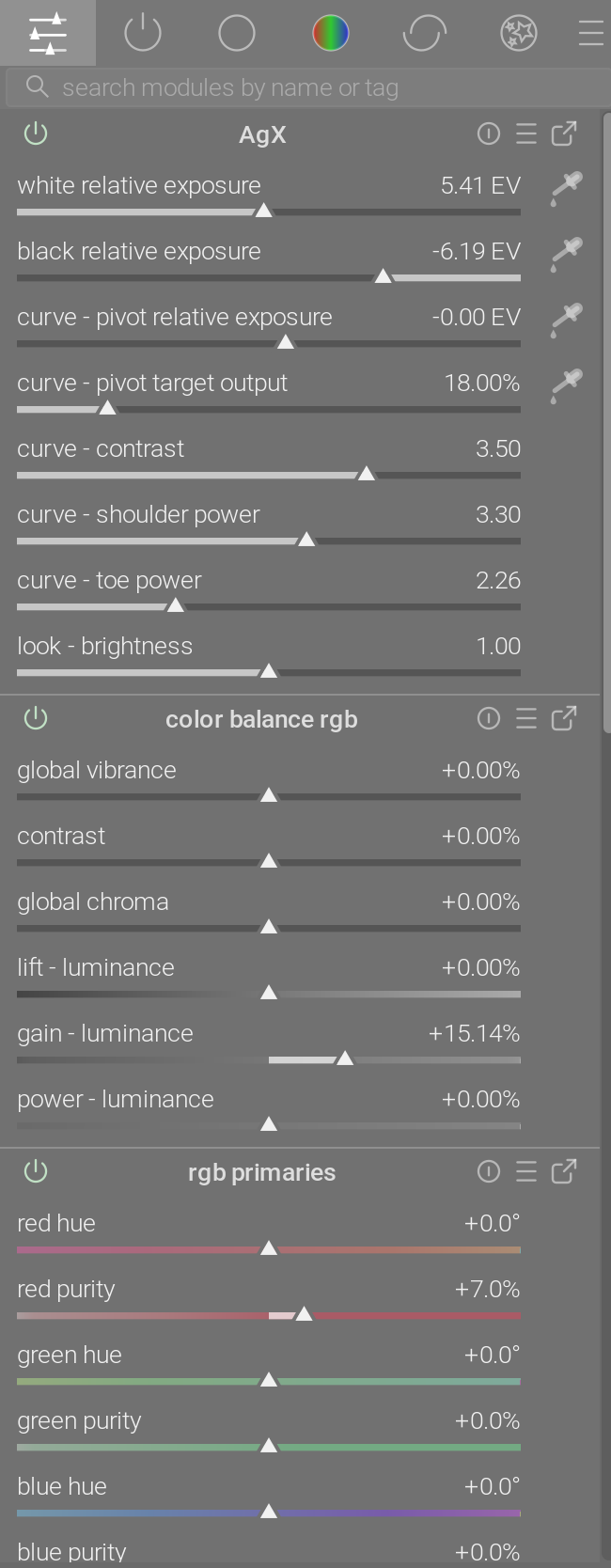
I use the 4 Ways tab of ColorBalanceRGB.

4 Likes

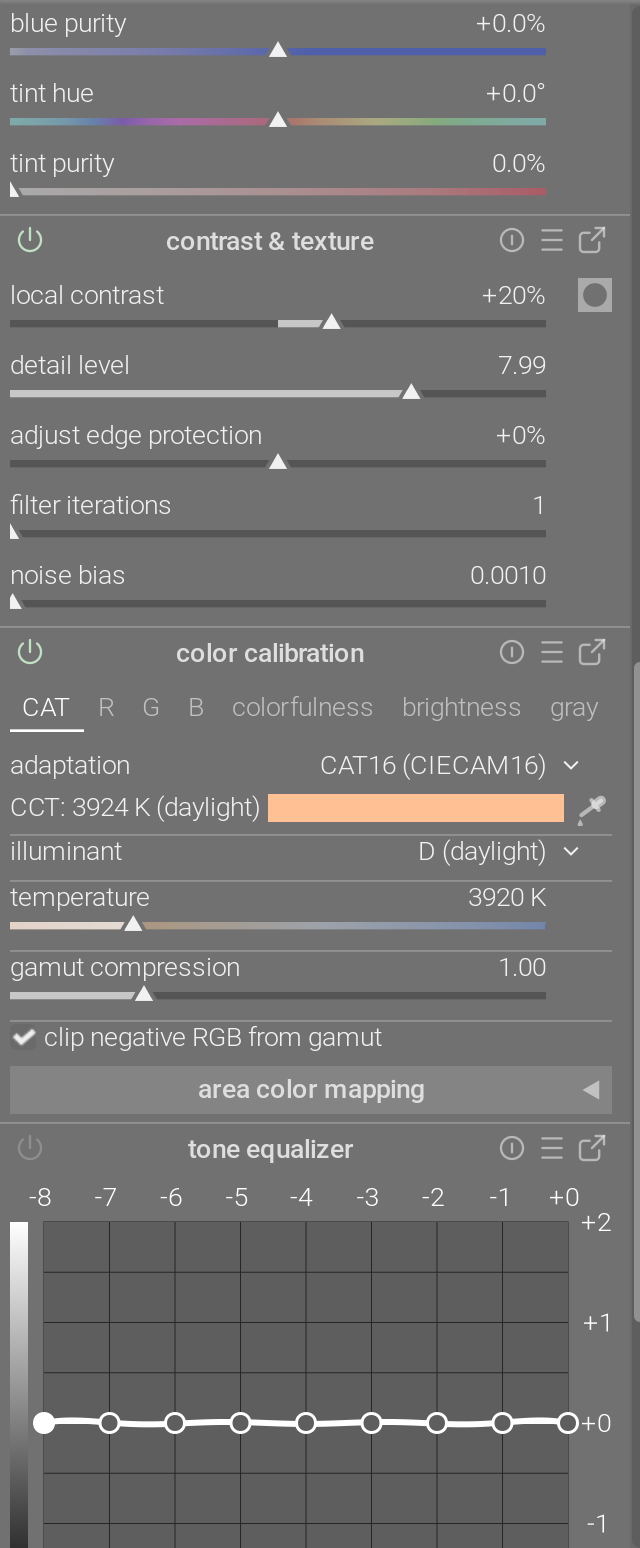
Same, this is what I use for 90% of my workflow:

I also go into the full CBRGB to do grading when needed, and apply D&S presets as well, but most stuff is just what I have setup in the QAP.

2 Likes

Is the the performance part affected by the fact that TE is placed after exposure? With every adjustment of exposure you have to adjust TE. The way I approach this module is by placing it before exposure, always. To me that makes more sense.

But dt’s pixelpipe is founded on the middle grey point (the main range of interest) to be fixed early in the process by using the exposure slider in the exposure module as the first toning action. The subsequent modules use this middle grey value as their anchor point while adjusting the tonal grading on either side of this middle point.

Why do you need to make a number of exposure adjustments?

If there anyhow is a need for fine-tuning the exposure after tampering with saturation etc, we can use f. ex. the Global brilliance slider on the Master tab or Luminance-sliders on the 4 ways tab of Color Balance RGB, or Pivot target output slider in AgX, [EDIT] or the Brightness slider in the Look section of AgX.
This will not influence the TE grading that is prior in the pixelpipe.

1 Like

To add to a very long discussion of this. If I have troublesome shadows to deal with I usually employ multiple modules with modest adjustments rather than a single module used as a sledge hammer.

Tone equalizer would be the first module used to brighten the shadows. I find with some images changing the preserved details mode to guided filter looks better, but not always.

The second module is the color balance rgb module with its shadows brilliance grading slider. It can also let me change the chroma or saturation in the shadows if required.

The third module I will reach for is the shadow and highlights module. I know this is usually part of the display referred pipeline, but why handcuff myself to this scene referred dogma that exists. Used in a constrained fashion it is a very useful tool. I have even successfully placed it before the AgX module in the pipeline to raise the shadows, but I don’t touch the highlights if I have moved it in the pipeline.

Of course a forth option is additional instances of exposure module localised to the shadow region in question. Parametric masks, AI masks, and gradient masks are often helpful for this.

As for highlights I find the new generation of highlight reconstruction module does a great job in the background with little or no user intervention. I really feel no user intervention is needed on any image I have worked on since the module was improved. But to recover highlights I find the tone equalizer unequal. It does a fantastic job if all three RGB channels are not clipped in the raw file.

The color balance rgb module is woeful at highlight recovery in my hands and I never use the highlight brilliance slider to recover highlights as they turn to grey mush. But the shadow and highlights module in the display referred pipeline often can add a little bit more back to the highlights after the tone mapper.

None of this makes DT hard. It just makes DT powerful. The developers invest a huge amount of time into developing the program and it is only fair that the user invests time into learning the software. Of course LR6 was easier for the user. It had a single shadows and single highlights slider. Not hard to learn but not matching the creative power of DT.

3 Likes

I agree. I find the auto pickers often not reliable and have to manually tweak. It is a bit of a nuisance but less so now they have moved the sliders under the histogram itself. In the original version you had to switch back and forth between the masking tab and the advanced tab and that was a pain.

Maybe one day a developer might use their time to tweak tone equalizer module to autotune by default, but unless I have the time and ability to do it myself I just have to hope it happens one day. I can’t code so I will just use it as is.

1 Like

I would like to say that, even if darktable has some tricky aspects, I find it much easier to use than I did many years ago.

I first used darktable in 2018, version 2.0.3. I struggled a lot and got poor results. I didn’t come back to darktable until 2026. But now, with version 5.6.1, things seem much easier and I get pretty good results.

So, thanks and congratulations to all of the excellent developers who have improved the program in the past eight years! :heart:

5 Likes

I don’t agree with this conclusion. I will not deny that this makes DT very powerful. But if you compare the process you just described to some other editors’, is a rather involved and cumbersome one. Capture One has just 4 sliders to accomplish the same. C1 is easier in this regard, and easier and quicker to learn.

Just a very clear note: this doesn’t disqualify in any way the effort the work that was put in by the developers. Not in any way.

And sorry, that ‘it was hard to write’, so ‘it is not a problem that it is hard to read’, argument is just bogus. I have worked on very complex scientific software. And often here in the forum it is presented like that optimum control and complex UI are going hand in hand. And users just have to deal it.

And that is simply not the case. The process itself may be complex, maybe a huge amount of input is needed. But a well-designed UI actually guides and helps the user, even if they are domain experts.

Don’t get me wrong. I love darktable, I actually chose it because of the UI. The UI is pretty good! There are just a couple of rough edges, and that is what we are discussing here.

7 Likes

I hope that this conclusion of mine didn’t come across as any personal attack. It was not intended to. I don’t personally find DT hard but I do find it a continual learning experience which I enjoy.

I personally don’t feel that the tone equalizer module replaces the shadow and highlights module. They both do things differently and give a slightly different look. They work well in synergy.

4 Likes

Absolute not! I did not feel it as an attack! I am on the same page, I enjoy the continual learning very much. I just did not agree with your opinion, but I did not see anything that you were disqualifying me as a person! And actually this topic gave me new ideas to try!

2 Likes

I agree with you overall. There is some room for improvement. And I suppose with upcoming modules there will be additional complexity challenges in the future.

But my personal reference point is not C1. It is DaVinci Resolve, which I use for videos. As a user, I find the Color page in Resolve to be much more complex and challenging than darktable. Legacy tools and settings are front-and-center, and there are so many node options and settings that it is intimidating for a new user.

But learning darktable first, with its scene-referred pipeline, has been very beneficial to me. As a very simple example, adjusting exposure properly might look like this:
Node 1. Color Space Transform from Camera to working Color Space.
Node 2. Set “gamma” to linear. Adjust the Gain color wheel.
Node 3. Color Space Transform from working color space to R709.

There are other ways too, but my point is that one of the most popular and capable video editors has workflow/ui issues that (to me) are more daunting than darktable.

And yet I’m learning to love the power and flexibility of Resolve too.

So, while I do agree about opportunity for ui improvement, I’m very grateful for what darktable offers today. :slightly_smiling_face:

3 Likes

I have a hunch that photographers as a class are just lazy and want tools which don’t require a lot of learning. Perhaps there is some historical baggage to this, or maybe it’s because photography is an “easy” accessible hobby, but it seems to me like other “arts” are much more open to learning complex tools and even theory.

Well, I wouldn’t necessarily go that far. I think it has more to do with expectations.

Good video production is not easy, and I think people getting into video (beyond short cell phone clips) expect challenges.

But we in photography have perhaps been a bit pampered over the years - photo labs and Polaroid, instant jpeg photos, cell phone photography, etc. So I suspect that the average person has no idea how complex things can be “under the hood.”

1 Like

I’m not a darktable user, so FWIW…

Keeping old processing in a software has a certain value not yet expressed in the thread, at least as coarsely as I reviewed it: it’s mainly for retaining the toolchain of images processed long ago. For me in my hack software, nothing irritates me more than when I go to re-open a rendition’s processing and find it don’t work no more, so I have to establish a new starting point with the new toolchain (or, go fix the backward compatability, I can do that with my software :laughing:) . In my former day-job such was critically important, as failure investigations depended quite heavily on knowing the pedigree of data reduction back in the early days of design, prototyping, and development. So, keep that in mind when you go mining your repositories’ early years…

Really, what keeps me from maintaining a darktable instance is the damned DAM. If I want to compare alternate processing, I want to just open an image, not navigate some database-managed directory. The OS filesystem does that for me, thank you. I’ll now probably be informed of how to do that, and that would be handy, thanks in advance.

But, in all this I really, really, think that the most important thing to managing one’s use of any software is understanding both how and why a tool works, and its place in the toolchain. That is what informs choice of tonemapper, not coarse notions of this-better-than-that or, horrors, the default :laughing:

5 Likes

For me, it’s the other way around. I started with Resolve at work in 2011, I think, and discovered darktable a couple of years later. Before Resolve I had used various other color grading tools, with very different and never very intuitive interfaces. Så darktable has never been confusing or difficult to me. At the time, there weren’t many tutorials on YouTube about darktable, so I read the manual and the blog articles on darktable.org and watched the few available videos. Actually, watching a whole lot of Lightroom tutorials was a great help.

So I think it all comes down to the individual, and it is not possible to say that darktable is objectively difficult. I can see why many find it so inthe beginning, though. It is not for everyone, and it doesn’t need to be.

4 Likes

Most likely true, but I looked at Shadows and Highlights last evening and I had no idea what to do to use it, effectively. I have a little understanding of Tone Equalizer’s 4 Ways tab, so that’s what I use.

I’m making it a personal project to study the documentation for S&H.

PS - I have made a big mistake. I only thought I looked at S&H last evening; it was some other module, entirely. No wonder I was confused.

I am looking at the actual S&H module, now, and its documentation. It appears to be fairly easy to figure out. I’ll report back after I’ve played with it some.

I have done that… but then the first thing in the manual you read is:

Note: This module performs blurs in Lab color space, which can result in a number of issues when the parameters are pushed hard, including halos, high local contrast in highlights, and hue shifts towards blue in the shadows. You are advised to use the tone equalizer module instead.

So, according to the documentation, tone equalizer is do deal with shadows and highlights… This is a bit confusing to say the least

1 Like

On the other hand… What is really love about darktable is the lua script part. It is such a powerful to automate some of the workflow parts… And that is really really nice