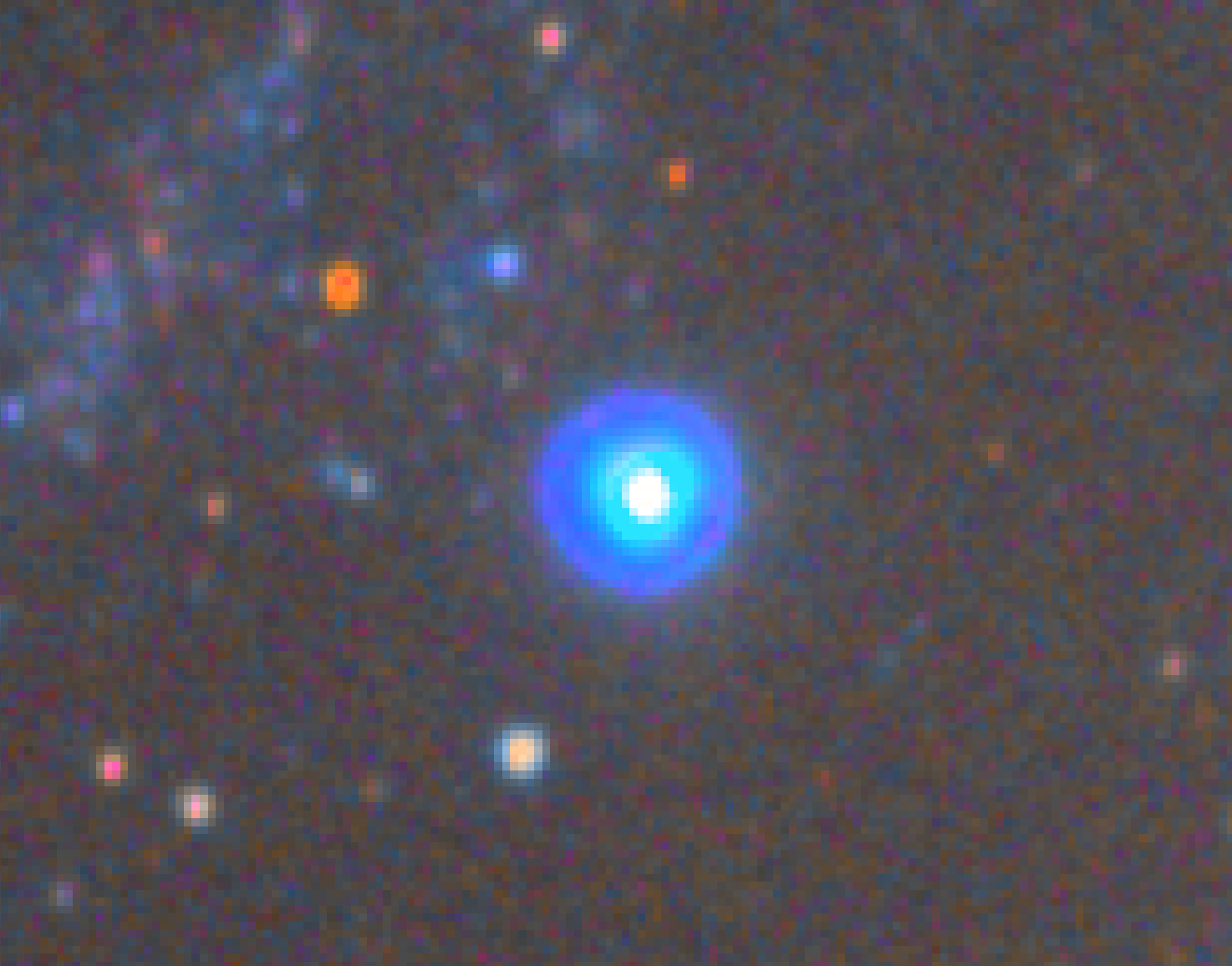
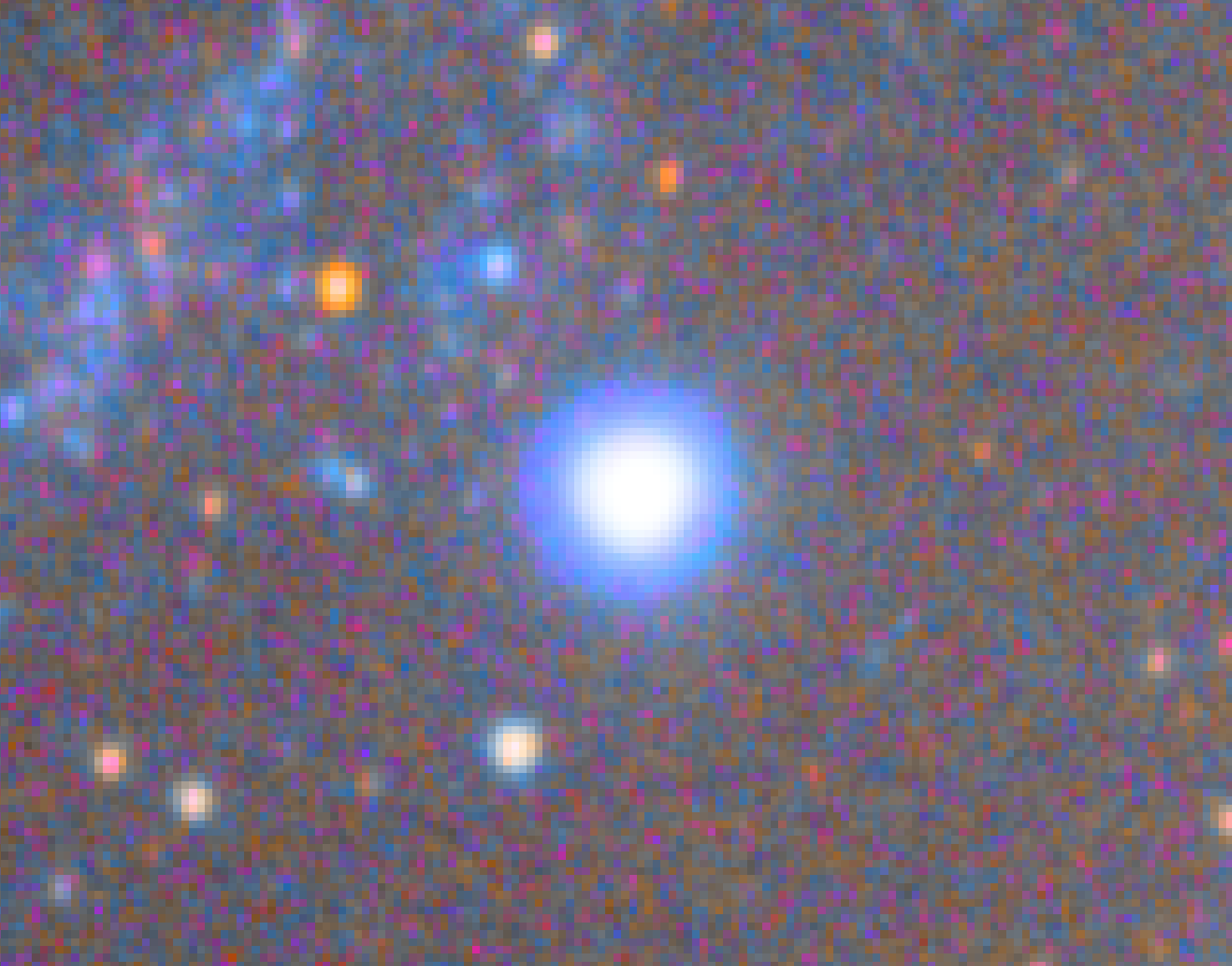
I noticed that when I stretch an image using the generalized hyperbolic stretch with human weighted luminance colour model, there are color artifacts around highlights features like brigth nebulae filaments or stars. This was not happening with Siril 1.2.6 version. This should be fixed.
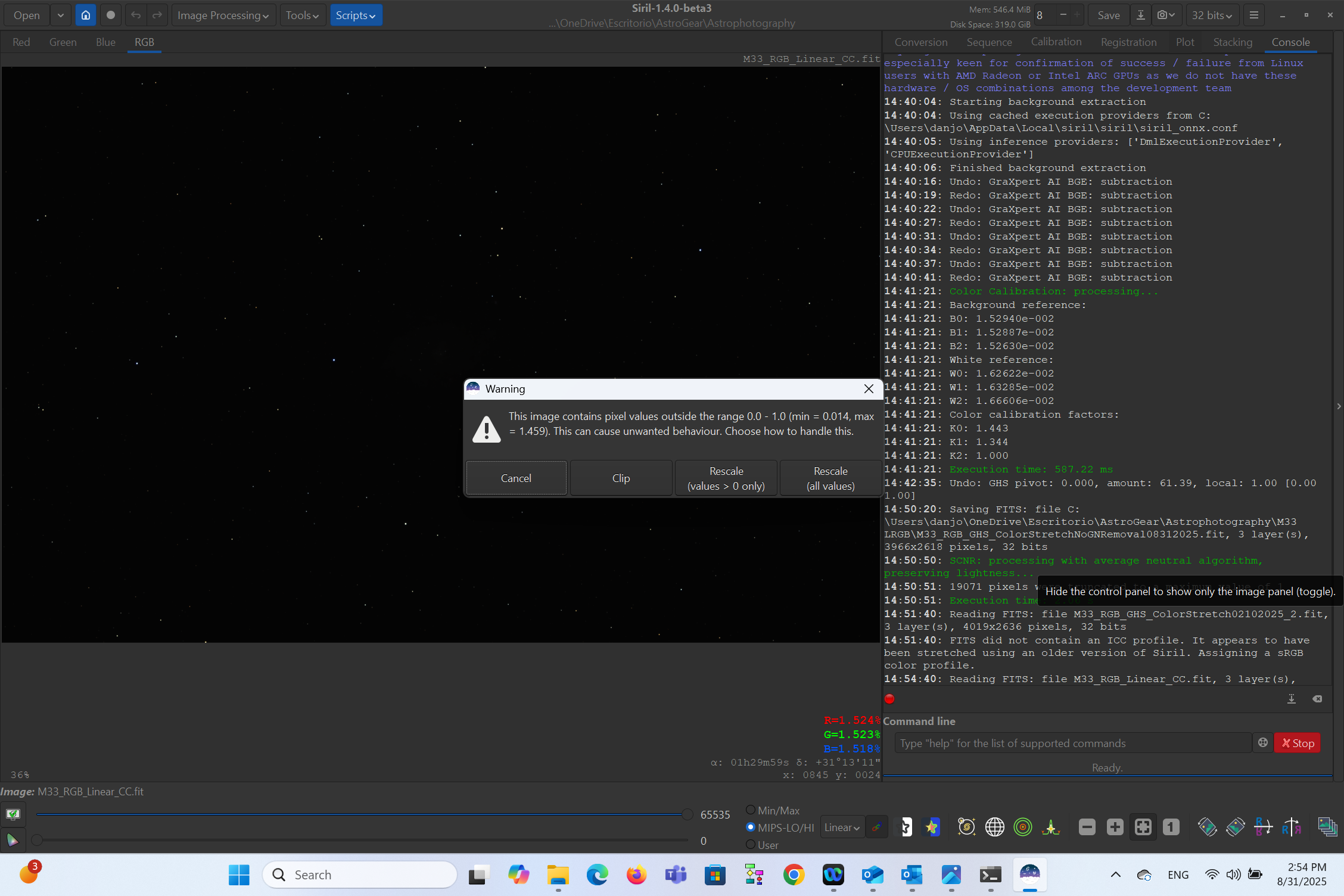
Attached pictures show the difference between stretching a color image with Siril 1.2.6 and Siril 1.4.0 Beta 3 versions. Also, when opening a color image with Siril 1.4.0 Beta 3 version, there is a warning window pop up asking how to handle pixels values outside the range 0.0-1.0. No matter what option I choose, the color artifacts around highlights still appear. Screenshot attached.
I’ll take a look at this. Just for the avoidance of any doubt, please can you confirm which image is which and also could you share a copy of the unstretched image (if it’s too big to upload to pixls directly you can share it on google drive or file.io or somewhere) so I can replicate this myself. What GHS stretch settings did you use to obtain the results above?
The “pixels out of range” prompt is intended to help in the event of pixels being out of [0,1] which causes problems for some algorithms that use HSV colour spaces, but regardless of the choice you make it will ensure that values are in range. I think here “Rescale +ve only” would be fine (actually either of the rescale options are equivalent as your min is > 0).
Hi, thank you for your reply. I stretched with GHS setting the Local Stretch Intensity at 1.0 and Symmetry Point at 0.0 on all stretch iterations. I did not apply any Shadow or Highlight protection point but adjusted the black point accordinly after each stretch iteration. The star image at the top is the one with the color artifacts that was stretched with GHS on Siril 1.4.0 Beta 3 and the one at the bottom was stretched with GHS on Siril 1.2.6. The last one does not show those color artifacts, and it has an uniform luminosity on the airy disk. I stretched both images until the peak of the linear histogram (background) reached 1/4th (25%) of the tonal range (like replicating the AutoStretch result).
Below is the link to google drive of the linear FIT file. It already has background extraction applied and it has the colors calibrated.
1 Like
OK, after some head scratching the fix ended up being fairly simple: the result of a calculation was being stored in the wrong place. If you use the latest commit to master (or wait for beta4) the issue is fixed, as long as you use RGB blend as the clipping mode (I should probably set this back to the default, come to think of it).