Hi,
I did not find anything so if this question was already answered, happily redirect me:
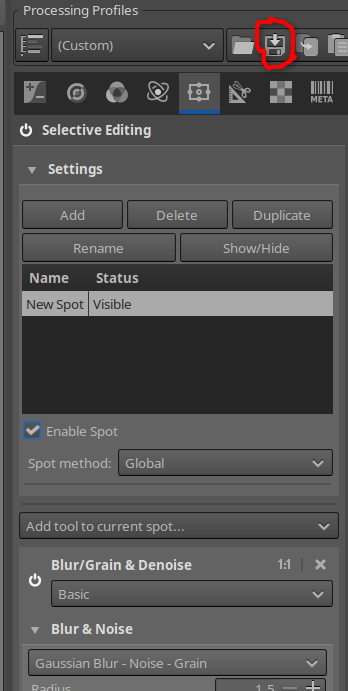
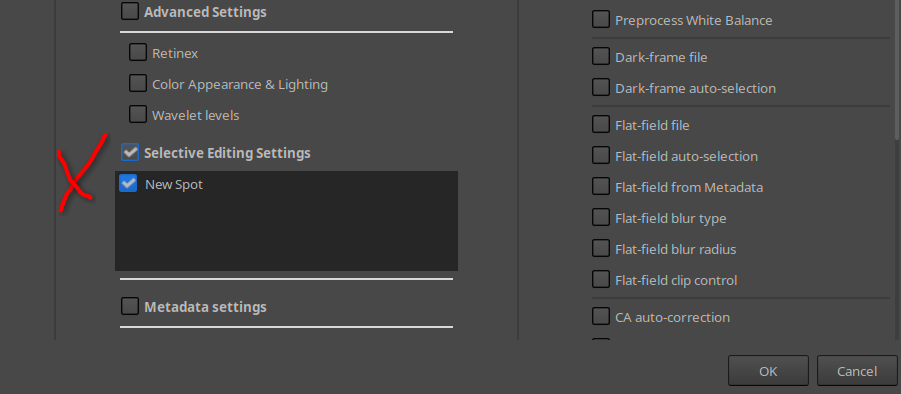
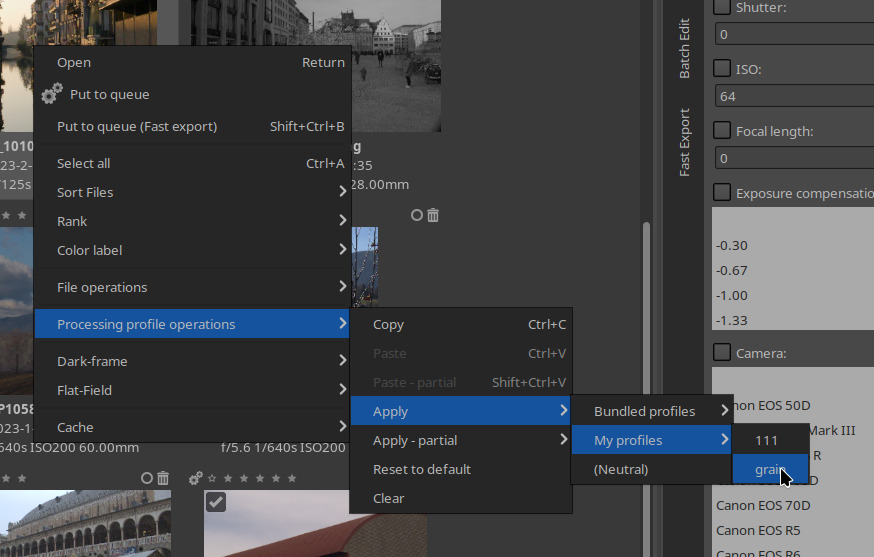
Is there any way to add film grain from the selective editing tool to multiple raws at once? I know that selective editing is not available in batch processing but I thought maybe there is another way that I did not find
Hmmmm… Interesting question. Have you tried Film simulation found in the Colour tab. You may/probably have to link to HaldCLUT files (which you can download from GitHub, then point Rawtherapee to the folder they are saved to (set this in Preferences, and you’ll also need a cheeky restart of RT)).
This might be a work round for batch… But I have never tried batch with this… So just trying to think of ways or ideas that may help. I’m not on my laptop just now, but perhaps tomorrow I could have a look.
Until then, give HaldCLUT a go… Then see if a Film simulation works in batch. You can choose many different film types/simulations, some of which are nice and grainy…