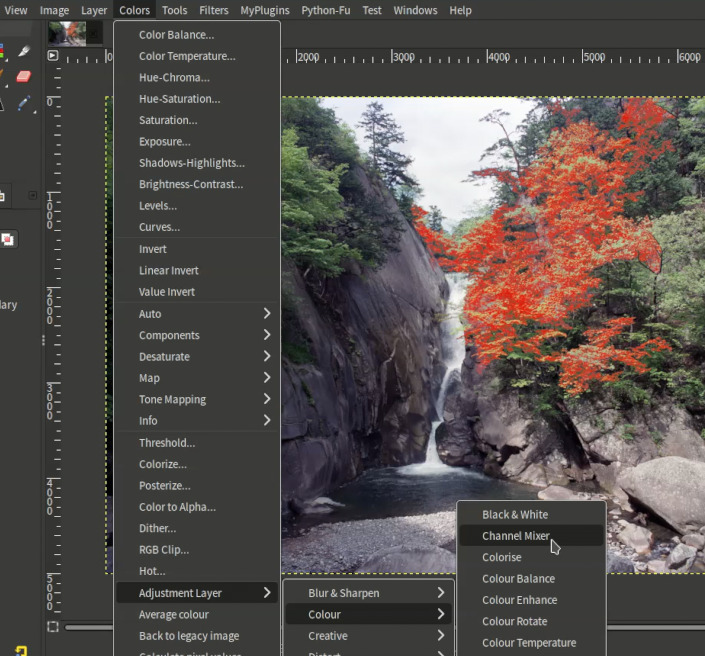
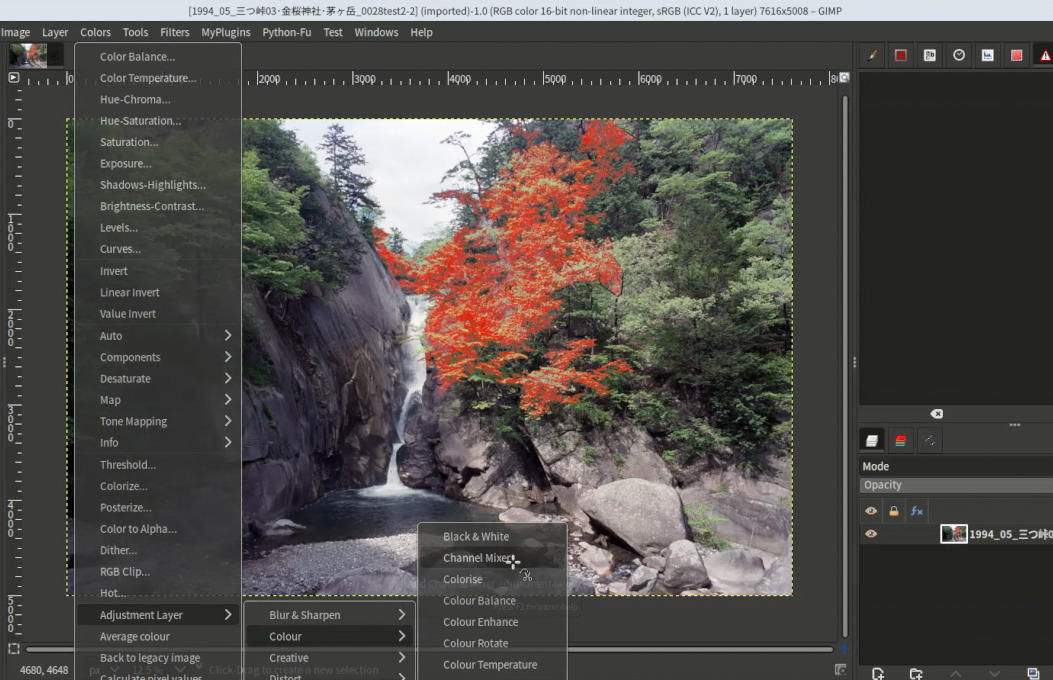
I’ve released a plugin that adds one of the most requested features for non-destructive editing in GIMP: adjustment layers.
It automates GIMP’s pass-through layer groups. Pick an adjustment (Curves, Levels, Hue-Saturation and so on), and the plugin builds the group and applies the adjustment, so everything beneath it is affected non-destructively. You can then tweak, mask, reorder, or toggle it like any other layer.
It’s inspired by bunnywaffle’s GitHub repository. I’ve enhanced it, cleaned up the code quality, documented it, and packaged it as a proper plugin.
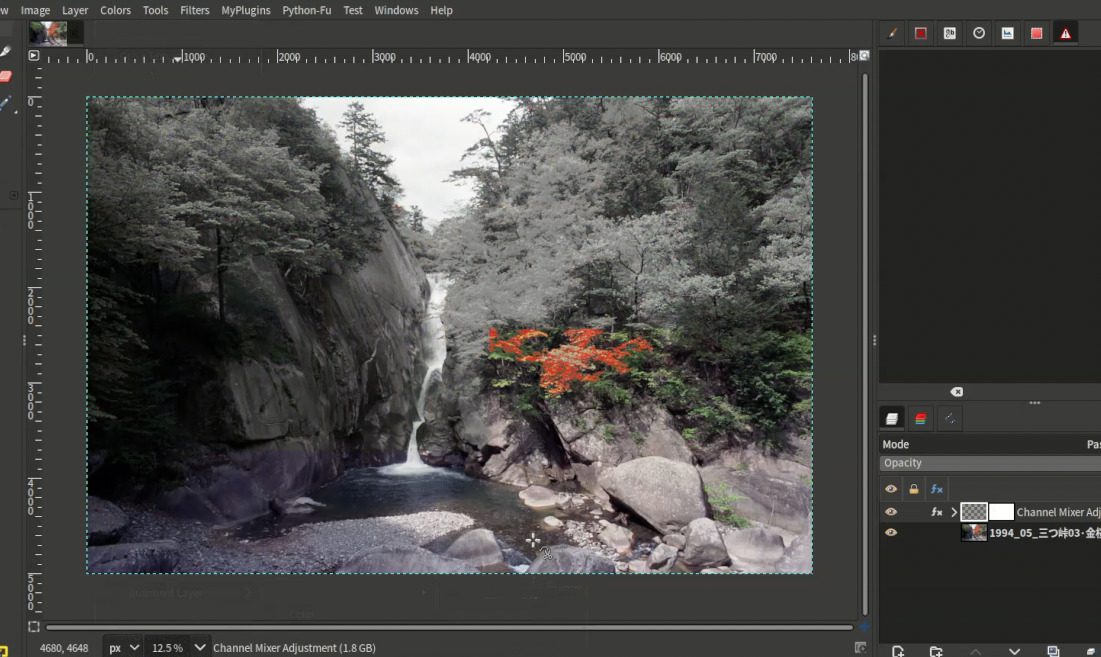
I tried this plug-in and found that if users click the editing item from the menu, the default value is applied to the image instantly and the users cannot adjust parameters. I think it is better to allow the users to adjust editing parameters.
Hm. @yasuo can you be more specific? Give me step by step instructions on how to reproduce what you describe?
When the adjustment layer is added to the image, the adjustment layer group has an fx icon. When you click that, the adjustment is fully editable, just like any other layer filter.
INIT: gui_restore_after_callback
Parsing ‘/home/yohnishi/.config/GIMP/3.2/shortcutsrc’
Parsing ‘/home/yohnishi/.config/GIMP/3.2/action-history’
Parsing ‘/home/yohnishi/.config/GIMP/3.2/devicerc’
Parsing ‘/home/yohnishi/.config/GIMP/3.2/controllerrc’
Loading menu ‘/app/share/gimp/3.0/menus/image-menu.ui’ for /image-menubar
Writing ‘/home/yohnishi/.config/GIMP/3.2/gimprc’
Gtk-Message: 00:18:25.402: Failed to load module “window-decorations-gtk-module”
Gtk-Message: 00:18:25.402: Failed to load module “colorreload-gtk-module”
helpers.py fully loaded, set_button_icon defined: <function set_button_icon at 0x7a7cae957e20>
[adjustment-layer-channel-mixer] The catalog directory set by set_i18n() is not relative: /home/yohnishi/.config/GIMP/3.
2/plug-ins/adjustment-layers-gimp3/locale
[adjustment-layer-channel-mixer] Localization disabled
[adjustment-layer-channel-mixer] The catalog directory set by set_i18n() is not relative: /home/yohnishi/.config/GIMP/3.
2/plug-ins/adjustment-layers-gimp3/locale
[adjustment-layer-channel-mixer] Localization disabled
helpers.py fully loaded, set_button_icon defined: <function set_button_icon at 0x70ed8cb7fe20>
[adjustment-layer-lens-distortion] The catalog directory set by set_i18n() is not relative: /home/yohnishi/.config/GIMP/
3.2/plug-ins/adjustment-layers-gimp3/locale
[adjustment-layer-lens-distortion] Localization disabled
[adjustment-layer-lens-distortion] The catalog directory set by set_i18n() is not relative: /home/yohnishi/.config/GIMP/
3.2/plug-ins/adjustment-layers-gimp3/locale
[adjustment-layer-lens-distortion] Localization disabled
helpers.py fully loaded, set_button_icon defined: <function set_button_icon at 0x76256015fe20>
[adjustment-layer-channel-mixer] The catalog directory set by set_i18n() is not relative: /home/yohnishi/.config/GIMP/3.
2/plug-ins/adjustment-layers-gimp3/locale
[adjustment-layer-channel-mixer] Localization disabled
[adjustment-layer-channel-mixer] The catalog directory set by set_i18n() is not relative: /home/yohnishi/.config/GIMP/3.
2/plug-ins/adjustment-layers-gimp3/locale
[adjustment-layer-channel-mixer] Localization disabled
And my environment: Kubuntu 24.02 + GIMP3.2.6 (Flatpak version)
@yasuo The plugin worked just fine. In your screenshot you can see that the adjustment layer has been added to the layer stack. See the fx icon on the adjustment layer? That’s the same icon you see on regular layer filters. Click it and you can adjust the filter.
I just tested this myself and it works as intended.
Perhaps what you’re asking about is why the plugin doesn’t open the relevant filter before attaching it to the adjustment layer. If that’s what you meant, that’s a GIMP limitation.
GIMP’s own filter dialogs belong to GIMP’s core and, in my own experience trying to use them in plugins, they aren’t available to plug-ins. I believe this is an enhancement plugin developers have already asked the GIMP team to consider. You might want to check the GIMP development website. The only way to show a dialog first would be for me to recreate each of the 43 filter dialogs myself, which isn’t practical.
Instead, the plugin attaches the filter with default values and leaves the adjusting to GIMP’s native tool. Click the fx icon on the adjustment layer and GIMP’s own filter dialog opens, with live preview, presets and everything else. You can also come back and change the values at any time, not just at creation.
If you’d like to see plug-ins able to open GIMP’s filter dialogs, that would need a change in GIMP itself, so the best place to ask for it is the GIMP developers on their issue tracker. I’d love to use that capability if it ever becomes available.
This plugin requires just one extra click to customise the filter, instead of showing the GIMP native filter dialog. Which is easy enough to do.