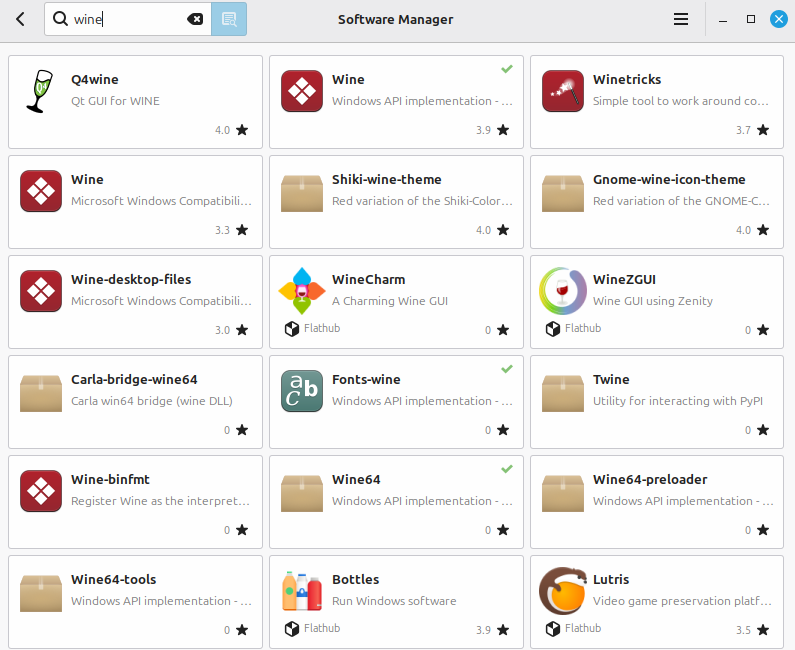
I am trying to make the switch to Linux and all my needs are being met except for one Microsoft program called ICE for panorama stitching. I am not looking for alternative Linux programs. I am wondering about the best way to install and use wine on linux mint. Would one of these flatpak options suit my needs. I am a linux beginner so flatpaks are the easiest solution possibly.
With other apps, I’ve had some success with Bottles. My son uses Lutris.
I don’t recall well - you may wish to set up file sharing with your standard Linux directory. Wine buries the simulated C: drive fairly deep in a Linux directory.
I know you said you didn’t want other recommendations… BUT: my repeated Wine experience is that fiddling with wine hurts just as much if not more as looking for a Linux native alternative…
I did go with a VM for one Windows app (my father had put 100’s of hours into a genealogy app).
For Windows I used Virtual Machine Manager using KVM as the hypervisor. I’m sure you can find tutorials online.
I set up the file system with a shared folder so that I could keep primary files in a standard Linux directory.
I didn’t need a full copy of W11 with all of the bloatware, so I found an iso called “tiny11.” It uses fewer resources than the full version.
MS would not let me use the license that was used previously on the machine. I found a workaround but I’m reluctant to share details here. I did sign in with my MS credentials.
Screen resolution is less than full HD for me. But I don’t know what I am doing, so let’s say that’s likely a user issue.
Setting all of this up took me several hours. Again, likely a user issue. But w11 has been stable.
Thanks Tobias and Uli for your replys. I have tried these programs, but for 99% of my work ICE is the best. The ease of use is one reason, but the deal breaker is that ICE often produces a superior result in my hands because of the choice of various projections and other adjustments available. It is ironic that the one program that handcuffs me to Windows is a program they abandoned in 2015.
Dr Google reckons people do get ICE to work on Linux. I just wanted to get advice before trying to blunder off on my own and stuffing it up. If I can get ICE running I am free of the handcuffs that bind me. I will try bottles and see how I go.
I installed bottles and it appeared to successful install ICE but the program fails to open or show up in library of Bottles. I am not sure if anyone can help with this. An online search hasn’t resolved the issue for me yet.
Sadly still haven’t been able to get it to work so the Window’s handcuffs still remain for me. I will continue trying but I am not optimistic at this stage.
@Bert thanks for the suggestion. I have tried it and it is a good option but strangely enough not as good as 2015 abandoned Microsoft software ICE. AutoPano I used recently on an image that it twisted and distorted the result while ICE just worked. But AutoPano will probably do an excellent job with most images.
One day my Windows computers will spit the dummy and not run ICE. I just find it strange that such an old program is so good and the only reason I feel compelled to stick with Windows.
As noted a vm should work fine…you can use the Microsoft tool to generate an iso for mounting and then pick a vm platform or try what others advise from the linux world and you will be able to run ice and likely maybe there are one or two other carry overs that you forgot about that you might need… give it a try I think it should be fine…if I have some time I will try it…