I’m home now. The clipping indicator has the following modes:
- full gamut: checks several things:
- first, it invokes the luminance only check
- if that did not trigger, invokes the saturation only check
- if that was fine, performs the any rgb channel check
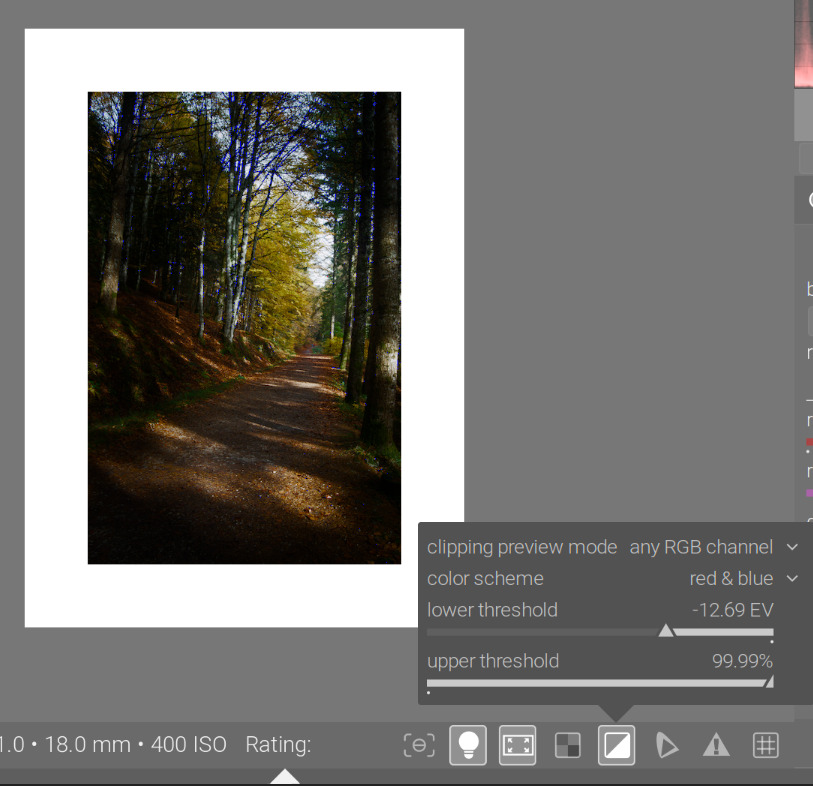
- any rgb channel: any RGB channel is below the lower or above the upper threshold, you get the blue/red warning.
- luminance only: if any pixel’s luminance (the Y channel from CIE XYZ) exceeds the upper threshold set in the tools config, or is below the lower threshold, you get the red/blue warning
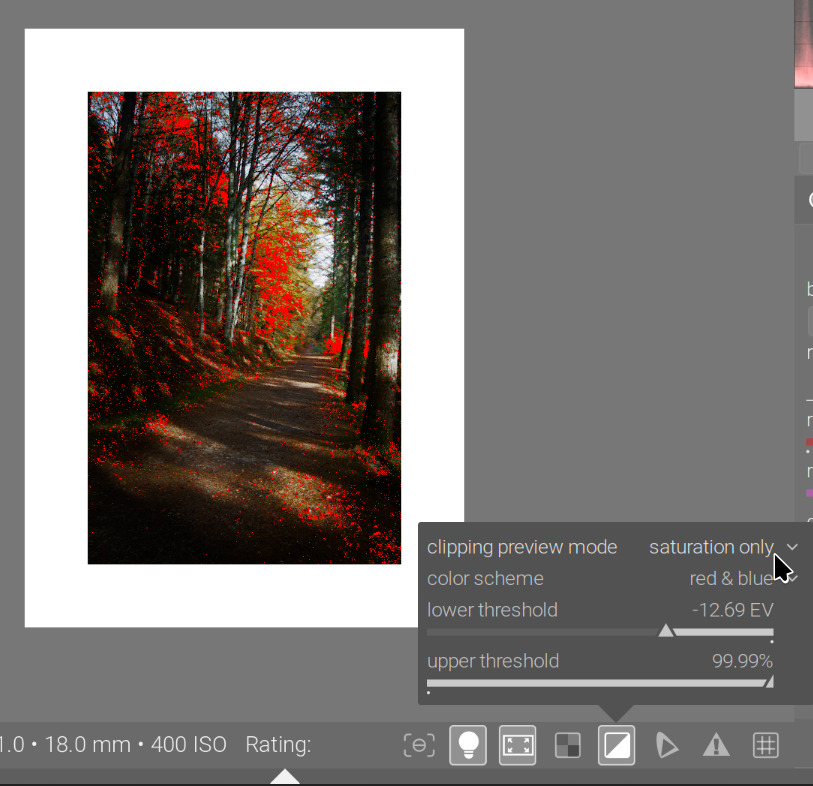
- saturation only: it calculates a kind of saturation I’m not familiar with (but I know next to nothing about colour, so that does not mean anything):
- for each RGB channel (so not for the whole pixel, not for its colour!!!), it calculates this ‘saturation’ as
c = value of the channel (either the R, G or B component) diff = c - luminance (Y, see above) saturation of channel = square root of (diff^2 / (Y ^ 2 + c^2) - if any of those values is above the upper threshold, you get a warning. An example:
Rec 709 RGB(0.0006, 0.001, 0.9) would have luminance Y value of 0.0658, and for the red channel, a difference of -0.0652, and a resulting “red saturation” of 0.9908. Therefore, it would trigger a warning if the threshold is set to 99%. The warning will be red (as we breach the upper threshold).
- for each RGB channel (so not for the whole pixel, not for its colour!!!), it calculates this ‘saturation’ as
So, strictly speaking, from a display-referred RGB point of view, you are in gamut as long as you are between 0 and 1 (or very close to 0 / 1), checked using any rgb channel. For your image, it’s actually the saturation that triggers the warning.
any rgb channel:
saturation only:
The gamut check also triggers for the image. That is done via the output color profile module. That seems to check the conversion result to the output space, and also checks for negative RGB values:
if(outp[4*j+0] < 0.0f || outp[4*j+1] < 0.0f || outp[4*j+2] < 0.0f)
I don’t have more time to dig into this further. It’s interesting that the any rgb channel check does not trigger, but the gamut check does.