Here is my take as a a user who is still learning about color.
AgX can be used for the technical aspects of tone mapping, including hue rotation in the highlights, avoiding the notorious six, as has been extensively discussed elsewhere and which is also mentioned in the documentation.
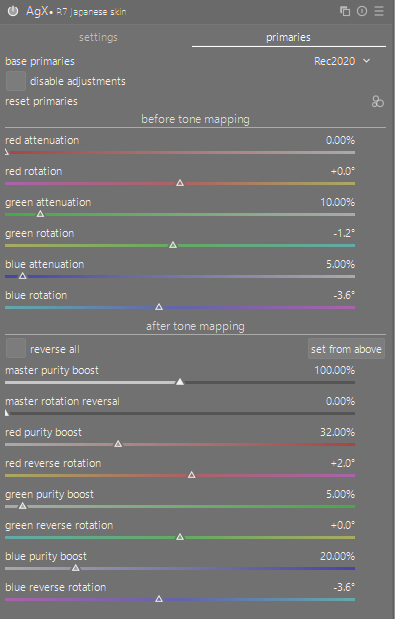
AgX can also be used for more-artistic rendering of the image, particularly in the “look” section, but also in the reverse rotation section.
Skin tones, at least in my photos, are usually targeted near middle grey. Near that tone level, I would expect that technical color rotation to be low. Of course, there are often some highlights on the skin.
My use of AgX to-date is mostly on the technical tone-mapping of things in my mental model, and I frequently adjust contrast (around 3 to 3.2 if memory serves), and also toe and shoulder in some cases. I usually leave primaries and look sliders alone.
For good skin tone my primary focus is first on white balance. I find this to be easy in natural light, but I often struggle indoors with led-lighting. Sometimes indoors I get one person looking “correct” but another person in the photo looks off.
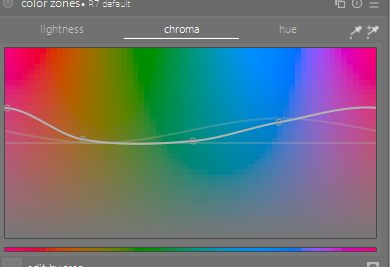
For split-toning and general color adjustments I prefer to use a combination of rgb primaries and color balance rgb. With the great control of contrast in AgX I’m using color balance rgb less than before, mostly just to tweak saturation a little. And for overall color rotation and purity, using rgb primaries allows me to easily toggle the effect on and off while I decide how well I like the edit.
I am just starting to read about color science from the old days at Kodak, and it has been interesting to learn that Kodak (apparently) tuned color response of their films to fit with personal preferences of people, rather than technical accuracy. I’m on the hunt for good references (free stuff; I know there are books).
I think AgX is a fantastic and amazing module, and I feel very fortunate to have this in darktable as-is. Thank you, István!