Need some help here to activate the model. In the preferences AI tab, having activated the AI features, I am unable to download any module. What do I need to do to get the module working?
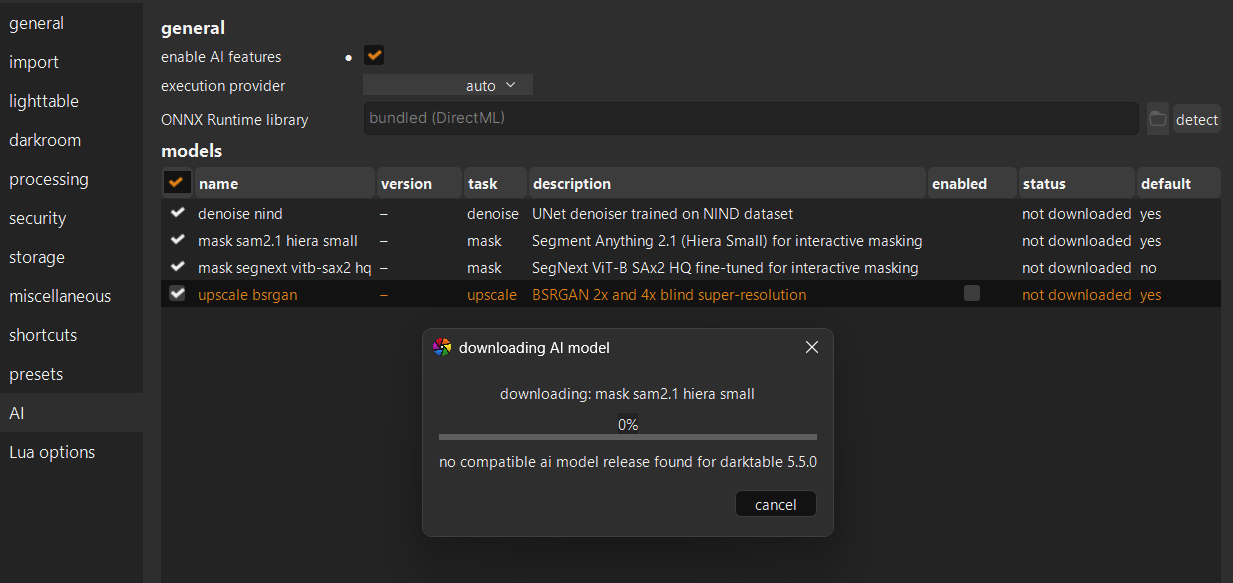
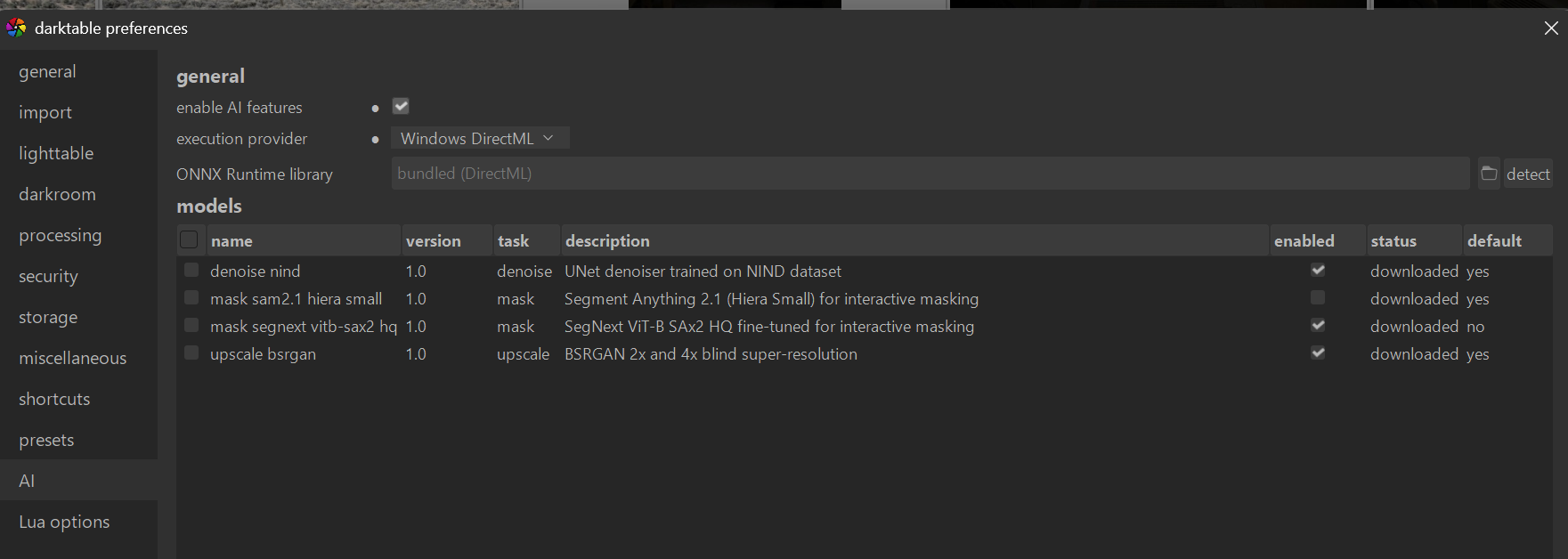
Most likely mismatch between your dt version number and available models. if you manually download the model (here: Releases · darktable-org/darktable-ai · GitHub) and then in the AI settings click on “Install Model” and then checkmark “Enabled”, it should work.
1 Like
Thanks, its working now  Excellent module; gives very impressive results
Oh that´s a pretty old version … of PL ?!
The models are completly outdated
The latest are WAY better on all counts .
Andreas
Is there anywhere a documentation available , where one can read how to use the i.e. denoising ?
Is is right that i do end up with a seperate file in tif ?
That would mean … that denoising is made at the end , right ?
If that is the case … i think it is not a good solution , IMHO, at least i do the denoising in the very beginning .
But maybe this is not possible at the current state ?
Andreas
You’ve probably used earlier builds. Check repository config in darktablerc. It should be:
plugins/ai/repository=darktable-org/darktable-ai
User documentation will be available closer to the release date. But I can comment on you questions here.
First thing to understand is that AI restoration tasks like denoise, deblur and upscale are generative tasks. It means that AI model is basically creating a new image out of the original image. Very close one, but still technically new image. That is exactly the reason why it is utility module, and not a processing module. On each neural restore tool you will get a new file at the end.
Denoise tool is recommended for heavily noisy images, where IOP tools do not produce good enough results. It is applied at the end of the pipeline or at least after tone mapping. Resulted TIFF image allows you to effectively apply further styling.
I would say, neural restore denoise is not a substitute for traditional denoising tools, but rather and addition to it. The same concept works in the majority of other raw editors.
6 Likes
Could JPEG XL be used instead of TIF?
There is no such option directly. But after initial processing you can export to JPEG XL.
THX for the info … much appreciated .
Will try and play around …
One thing i noticed is in the preview , when i change the view away from image center … that i do get weird large colored artifacts .
Think this is not normal ?!
Andreas
Are you using the recent nightly or master build? That should have been fixed by now.
Hi Andrii. Just build on your latest commit to master (commit 8f31492): I now have my 1:1 previous and the noise reduction is no longer so heavy handed, thank you!!!
I just need to play with the new detail_recovery_bands parameters to fine tune it.
1 Like
Does JPEG XL have an advantage over Tiff?
Maybe file size… 16bit TIFFs are really, really large
You can select 8-bit TIFF
Yes, with the recent update we have:
- Preview export full resolution by default and can be reduced with config
plugins/lighttable/neural_restore/preview_export_size. This provides 1:1 preview - Adaptive wavelet thresholds for detail recovery based on residual statistics. Effect of detail recovery is much stronger now
- Configurable detail recovery wavelet band thresholds for power users in
plugins/lighttable/neural_restore/detail_recovery_bands=0.5,0.3,0.1,0.05,0.02
2 Likes
Thank you for developing this new plugin. I have tried it on my Mac Studio M2 Max and it is too slow to use. The previews generate in a few seconds, but denoising takes over 2 minutes for each .ORF image. Would be curious how others with macOS experience the performance of this plugin.
Have enable coreML in the settings? On my M1 it takes a bit but not 2 minutes.
Yes. Just tried it on an ISO 6400 image and it was 2 minutes to the halfway mark and I cancelled it because it was too slow.
It depends on image size, acceleration enabled/disabled and hardware. For 26MP image on my M4 it is 45 seconds on CoreML and about 2 minutes on CPU.