Have I uploaded the png and the pp3 in the correct way?
Bull2431Dark.png.out.pp3 (16.6 KB)
Nice shot! Upload itself looks fine. While the file size is < 1 MB please use JPEG as it allows for smaller file size. What is your intention with this post (because you uploaded the pp3 from RT?).
Thanks mino, Its my first time uploading image+pp3 and I had read about file sizes, so wanted to check I was doing it properly.
My intention was to upload the image at the propper size and see if anyone could give me an idea of how It turned out…no previous experience with dslr or software.
I also thought it might be nice to learn what adjustments others might try.
So, all is ok, but upload in jpeg for better file size…and I take it the pp3 is ok as is!
I usualy save images in png as it’s more suited to my laser engraver software…less compression.
Thanks
I see. Without the RAW file others can’t really comment on your editing process or give you their examples. If you want to invite others to take a shot at your photo post in playraw and include the RAW+pp3.
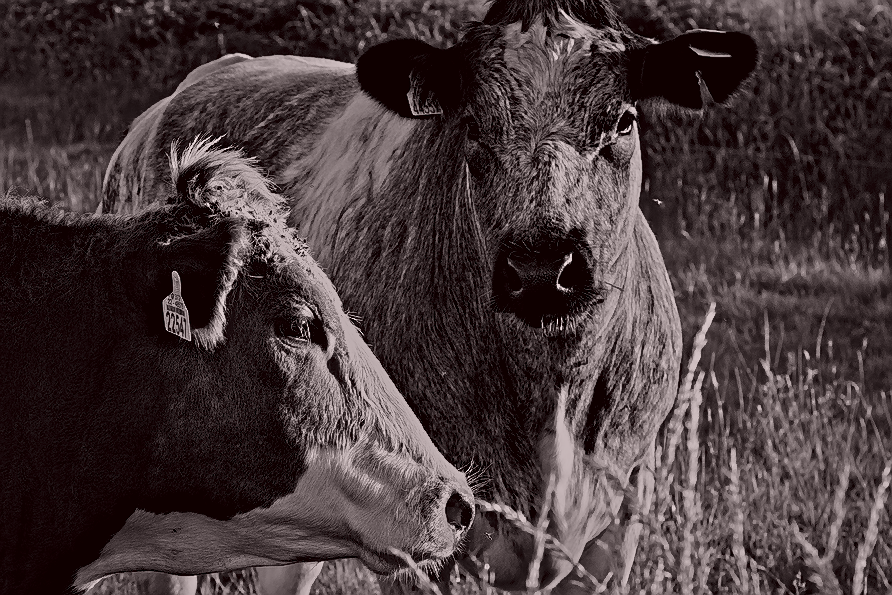
Concerning your photo: I think it is a great shot! Nicely composed. The tinted monochrome look works well for the subject matter. Sharpening is a bit on the harsh side but also helps with a certain gritty look that probably works well in the context of your laser engraving endevours  .
.
Yes indeed.
Thanks mino, i had thought the pp3 was the Raw shot…Crumbs!
Can you tell me how to identify the Raw file (I’m probbably seeing but not recognising it) and Is the pp3 actually needed…Should I only post a jpeg of reasonable size and the Raw file.
Im shooting in Auto at the minute until I know whats what (Safer for all concerned!) with a nikon d610 and Nikkor,50mm 1.8g.
Thats a pic I took on my second day with cam while walking the dog in the neighbourhood. It was very sunny and with great views but I cropped in to that and wanted it to look…thanks for the term, Gritty! I like a slightly sureal touch to individualise the shot/engravings
The pp3 contains a protocol of the edits you made with RT. So usually when posting a playraw people include it enable others to understand their edits.
The raw file will have almost the same name and is probably between 20-50 MB. As you are using a nikon it should be a .nef file. For raw files it is okay to upload the big file as there is no real alternative :-).
Hey @Pete.IRL you could give my .pp3 file for basic starts a go… It’s sets up RT in a basic way, but I’d say the important thing is the resize (look in the Transform’ tab), which is set to the pixls.us preferred size of 1920 x 1080. When you hit the cogs to produce your output, set jpeg to 92 for quality with a balanced approach… Should end up with a file of about 500kb at the correct size.
There’s a few other things I set using this basic start, but have a look at the .pp3 applied to one of your shots to see what else I use; first though always apply the Neutral processing profile (essentially turns off everything so you start a fresh) before applying this file/.pp3.
Look at this as well: RawPedia - Getting Started
Happy to help if you have questions… 
Thanks so much Stuart.
Very pleased to get the help. I’ll go through your suggestions (slowly) and try take it all in.
Cheers!