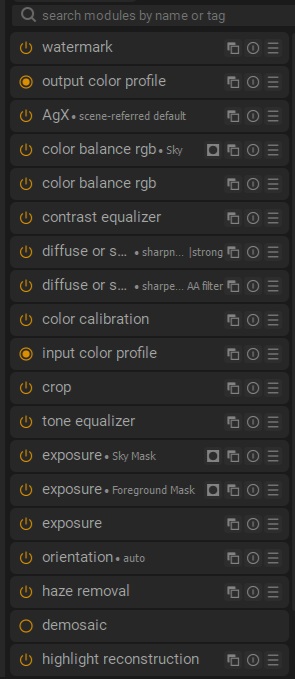
I’m in the process of transitioning completely to DT from LR after using it for 20 years. I’m just amazed more and more with what is possible with DT with the subset of modules I currently use. One thing I have learned is that subtle changes to a slider goes a long way. Masking is also becoming a lot easier and focused. The good advice that I’ve received to date has been a tremendous help as well as the excellent tutorials available. Via the multiple workspaces option I’ve been able to configure DT similar to the LR catalogs I’ve used as well as setting up hierarchical tag structures to drive my collections. The ultimate goal is to eventually completely move to Linux.
12 Likes
I just find Dt so much more fun that LR. It facilitates a higher level of creativity and it can be very fast once you create styles for your camera. Have fun and welcome to the forum and DT.
3 Likes
Thanks Terry. I’ve worked through quite a number of tutorials before I actually started editing my own images. My initial problem was establishing an adaptable workflow that worked for me until I viewed 2 videos that focused on transitioning from LR to DT. Used it as a base and then adapted it to suit my “style”. Understanding the pipeline in DT is very significant, in my humble opinion where most LR to DT converts struggle. I still have a lot to learn as DT is extremely powerful. My approach to date has been to take selective edits done in LR previously and start from scratch in DT to achieve the same/similar result. I think a mistake often made is to find a DT “equivalent” function/module to a LR function/module although there appear to be similarities.
1 Like
I learned a lot from the tutorials of this guy:
https://www.youtube.com/@DarktableLandscapes
I can highly recommend his tutorials on masking techniques.
4 Likes
Thanks for the feedback. I have viewed his tutorials, a great help.
1 Like
Hi Eddie,
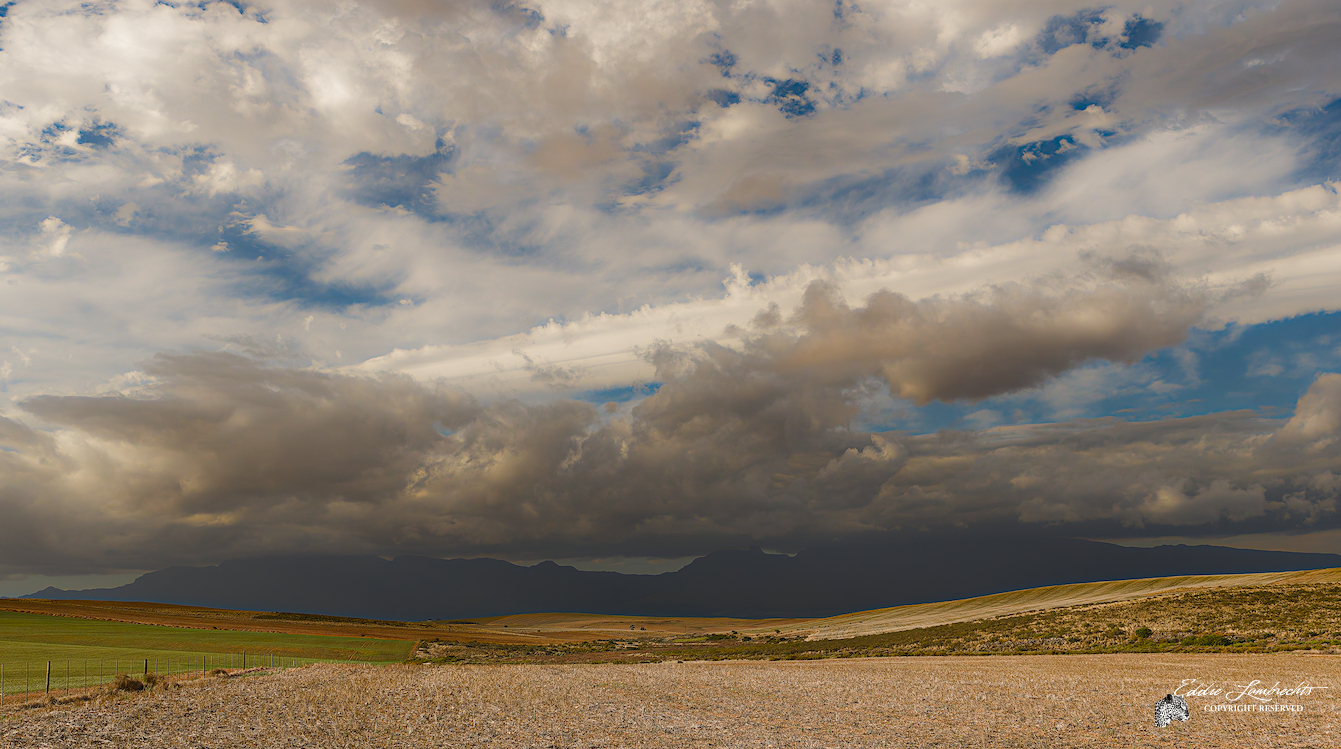
Nice picture!
I took the same route as you did and love dt as much.
My use of LR and now dt look much like yours and I moved to Linux over a year back. All changes took some getting used to but generally it was a very straight forward process.
This forum is very nice, I possibly like the PlayRaw the best as it is always very inspirational.
Regards, Jetze
1 Like
Nice! Yeah, darktable is pretty nice. It’s great that you could set it up to work for you. Keep at it! And nice getting out of the Adobe ecosystem 
1 Like
Thanks for the feedback. I have not installed Linux yet, looking at a dual boot on my desktop as I’ll have to keep Windows on it for at least another year or so as I’m doing desktop support for small businesses, free-lancing. The only major obstacle currently is duplicating my external photography drives for Linux. It is going to take a couple of months bringing all my edits across to Linux and DT.
1 Like
Linux can read and write your Windows ntfs “drives.” Maybe you don’t need to move your photographs.
I don’t know about your Windows dt database and Linux dt.
Anyway, you have to time to think about it and plan.
1 Like
That was also my experience. Was about to react accordingly.
Nevertheless I was lucky in the sense that I had enough space on both my in- and external drives to one by one move data from one drive, and reformat it in a ext4 filesystem. It was tedious work but a one time job.
1 Like
Thanks for your response, I appreciate it.
Windows I know very well, having gone through all the versions since Windows 3.11, way back then. Linux has always interested me but it is a complete new environment to me. I’m getting quite fed-up with all the Windows built-in bloat and Windows-based apps’ resource requirements. I am aware that Linux can read NTFS drives. From my “research” I’ve done (and this comes from the wonderful world of AI (hopefully soon to be completely debunked) and some googling, recommendations are to rather use exFAT formatted external disks with Linux as there is a difference between how Windows and Linux deal with the file structures and one may experience some corruption whilst running a dual (boot) environment that I will have to do for about 12 to 18 months. I have 3 external drives (each in it’s own docking station) that I currently use for my photography. Reason for using external drives is that for a number of years we were subject to electricity outages at random intervals. Despite having a UPS I still lost 3 hard drives. Regular backups saved my data. The external drives also lowers the the “usage” dramatically as the docking station is only switched on when I use the specific drive. I’d rather be safe than sorry, however I appreciate any good advice.
2 Likes
Thanks a lot for your feedback. Also see my response above to Jetze.
There is a documented process to move DT from Windows to Linux that I’ve found. It includes library and database changes. I am however doing very limited editing in DT as I’m still very much in learning mode. According to various sources having the xmp files available is sufficient to retain the edit data. Reconfiguring multiple workspaces in Linux will not require that much work as long as I stay within limited edits hopefully.
2 Likes
My external drives had been, as bought, ntfs. Eventually, there will be a problem. My biases say to blame the nature of MS systems rather than any difference in how Linux writes to them ;).
I don’t know if there is a difference? I have only vague awareness of this (our actual software engineers here will probably know better) but my limited understanding is that MS made ntfs read/write open. But there are limits: Linux cannot do chkdsk* so we cannot properly repair ntfs file systems (FAT/exFAT?)*.
I only use external disks for backup. I have been reformatting them as ext4.
All storage devices die eventually. Those backups are vital!
Oh… great!
*But see ntfsprogs-plus. I tried this on an ntfs usb drive with an inaccessible directory. It worked. Good to know, but I still went for ext4.
1 Like