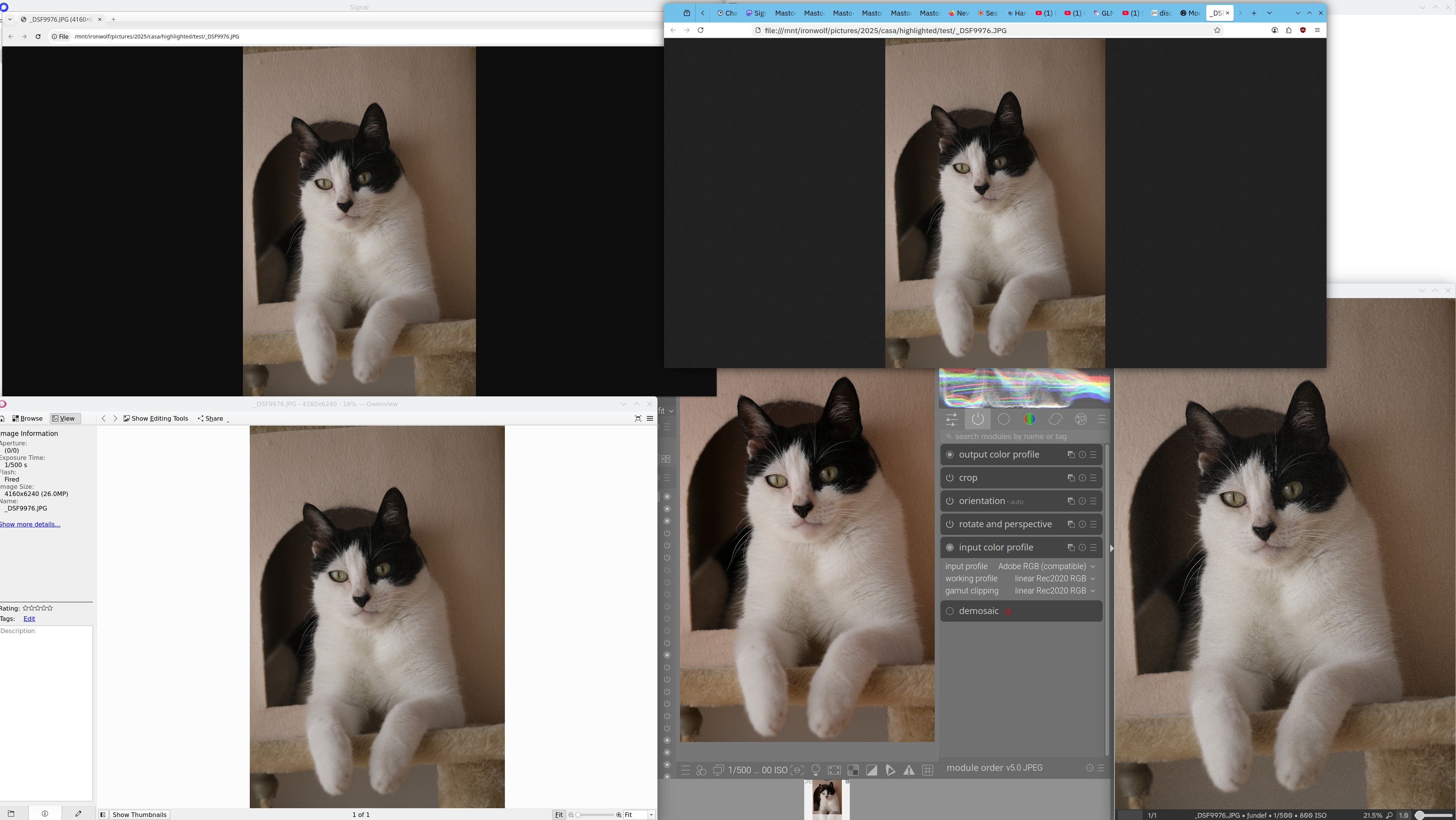

Output profile in darktable is set to sRGB. If I change darktable’s input profile to sRGB it also looks like all the other image viewers.
File starts with an underscore so it’s Adobe RGB. My image viewer uses the exiftool tag called ‘Profile Description’ but it isn’t finding anything so it’s assuming that the file is sRGB and applying no conversions.
Coincidentally all other viewers I show in my screenshot also assume that the file needs no conversions done. Gwenview, firefox and chromium.
GIMP also assumes AdobeRGB just like darktable.
➤ exiftool -icc_profile -b -w icc _DSF9976.JPG
Application version 13.11 does not match Image::ExifTool library version 13.30
    0 output files created
➤ exiftool  _DSF9976.JPG | grep "Profile"
Application version 13.11 does not match Image::ExifTool library version 13.30
hatsnp@hathome:/m/i/p/2/c/h/test
➤
What gives? Are GIMP and darktable going by file name?
File is attached

 It’s curious how every image viewer, including browsers, ignores this tag. The more you know…