I have been trying out ART’s AI-based tools today ART and AI-based tools | ART raw image processor and have got stuck trying to set up the AI masking. Please would it be possible for someone assist me with this?
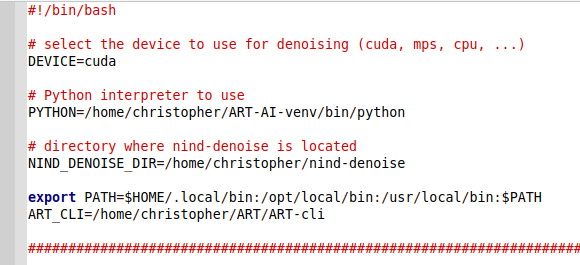
I first installed the AI-based denoising, in the installation I had to capitalise AI in the $ . ./ART-ai-venv/bin/activate command and make nind_denoise_raw.sh executable, but otherwise it was pretty straightforward, and works well  My configuration of the nind_denoise_raw.sh script is as shown below.
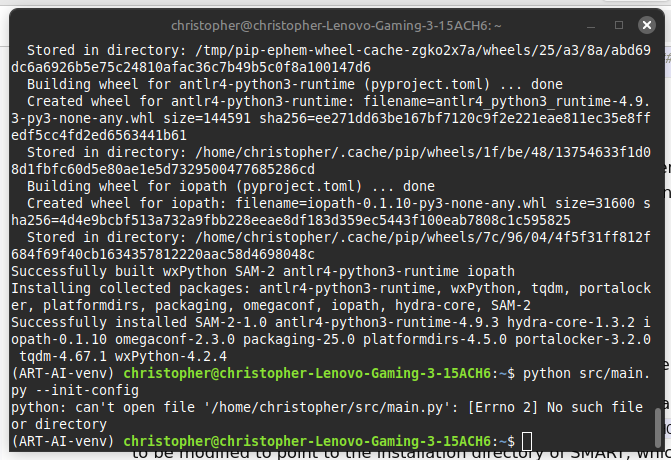
Then installing the AI masking, everything went fine up to step 4 of the
SMART installation. When I run the $ python src/main.py –init-config command, I get the error message “No such file or directory”, as shown below.
I have searched in the /home/christopher/ART-AI-venv directory for main.py, and found three files of that name (and some others whose names contain main.py), as shown below.
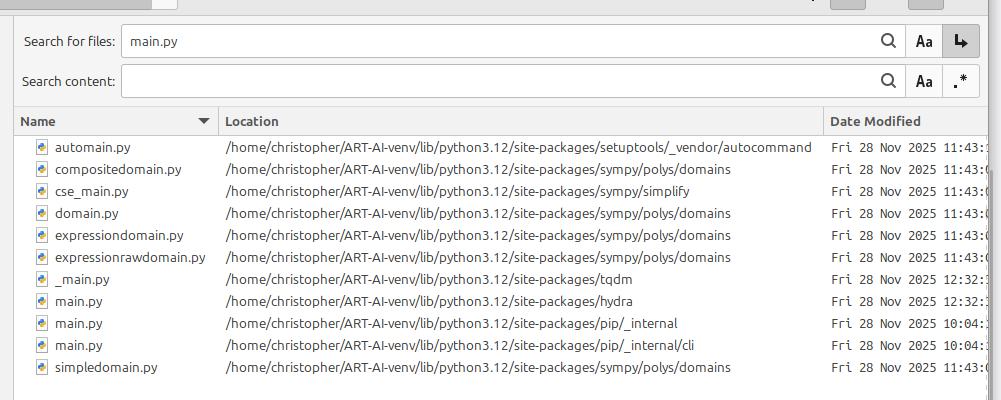
Should I edit the $ python src/main.py –init-config command, to point to one of these main.py files, please – and if so which one? Or is the main.py file located in another directory, or have I made a different error, please?
I’m a bit out of my depth with this, so any assistance you might able to
offer would be very much appreciated 