Hi !
I read the documentation about backing up, I’d like to know if it’s mandatory that backup devices have at first a folder named Pictures.
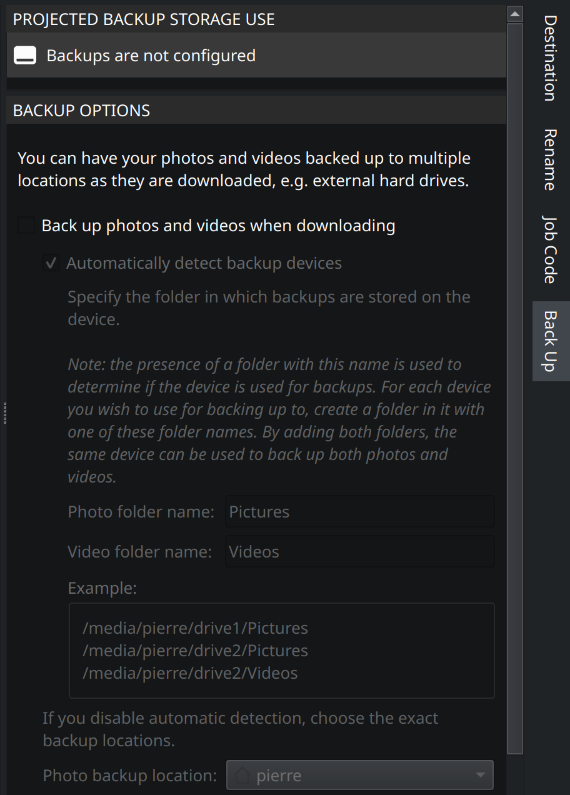
I did a try a few days ago and I can’t modify any option of the backup (all options are greyed).
I tried with an external SSD device and an USB key giving the same result.
Maybe I need to create a Pictures folder in this device to have access to options which seems quite odd.
Check the box beside “Back up photos and videos when downloading”. You can’t see it because the theme being used hides the checkbox, but it is there! Incidentally that will likely be the same for all the other unchecked checkboxes — you simply won’t see them. Which distro is this?
Hi Damon !
I’ve just checked.
I’m using the Dack Breeze Theme.
The checkbox can’t be seen but I can tick it.
It can be seen when I shift to the normal Breeze Theme.