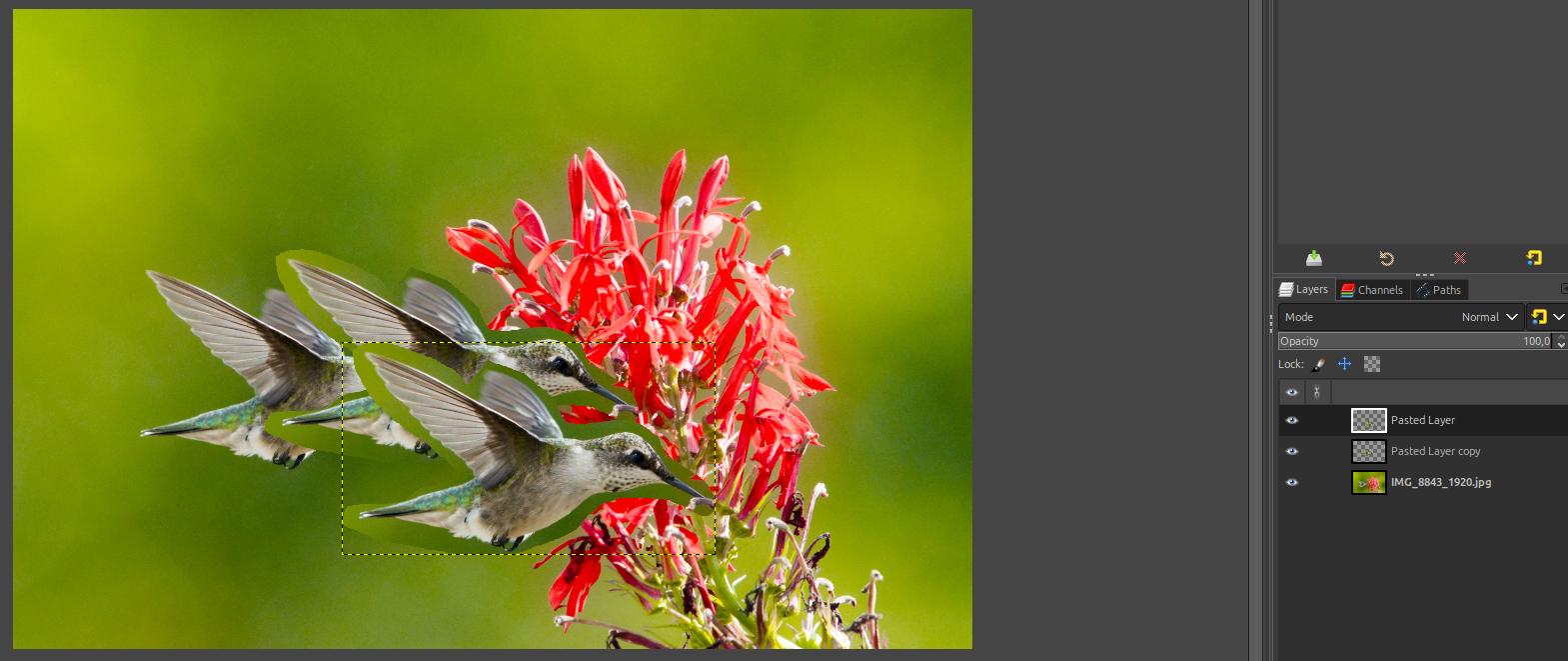
If I want to copy/paste a Butterfly into my gimp creation, then copy/paste another butterfly that will slightly overlap the first butterfly, then a third, fourth and so on…I want to be able to have different layers with each butterfly. Plus I need to select the butterfly only - no background when I copy/paste. I was able to do this with Corel, but cannot afford Corel. And yes, this is a newbie (idiot) question…
The layers bit is the easiest, Copy / paste and the Gimp 3 paste default is now as a new layer. Use the move tool on a layer and in the layers dock you can move the layers around as required for an overlap.
There is no wonderful magick way with Gimp. A plain colour background and you use the fuzzy select tool to remove the bg.
Otherwise there is the fg select tool 2.5. Foreground Select
Usually needs a bit of editing, erase tool in anti-erase mode can restore missing pixels. Use a layer mask to tidy up edges.
4 minute example (no audio) https://youtu.be/UeX4QRDYIyY
…and that is me packing in for the day.
I have Gimp 2.8 if that makes a difference. I’ve got the copy/paste OK. I can also use the free select tool to grab the butterfly only. Now for my next problem. Is there a way to move a butterfly up or back a layer? I can’t seem to move the butterflies once I set them in place. I need to be able to not only move them around to change the placement of each one, but also move them in front or in back of other butterflies.
You can drag the layers up and down in the layer stack.
I’ve tried using the layer stack, but can’t get it to work. Am I missing something? I’ve selected my image with free select (in a separate Gimp window), copy/pasted into my new Gimp design, adjust the size using the scale tool. Now I want to move it behind the image in front of it so just half of it is showing, but I can’t get the layer stack to work. Help???