Perfection is Achieved Not When There Is Nothing More to Add, But When There Is Nothing Left to Take Away
Antoine de Saint-Exupéry
6 Likes
I guess having controls with reasonable defaults, collapsed, that people can tweak if they want / have to, is an acceptable compromise. We could ship with the Blender or sigmoid/smooth defaults, with nothing / only a minimal set of controls shown, and let users decide. The parameters are needed by the algorithm.
2 Likes
Having pretty well all of the options available somewhere in the UI may be wise as there will always be either those individuals or specific images that require one. Keeping such options tucked away behind a tab in the UI (As per filmic) might be an option. Too many collapsible sections in a single tab can lead (At least for those us without 4K monitors and very young eyesight) to usability constraints. Just my 2d FWIW. Agx has certainly opened up plenty of options and I have been having great fun re-visiting some old favourites, duplicating them and then just enjoying myself.
3 Likes
Maybe you should decide which sliders are in the ‘must have’ category. These should remain in open mode when the module is loaded. The others that are in the ‘should have’ and ‘like to have’ may get into the collapsed state, to be used when required. this may help in managing the UI in a better way
3 Likes
Sure. As soon as (most of) the functionality is there, we can start refining the UI.
That would save space where other modules reside along with less scrolling.
1 Like
OK, here is a new one. I have not added separate treatment for the ‘outsetting’, but fixed the matrices (I still have some debug output and do debug calculations that will not be needed in the future, so you may experience a slowdown – I’ll remove that soon.)
So, besides the matrices, I’ve tried checking gamut issues. What we currently have is two methods that take no parameters (the original one from sigmoid, followed by the gamut compression code from @jedsmith , finishing with the lower guard rail from @flannelhead ). In case you are wondering: none of them was able to handle all the images I tested when used alone, but together they seem to provide a very robust combination.
Our favourite flowers now look like this (blender-like preset, with only relative exposures adjusted):
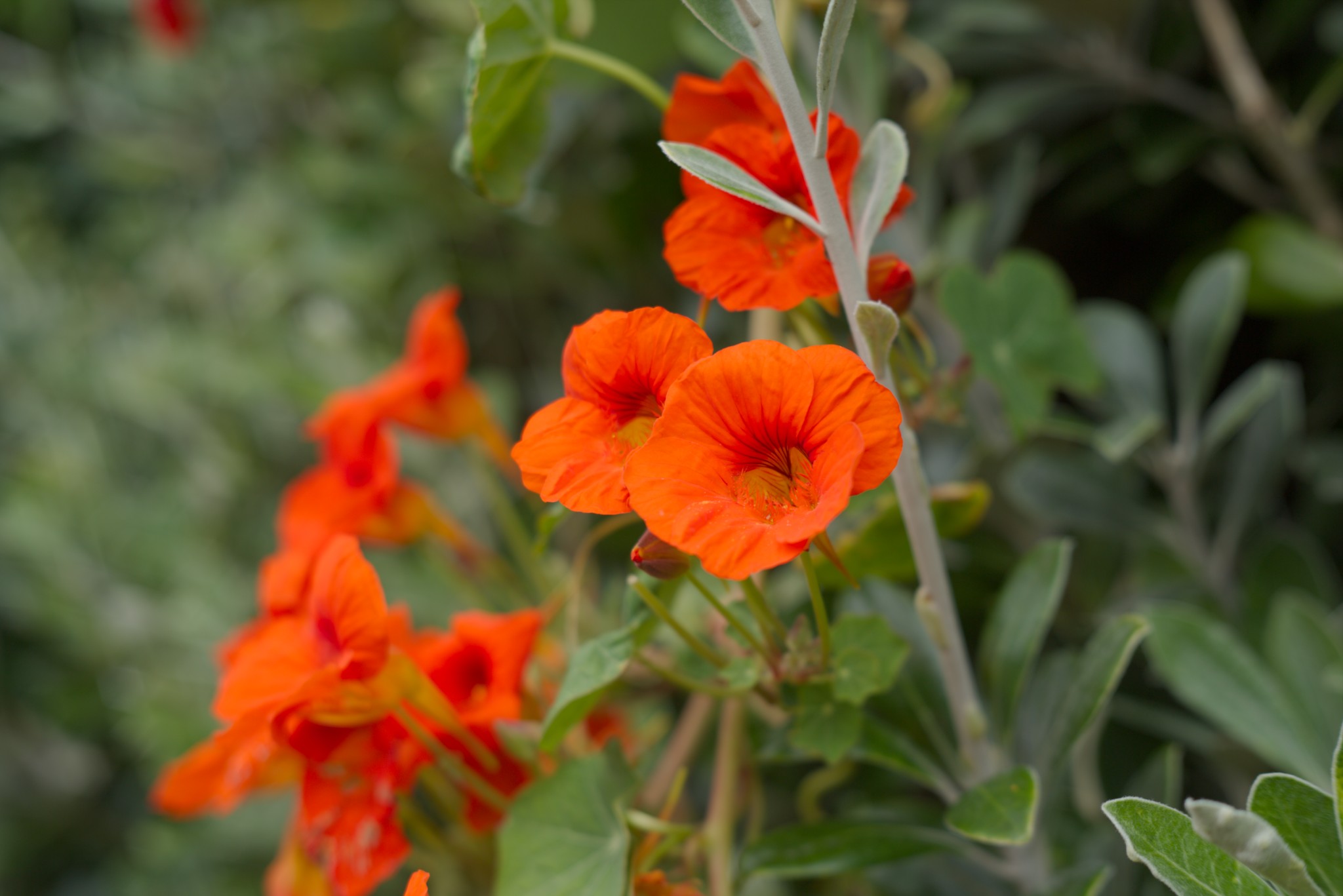
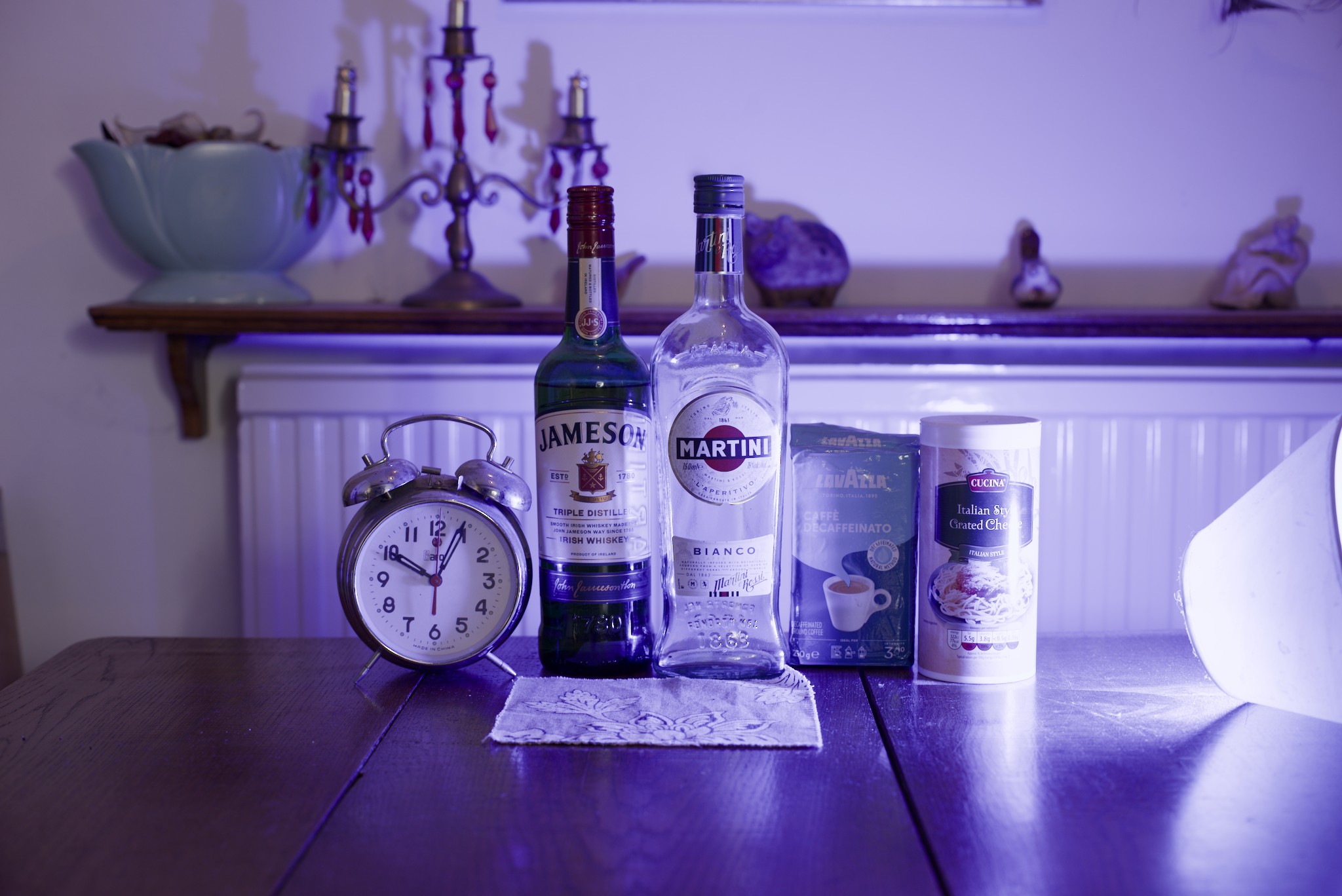
I’ve tried an image that I had never been able to process:
It’s lit by awful blue light. This is how it looks without tone mapping and gamut control:
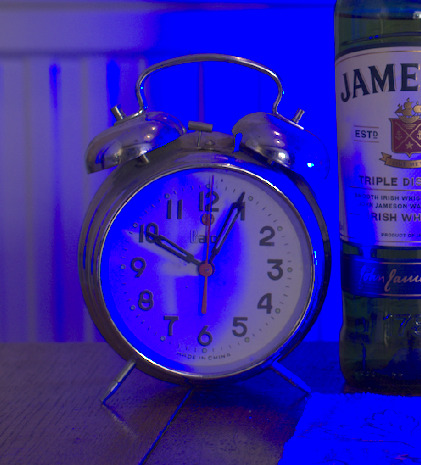
Notice that the shadows of the clock hands are brighter than the surrounding clock face. 
sigmoid + smooth + sRGB is much better, but the shadows are still brighter than the surfaces illuminated by the blue light:
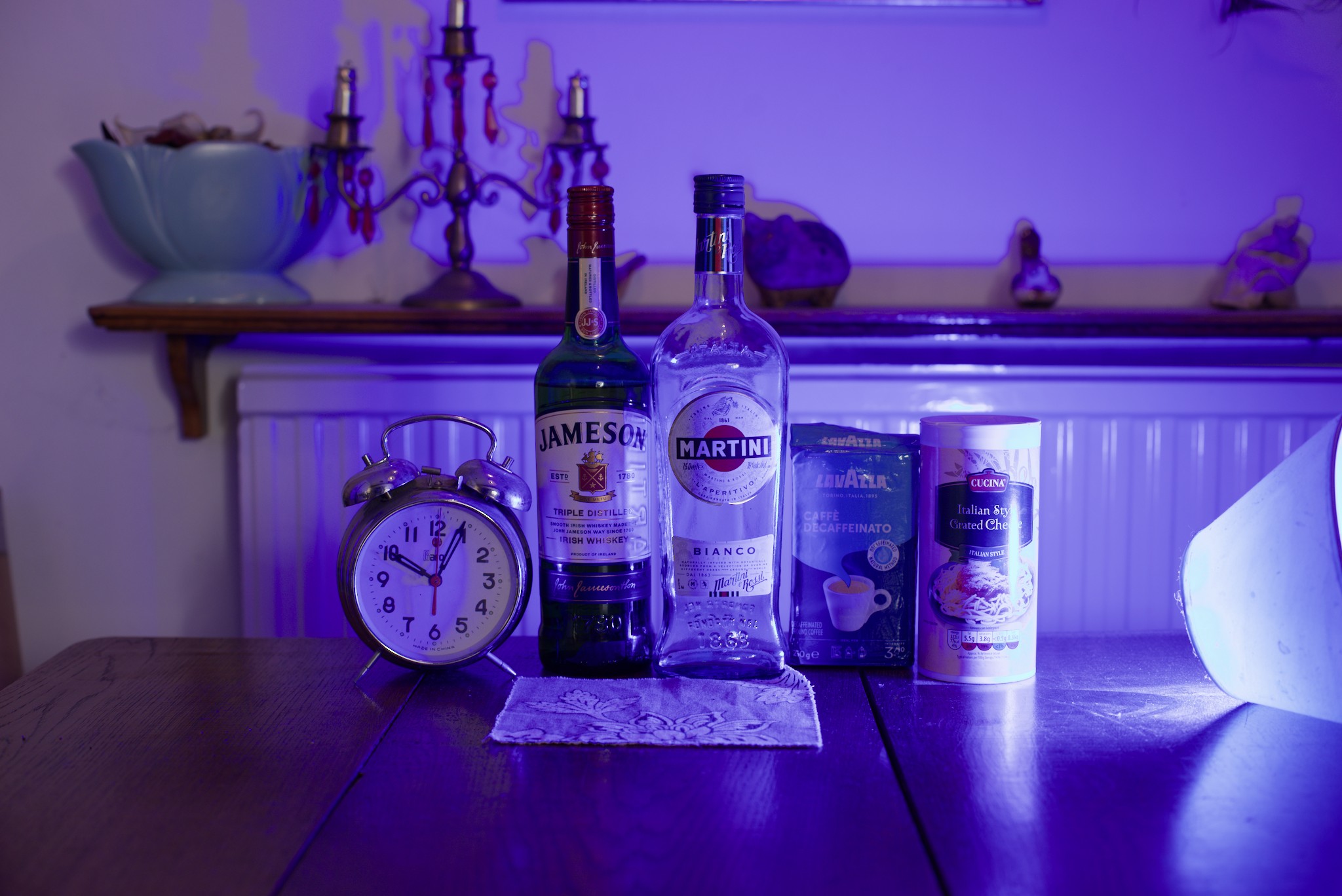
Blue attenuation fixes that beautifully:
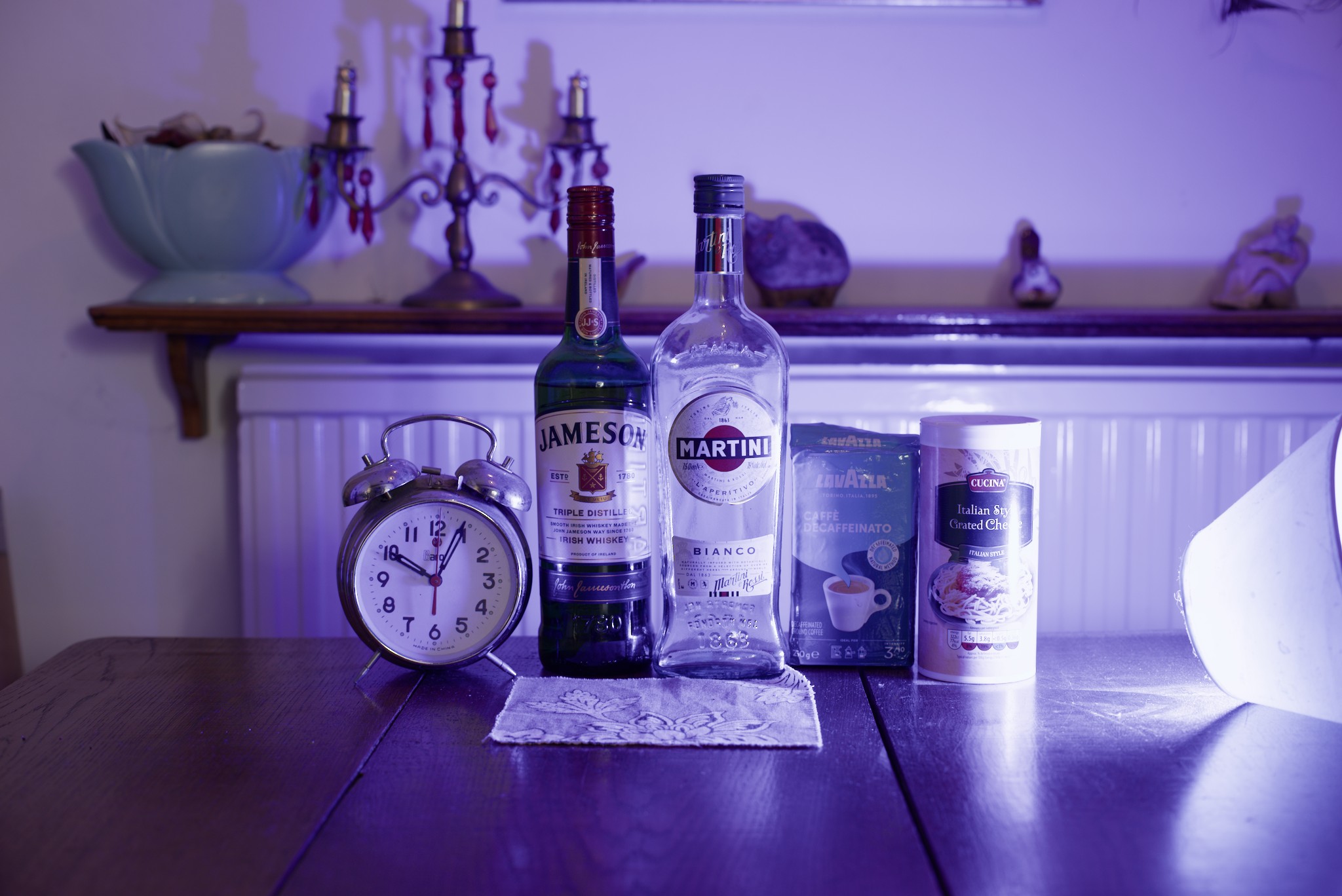
agx with defaults shows ‘minor’ gamut issues:

And a heavily gamut-compressed version - while far for perfect, notice how the shadows start looking like actual shadows:
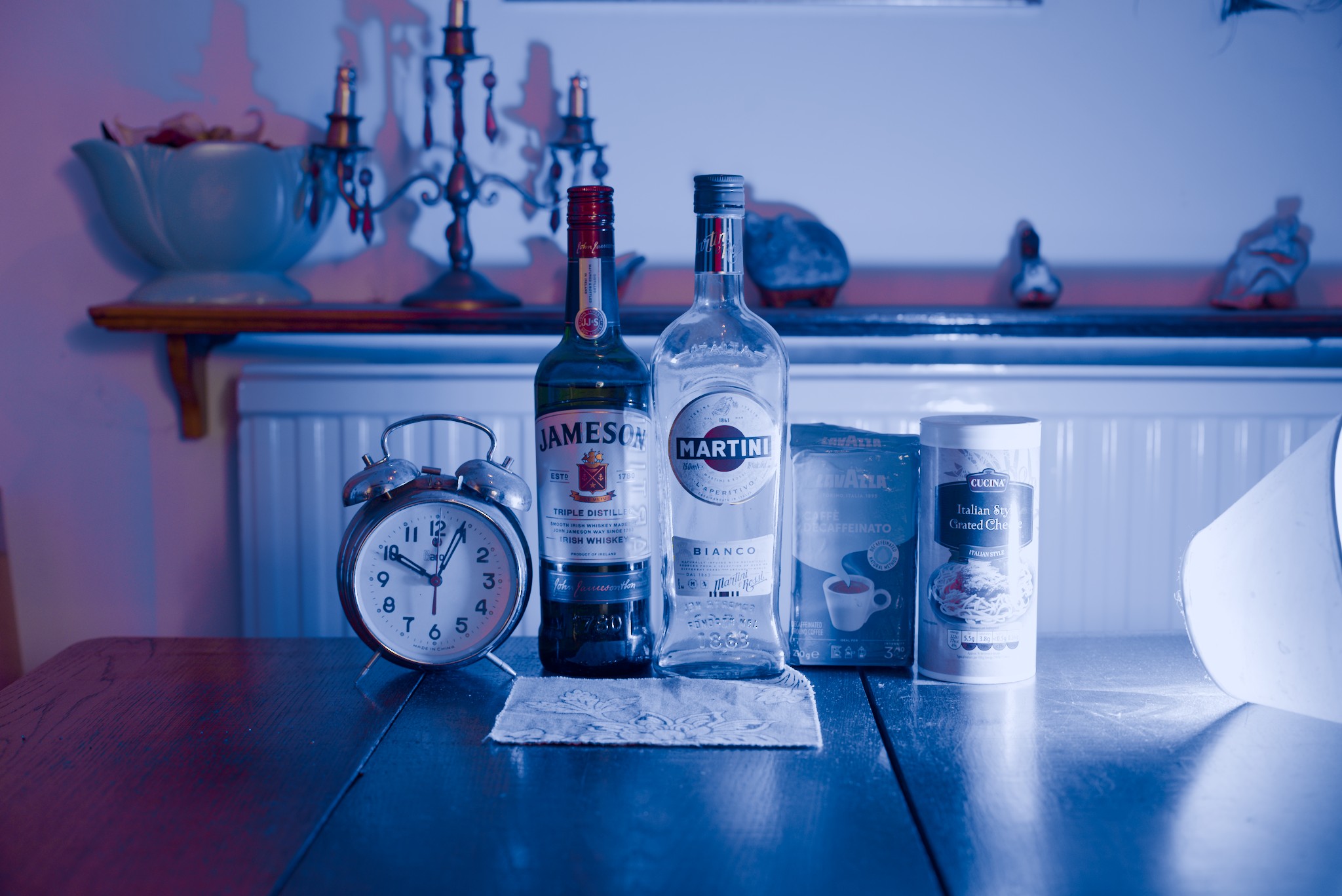
DSC_0454_BT709_linear.exr.xmp (11.5 KB)
Using heavy attenuation instead of the gamut controls works better here, I think:
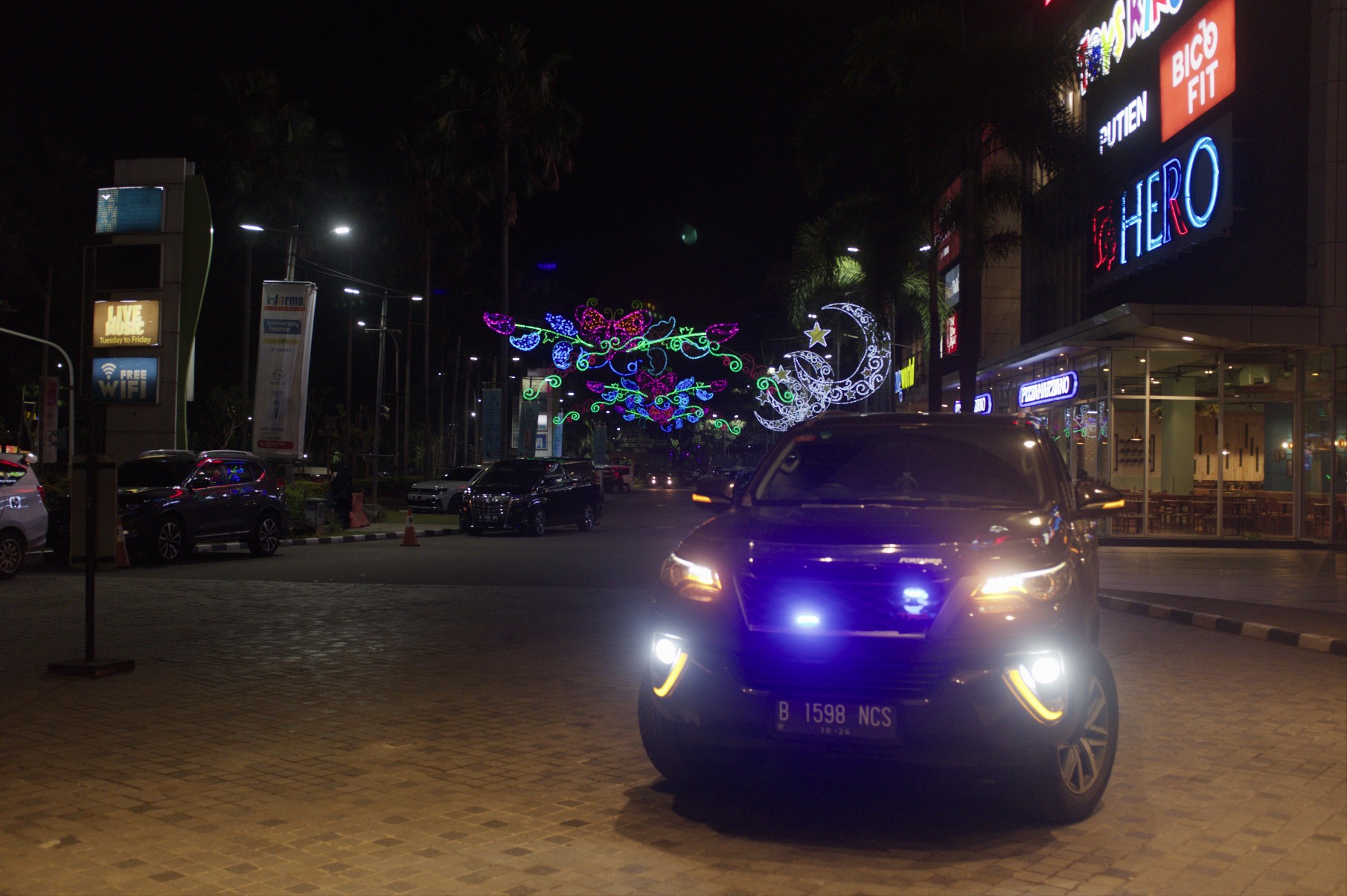
The children:

m_smekal_A002_C029_06025K.0000000F.aces.exr.xmp (23.5 KB)
@Eary_Chow has pointed me to the following image:
https://projects.blender.org/attachments/19cfd3da-9475-4c41-8cb4-d352573e14d4
And to the related discussion:
I think his results are great, see them here: Feedback / Development: Filmic, Baby Step to a V2? - #1879 by Eary_Chow - Blender Development Discussion - Blender Artists Community
Darktable’s sigmoid (smooth + sRGB):
And agx:
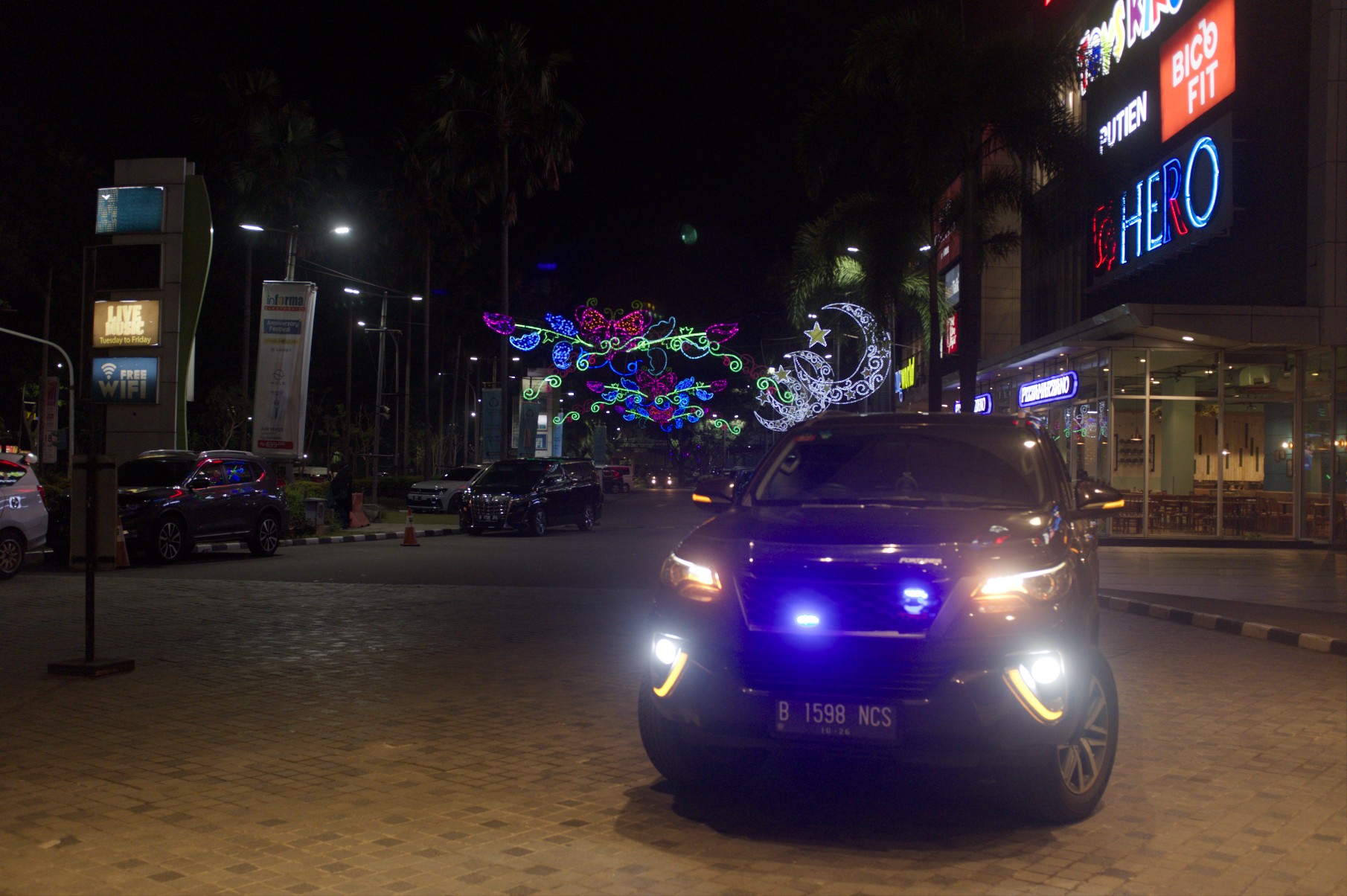
I think sigmoid has the edge here, at least with default (preset) settings:

I’m quite happy with those results.
You can find the new AppImage here:
https://tech.kovacs-telekes.org/dt-agx/Darktable-5.1.0%2B799~gacd32886e8-x86_64.AppImage
@MStraeten , @paperdigits , @Dave22152: please update your builds.
7 Likes
here the macOS arm64 build:
darktable-5.1.0+704~g1acda16091_arm64.dmg
same comments as in Blender AgX in darktable (proof of concept) - #181
2 Likes
Hmm, maybe I’m doing something wrong, but the version before has much better gamut compression than this one. Now, especially the red is no longer manageable without heavy desaturation.
OK, please send an example.
Thanks, I’ll have a look, probably tomorrow.

I’m not at home
1 Like
Note this was my early result, the forum discussion was before AgX got into Blender. You can load the EXR into Blender to see what my new results are.
1 Like
Only as a comparison.
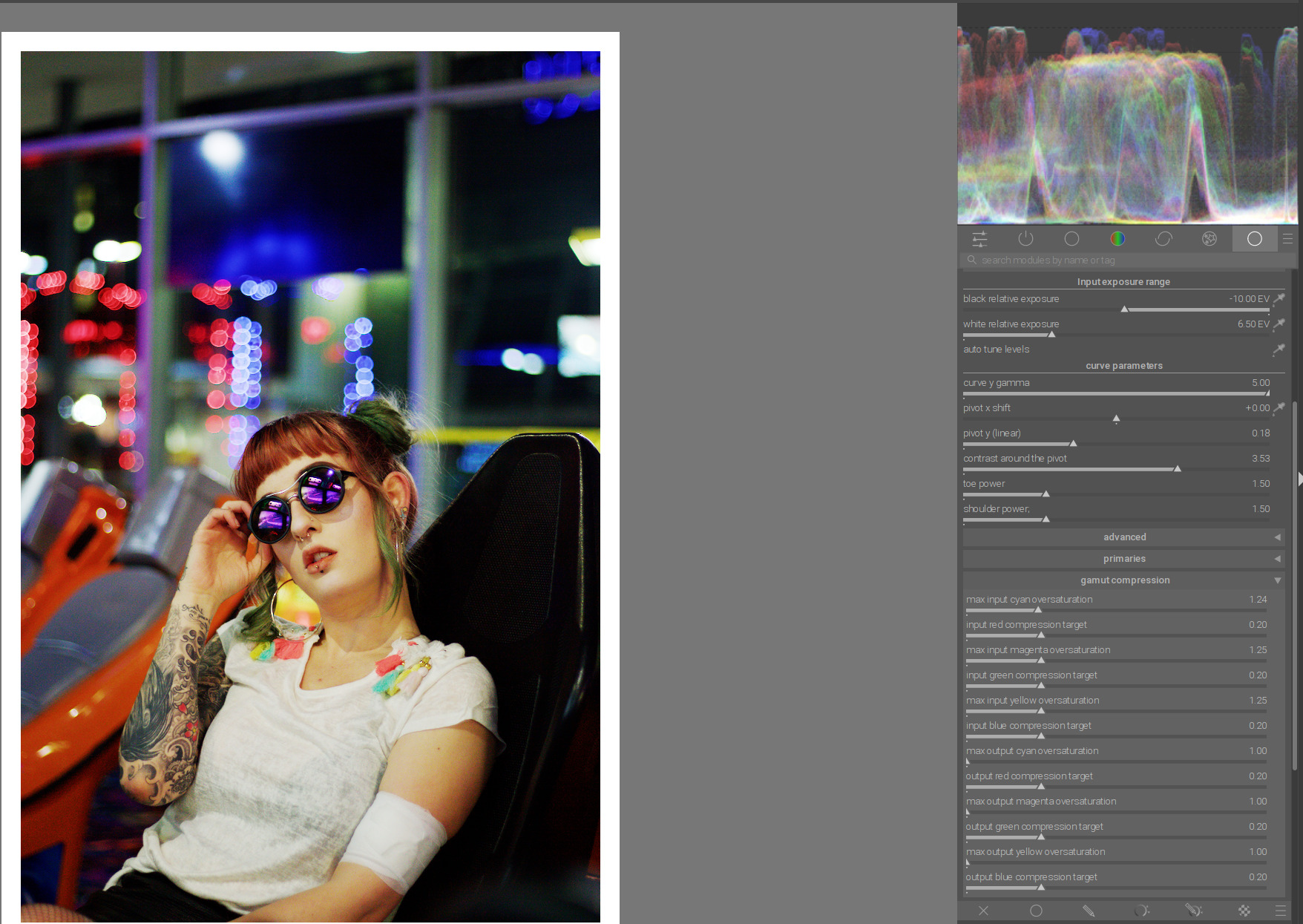
Previous version:
Current version:
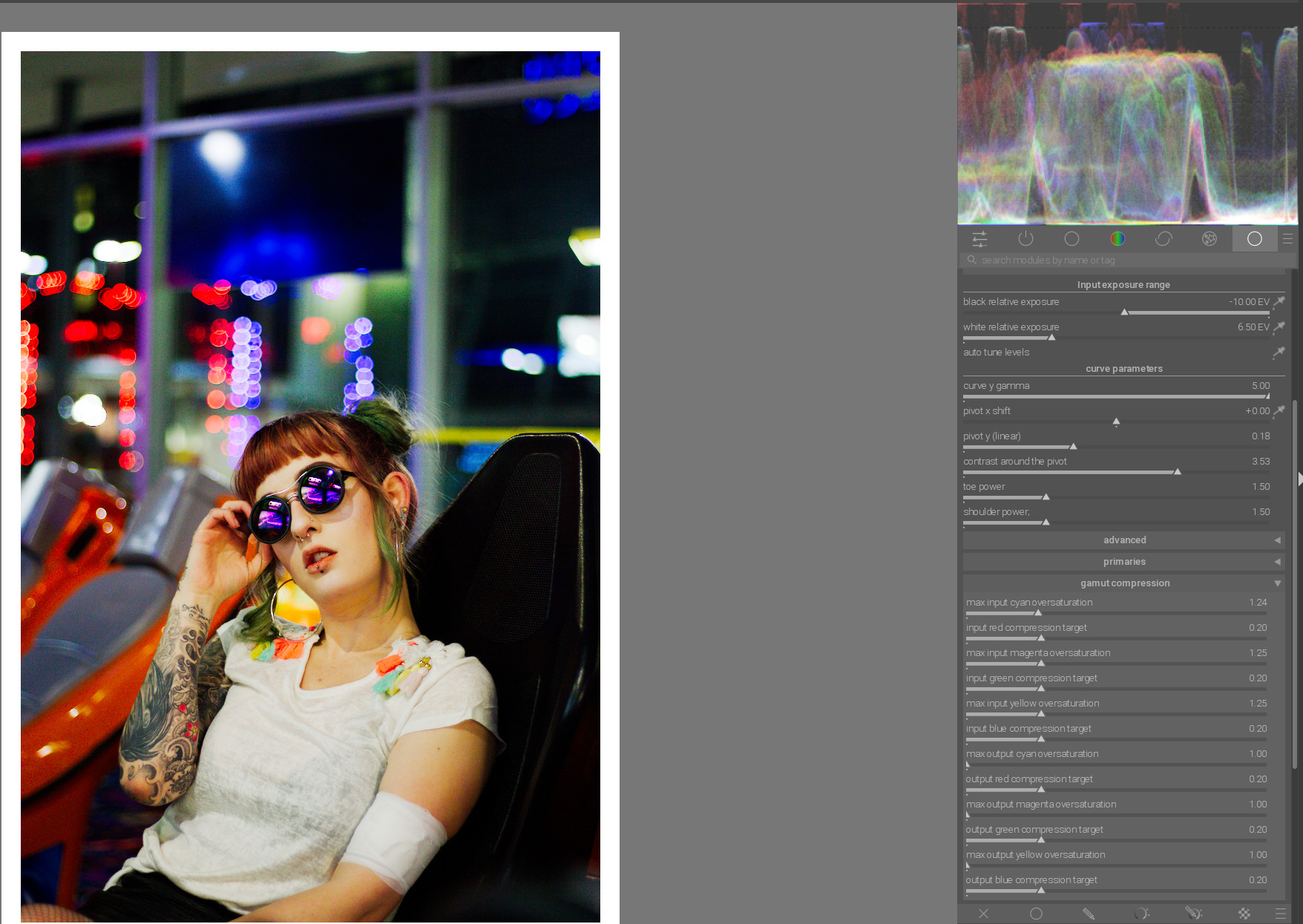
You can see how the red is clipped. All values are the same for both Agx versions.
With today’s version, only then is the red in gamut:
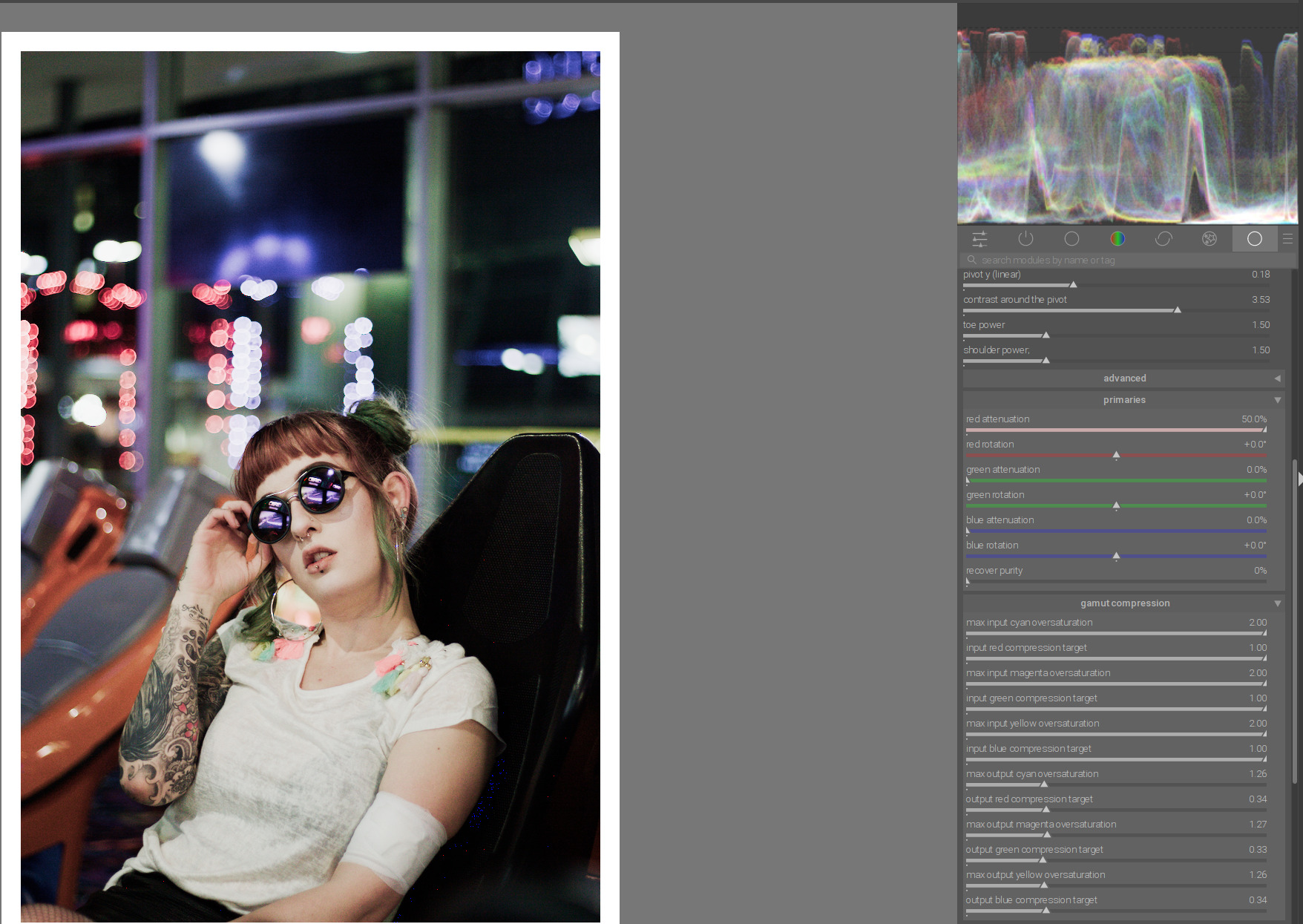
That gamut compression deals with negative components. If the R channel is > 1, it won’t do anything. It will only correct negative blue and green that may result from oversaturated reds.
Try increasing red attenuation in the primaries section, reducing restore purity and/or increasing white relative exposure.
I might not understand the gamut mitigations but it seems that these controls either desaturate the colors or change their hues to an excessive degree
I did that too. In Agx I had to reduce the saturation to stay in gamut:
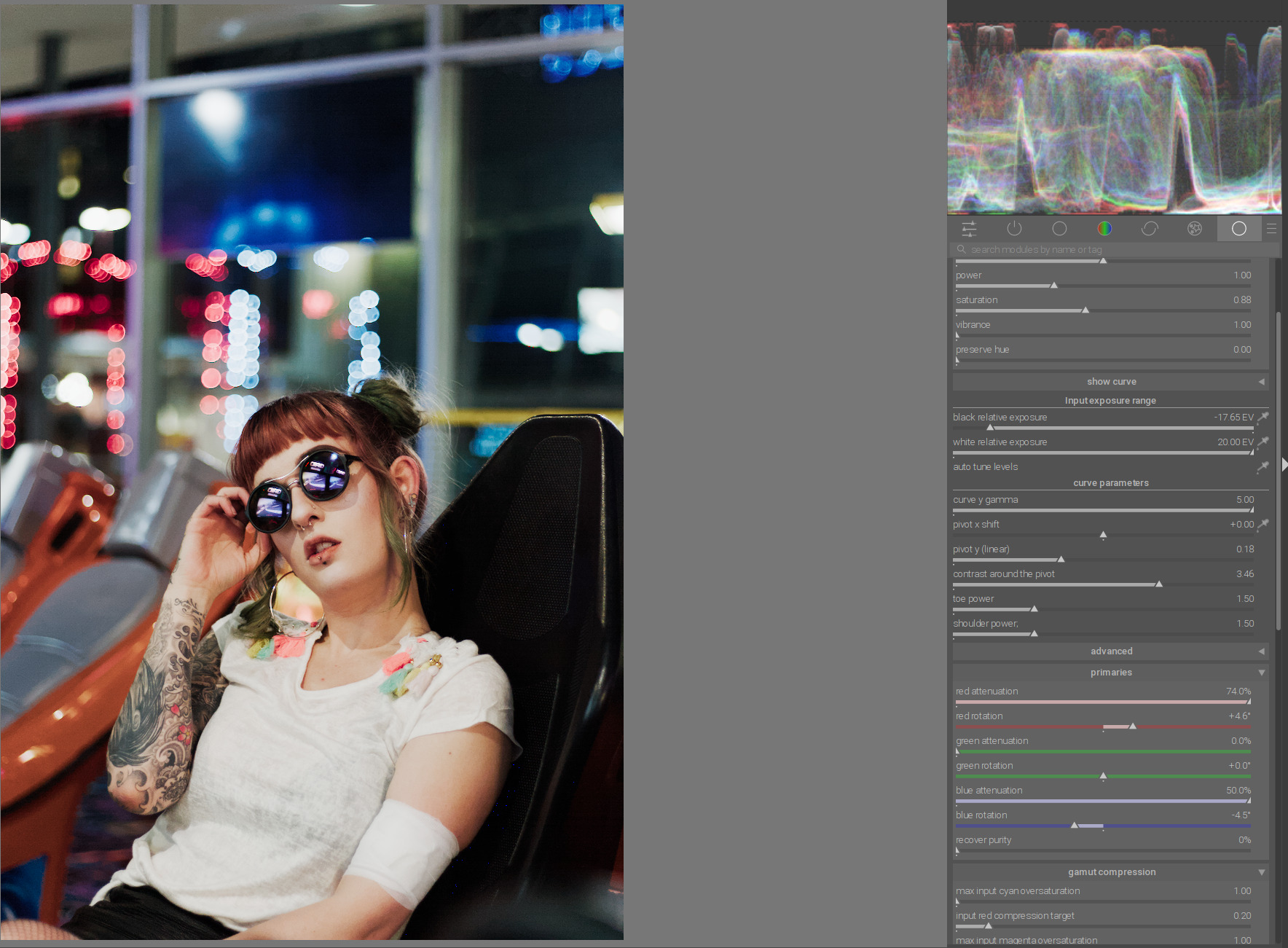
With smooth preset from sigmoid Module with “srgb” for primaries, this is no problem:
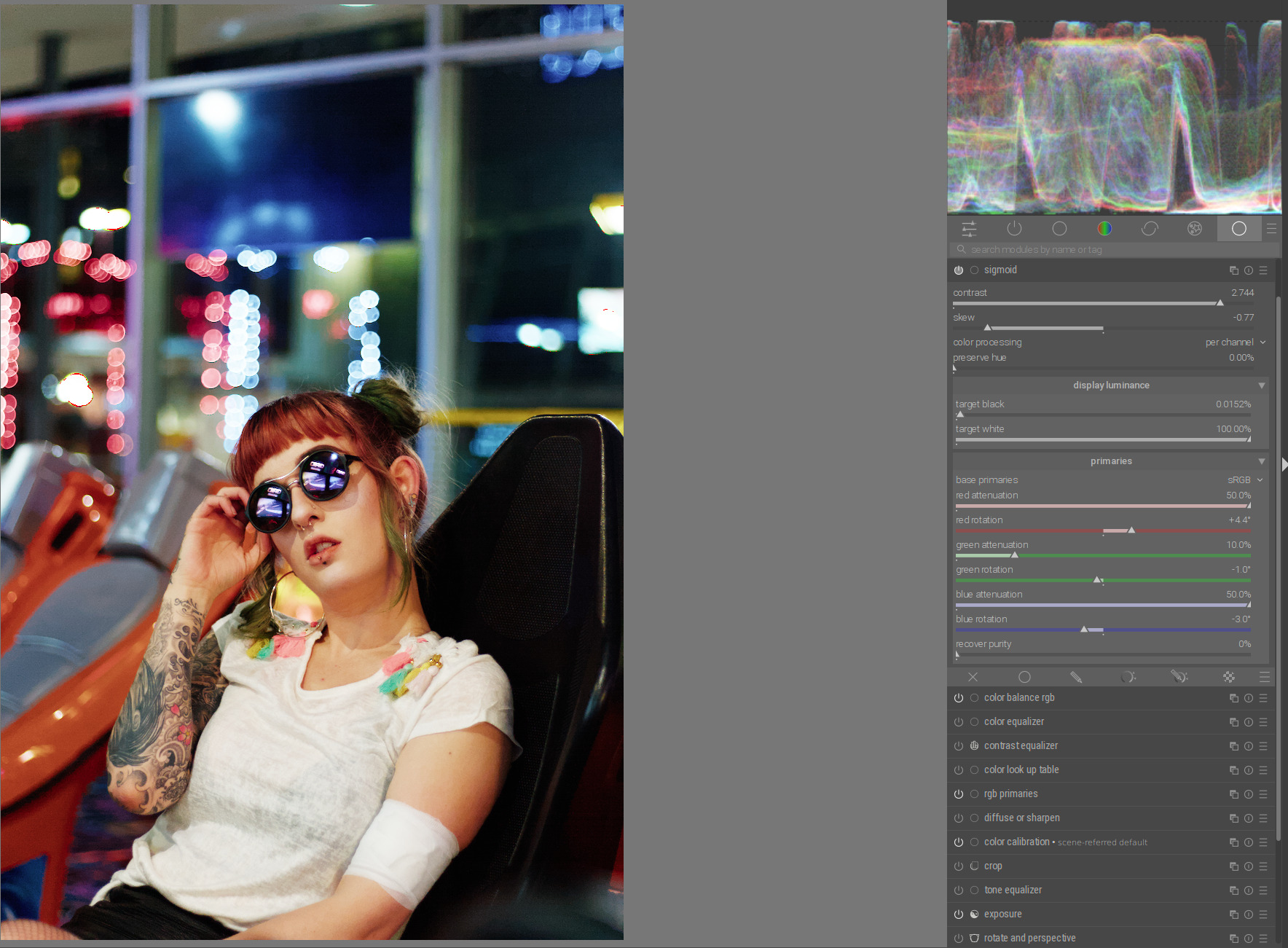
Note the differences in saturation between the two modules.
Thanks, I’ll check it
3 Likes