Ummm… I think I prefer purple. 
4 Likes
Well for sure work as you want hopefully at some point you at least have the manufacturers monitor profile installed as your windows system default…if not it might just be defaulted to the old standard srgb…which if your monitor is close to that I guess you would never notice too much and if you export and work mostly in srgb but likely the bare minimum would be to install the montors proper icc file which might or might not be the one you are using…
@flannelhead has kindly cleared up some things I misunderstood. I hope to get something out during the weekend.
5 Likes
Congrats
3 Likes
Great module just gets better!
On the matter of GUI, I wonder if a tabbed layout would be better than drop downs, now there are so many of them. If there are many drop downs open at once, that is a ton of vertical space. To avoid that, one must open/close the drop downs a lot, which is really no extra clicks than switching tabs, but at the expense of vertical space.
If you were to go down that path, mimicing the filmic layout, I would keep the curve always visible up top (but maintained within the drop down). Then have the following tabs:
- input exposure range + curve parameters
- advanced
- primaries
- gamut compression
- look
Perhaps in that order, though ‘look’ could be moved earlier. However, since it is applied post-curve, and no longer considered the default controls by many here, it would make sense for that tab to come after the curve controls.
1 Like
profiles.zip (1020.3 KB)
The one named matrix.icc and the displaycal one that has only MTX in the name (EB321HQ A #1 2025-01-20 21-28 120cdm² MTX) will show that color cast while the others in the archive do not…
Also
The default windows srgb profile (IEC 61966-2.1 Default RGB colour space - sRGB) shows the issue
2019-08-31-0002.icc (3.1 KB)
THe updated srgb profile from color.org one does not…
sRGB2014.icc (3.0 KB)
2 Likes
Could you share this “enlightment” ?
Basically, that I’m a fool? 
I’ll explain in the evening.
1 Like
More sliders please, we can handle more sliders.
I thought Filimic was the peak of terrible, convoluted UI design
Yes, I know there are too many sliders. This is a proof of concept, or a prototype. We are trying to figure out what’s really needed, what’s sometimes useful, what’s completely useless. You are welcome to join the discussion and voice your opinion.
4 Likes
@strumpfli please remain objective, this is an experiment in which interested users can participate, far away from being a “ready to integrate” module. If you are not interested, OK, but sarcastic comments are really completely inappropriate at this stage.
14 Likes
All: this is quite technical. I will provide a more user-friendly, detailed explanation later, with charts demonstrating the colour operations described below.
@hannoschwalm (and anyone else interested)
So, I was a fool because I was reading code without taking the context into account.
I found this in sigmoid (I’ve slightly reformatted it and added comments for those not familiar with the code):
  dt_colormatrix_t custom_to_XYZ;
  dt_make_transposed_matrices_from_primaries_and_whitepoint(
      // the inset / rotated primaries calculated from 'attenuation' and 'rotation'
      // parameters on the UI + the selected 'base primaries'
      custom_primaries,
      // parameter of the base profile, marks the neutral / achromatic coordinates
      // on the 'horseshoe' xy chromaticity diagram
      base_profile->whitepoint,
      // the matrix defining the colour space that will be calculated;
      // it will be returned in transposed form; converts RGB to XYZ
      custom_to_XYZ);

  // multiplies two matrices
  dt_colormatrix_mul(
      // will hold the (transposed) result, a matrix converting from one RGB space to another
      base_to_rendering,
      // the one calculated above
      custom_to_XYZ,
      // the matrix that can convert XYZ coordinates into 'base' RGB
      base_profile->matrix_out_transposed);
So, we are multiplying two transposed matrices:
custom_to_XYZtakes RGB values of the ‘custom space’ (the one with rotated and inset primaries) into XYZbase_profile->matrix_out_transposedtakes XYZ values into the ‘base’ RGB space (this is the user-selectable space in sigmoid):
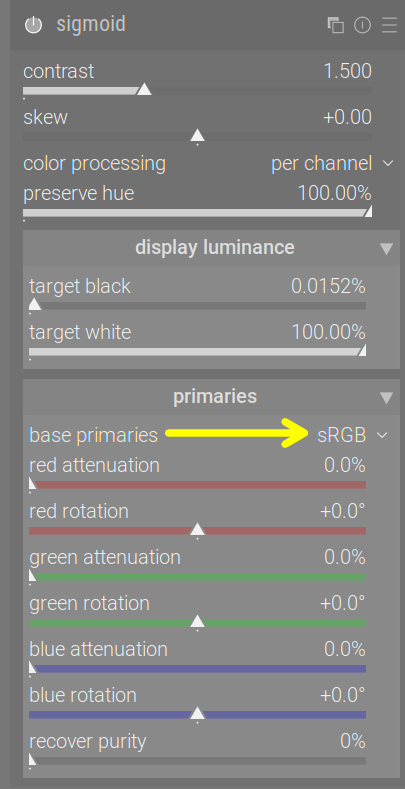
Reading the code, and using
(A_transposed * B_transposed) = (B * A)_transposed
this means base_to_rendering would actually take ‘custom’ RGB, and convert it to ‘base’ RGB, contradicting the name (‘rendering’ is the custom inset/rotated space).
There is a similar space, constructed using the same rotations, but with potentially less inset primaries (depending on recover purity: 0% means the primaries of the ‘base’ space are not inset, 100% means they are inset the same way as in the ‘rendering’ space above). Let’s call it ‘restoration space’.
But the steps taken by both sigmoid and agx are:
- take RGB from the working space,
- convert it to ‘base’
- pretend that the RGB values are actually in the inset/rotated space (so are desaturated and with skewed colours) – like assigning the profile in Gimp - we don’t convert to that space
- convert from ‘custom RGB’ into ‘base’. Since the primaries of the ‘custom’ space have been inset, meaning they are less pure, closer to achromatic, the resulting colours are actually less saturated. After the conversion, we are in the ‘base’ space, with a partially desaturated and skewed version of colours.
- apply the tone-mapping curve to each channel independently (the previous desaturation and skew is important, it means the per-channel application of the curves yields a more favourable transition to white)
- now, to bring the primaries back to the same spectral lines where they started from (undo the rotation), and potentially re-saturate the colours, interpret the resulting RGB values as if they were in the ‘restoration space’ (assign the profile, in Gimp-speak)
- apply conversion matrices to go from ‘restoration’ to ‘base’ and then to pipeline space.
(I hope I got that right; I’m tired. Feel free to correct any mistakes.)
Since I did not take that process into account, I was misled by the variable names. That is probably the reason for the hue shifts some have demonstrated (with the current published version), and is certainly the reason for the blacks I showed (that was ‘achieved’ using my conversion steps, which I made without properly understanding what happens in sigmoid).
Fortunately, @flannelhead explained this. (Thanks!)
8 Likes
I’ll trust you… 
I think its has been about 43 years since I did any matrix algebra… I look forward to you “dumbing it down” for me… but I will take it as a challenge to follow it…
2 Likes
It’s actually not that difficult, you’ll understand it once I get the time to create some charts and text to go with them.
5 Likes
The way I understand the outset matrix is a little bit different. I don’t see it as “restoration”, but more of a post-image-formation look-adjustment.
My reasoning is that, the original AgX demo didn’t have an outset matrix, it was basically inset → log+sigmoid, and done. And the sigmoid is the point where “the image is formed” (meaning, you can assign the post-sigmoid image with an ICC profile to interprete it as made for a certain type of display already at this point).
AgX SB2383 added an outset matrix to make the image look more chroma-laden, the outset matrix also has a “tinting” function that wasn’t used in the inset. The tinting function scales the white point away from its original position, and rotates the the scaled white point around the original white point position, creating a white point mismatch between the inset and the outset, therefore creating a tinting effect. I also implemented it in my node group.
So my understanding is that, the outset doesn’t have to be the exact inverse of the inset, its more of a separate adjustment done after the image is formed. At least this is my understanding.
6 Likes
I’ll be very popular if I add yet another set of sliders to control the outset/rotation.
7 Likes
I’ll take anything that brings us forward 
You once said you preferred the complete restoration:
1 Like
I meant I have no problems with additional sliders. Your Agx just keeps getting better.
I even processed my photo job from yesterday completely with the latest version of Agx. It was a joy to work with.
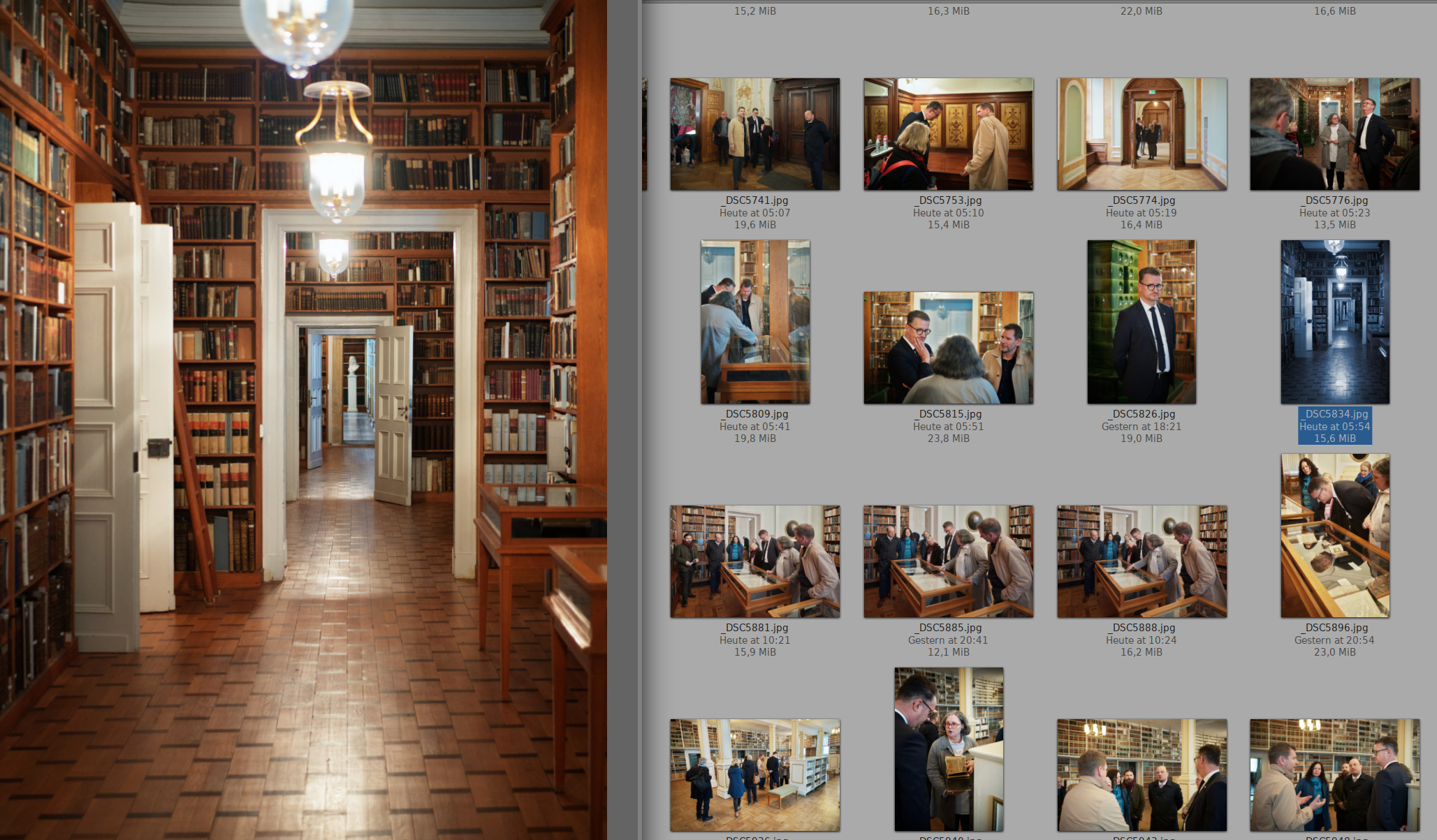
11 Likes
But that’s a broken version of the code! 
I get the feeling you are somehow able to use just about anything to come up with great edits.
10 Likes
poc means:
first put in everything that might be useful
second remove stuff not really useful from or better done elsewhere …
so feel free …
3 Likes