Oh no - I think I need to put my glasses on  wasn’t the AgX merge yet… Sorry for the noise (but my shout-out is valid nevertheless!)
1 Like
Yes, thanks, but it wasn’t agx, yet.
2 Likes
Are there any newer builds for windows/macos? I would like to suggest dt-agx as a topic for an article to ct/ct fotografie, and their readers are mostly non linux people. Probably they wont be interested because lately they have only been interested in ai stuff but i‘d like to try nevertheless.
2 Likes
most recent macOS build with agx is: current OSX Build - #853 by MStraeten
contains AgX pull request state end of last week.
1 Like
Thanks.
I’d prefer to have the article published only when agx gets merged to master, at least. At this point in time, it’s a planned feature, not a solid commitment.
3 Likes
We are still far away from the publication. Usually it takes months to write an article for them. My „plan“ would be ct fotografie 1/2026, which usually appears between christmas and new year. These things need to be planned well ahead.
The dev builds would only be necessary for the editors to know and test what it even is. For the readers, it will cercainly be darktable 5.4 (I think).
2 Likes
Quite right. No point in jumping the gun. Even when it comes into the master, it is still nearly six months away from stable release of v5. 4. That’s my understanding
I am still unsure for whom I would like to write the article. With ct its more money and more work and more time, and much more german speaking readers. But its uncertain that they are even interested.
I can write it in any case for LinuxUser, they might even publish it before the release of 5.4. If it is in LinuxUser, it might be selected for the American Linux Magazine, which would mean much more international readers. But they never selected a darktable article so far.
Remember @betazoid, PIXLS.US - Articles is always waiting for you. 
2 Likes
Hello again,
I’ve worked on the PR feedback, and also on some other smaller changes. The functionality should mostly be the same (just refreshed from master), with most of the changes remaining under the hood.
Even though there are no big changes, please upgrade and test, and report issues in case you run into them.
What you should see:
- more consistent use of fractional values and percentages
- I moved look/slope to the top, as it also affects the dark areas (except for pure black), so if you adjusted the offset first, adjusting the slope would move that. On the other hand, adjusting the offset does not move the white point (well, the slope does not affect the black point, either, but this arrangement seemed more logical to me). I don’t use the slope at all, but maybe others do.
- the ends of the linear section, defined using toe / shoulder start, are now shown on the plot:
- I’ve changed the labels a bit, for example pivot x shift and pivot y (linear) have been replaced with pivot input shift and pivot target output.
- the controls are now grouped by section under shortcuts/processing modules/agx:
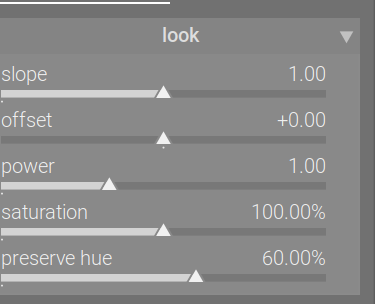
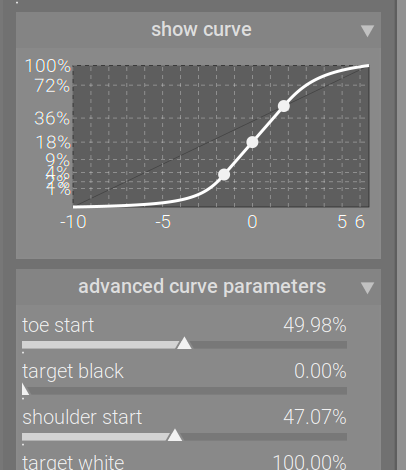
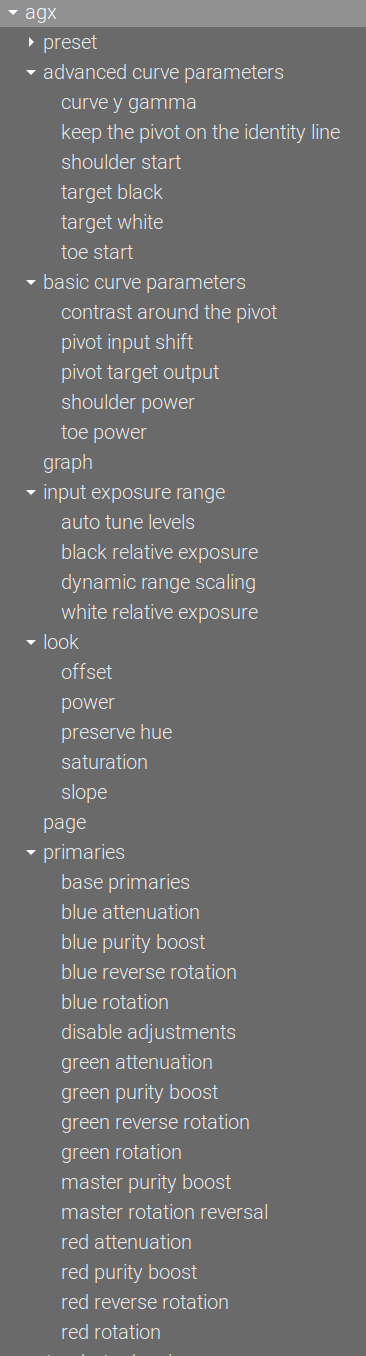
The build contains all fixes from master, up to and including commit 1e47fed4 (AKA g1e47fed4):
commit 1e47fed4c8a8456a6c2672179e9b9c06d085a15f (origin/master, origin/HEAD)
Author: Pascal Obry <pascal@obry.net>
Date:   Sat Jul 26 12:18:33 2025 +0200

    Update integration test sub-module.

    Add test for new capture sharpen.
Just for reference, in case we need to hunt down bugs, this is tagged as agx-2025-07-26-17-57-50.
The Linux AppImage: https://tech.kovacs-telekes.org/dt-agx/Darktable-5.3.0%2B167~g18950071b4-x86_64.AppImage
@priort , @MStraeten , @Dave22152 , please update your builds.
8 Likes
Could you explain these changes? I found the x/Y shift at least understandable in reference to the curve (eben though I didn’t intuitively get what I would use them for). I struggle to grasp the new labels.
The curve maps input values (represented by x coordinates) to output values (represented by the y coordinates). Then, the y values are subjected to ‘gamma’ / power correction, and the scale on the y-axis is provided in linear output brightness. That was the idea behind the original labels.
Using the sliders you adjust the pivot, which, by default, maps mid-grey (18% reflectance) input (x = 0 EV meaning 18% mid-grey) to a y value that, after the gamma/power correction, results in mid-grey (linear) output. You specify how the pivot should be shifted along the x-axis (towards the selected black or white point) so that it selects your desired input, and onto what output brightness you wish to map that selected input, or, in other words, what output brightness you target.
Of course, if most find the labels confusing, it’s trivial to change them before translations start.
We’ll leave them as they are, for now; in a few days, I’ll be on holiday. I’ll post a poll later, and I’ll update the UI according to the results, if needed.
5 Likes
Okay that does make sense but I feel like from a beginner perspective this is still very technical. But the x/y naming Was rather technical as well. I personally feel like it was more punchy and less wordy though - if that makes sense.
2 Likes
This is generally how darktable is.
1 Like
I’ll get to it shortly
Shortly…
3 Likes
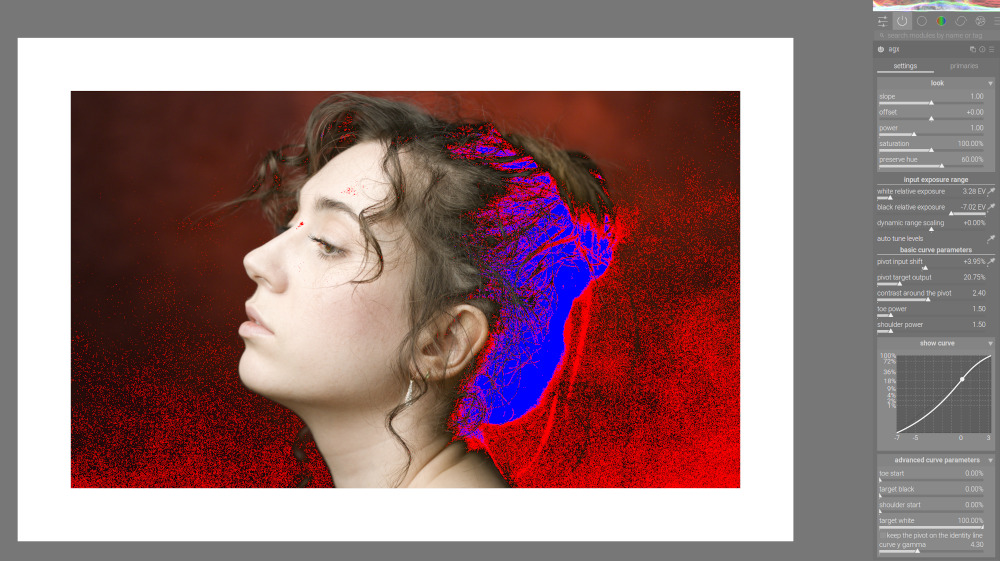
I’ve managed to tame the gamma adjustment and thus also auto-gamma, so it adjusts the contrast internally, avoiding crushing blacks.
All images after auto black/white with 0% ‘dynamic range scaling’.
Without auto-gamma (or any other gamma adjustment, so gamma = 2.2):
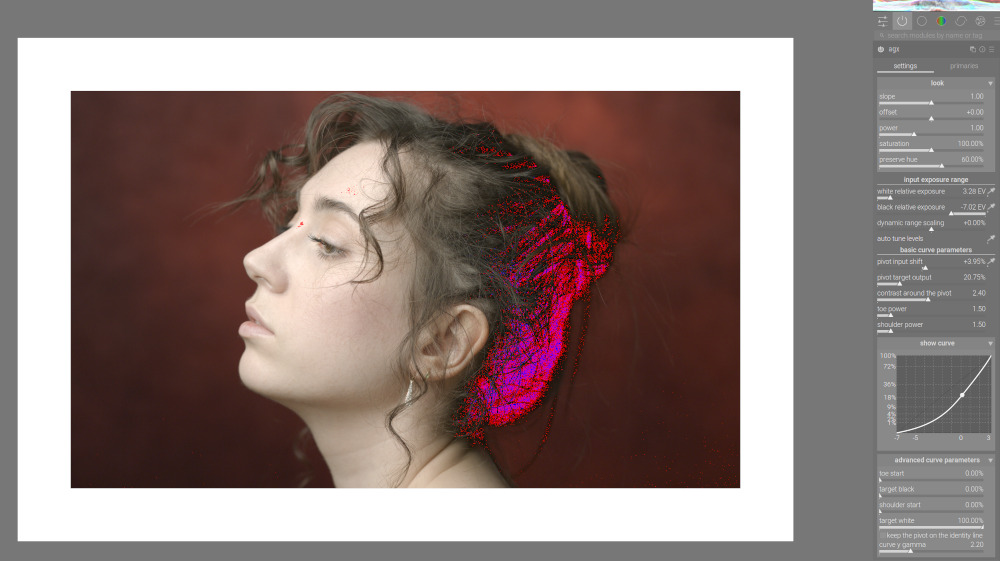
You can see that the “S” shape is lost; this also means that the shoulder controls are ineffective (there is no shoulder they could influence).
Auto gamma, before:
Auto gamma, now:
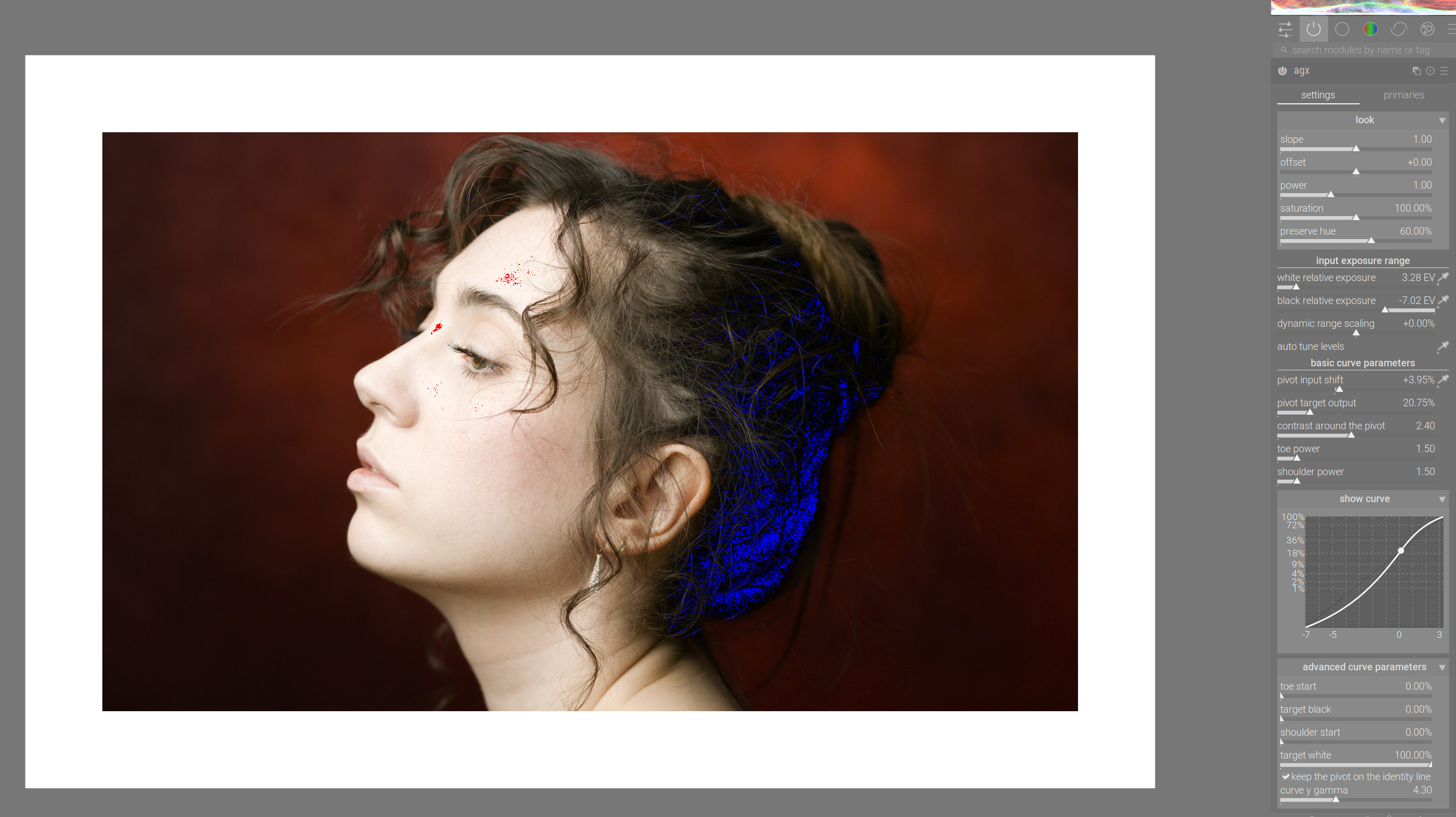
I’ve also noticed a bug with the dynamic range scaling that I recently introduced when switching numbers to use percentages on the UI, but fractional numbers internally.
I’ll upload a new build soon. Sorry about that.
10 Likes
The new build, as promised:
https://tech.kovacs-telekes.org/dt-agx/Darktable-5.3.0%2B169~g06f0b0b576-x86_64.AppImage
It includes the fix for the auto picker (if you moved the sliders after picking exposure, the scaling was wrong).
It also includes the change I was referring to above: when adjusting gamma, the contrast is scaled internally so the overall (linear) contrast around the pivot stays the same. The overall contrast of the curve still changes, but is much less prone to completely crushing shadows.
No migration is provided; the parameters themselves did not change, the interpretation of contrast, now affected by gamma, did. If you always left gamma alone (no manual or auto adjustment), and used the default 2.2, this change won’t affect your past edits. I’m afraid if you used other gamma values, you’ll have to compensate using the contrast slider.
Version info:
- synced with master, containing all changes up to and including:
commit bc6372db0285ba6d2bf4c5603d5e09f4b12b6ce9 (origin/master, origin/HEAD)
Author: Pascal Obry <pascal@obry.net>
Date:   Sun Jul 27 09:29:40 2025 +0200

    Update integration test sub-module.

    Add test for new capture sharpen.
(so is the same as master build gbc6372db)
- tagged as agx-2025-07-27-13-00-00
@priort , @MStraeten , please update your builds. I’m sorry about the extra work.
5 Likes
Even though I’m now quite used to AgX and you could name the sliders after your pets or most beloved beer brands without confusing me too much. I would find it good if the x- and y-axis are at least mentioned in the tool tips.
Yes darktable is technical, but that doesn’t mean, that it has to be over complicated for beginners. The curve is already a step in a direction to make it easier for beginners - and as well for me. I still use it a lot and never collapse it. To mention the axis helps to understand what the sliders do with the curve.
8 Likes