Hi everyone,
I know I’m late to the party but I got the beta running and I am really liking what I’m seeing with AGX. I see how some people are calling it a filmic 2.0. I have been on team filmic due to its added control as opposed to sigmoid’s more simplified system - though it has a lot of quirks and is a bit convoluted. That being said…
I’m struggling to understand the AGX workflow. From my primitive understanding, it seems like it has attributes of filmic but is even more complex, yet a bit more usable.
My Current Understanding:
- Input exposure range: Same as filmic, can safely use auto-tune knowing I can tweak later
- Curve section: Some looks similar to filmic, some is new, some carryover seems more encouraged to adjust than before
- Primaries: Looks like expanded version of existing color primaries module
- Look tab: Probably leave alone since it’s display referred instead of scene - seems strange given that I thought this was a big part of the AGX/blender method concepts
Specific Confusion Points:
Pivot Controls: I understand what they do on a literal level, somewhat on practical level, but gets convoluted as to what/when to touch:
- Input shift: Moving midpoint left/right, redefining what mid-grey is - seems like safe way to boost/lower brightness without clipping
- Target output: Sliding midpoint up/down in tonality - seems same as filmic’s “target middle grey” which had tooltip “You should never touch this unless you know what you’re doing.” Is this still discouraged?
Advanced Curve Controls:
- Start points seem like more controlled version of filmic’s latitude
- Target points seem same as filmic’s
- “Keep pivot on identity line” seems self explanatory but has really strong effect, seems like odd fringe usecase
- “Curve y gamma” is above my head - effects contrast in technical/crazy way
After typing this up, I don’t see myself using the advanced section or look tab initially.
Any workflow guidance appreciated!
This build is causing problems on the window environment. It is taking a very long time to load the darkroom module. This was not the case with the earlier build.
Is this my local problem, or are others facing it as well?
Hi, thanks for the feedback.
Input exposure range is the same as in filmic, yes, although it’s more conservative in the blacks.
The curve is new, it’s different from that in filmic.
The primaries section is much like in sigmoid (sigmoid’s solution was inspired by Blender’s AgX).
look allows some post-processing. Yes, those controls are not scene-referred, but let’s not forget that display-referred is not a swearword. 
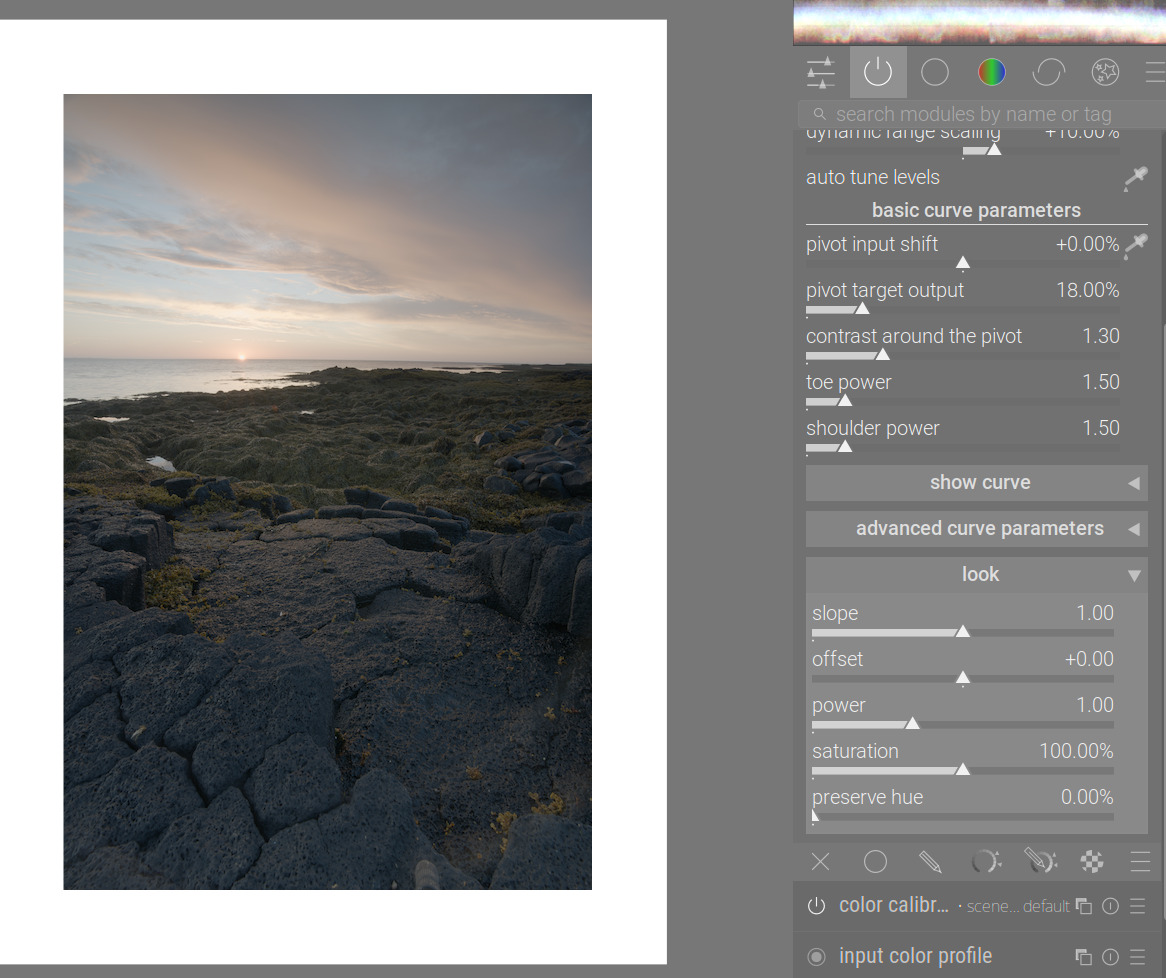
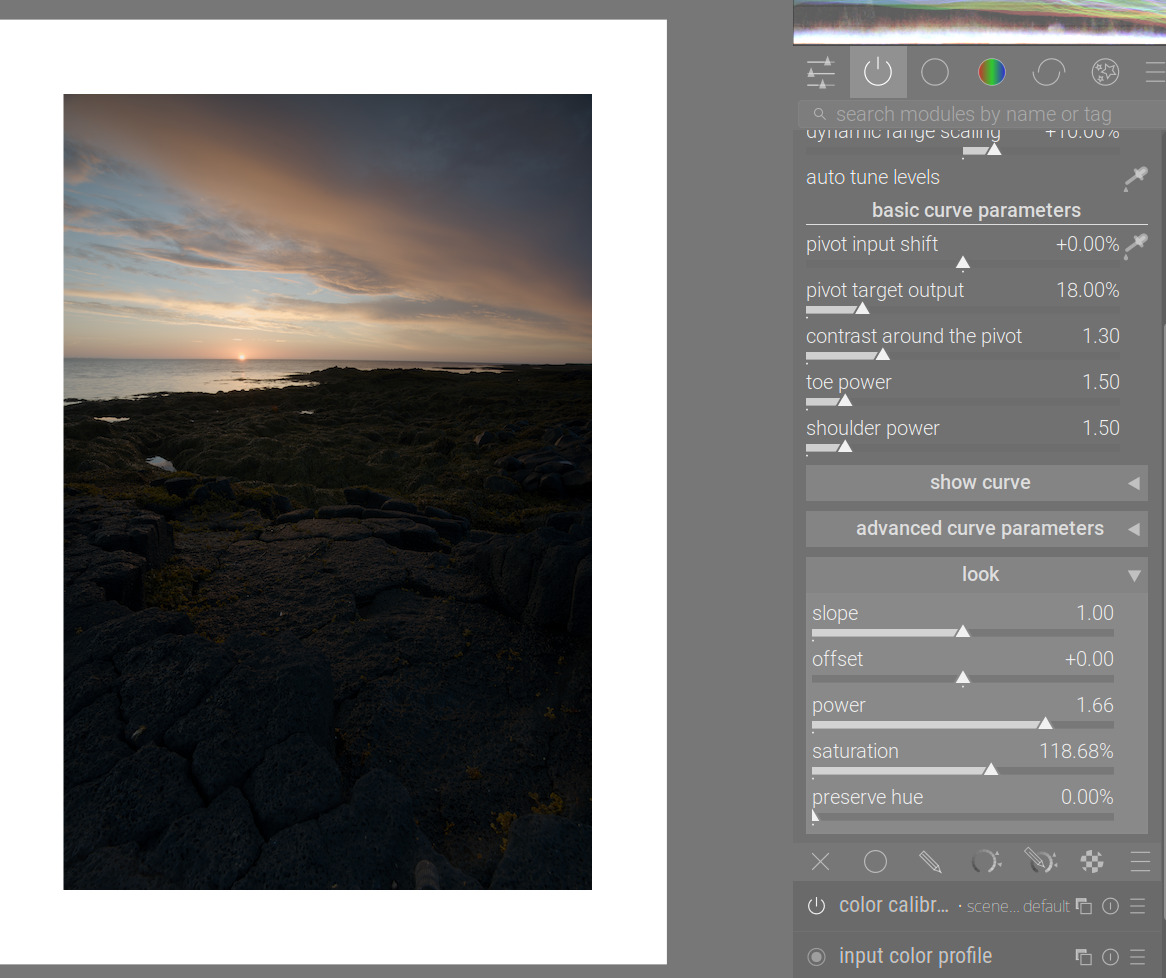
(Image: [PLAY RAW] Vulcan stone sunset)
Pivot input shift: it doesn’t redefine what mid-grey is; you can use it to move the point of highest contrast (as long as the curve preserves the S-shape, contrast is highest around the pivot).
Target output: set the brightness for the selected pivot point. I’m not as opinionated as Aurélien; use the control when needed.
keep pivot on the identity line: it’s related to filmic’s auto adjust hardness. Adjusts curve y gamma:
curve y gamma: it’s somewhat like filmic’s hardness. It has a strong effect on apparent contrast, even with some contrast-compensation code in place (I’ll try to have another look at that as time allows). It can be used in cases when the curve loses the S-shape, and toe or (more frequently) shoulder power stops functioning.
Have you looked at the work-in-progress manual page yet? It’s here: dtdocs/content/module-reference/processing-modules/agx.md at agx · kofa73/dtdocs · GitHub (a bit too much math, probably, also working on simplifying that)
I spent about 90 minutes with just AgX this evening and it was the first time i felt reasonably comfortable with it. I think this has come together really nicely, and I’m liking that I can stretch the histogram really quickly as I can with filmic, but I feel like I have more control over the nuance of the curve than I do with filmic (maybe that’s a skill issue with filmic).
I’ll be interested to really do some color comparisons with images where I’m really happy with the color when using filmic + color balance rgb, as from some initial edits with AgX, seems like only fine tuning will be necessary with CB rgb.
Could be the same problem I had back in June related to a pango package upgrade in MSYS2. I reverted back to a previous version of pango (1.56.3-2) and all was fine. Since then, I added the following line to the /etc/pacman.conf file:
IgnorePkg = mingw-w64-ucrt-x86_64-pango mingw-w64-ucrt-x86_64-pangomm
I don’t think pango is the culprit. DT was fine till the last AgX build (darktable-5.3.0+272~g1ea31b2f0a-win64-AgX) in use till a few hours back. It started causing problems with the latest AgX build (darktable-5.3.0+339~g05f9ebe3bd-win64-AgX). When I reverted to the earlier AgX Build, the problem disappeared.
So I think it has to do with the latest AgX build.
PS: I am running the normal nightly build and a parallel AgX build on the same laptop. To easily differentiate the downloads I add AgX at the end of the build downloaded from Pixls.
PPS: My current nightly build is darktable-5.3.0+301.g4ae20917ad-win64
Given infinite time, you are right of course.
For the open source projects where I’m maintainer, I’m already happy if I get “just” feedback.
As far as Darktable is concerned, I am currently involved in improving the support for Olympus/OM cameras: Working with modules from Lua scripts in darktable - #227 by alpinist I will publish a recipe when done, and perhaps some of this can be even added to Darktable proper.
There seems to be a lot of attention for AgX already. My limited time is probably best used to improve areas that not enough people seem to care about, like the above problem where images from OM-D cameras show a weird dark band when processed in Darktable.
I have been thinking about the N6 issue as I was doing some edits using AgX. I think that I want first and foremost from a tonemapper is that, with the default settings, it should not break the skin tones.
I usually try to get exposure right first, then do the white balancing with skin tones in mind. I don’t care much about white walls being white etc, but getting skin tones wrong results in a creepy image even if everything else is perfect.
What I want is to get skin tones, the right hue, with nice with smooth transitions. What is ideal is to expend the minimum effort in doing this. I learned to correct sigmoid, with and without color balance rgb if necessary, for this purpose, but AgX is a one stop shop for me now. What I care most about is the color band in those test charts between red and yellow. AgX gives me nice transitions, even on unevenly lit faces.
Now this only applies to photos with people in it, and I imagine that for a landscape photo I would care about the greens etc. But that is fine as long as the controls allow that (and they do).
It did. I found the missing piece.
Default gamma (2.2) vs high (auto) gamma (4.47):
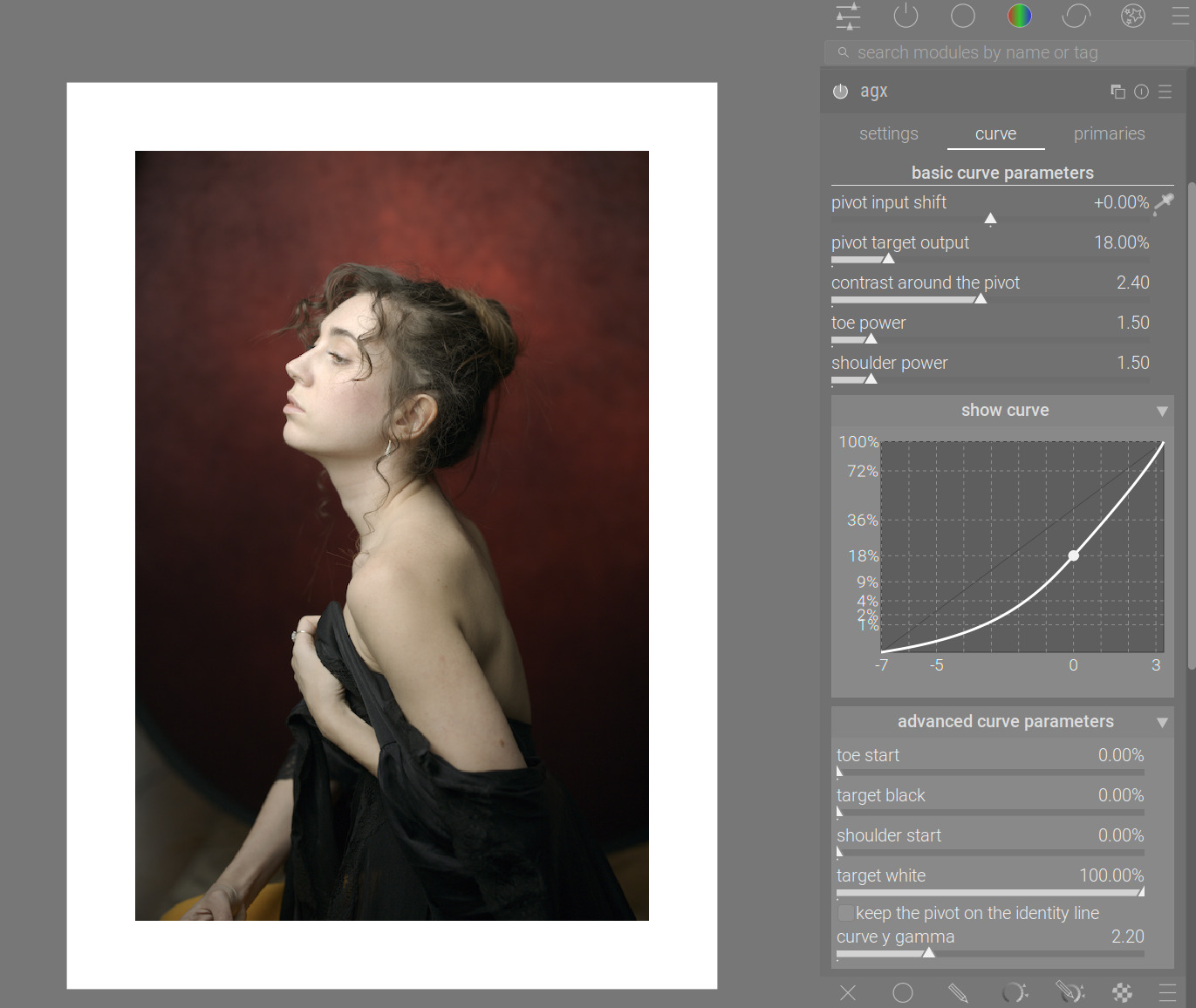
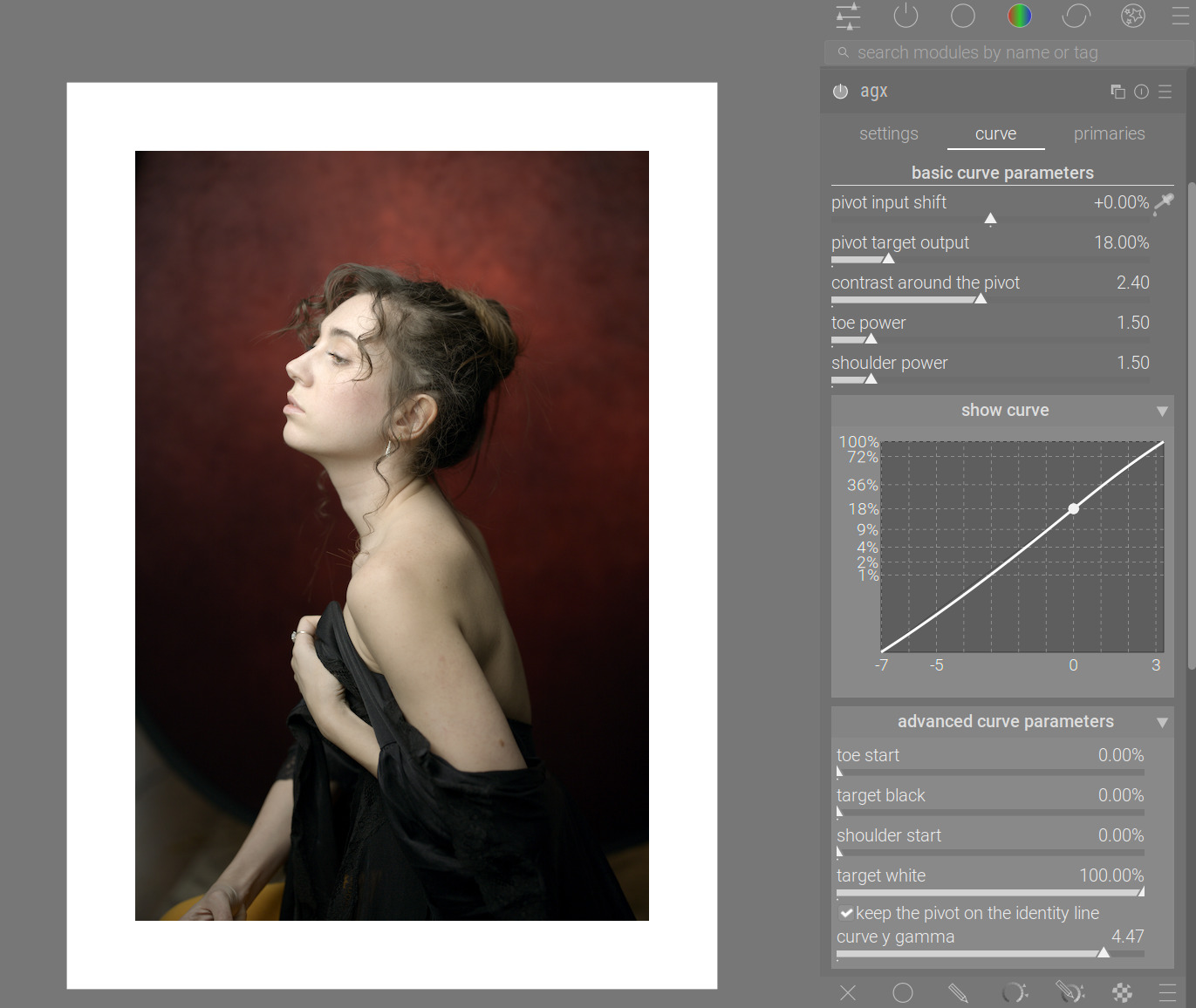
The main difference is that you can get control back over the shoulder (would also work the same way with the toe, if we had a problem there).
Choosing a pivot like this means that we no longer have an S-curve: the shoulder power is ineffective, shoulder power = 1 and 5 look the same:
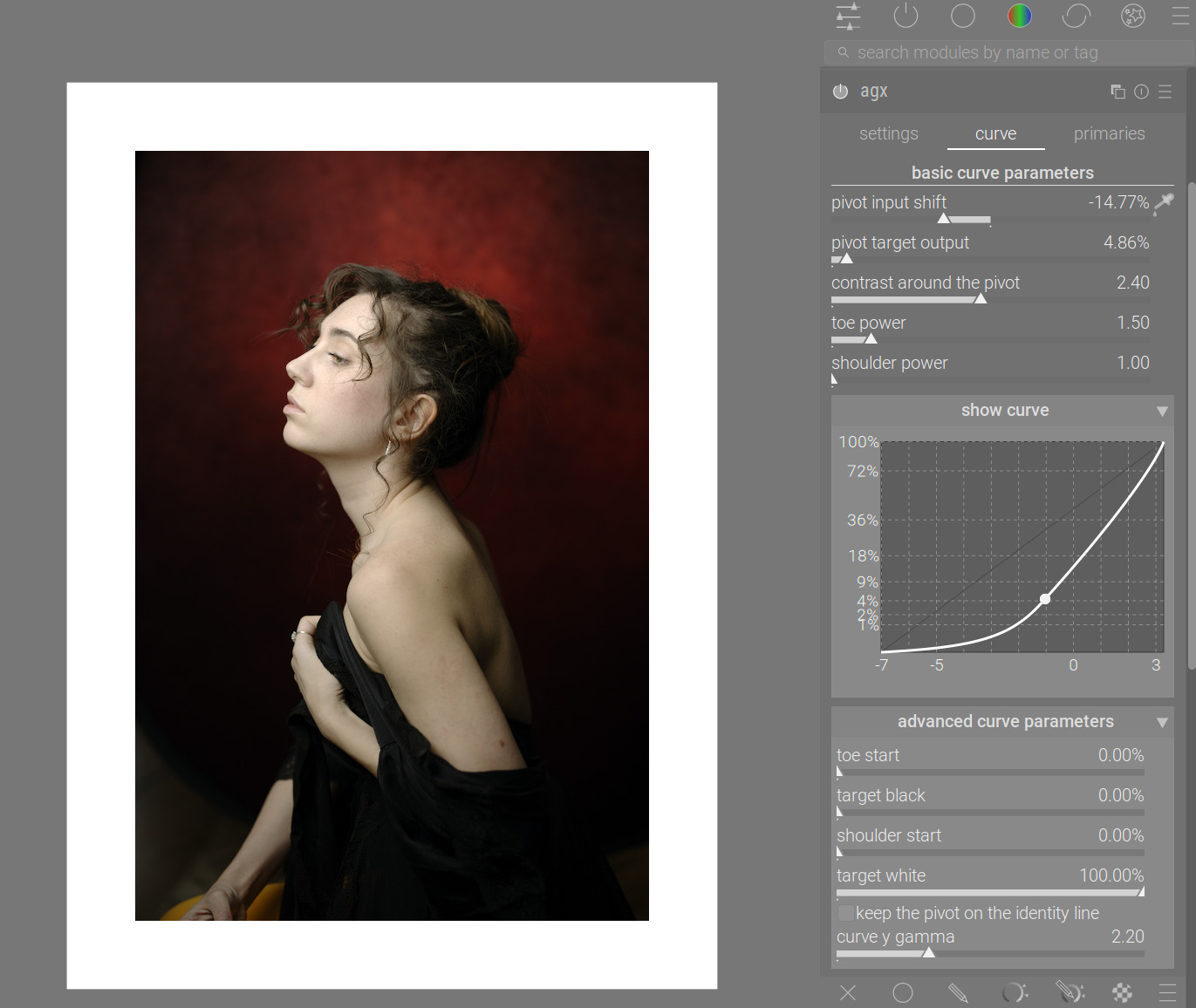
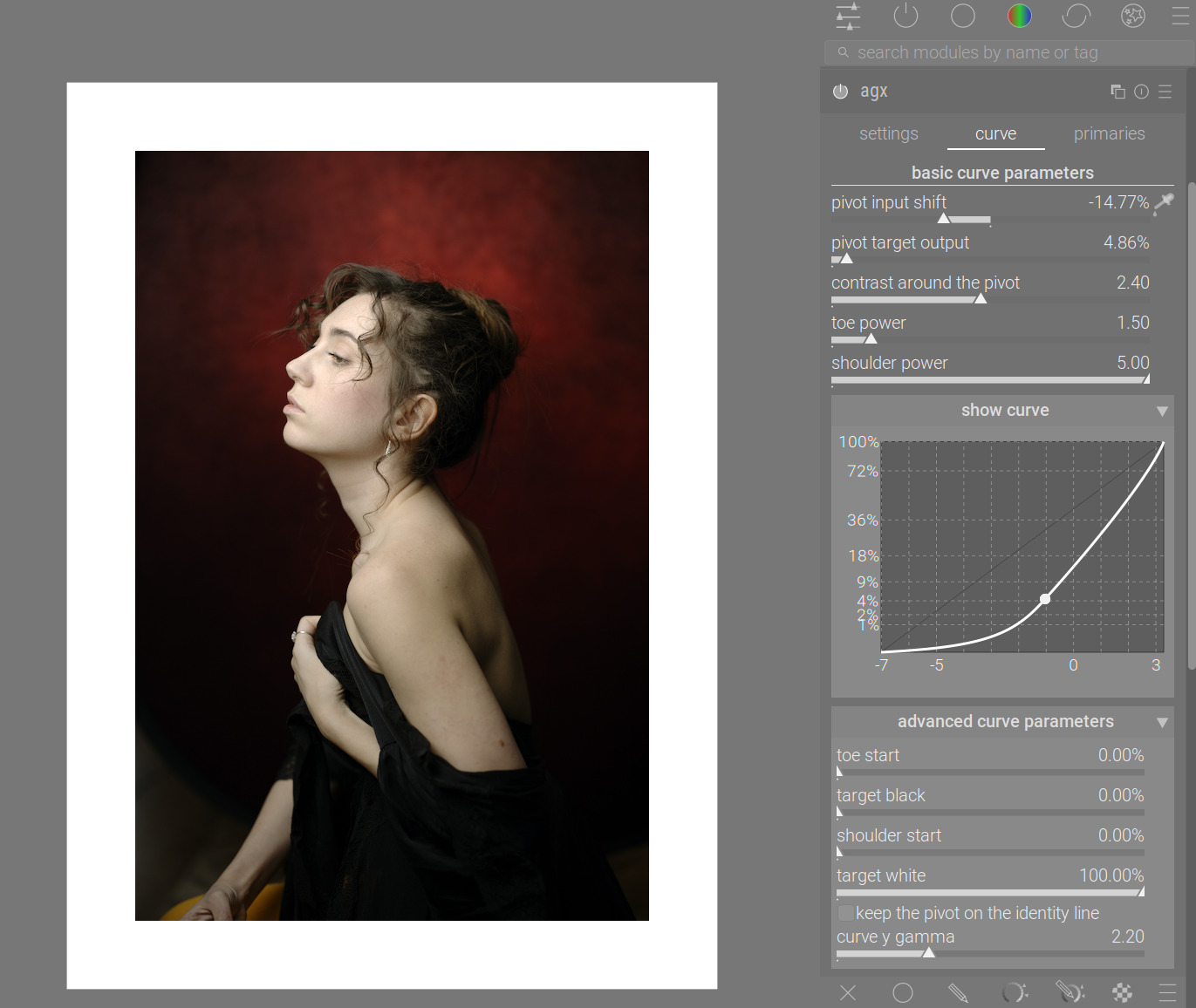
With auto-gamma:
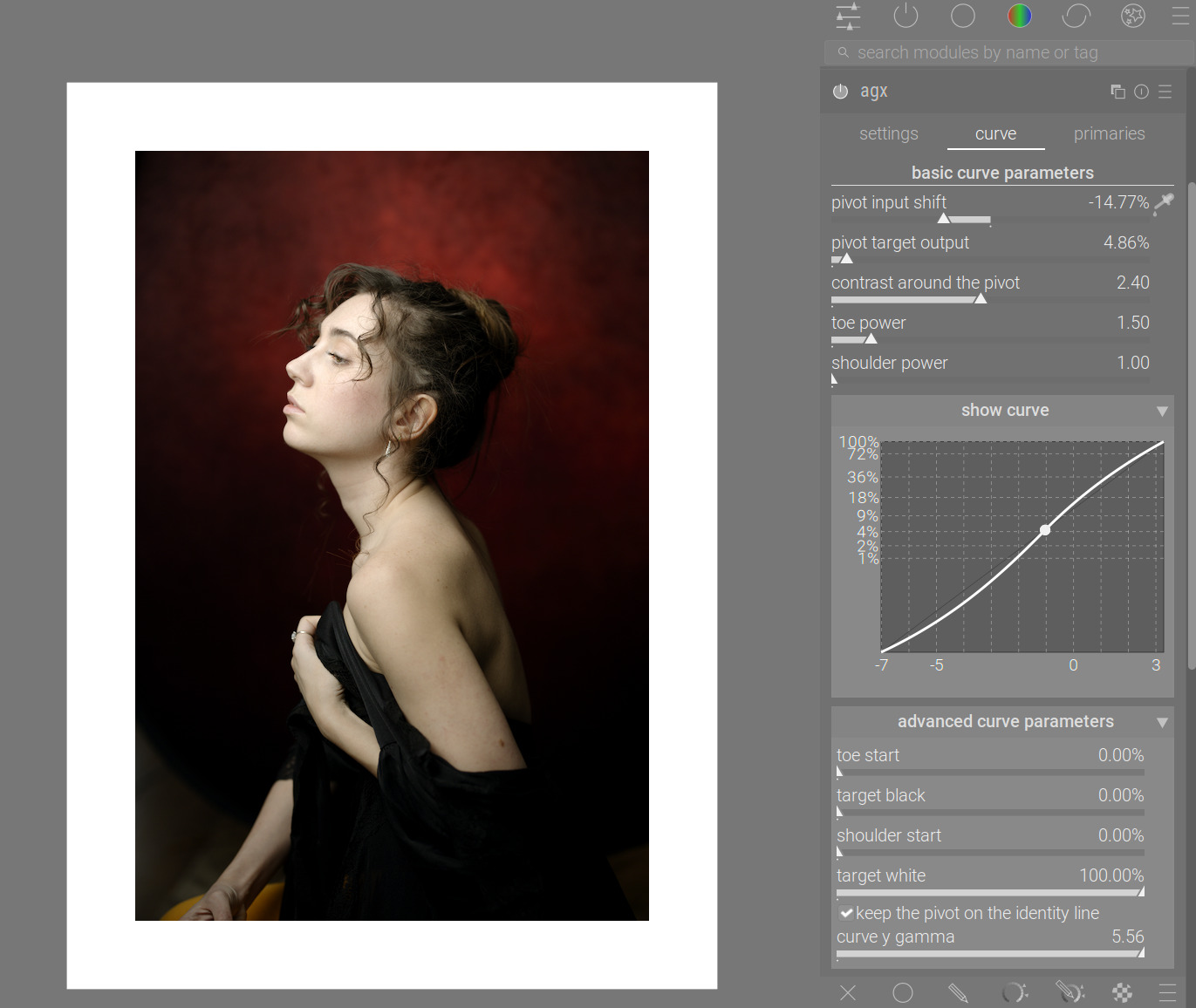
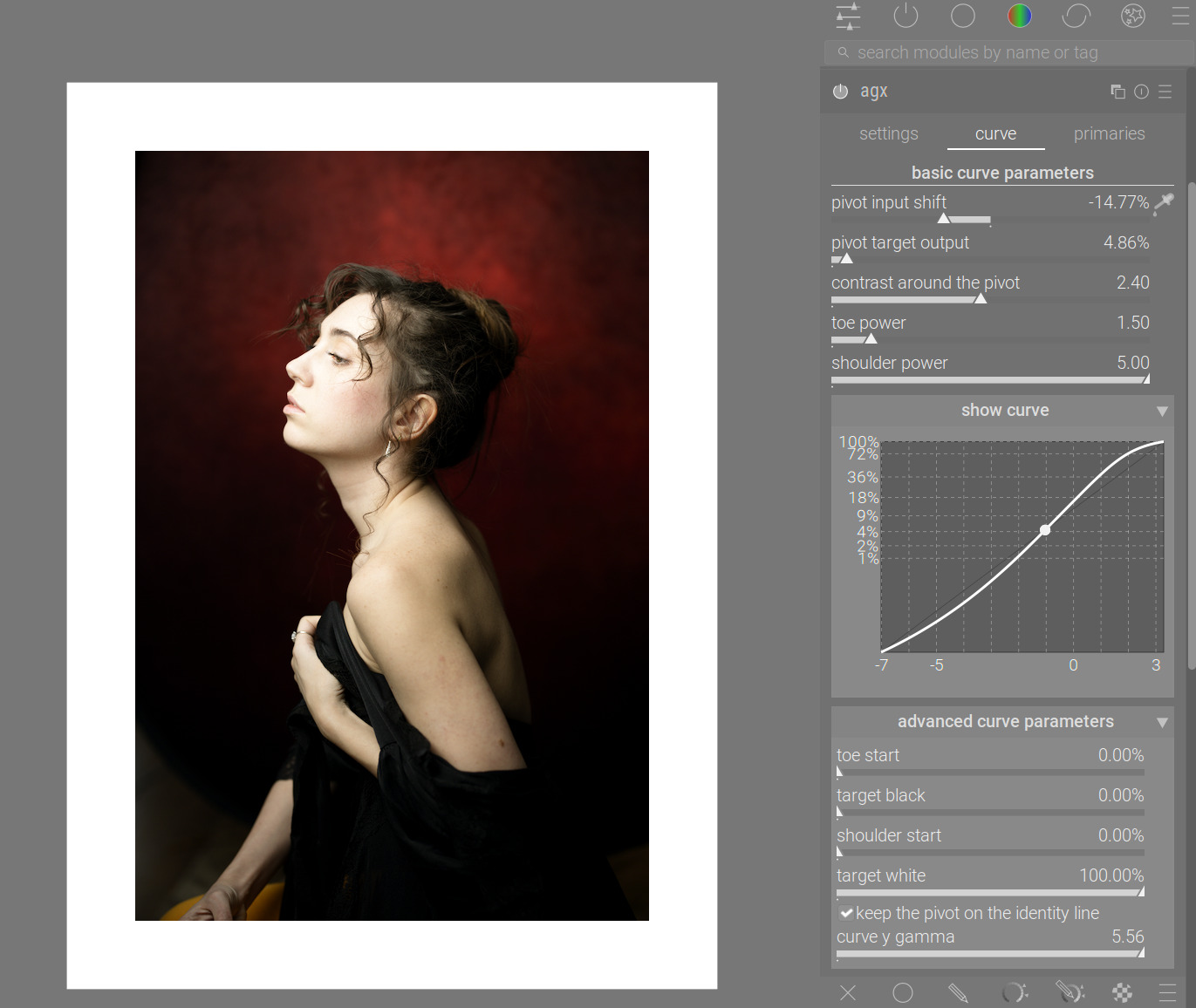
I’m not saying shoulder power = 5 looks better, only that we get the control back.
Well, with a large and rather messy patch, Gemini came up with this. I’m not sure it’s worth it, though, as one would normally be looking at the photo to see the effect, not the sliders. Sorry, my skills at OBS studio are very basic…
Since about a third of the voters wanted it, and it was trivial to do:
Depending on plugins/darkroom/agx/look_always_visible=TRUE|FALSE:
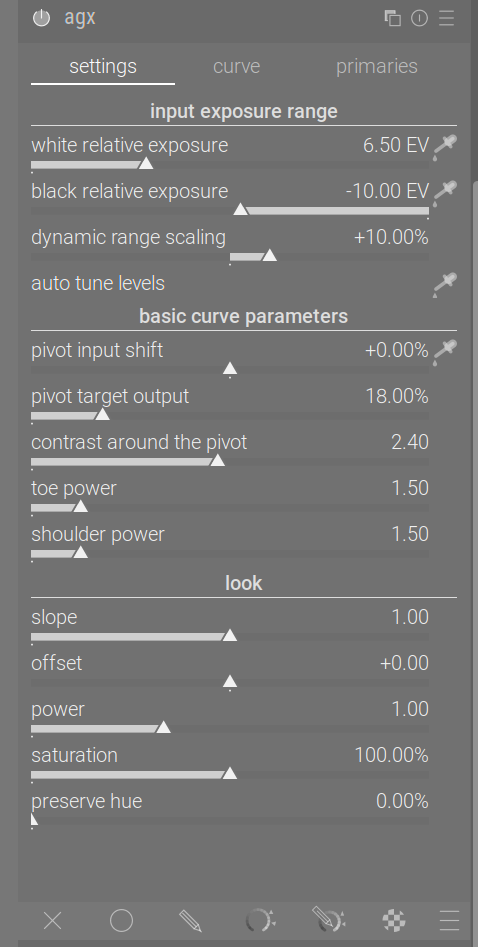
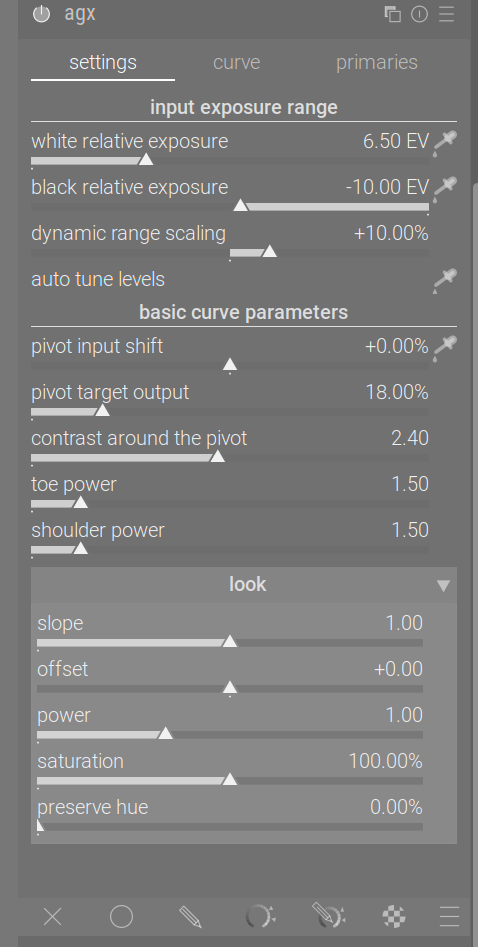
And curve is a separate tab, looks good to me. Thanks!
A new build, with the fix for the contrast change when adjusting gamma, and adding support for plugins/darkroom/agx/look_always_visible=TRUE|FALSE (look always visible or in a collapsible section like now).
Version info:
- The code has been rebased on the current master, and includes all changes up to and including:
commit 933c993683a5709bb9abb6c718de2db47cf6bc0b
Author: Pascal Obry <pascal@obry.net>
Date:   Wed Sep 3 07:55:25 2025 +0200

    develop: Minor code clean-up for zoom & mouse position.
It has the same mainline changes as master build g933c9936.
- tagged as
agx-2025-09-08-18-38
The AppImage: https://tech.kovacs-telekes.org/dt-agx/Darktable-5.3.0%2B343~g6767759898-x86_64.AppImage
@priort , @Dave22152 , @MStraeten , please update your builds. Sorry about the extra work.
Curve has been a separate tab for a long time, if one sets it up that way:
The curve tab is only visible in 3-tab mode, controlled via the
plugins/darkroom/agx/enable_curve_tabvariable indarktablerc. If the variable is set toTRUE, the curve plot and the advanced parameters are removed from the settings tab, and can be accessed via the curve tab, saving vertical space. When set toFALSE, all curve controls appear on the settings tab. The setting is intended to be used with lower-resolution displays, to avoid the need to scroll the module.
(dtdocs/content/module-reference/processing-modules/agx.md at agx · kofa73/dtdocs · GitHub)
Sorry, I’ve not been able to follow all the discussions here. And thanks for the pointer.
No one has. And you’re welcome.
Latest Windows 11 build: https://www.dropbox.com/scl/fi/5van6einhy9sgvja10gmc/darktable-5.3.0-343-g6767759898-win64.exe?rlkey=j2f06pjiq37nkn120fahbw5jw&st=1hx8khhw&dl=0
Please see instructions here and here to install this developmental build and prevent conflicts with your master.
Happy to state, with the latest AgX build, the problem of delayed loading of the darkroom module is taken care off.
Thanks for both builds for linux & win 11. I tried both and I didn’t see any issue. Anyway, there is something I don’t understand: I edited a photo with the linux version and when I try o open the *.xmp file on win 11, I get the error that the file could not be opened…