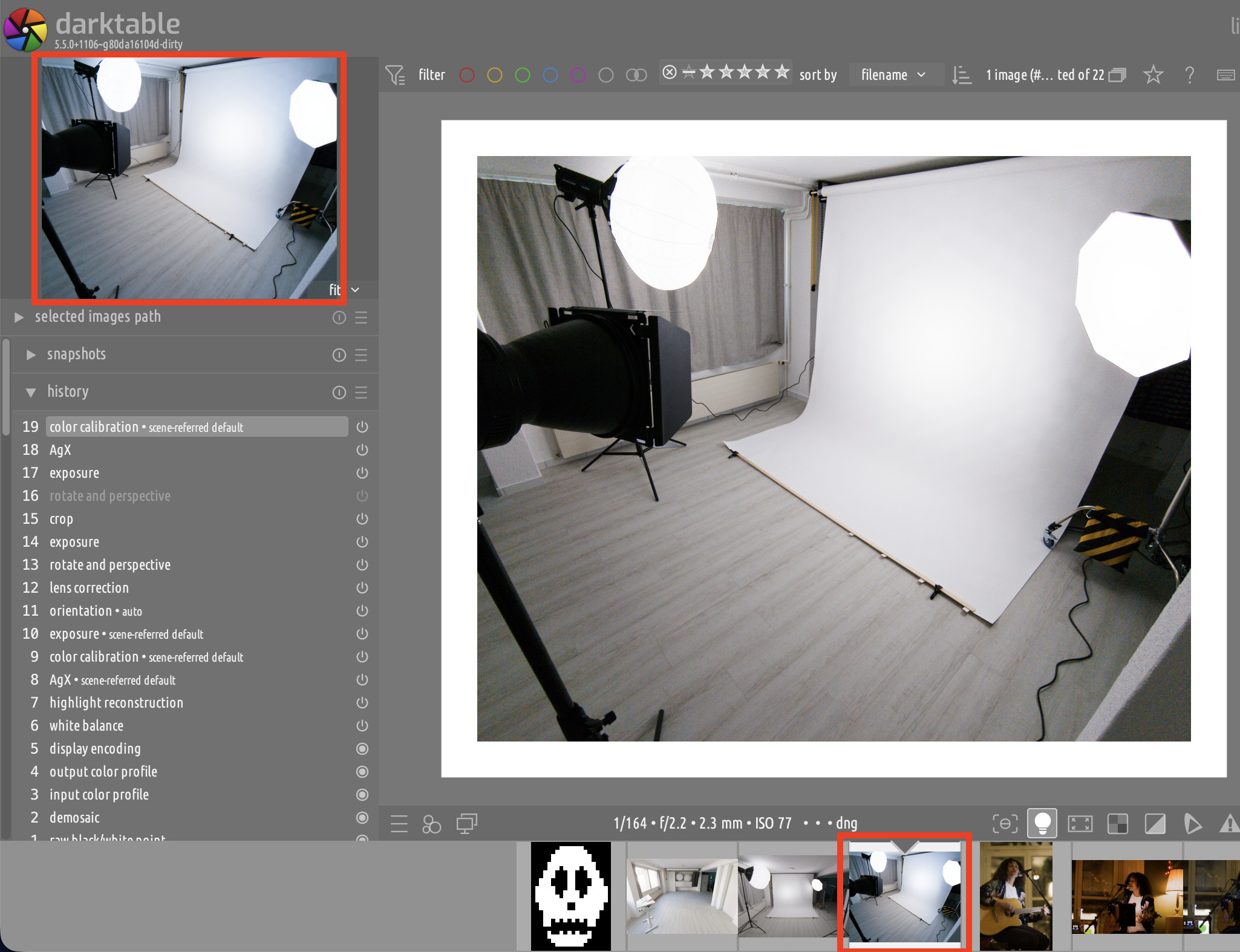
I have just happened to notice that the previews of the image being developed that are rendered in the zoom widget and in the filmstrip have a quite obvious blue tint to them:
Ok, it happens with Android Raw (DNG) files, my CR2/3 files are not affected.
It is interesting because they are rendered ok in the filmstrip when the image is not being developed. Only after a DNG is loaded in the darkroom it gets the tint, which disappears again when another image is selected.
Seems like there is some kind of “sticky” color calibration that is only used when the preview is rendered, but ignored by the full pipeline.
But why would it change when it is being developed or idle? And it’s not just the filmstrip, it is also the preview. It is like if the two pipes process the image differently.
The 2 pipes do process differently. The development pixelpipe usually runs on the GPU and the preview pixelpipe runs on CPU. IIUC the preview is also heavily down sampled. But the development pixelpipe is also down sampled so what you see there may not be the truth.
I think the only way to know the “truth” is to turn on HQ processing in the main window so you know what your really have. Then you can compare that to the preview and filmstrip images and work from that. You could also turn off opencl and see if that makes a difference.
I understand all that. But why does the thumbnail look different when the image is actively being developed or not? Also, the tint shift is major, both in the preview and in the filmstrip. It’s hardly something that you would ascribe to downsampling.
So, there would be some processing instructions embedded in the DNG that the two pipelines handle differently (i.e., ignore or not). The reason why the thumbnail in the filmstrip is different for active images is that the active thumbnail uses the preview pipe (as does the zoom widget), while inactive thumbnails use the cached result of the full pipe.
I’m not sure about the correct names but I think there are 5 pipelines. Darkroom center preview is high quality and used for the main preview, then the preview pipe is for the histogram and panning display, then I think you have export , second display and thumbnails… The fact that the histogram and zoom and pan preview are the same reflected what I saw When gain maps was enabled in the raw white point module…you could see the bump in the blue channel in the waveform and that was reflected in the preview window…but not in the main view which uses that center view pipeline… I didn’t see if opencl made a difference…it could be that or the math ?? A similar mismatch often happened with dehaze on certain images before the HQP was introduced… That mode or zooming to 100 percent should be considered accurate…one of the devs… Likely @hannoschwalm might have a clue about the interaction of the gain maps and why it bumps blue in the one pipeline but not the other…you could try opencl to check if it makes a difference…Sorry for the sloppy post , on my phone and heading to bed