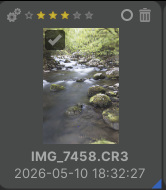
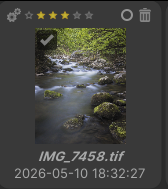
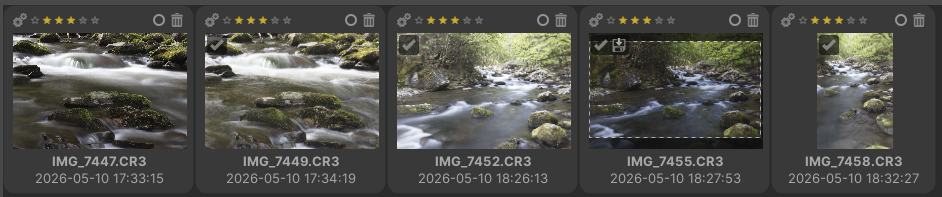
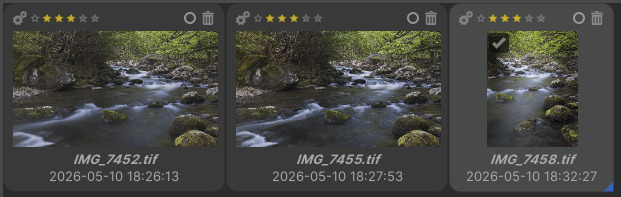
I noticed this after upgrading to 1.26.4 so I downgraded to 1.26.2 (where I was before) but it’s still happening. I’m on Windows 11.
I edited a number of CR3 raw files last night and today neither the raw thumbnails nor the raw file (when loaded in ART) show those edits. However, exported TIFFs and their thumbnails do contain the edits. I save my edits to the TIFFs, but copying from the TIFF and pasting to the CR3 doesn’t work.
Is ART looking for those sidecar files in the right spot? I had this problem with RawTherapee a couple of years ago, and it turns out that was the problem.
It should be – I’ve made zero change to ART’s config. That’s why I initially thought it was the new version. It’s been a little while (few weeks) since I did any edits before last night but otherwise it’s worked fine for three years or so.
As you can see from the TIFFs I edited 7452, 7455 and 7458. But only 7455 shows edits on the raw thumbnails. 7449 was opened in ART but not edited; 7447 was not viewed at all.
I even restored the sidecars from two locations, but with the same results.
Upon opening the raw, none of my usual edits are there but my metadata user comment is, albeit slightly changed:
charset=Unicode Little River, Tremont Rd., TN
The original comment was just Little River, Tremont Rd., TN
When I explicitly loaded the sidecar I got my GPS data but no edits. Looking at the sidecar in an editor, I don’t see any of the edits I’d expect to find in there (e.g., Color Correction, etc.) – Including the metadata bits I mentioned above. So maybe they’re not getting saved to the sidecar nor cache?
SO – Related question… If I save my edits to the output TIFFs (which is enabled), I assumed I could copy and paste them to the raw file, at least the non intrinsically raw edits. But that doesn’t appear to work. Is that an incorrect assumption on my part?
This might be your culprit. It’s trying to load what’s in your cache rather than what’s in the folder. On my system, those are fairly easy to change by mistake. I’ve found that if I try to scroll by that window by using the mouse wheel, those values will sometimes get inadvertently changed.