Haha  , yes I was pleased with the result. It was only a small one though - I want to try a bit more of this.
1 Like
I think that’s a great idea.
Also, with @krupkat 's blessing, I’d like to submit a package to the Arch User Repository (AUR) — I’m busy this weekend (I’m having to do some very boring but important non-photography related stuff that I really don’t want to do  ), but I could tackle it toward the end of the week?
3 Likes
That would be fantastic, thanks a lot! No worries if you have to postpone it.
2 Likes
I’m impressed.
Threw at it a very casual panorama (all hand held, done in a hurry):
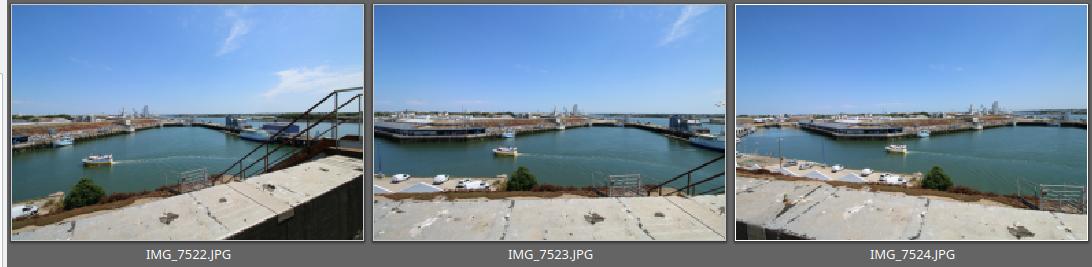
and got a very nice result:

The yellow boat was a curve ball, very well handled (no undue extension), even if the wake could have been straight…
My only (slight) worry is that when exporting to JPEG, the chroma subsampling is the harshest there is. An option (full/halved/quartered) would be definitely welcome.
4 Likes
I’ve also notice Xpano requires a bit more care with keeping exposures the same across the shots. Hugin uses enfuse to even out exposure differences but with Xpano, some exposure banding can occur. No biggie unless you’re not prepared. So keep that mode dial to Manual!
I also did a bit of testing today and it was fun, the photos were taken handheld with a telephoto I had for birds.
This one is from 6 images, for a total of 93MPx:

This one is from 4 images, 58MPx:
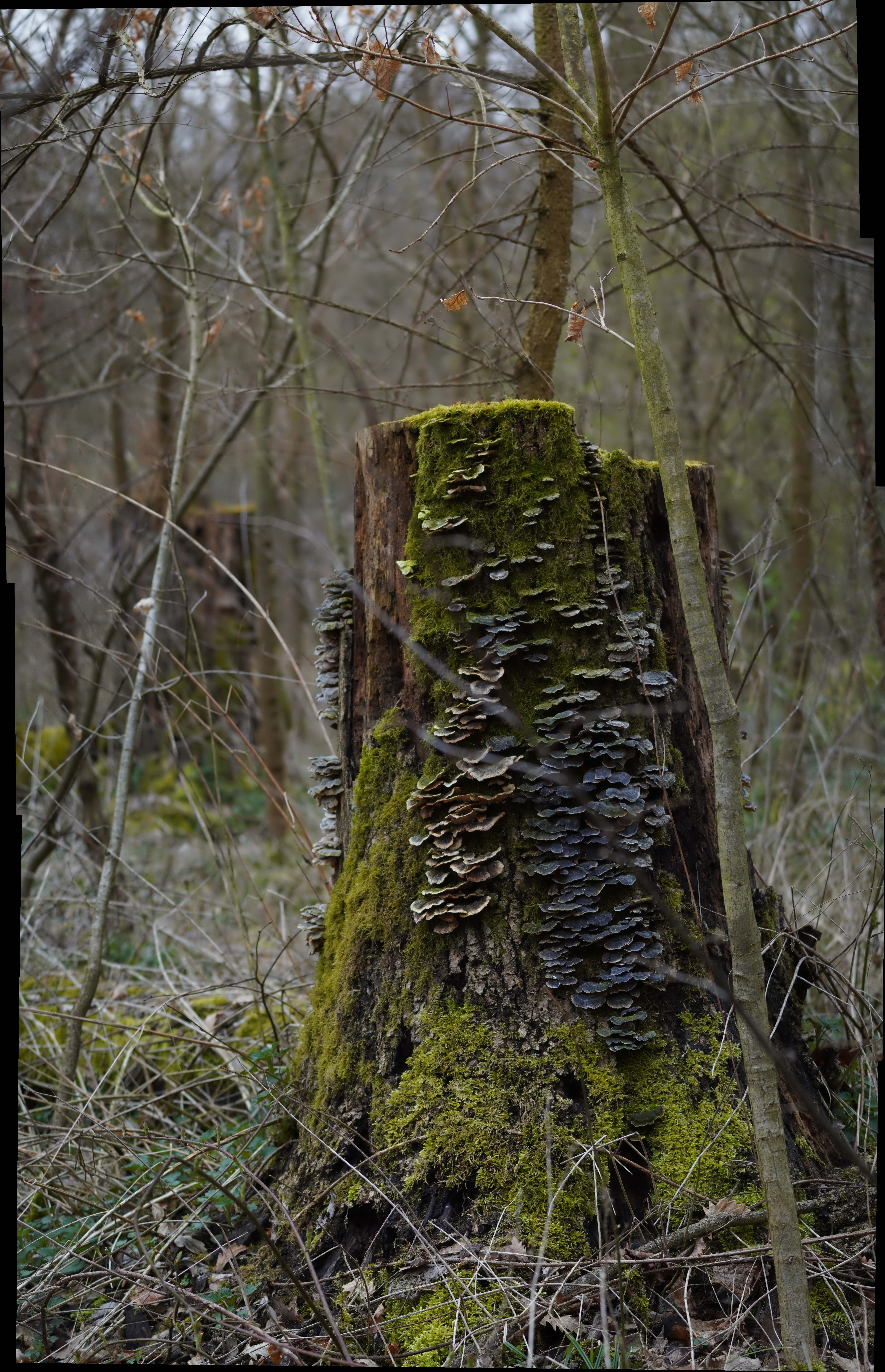
This one is from 14 images, 160MPx after crop:

4 Likes
I managed to build from source on MacOs Ventura 13.2.1
Xpano starts but crashes when I load multiple images and/or directory.
I don’t know how to post a log of the crash if it can be useful.
Thanks for the suggestion, that will be good to have. I’ll add the option and probably make 422 the default, I didn’t realize 420 was the default: OpenCV: Flags used for image file reading and writing
1 Like
I don’t have access to a Mac atm, so it could be a bit hard for me, but hopefully there is something in the logs - you can see their location under Help → Support. Please send them through a github issue / email / pm, whatever works for you
Re tested you software, it’s now working for me as well and it’s really fast ! I love the simplicity
For my personal usage, the 2 things that would make its use faster would be :
- Projection method accessible directly from the main window (having other settings hidden in 2 levels of menu is OK but projection method is something I’m experimenting with every time I’m stitching)
- Drag’n’Drop to add files
Your application is just refreshingly simple compared to Hugin when you just have to stitch without mask or different exposition problems or other tricky situations that require special intervention, I’m switching to it right away
1 Like
Does this support stitching in a linear, scene-referred workflow? I always have a lot of issues with Hugin in that regard.
Hi @Compizfox, I had to read up a bit on this first - no, it is not supported at the moment, all inputs are converted to 8bit images, I should probably document that.
I will look into a 16 bit pipeline eventually, I see someone was trying it a few years back (GitHub - dankamongmen/stitcher16: driver for opencv 16-bit stitching) and faced some issues. Feel free to add a feature request in the GitHub repo.
1 Like
A little more feedback… 
I’ve tried a couple of more ambitious multi-row (brenizier) panos, and while it gives good results , it seems to slow down rather dramatically - with smaller ones it’s very quick to compute the preview, but with the last one I tried (21 16MP images) it froze at 94% so long I thought it had crashed… not sure how long as I left it running while I did other things. When I came back 20min later it was done.
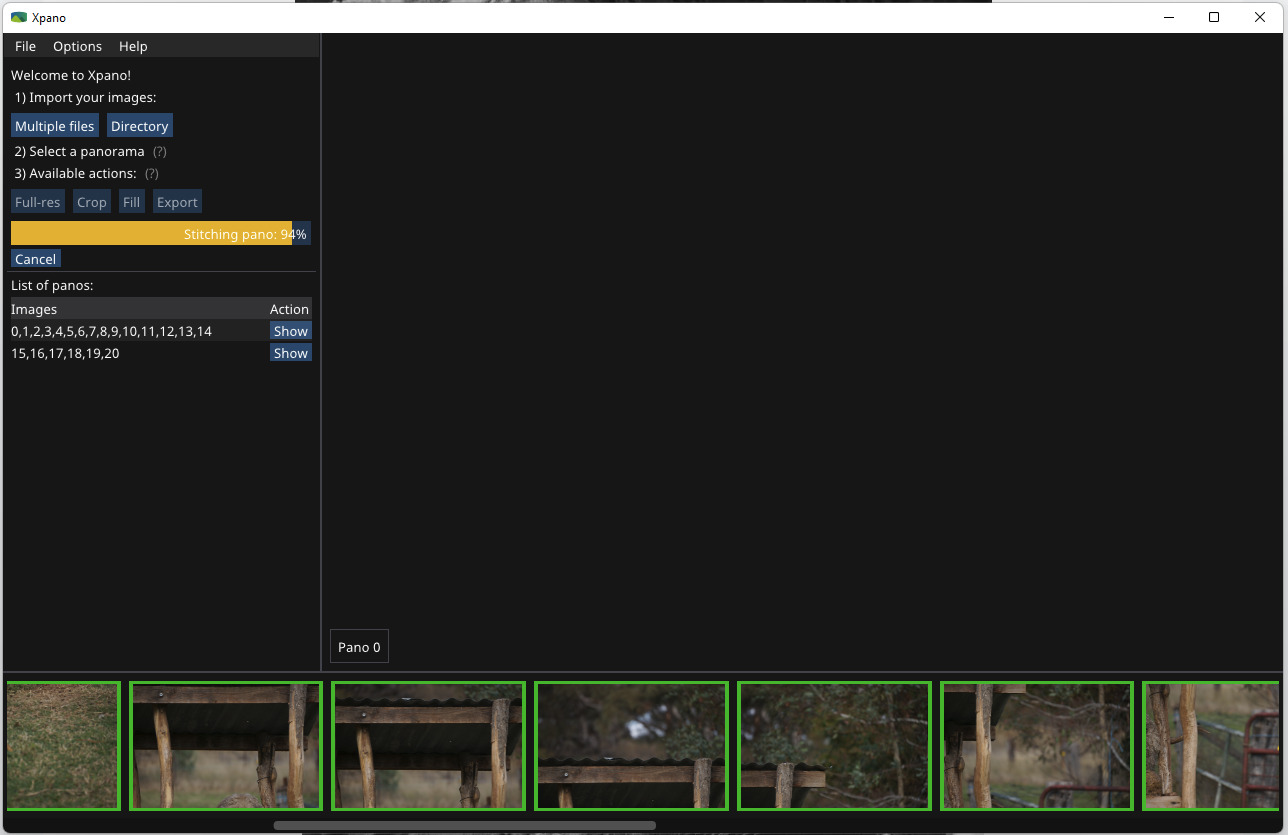
As I write this, my CPU usage is sitting at 100% of which 85% is xpano - I ctrl-clicked 5 images to force include them in the pano which meant it had to recalculate it. It’s been running for at least 4 min and is sitting at 95% completion while using all the CPU it can get.
I expect it will get there, but it seems a little inefficient… Obviously I’m not at all experienced with all this, so if there’s any user error it’s mine  I have the options for stitching set to include more surrounding images (6 i think) and I lowered the number of matching points to 25 or so. This seemed to work better on these images.
Running Win 11 21H2, CPU is an i5-2400 CPU @ 3.10GHz, 16GB ram and (if it’s relevant) a GTX1650 GPU.
All just in case this is useful - please disregard if it’s just that I’m misusing it!
Edit: it failed this time…
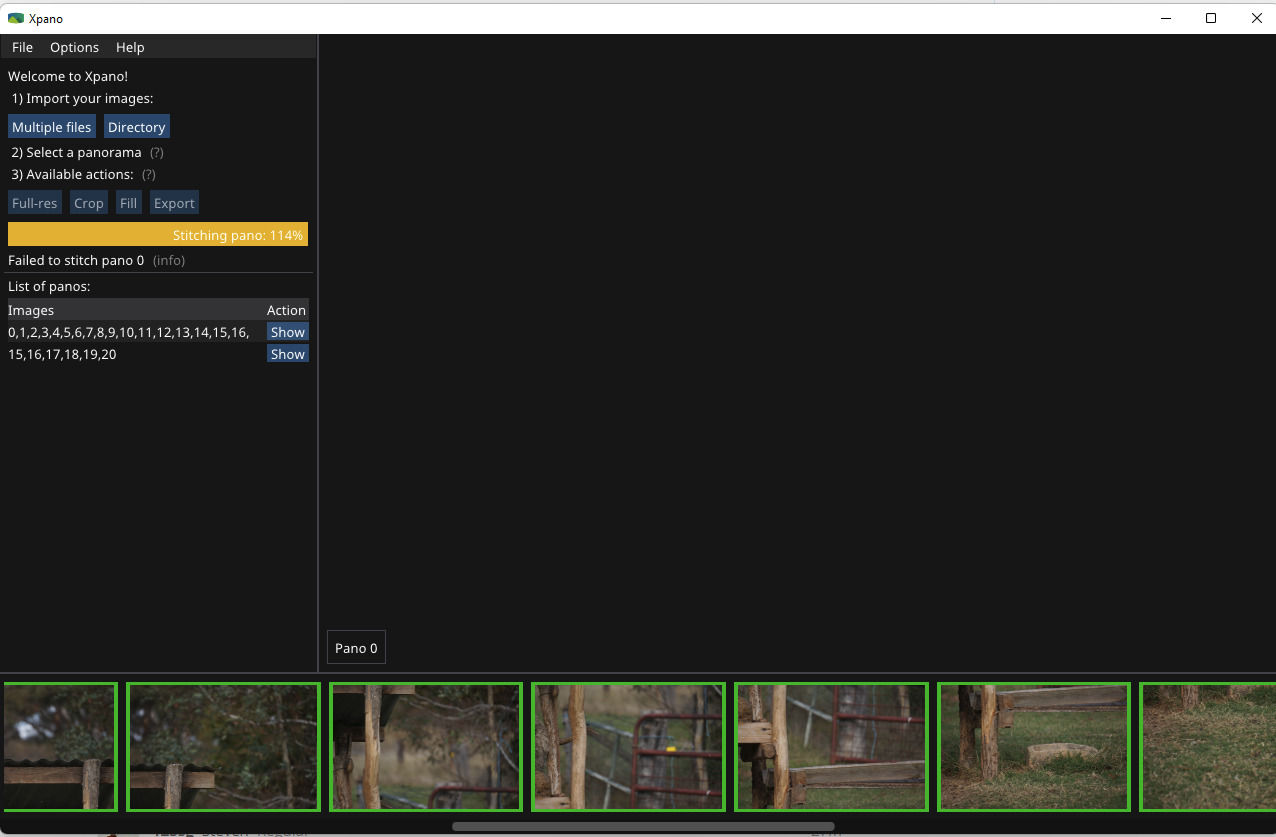
For reference this is the image I’m working on above, this version stitched with Microsoft Image Composite Editor (which was quite quick).
3 frames wide (with overlap) and about 7 high.
This is a downsized version.
s
It is good that you’re stress testing the app  Thanks for the report!
I’m suspecting an issue with vertical panos could be affecting your results, I have already submitted a patch for it (Feature auto wave correction by krupkat · Pull Request #67 · krupkat/xpano · GitHub) and published a new release (though it is not up on Microsoft store yet). Before the patch the vertical panos had their projection unnaturally stretched wide and this could eat up all memory + cpu.
Since you’re on Windows, there is working OpenCL acceleration, possibly I can look into enabling CUDA as well, could be interesting.
The new release: Release 0.11.0 - Automatic wave correction · krupkat/xpano · GitHub
Yes, it works really well with darktable - I got a massive speed up with some modules when I installed the GPU.
Great - I’ll try it later today or tomorrow. Thanks!
On second thoughts I decided to try it now
It still seems to be struggling - for 3 minutes now it’s been sitting at 94% (with the same big pano I posted above). CPU usage is not 100% but I haven’t got to the point where I crtl-clicked images last time.

I will try with a smaller section next.
Right, 7 images vertically worked perfectly and only took about 15 sec or so (I wasn’t timing…) to get to the preview:
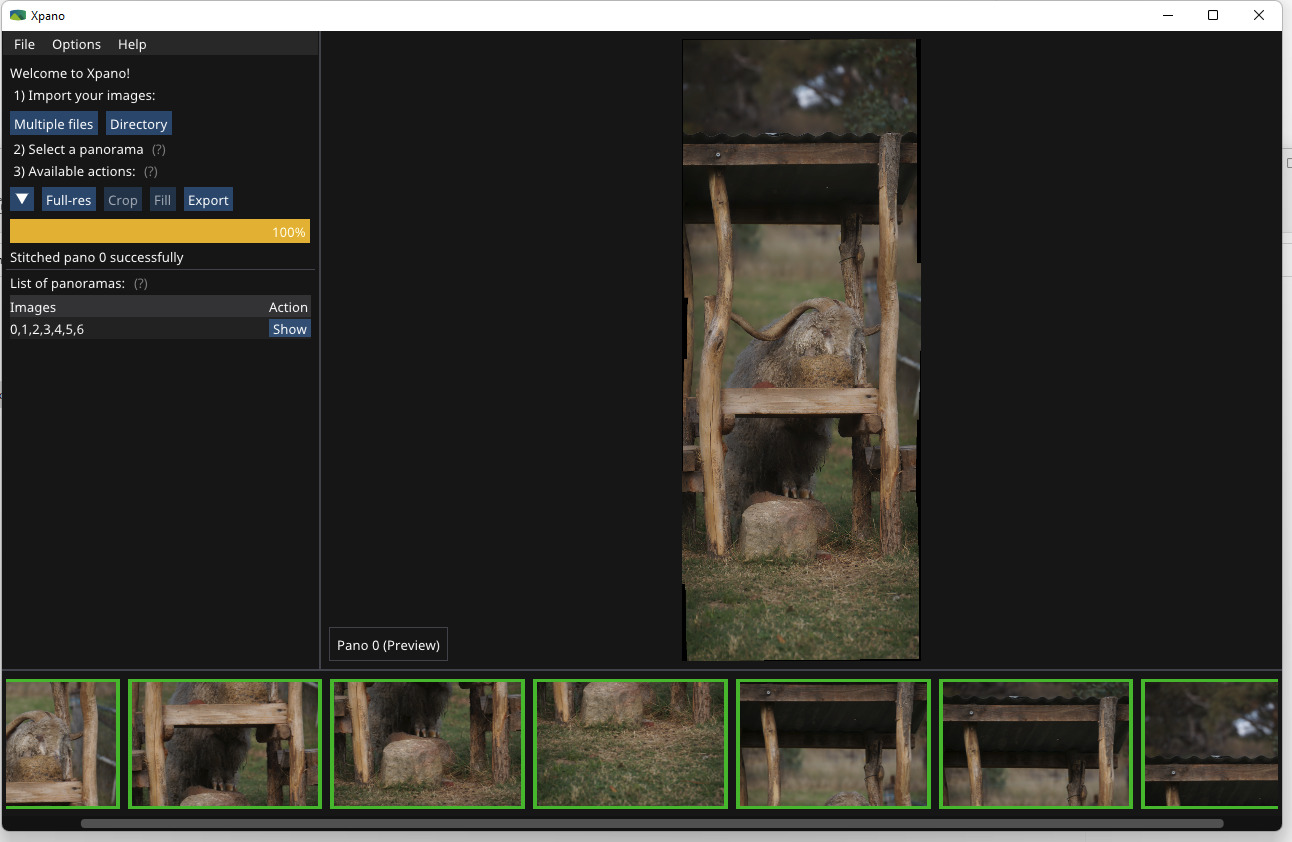
… but 15 or so pics, (two vertical strips) seems to have pushed it over the edge again, in terms of responsiveness - been sitting at 94% for a couple of minutes with no sign of life 
Wow, your configuration is a lot like mine and you say microsoft composite editor is quite quick to stitch 21 16mpx images “panorama” I’m rather impressed !
Being exclusively on GNU/Linux since … windows 2000 (never installed XP) I tend to lose comparison with M$ bundled software but having a baseline bench would be interesting !
Even more given that Xpano is already a lot faster than hugin even at the stitching calculation itself…
Yes, I was impressed when I first came across it - it’s no longer available from MS, but it was apparently free (in $) so I was happy to find a downloadable installer on the Internet Archive. TBH it’s the best stitching software I’ve used, although it’s looking like xpano will give it a hard run for it’s money if it can handle bigger panoramas - which I’m sure it can once the teething troubles I seem to be getting are sorted.
Edit:
I just checked what my definition of “quick” actually is - turns out to be just a smidge over 1 minute including the export, for that 21 x 16MP pano above.
afaik it wasn’t even bundled with Windows at any point, it was available for download for some time on the Microsoft Research page. The software is fantastic I have to agree, don’t remember any announcements about the discontinuation, I wonder what happened