I have used these functions several times in the past, but when I tried to use Neural Restore - Raw Denoise this morning, it said the module is not loaded. After that, the Process button was grayed out and unselectable. All of the other Neural Restore Process buttons are also disabled.
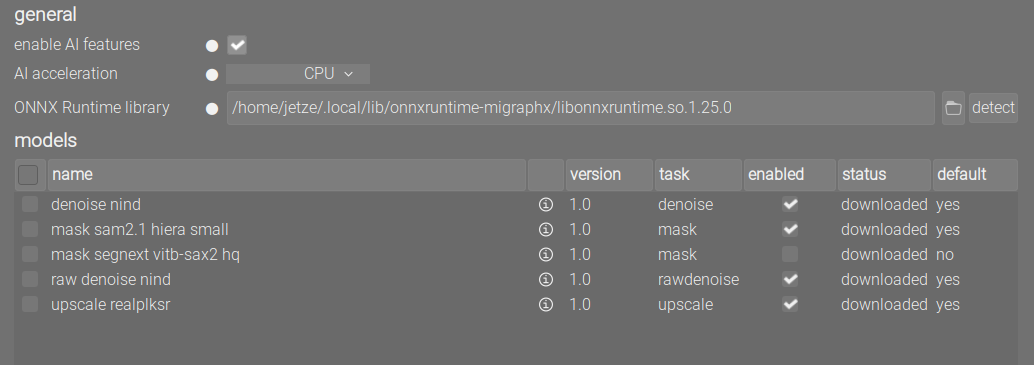
I went to darktable settings, and the AI modules still show as Downloaded and Enabled. I tried to Download/Update selected, but that had no effect.
Oh, I also noticed yesterday that the AI masking was not working. At that time, I was simply puzzled and went on about my business.
So, to report what it is doing, I re-attempted it just now. When I try to do a drawn mask and click the AI button, it responds “object mask preparation failed”.
Well, I run Arch Linux, so a few things are changing day by day.
As far as I recall, ONNX has never been installed, and all of my AI modules were working at some time in the past. Maybe I just don’t remember it. If ONNX is needed, I will look for it.